

The Dashboard
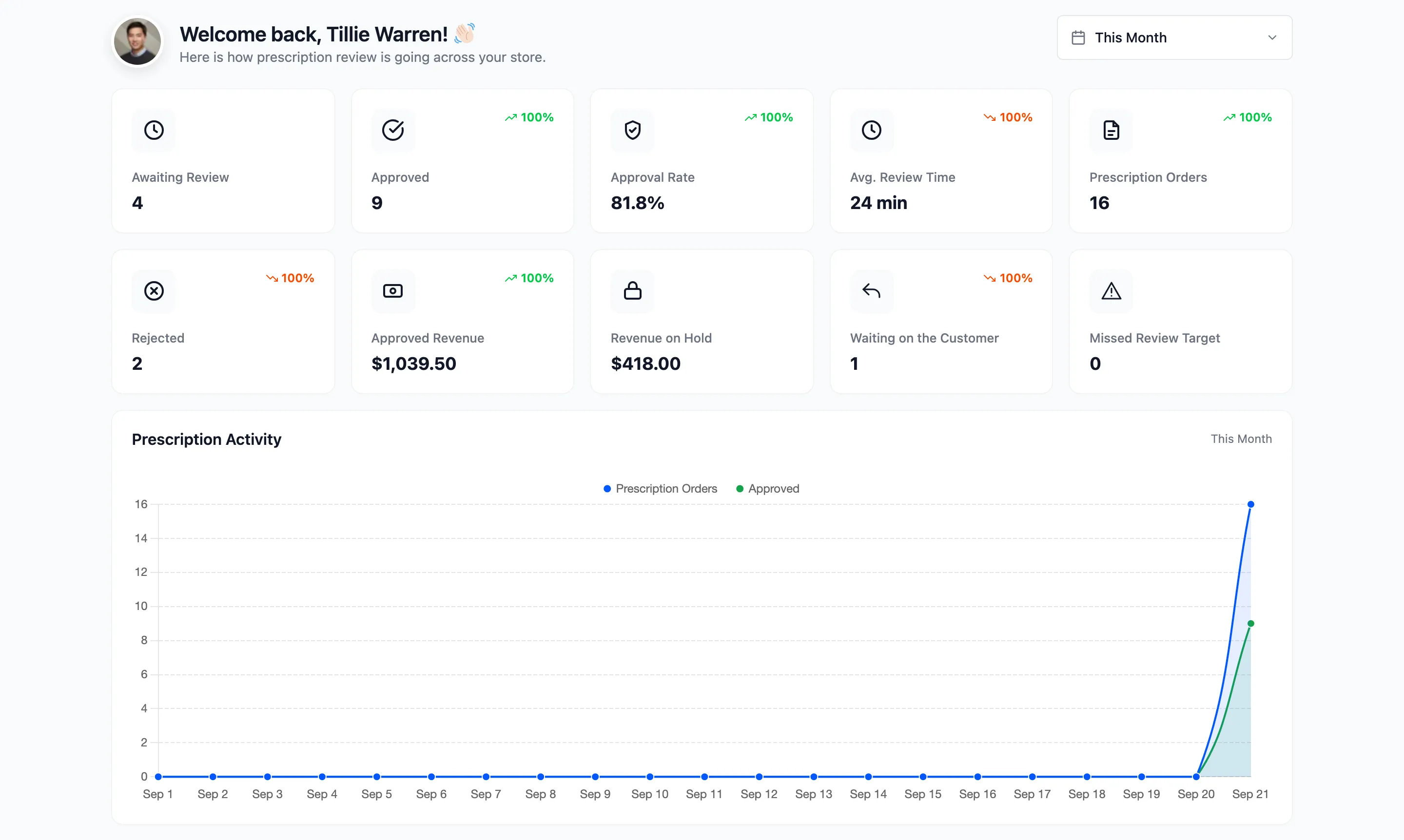
The dashboard answers one question first: what is waiting for a pharmacist right now. Everything below that explains how the queue got there.
Go to DevDiggers Plugins → Prescriptions → Dashboard.
The date range
Section titled “The date range”The picker at the top right defaults to This Month. It changes every card and chart except two: Awaiting Review and Revenue on Hold always count everything still waiting, however old it is. A prescription from last month that nobody has looked at is still your problem this month.
The summary cards
Section titled “The summary cards”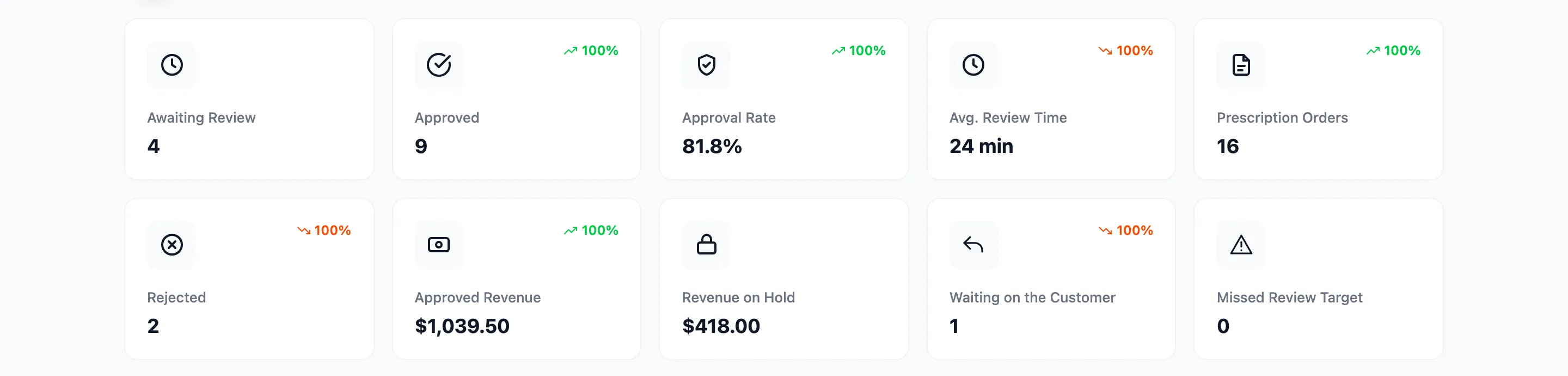
| Card | What it counts |
|---|---|
| Awaiting Review | Prescriptions still to be decided, including orders still waiting for their file |
| Approved | Prescriptions approved in the period |
| Approval Rate | Approved as a share of everything approved or rejected. Requests for more information are left out |
| Avg. Review Time | The average time from the order being placed to its approval |
| Prescription Orders | Every order in the period that needed a prescription |
| Rejected | Prescriptions refused in the period |
| Approved Revenue | The order total of everything approved |
| Revenue on Hold | The order total of everything still waiting |
| Waiting on the Customer | Orders sent back to the customer for more information |
| Missed Review Target | Orders that waited longer than your review target, or were approved after it |
Each card compares itself with the period before and shows the change as a percentage. A rise in Rejected or Avg. Review Time is shown in red, because more of those is worse.
Prescription Activity
Section titled “Prescription Activity”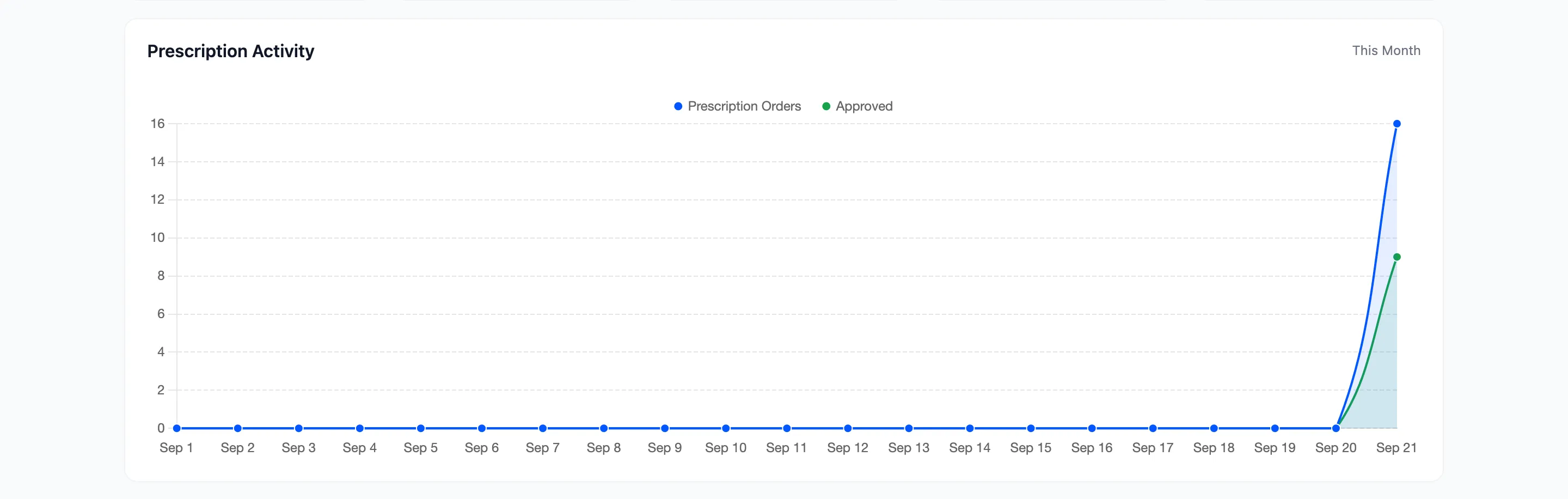
Two lines by day: every prescription order, and the ones approved. A gap that keeps widening means orders are arriving faster than they are being cleared.
Review Status Mix and the Review Queue
Section titled “Review Status Mix and the Review Queue”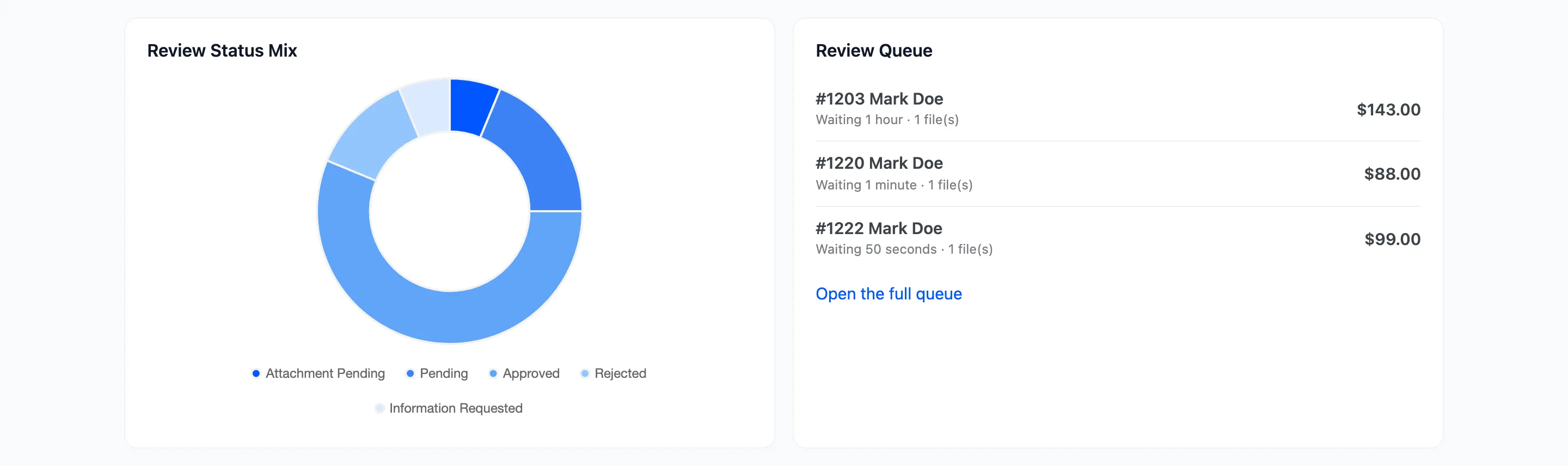
Review Status Mix splits the period’s prescriptions by status: Attachment Pending, Pending, Approved, Rejected, Information Requested and, in Pro, Expired.
Review Queue lists the eight oldest prescriptions waiting on a pharmacist, oldest first. Each row shows how long it has waited and how many files came with it. Open the full queue goes to the Orders screen. An order still waiting for its file is not in this list, because there is nothing to review yet.
The Pro analytics
Section titled “The Pro analytics”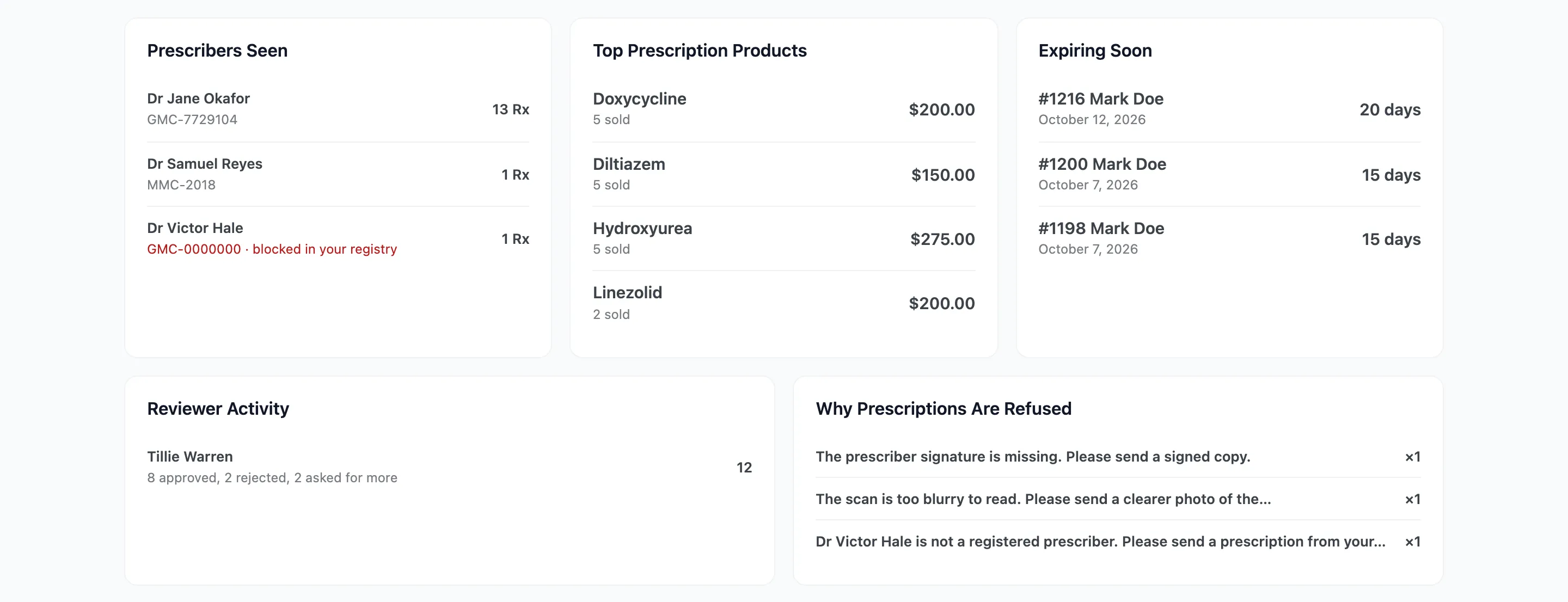
- Prescribers Seen: The doctors your orders come from, with their licence number and how many prescriptions each wrote. A prescriber blocked in your registry is marked in red. It needs the Prescribing Doctor field to be collected.
- Top Prescription Products: Which prescription products sell, with units and revenue.
- Expiring Soon: Approved prescriptions that lapse in the next 30 days. These are the customers about to need a new one.
- Reviewer Activity: Decisions per reviewer, split into approved, rejected and asked for more. It reads the audit trail, so it stays empty while Audit Trail is switched off.
- Why Prescriptions Are Refused: The messages sent with refusals and requests, most frequent first. A reason near the top every week is worth fixing at the source, usually with clearer upload instructions.
Where to go next
Section titled “Where to go next”- Orders with Prescriptions to work the queue.
- The Review Workspace (Pro) to decide prescriptions one after another.