

The Customer Experience
This page follows one customer through a prescription order, screen by screen. Every screenshot is from a real order placed on the demo store as the customer Mark Doe.
1. The badge on the shop
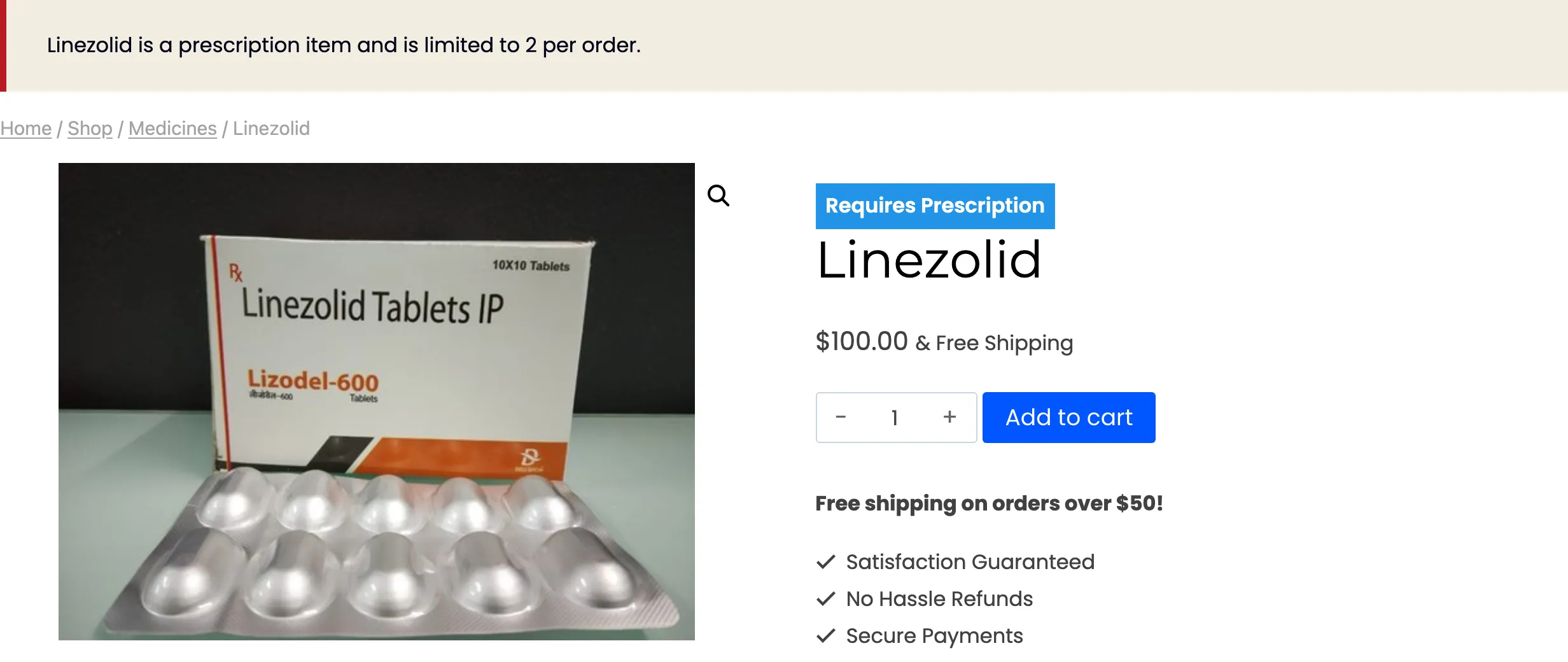
Section titled “1. The badge on the shop”A product that needs a prescription carries a Requires Prescription badge in the shop grid and on its own page.
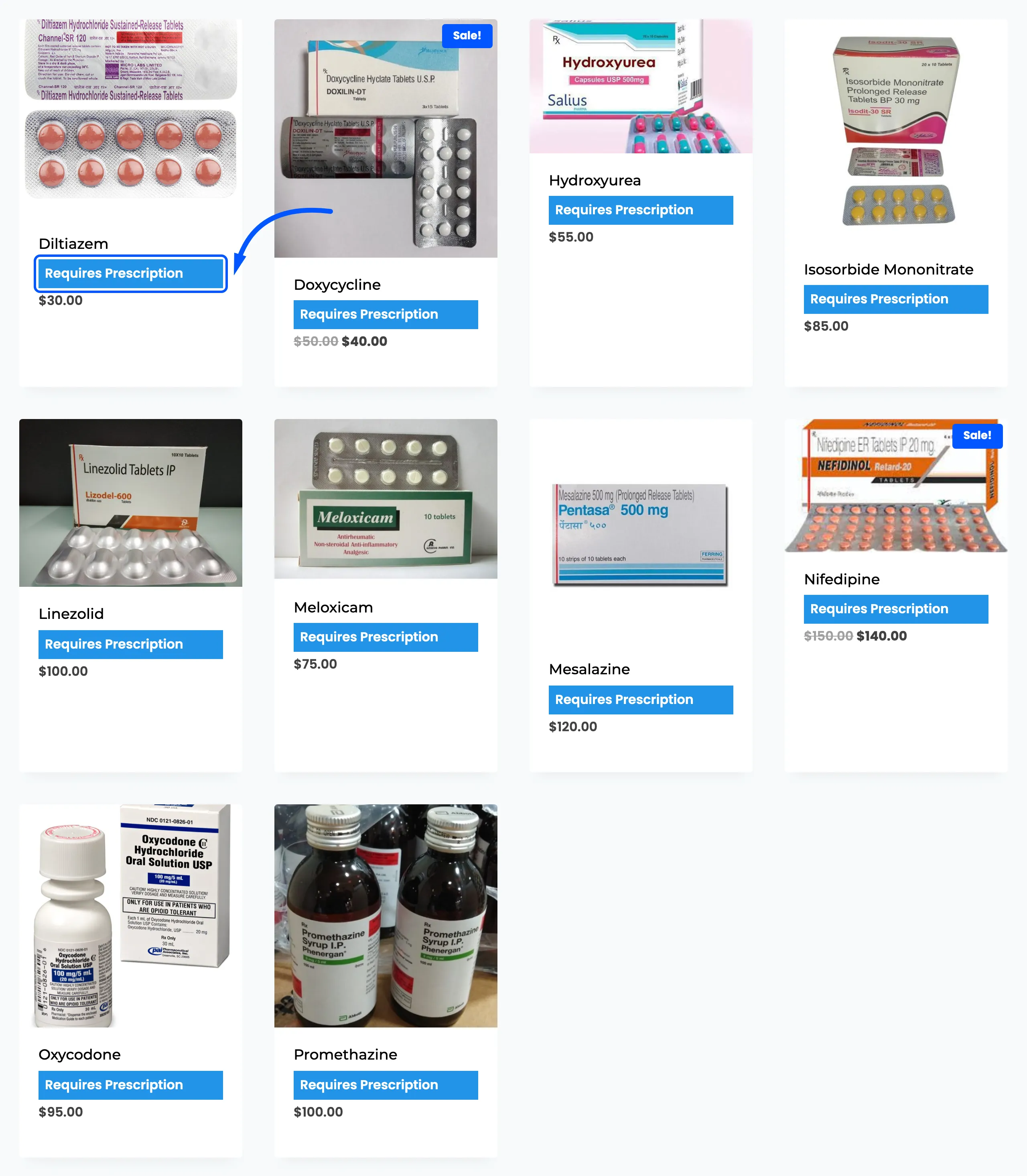
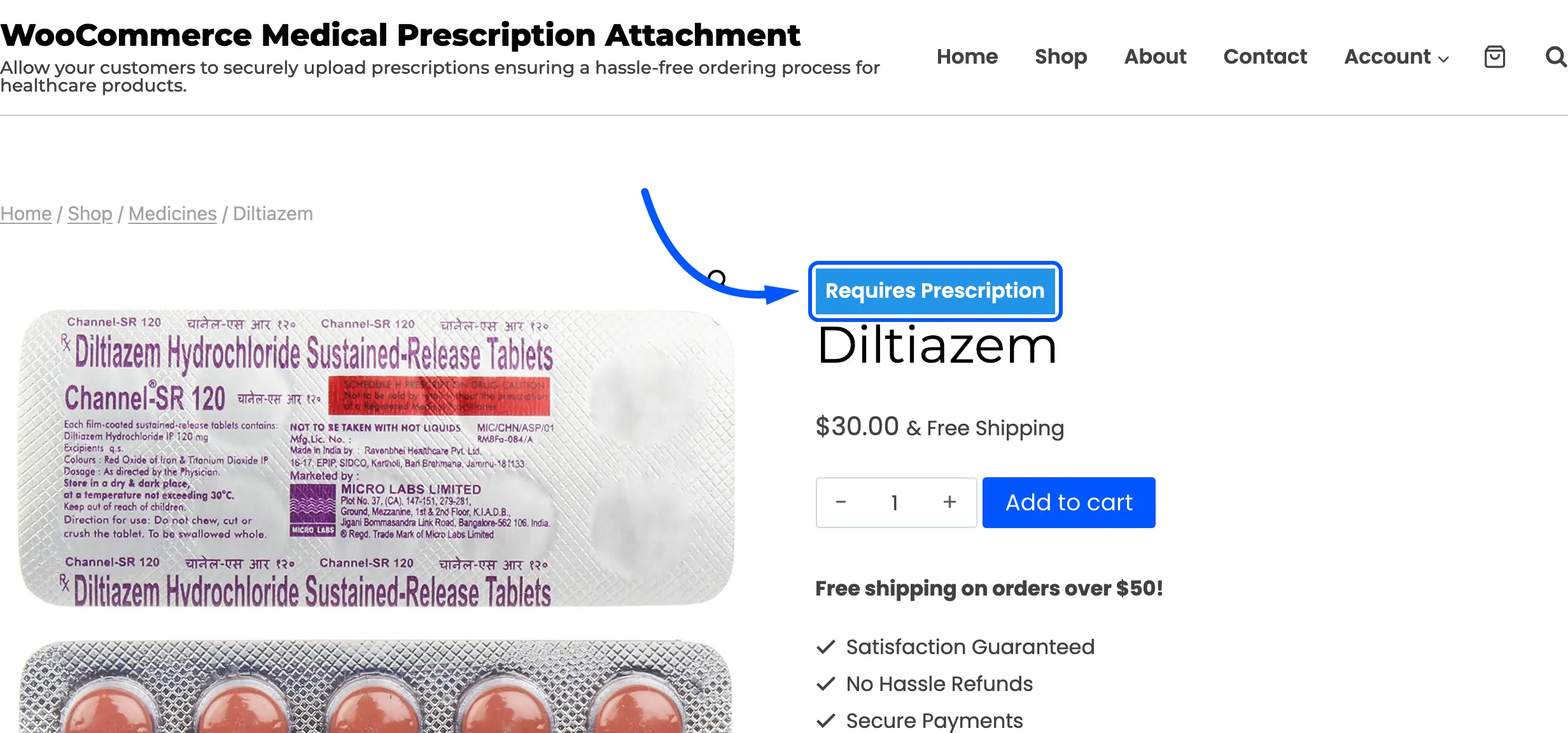
The wording, colours and position are yours to change under Design Settings.
2. The upload box in the cart
Section titled “2. The upload box in the cart”With a prescription product in the cart, the Attach Medical Prescription box appears beside the cart totals.
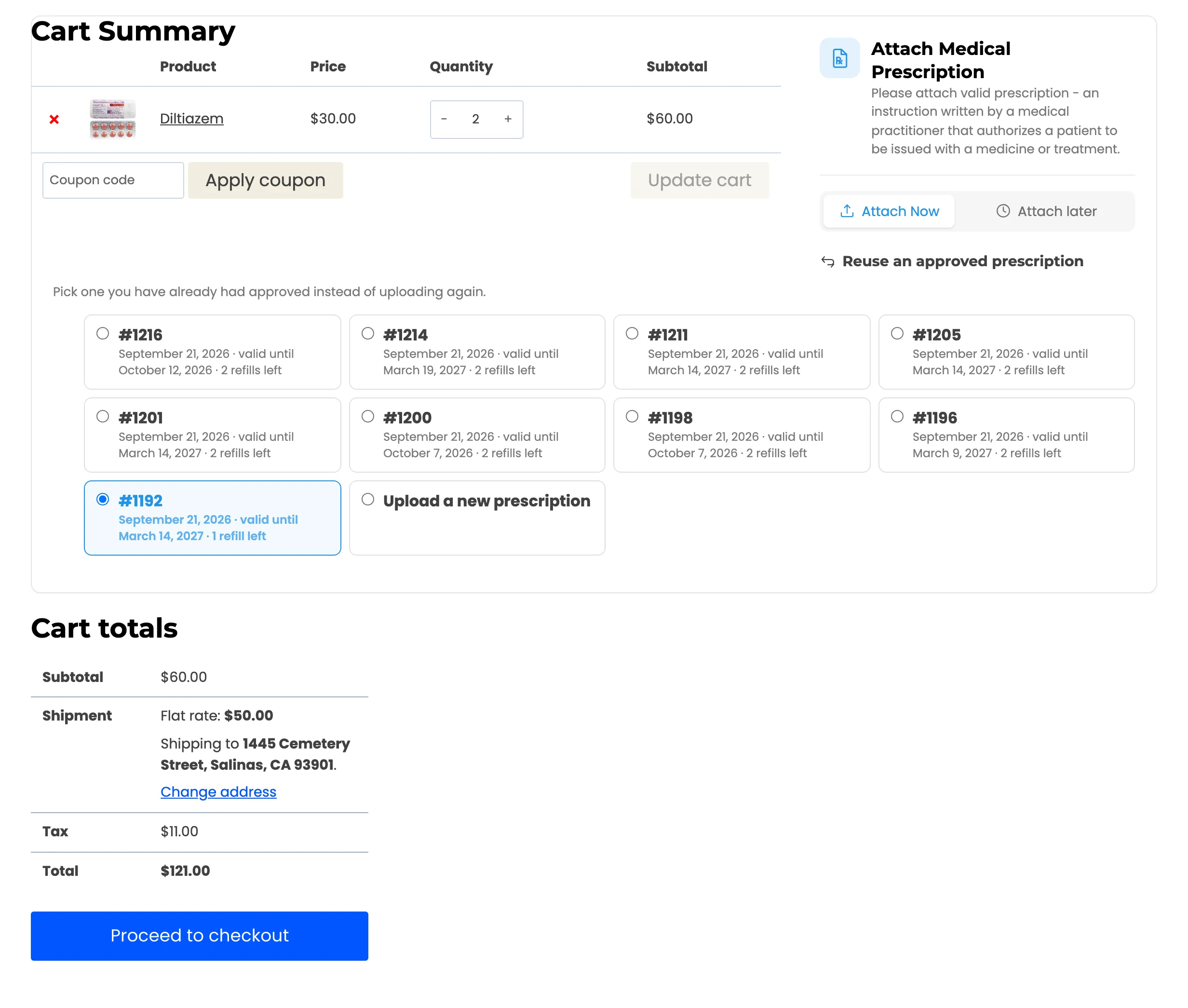
The customer can upload here or wait until checkout. The box is the same in both places, and a file uploaded in the cart is still there at checkout.
3. The upload at checkout
Section titled “3. The upload at checkout”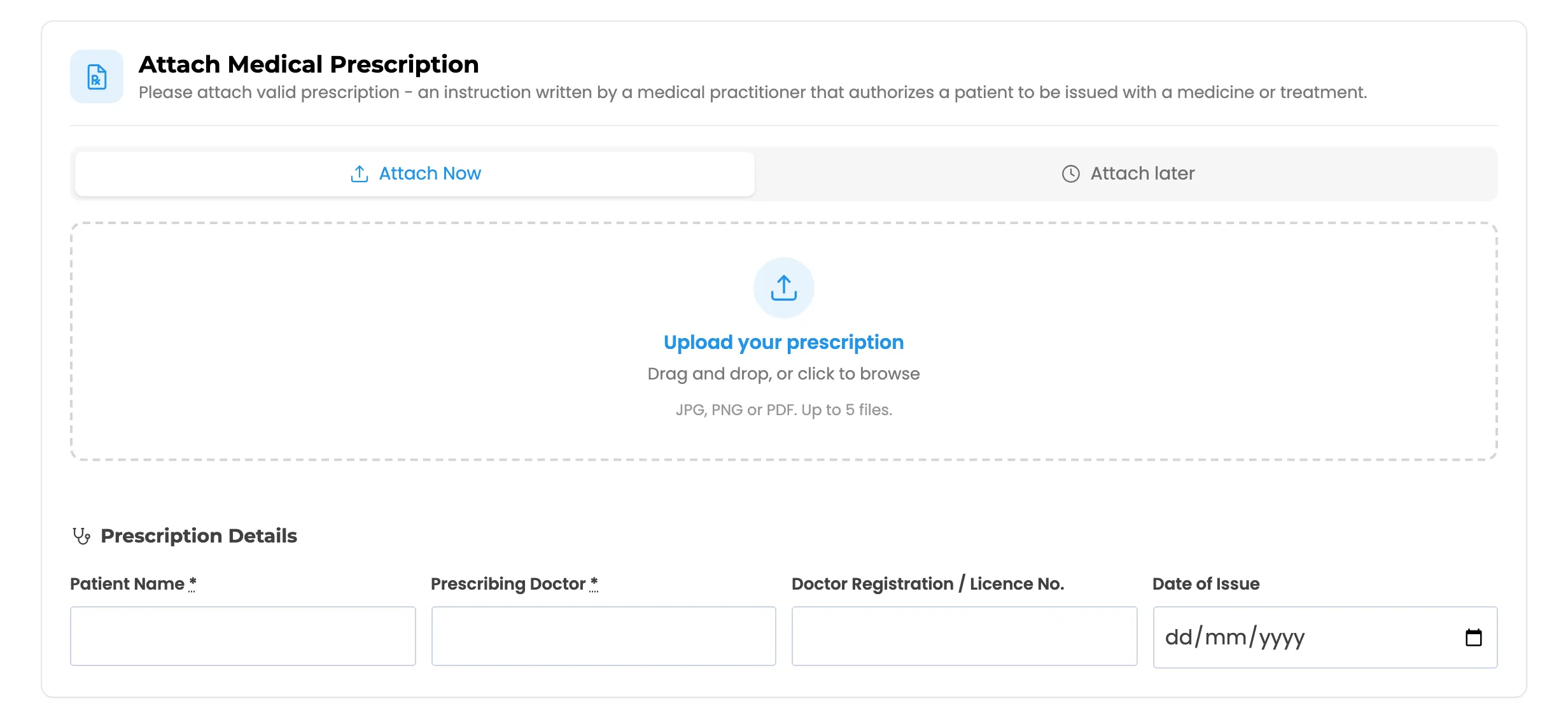
The customer drops a file on the box or clicks to browse. It uploads at once and shows as a thumbnail with a remove cross.
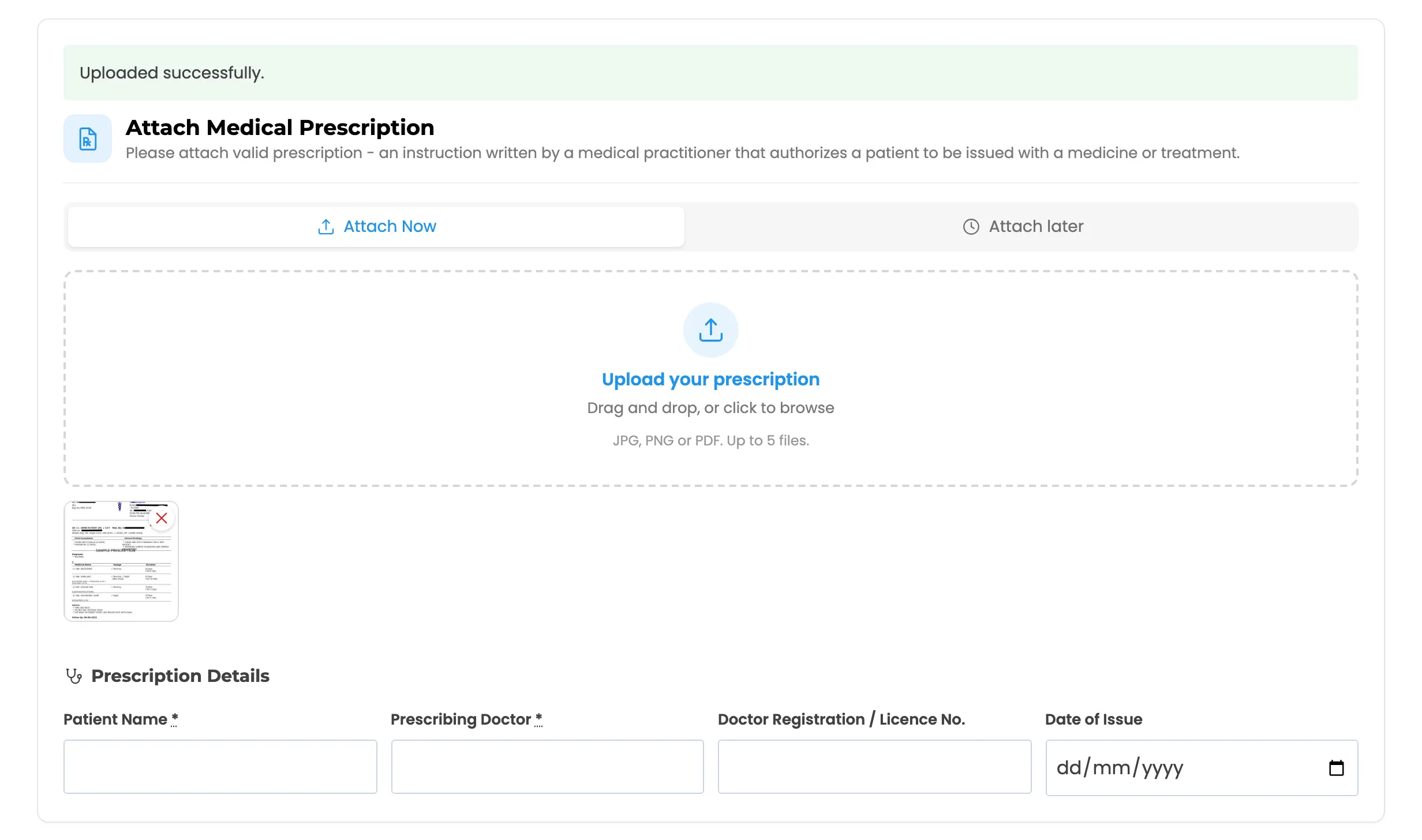
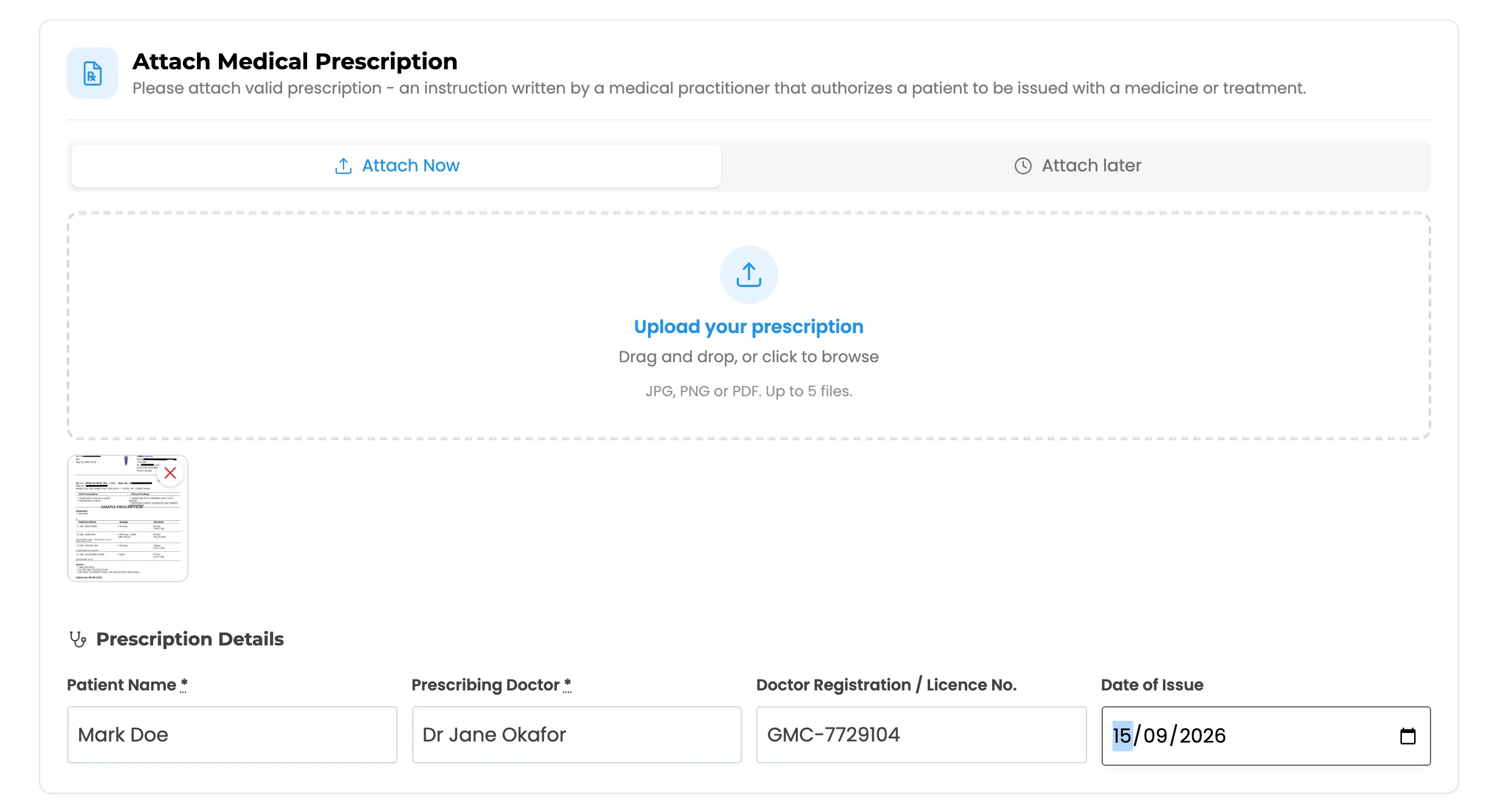
In Pro they then fill in the Prescription Details. Fields marked with an asterisk are mandatory.
4. The Place order button
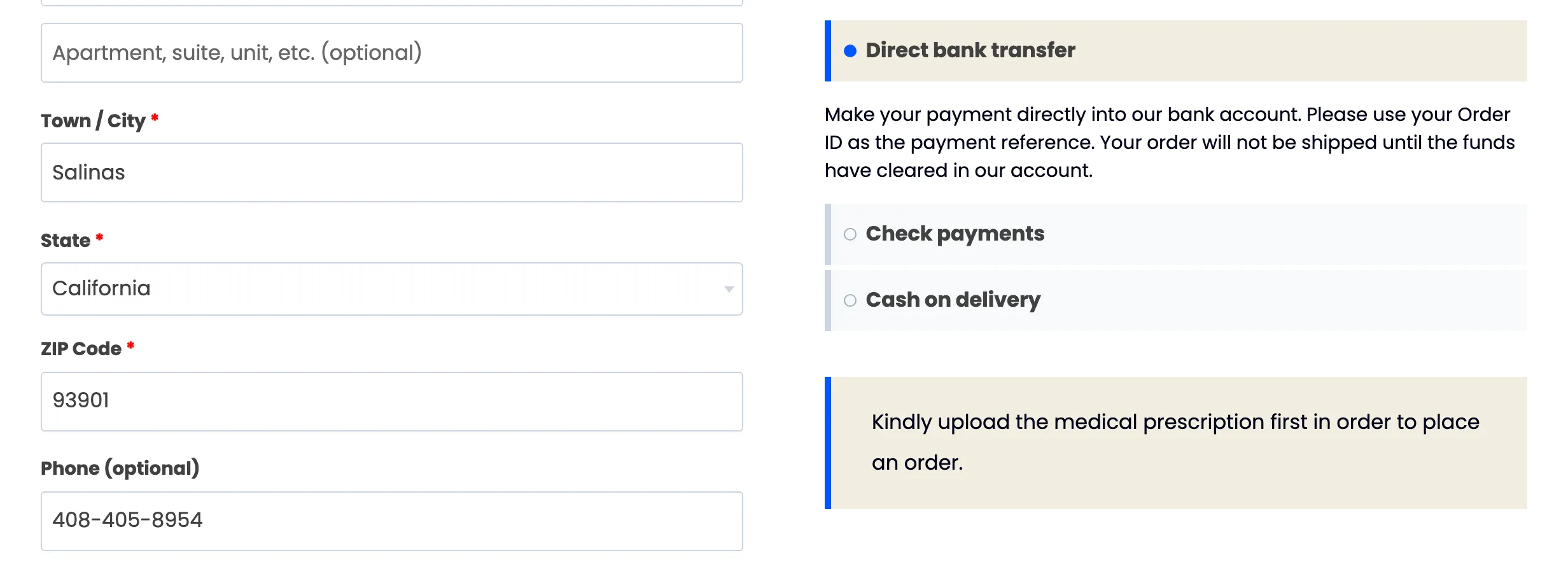
Section titled “4. The Place order button”Until the prescription is in, the Place order button is replaced by a message saying why.
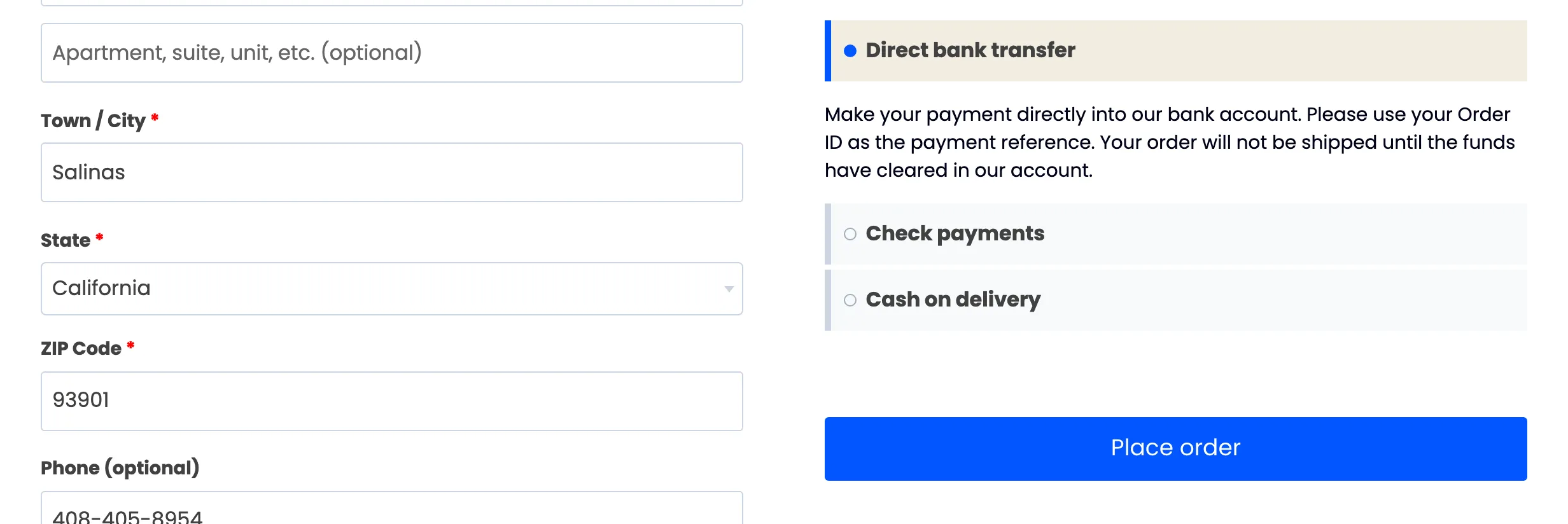
As soon as the file is uploaded and the mandatory details are filled, the button comes back.
Attach later
Section titled “Attach later”A logged-in customer can switch to Attach later and pay now. The order is placed without a file and waits until they upload one from the order page.
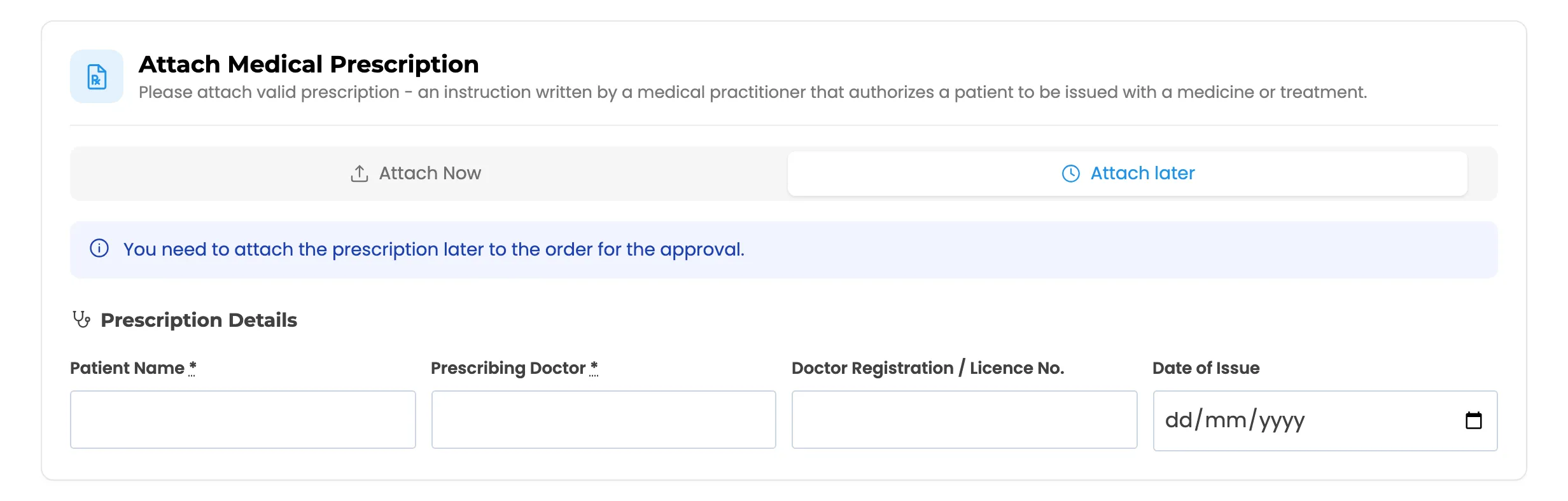
A guest who picks Attach later is told to log in first, because only an account can come back to the order.
Reuse an approved prescription (Pro)
Section titled “Reuse an approved prescription (Pro)”A returning customer sees their approved prescriptions above the upload box. Picking one skips the upload, and the order is approved on arrival.
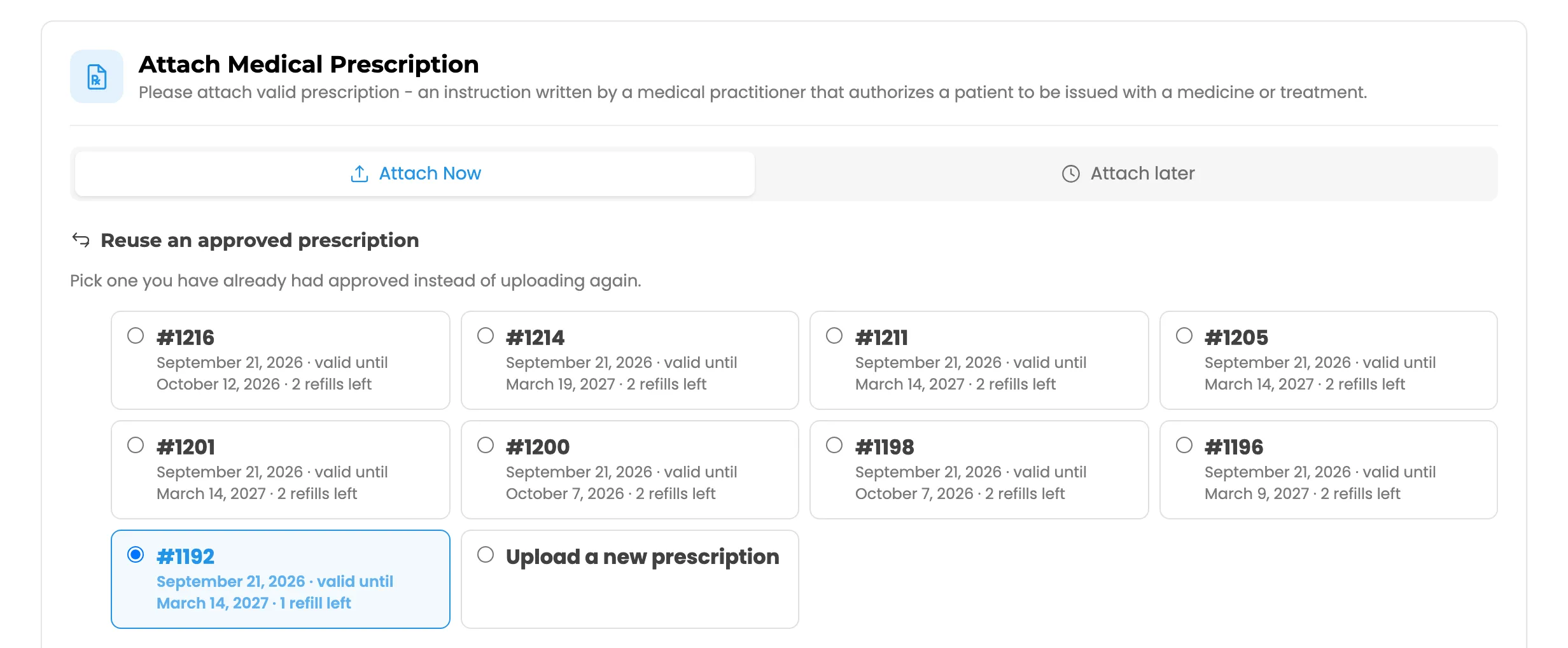
Consent (Pro)
Section titled “Consent (Pro)”When consent is switched on, a statement appears under the upload box. The order cannot be placed until it is ticked.

5. The order received page
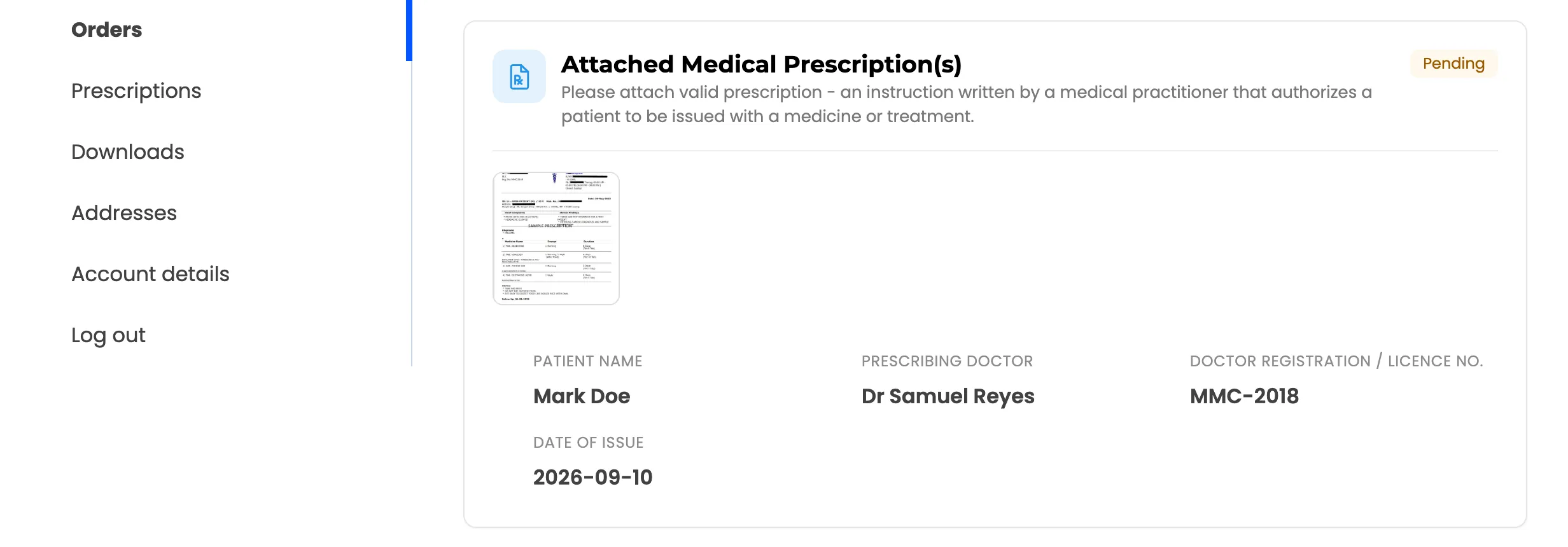
Section titled “5. The order received page”The thank-you page repeats the prescription, marked Pending.
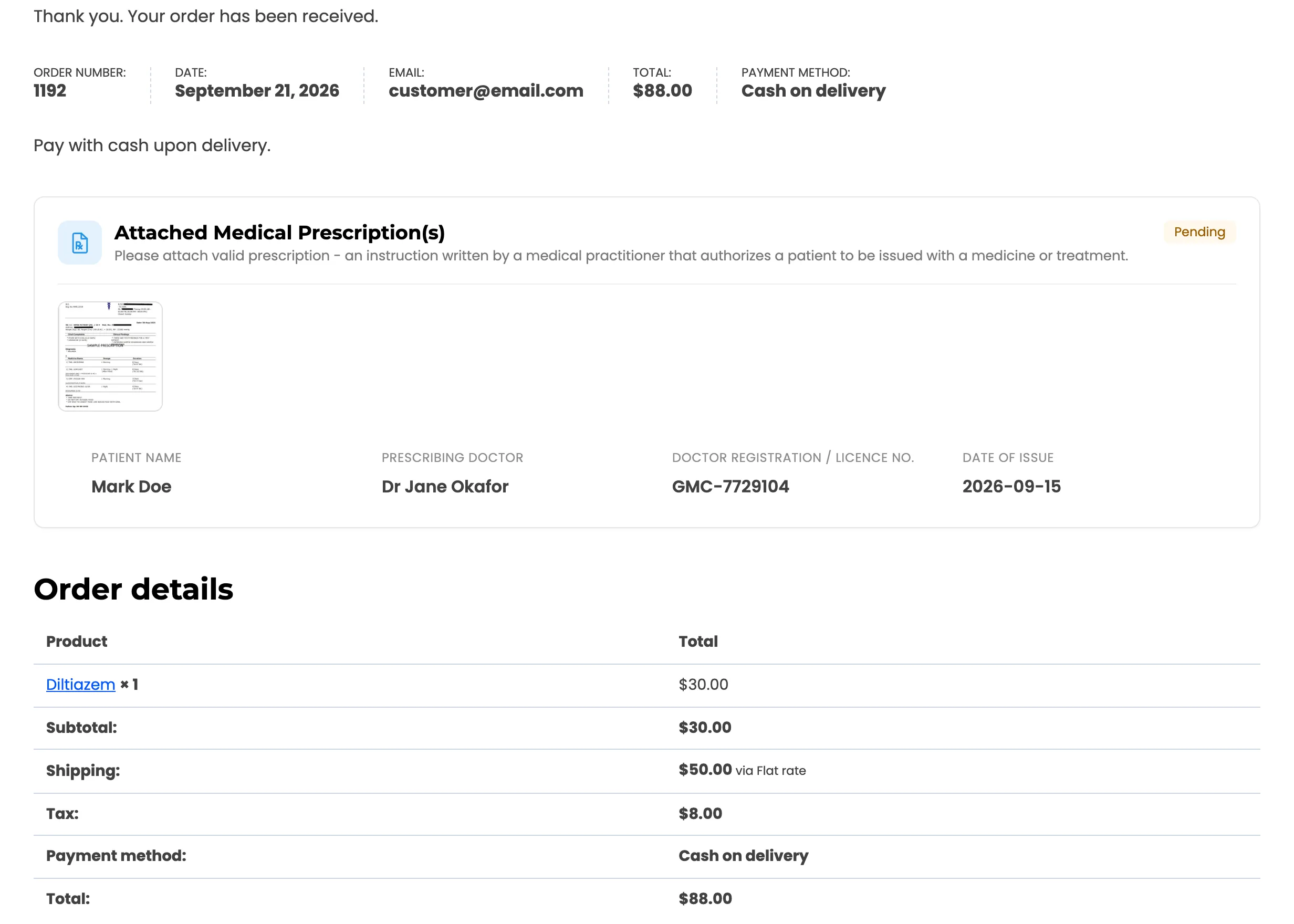
The order itself is On hold. A customer paying by card or Cash on delivery still sees it held, because nothing ships before a pharmacist has looked.
6. The decision
Section titled “6. The decision”The customer gets an email for each decision, and the order page shows the result.
-
Approved: The badge turns green and shows the validity date. The order moves to Processing.
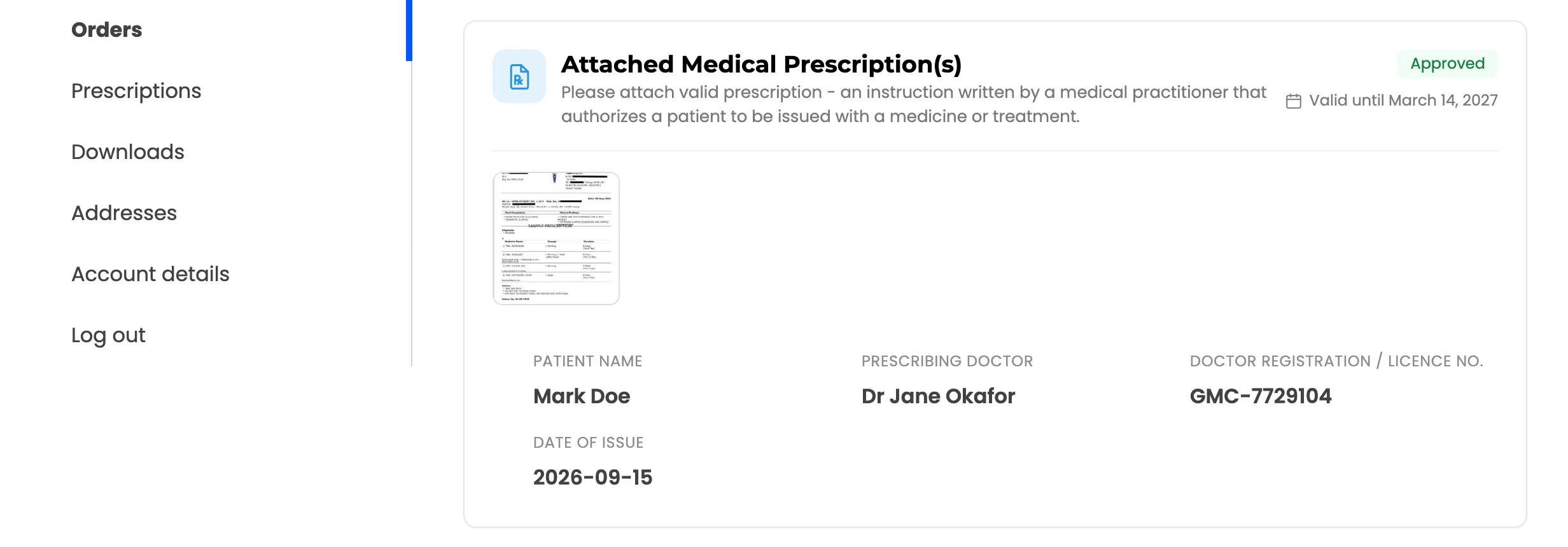
-
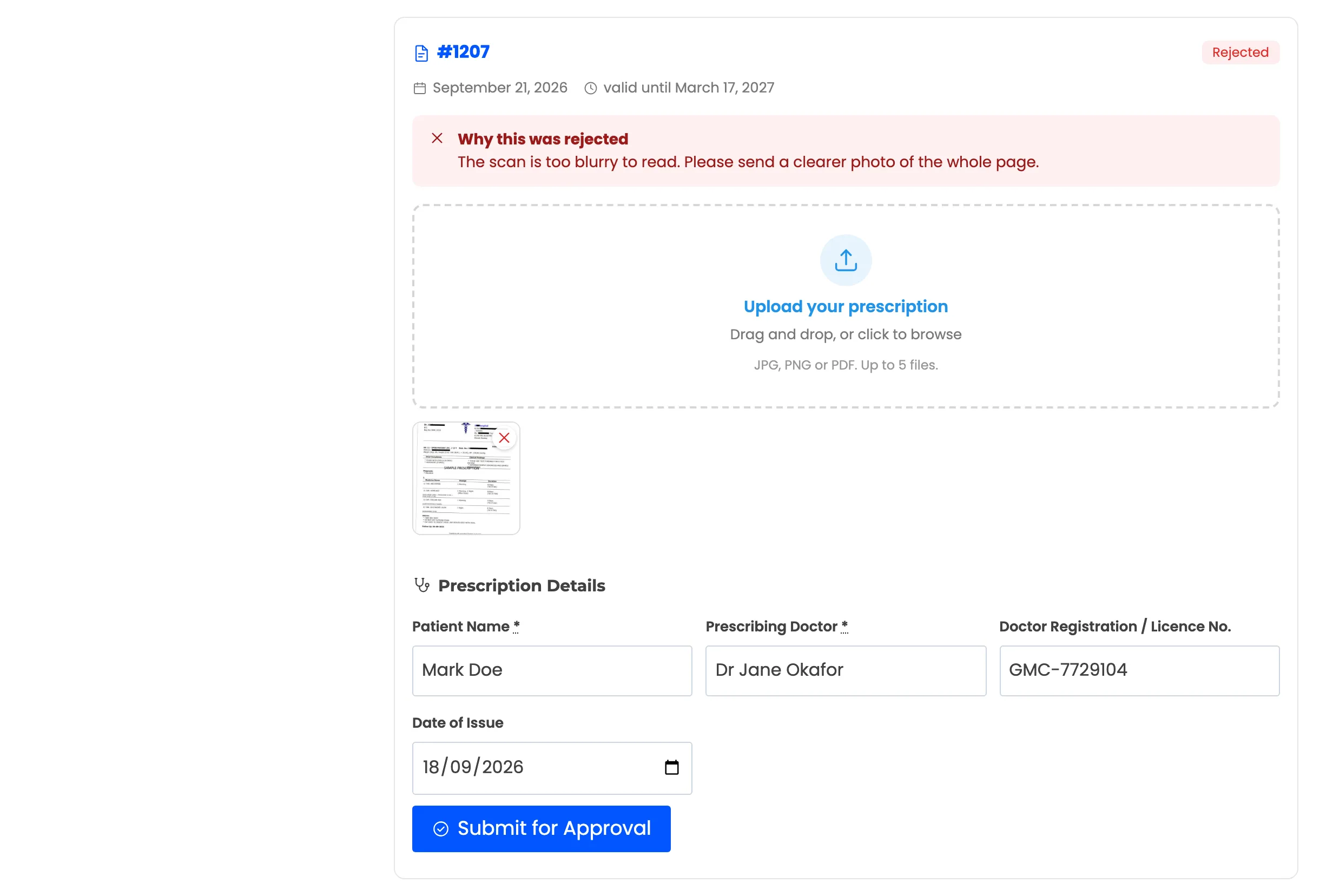
Rejected: A red panel says why, and the upload box opens again so they can send a replacement.
-
Information Requested: A blue panel says what the pharmacist needs, with the upload box open.
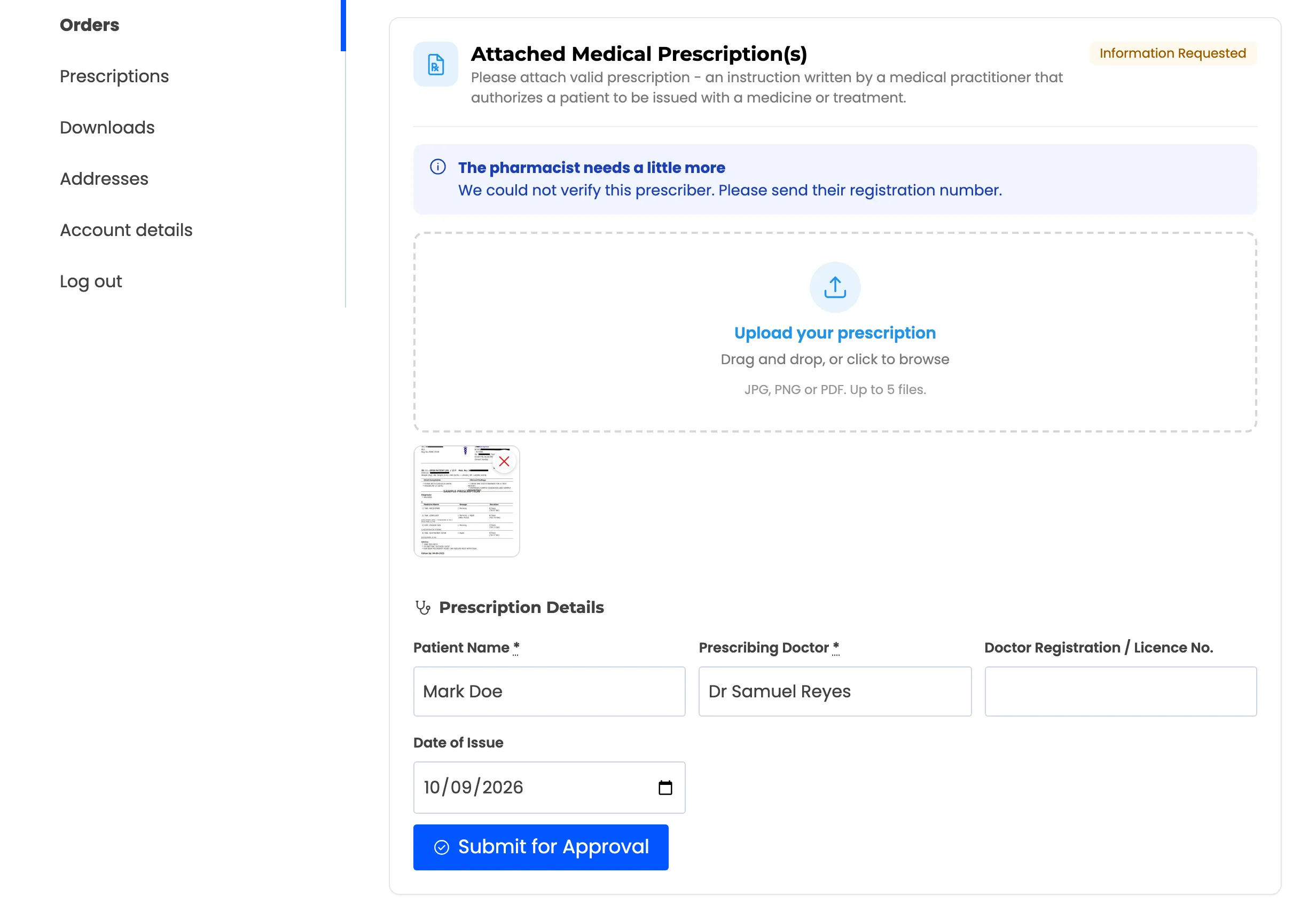
The customer adds what was asked and presses Submit for Approval. The prescription goes back to Pending and the pharmacist is emailed.
7. The Prescriptions tab in My Account (Pro)
Section titled “7. The Prescriptions tab in My Account (Pro)”A Prescriptions tab sits under Orders in My Account. It lists every prescription on the account with its status, validity date and refills left.
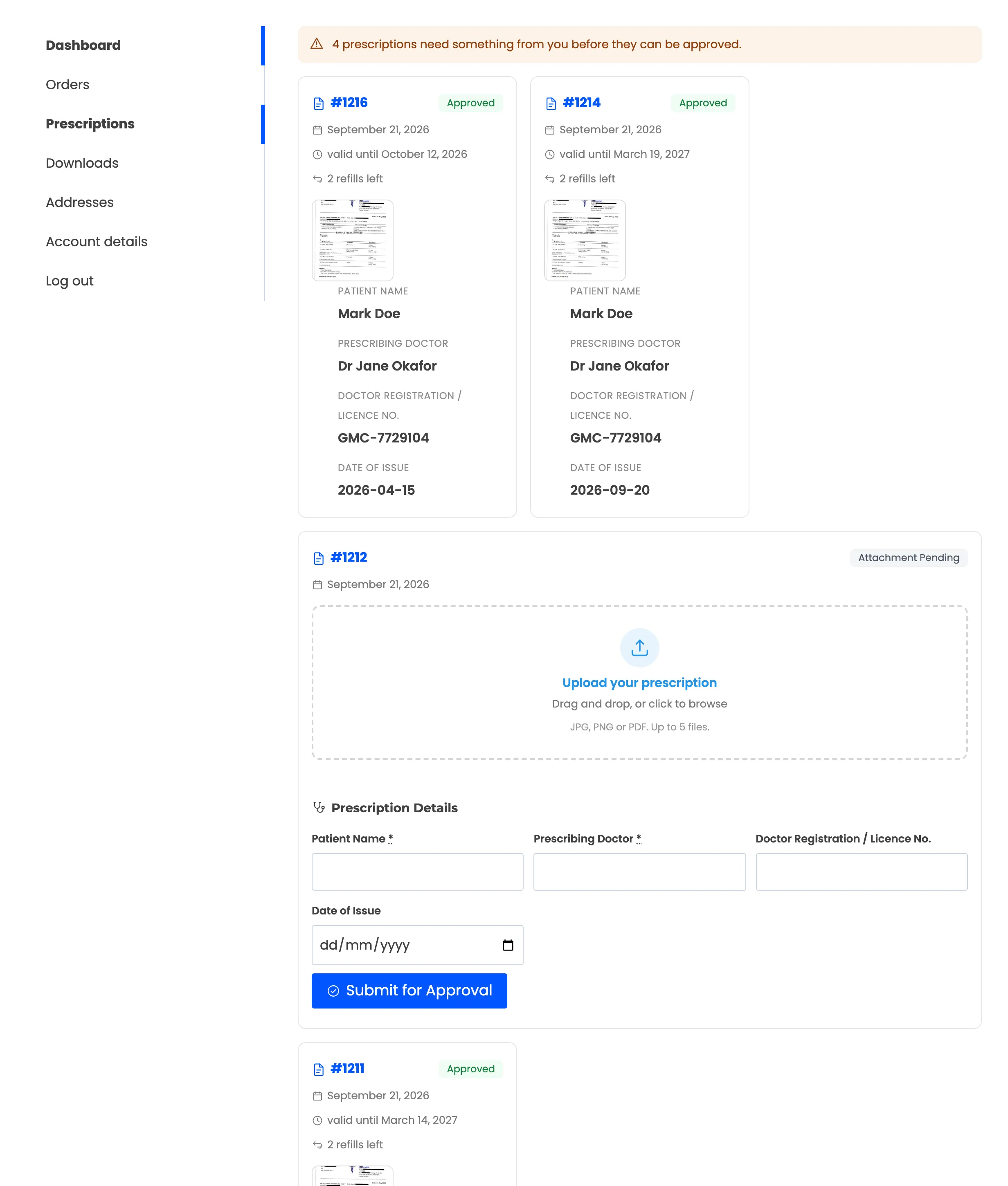
An approved prescription shows its validity date and the refills left.
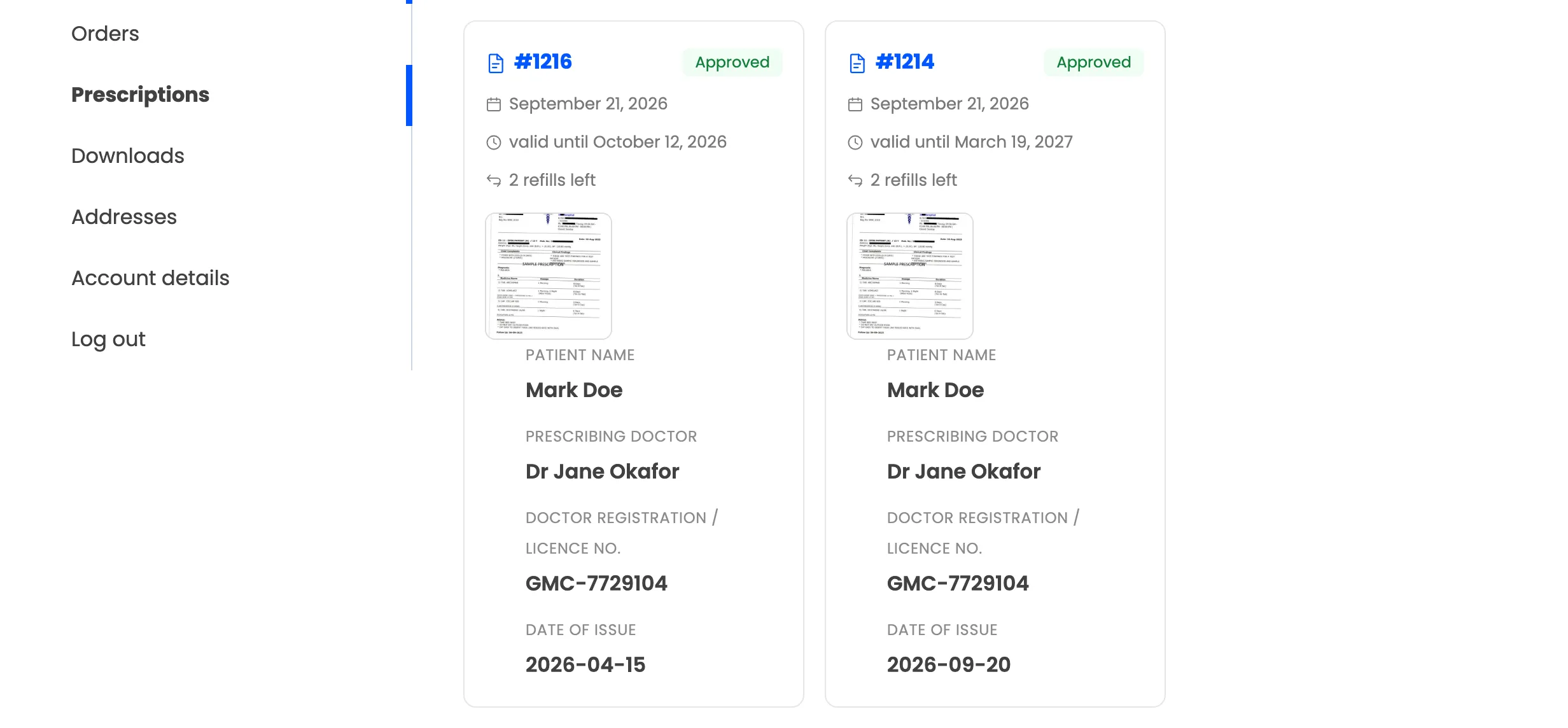
Anything that needs the customer is flagged at the top, and its card holds the upload box so it can be fixed there and then.
8. A quantity limit (Pro)
Section titled “8. A quantity limit (Pro)”A product can be capped per order. Adding more than the cap is refused with a notice.
Where to go next
Section titled “Where to go next”- Customer Experience Settings to switch each of these on or off.
- How to Let Customers Attach a Prescription Later