

Introduction to Medical Prescription Attachment
Medical Prescription Attachment makes a customer upload a prescription before they can buy a regulated product. Your pharmacist then approves or rejects it, and the order waits until they do.
The free plugin is called Prescription for WooCommerce on WordPress.org. The Pro plugin runs on top of it and adds the review workspace, prescription details, reuse, expiry, verification and the compliance tools.
What it does
Section titled “What it does”- Marks products that need a prescription. You pick categories, exclude single products, or set a rule on the product itself. A Requires Prescription badge shows on the shop and product pages.
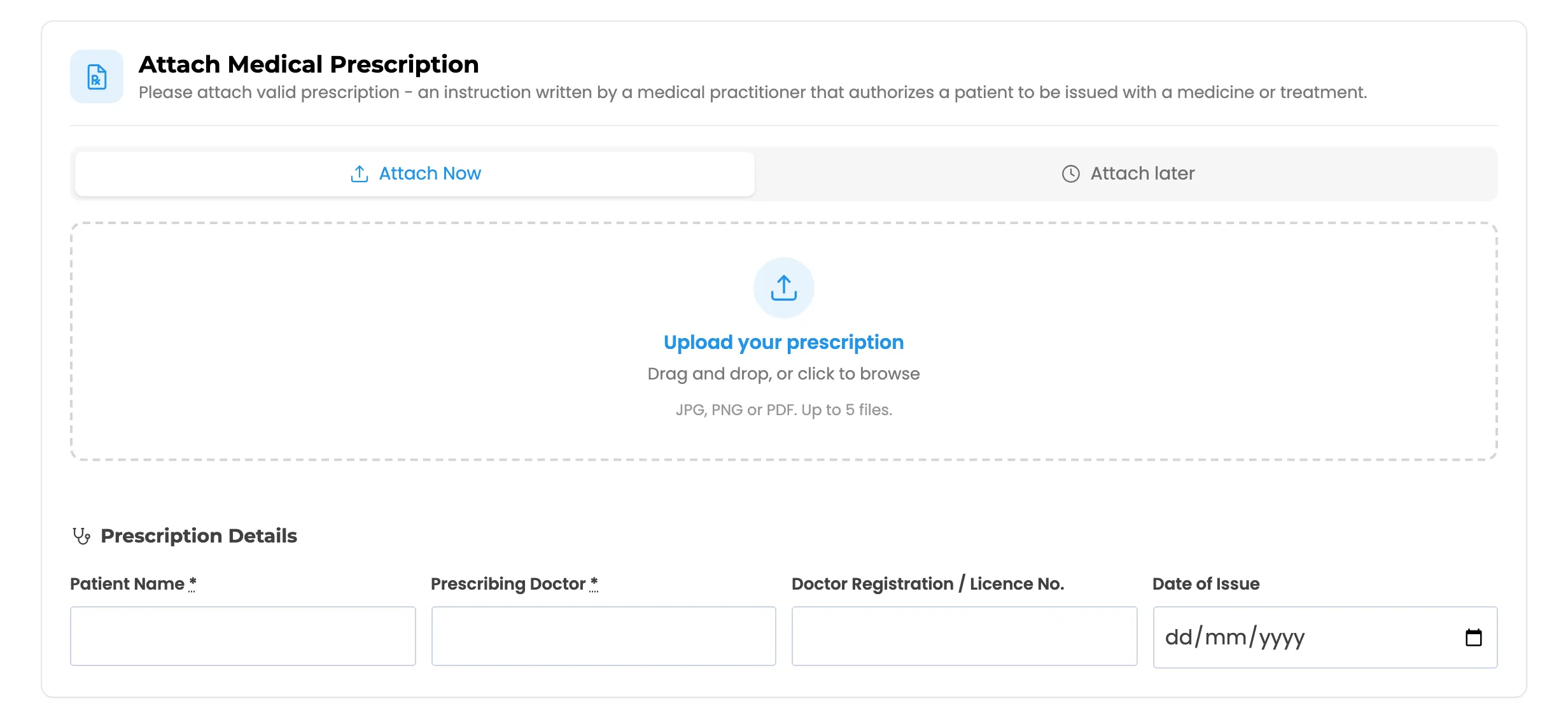
- Collects the file at checkout. The customer uploads a photo or PDF in the cart or on the checkout page. The Place order button stays hidden until they do.
- Holds the order. The order is parked On hold until a pharmacist decides. That holds even when a card payment or Cash on delivery would normally move it on.
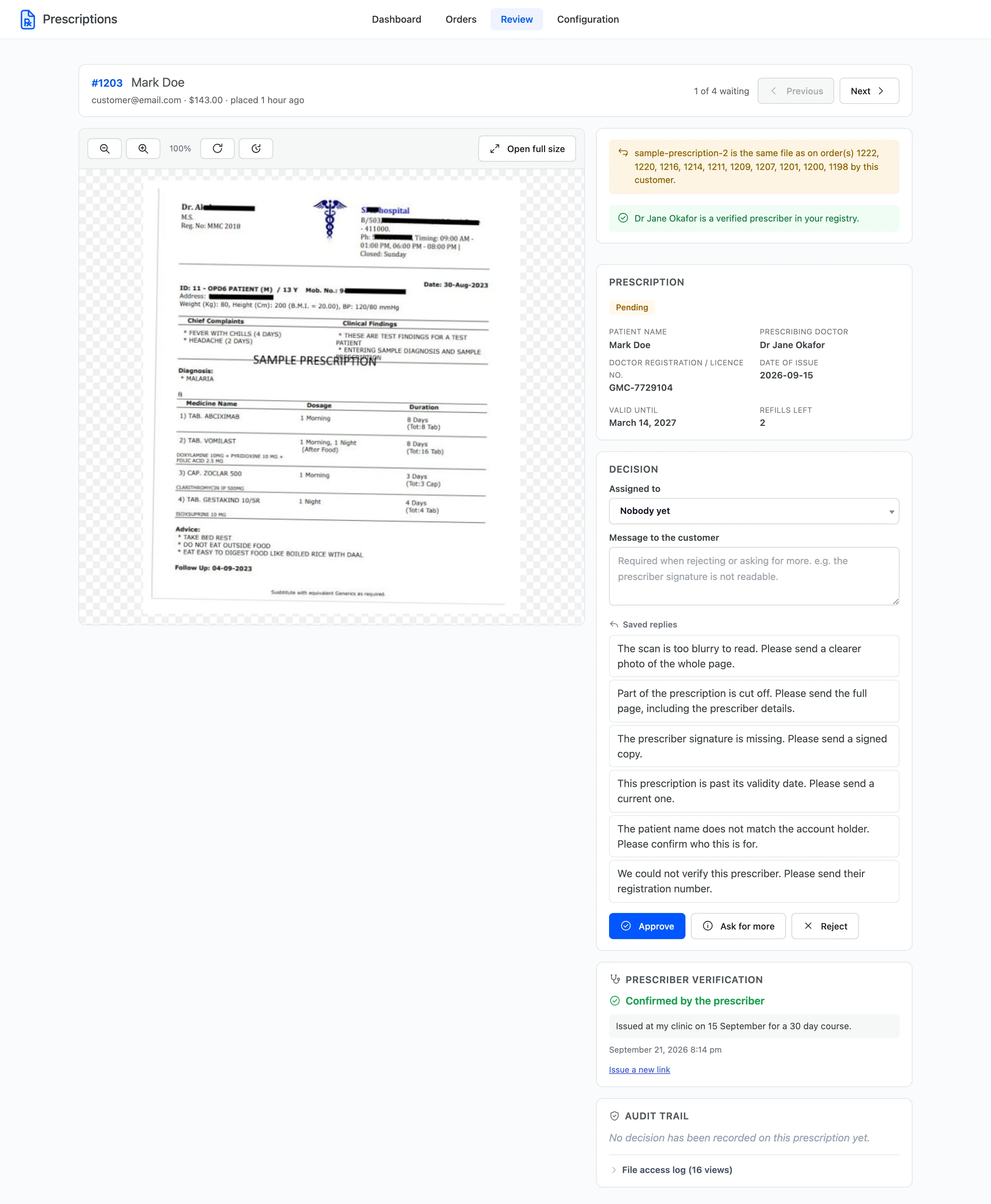
- Records the decision. Approve, reject or ask for more. The customer is emailed, the order moves to the status you chose, and the decision is written to the order notes.
- Keeps the files private. Uploads go to a locked folder outside the public media library. They are served only to the customer who sent them and to your reviewers.
Who it is for
Section titled “Who it is for”Online pharmacies, and any store that sells something it may only ship against a prescription: prescription glasses and contact lenses, veterinary medicines, controlled supplements. The plugin does not decide whether a prescription is valid. It gives the person who does decide everything they need on one screen, and records what they decided.
Free and Pro
Section titled “Free and Pro”The free version runs the whole core workflow. Pro adds what a busy pharmacy needs on top.
Checkout and the customer
Section titled “Checkout and the customer”| Feature | Free | Pro |
|---|---|---|
| Require a prescription by category, with product exclusions | Yes | Yes |
| Per-product Requires prescription rule | Yes | Yes |
| Upload in the cart and at checkout, up to a set number of files | Yes | Yes |
| Attach later for logged-in customers | Yes | Yes |
| Re-upload a refused prescription from the order page | Yes | Yes |
| Prescription details: patient, doctor, licence, dates | No | Yes |
| Prescriptions tab in My Account | No | Yes |
| Reuse an approved prescription at checkout, with refills | No | Yes |
| Consent statement before the order can be placed | No | Yes |
| Maximum quantity per order on a product | No | Yes |
Review and the admin
Section titled “Review and the admin”| Feature | Free | Pro |
|---|---|---|
| Dashboard with queue, activity chart and status mix | Yes | Yes |
| Orders with Prescriptions list and a decision panel on each order | Yes | Yes |
| Hold, approve and reject order statuses | Yes | Yes |
| Rejection reason, order notes, customer and admin emails | Yes | Yes |
| Review workspace with a zoomable viewer and next-in-queue | No | Yes |
| Bulk approve and reject, CSV export | No | Yes |
| Prescriber registry, verification links, duplicate file warnings | No | Yes |
| Assignment, review target, saved replies, the Pharmacist role | No | Yes |
| Audit trail, file access log, data retention | No | Yes |
| Expiry, reminders and editable email wording | No | Yes |
| Pharmacy analytics on the dashboard | No | Yes |
The protected file storage is free. Every version keeps prescriptions out of the public uploads folder.
Requirements
Section titled “Requirements”- WordPress 6.5 or newer.
- WooCommerce 9.0 or newer.
- PHP 7.4 or newer.
It works with the classic cart and checkout and with the WooCommerce Cart and Checkout blocks. It works with High-Performance Order Storage and with the older posts-based order storage, with or without compatibility mode syncing the two.
Where to go next
Section titled “Where to go next”- Installing and Activating to get it running.
- How Prescription Review Works for the whole journey of one prescription.
- The Customer Experience for what your shoppers see.