

How to Let Customers Reuse an Approved Prescription (Pro)
A patient on a regular medicine should not have to photograph the same prescription every month. Reuse lets them pick one you already approved, and the order skips the queue.
Step 1: Switch Reuse on
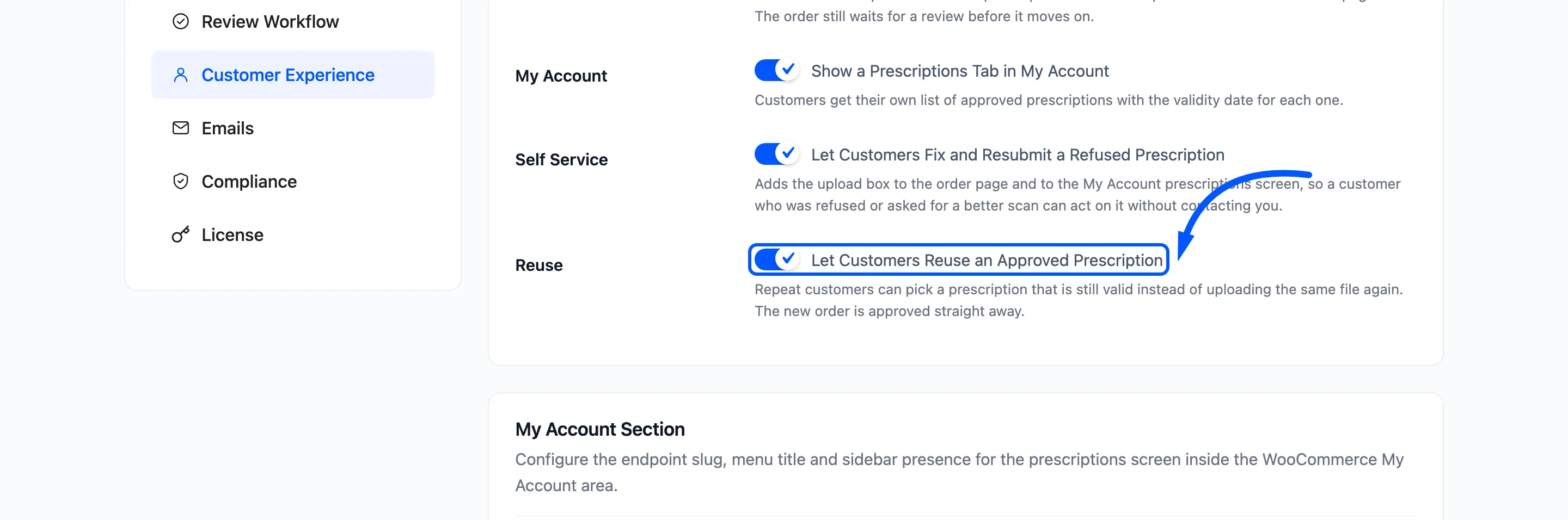
Section titled “Step 1: Switch Reuse on”Go to DevDiggers Plugins → Prescriptions → Configuration → Customer Experience and tick Reuse. It is on by default.
Step 2: Decide on refills
Section titled “Step 2: Decide on refills”Without refill tracking, an approved prescription can be reused as often as the customer likes until it expires. To cap that, go to Prescription Rules, tick Refill Tracking and set Refills Allowed.
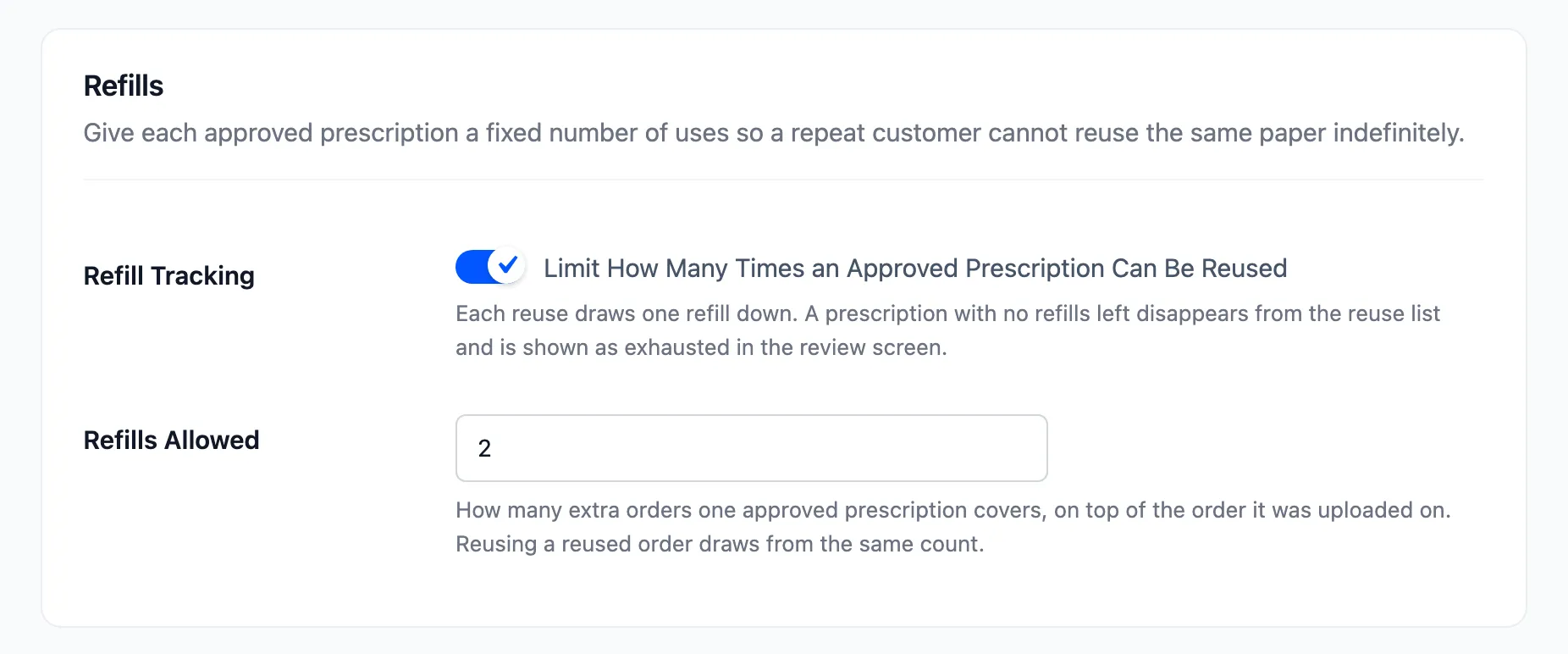
Refills Allowed counts the extra orders on top of the first one. At 2, the prescription covers the order it was uploaded on plus two more.
Set it to at least 1. With refill tracking on and the allowance at 0, no approval is ever offered for reuse.
Click Save Changes.
Step 3: The customer picks a prescription at checkout
Section titled “Step 3: The customer picks a prescription at checkout”A logged-in customer with an approved prescription sees Reuse an approved prescription above the upload box. Each entry shows its order number, date, validity date and refills left.
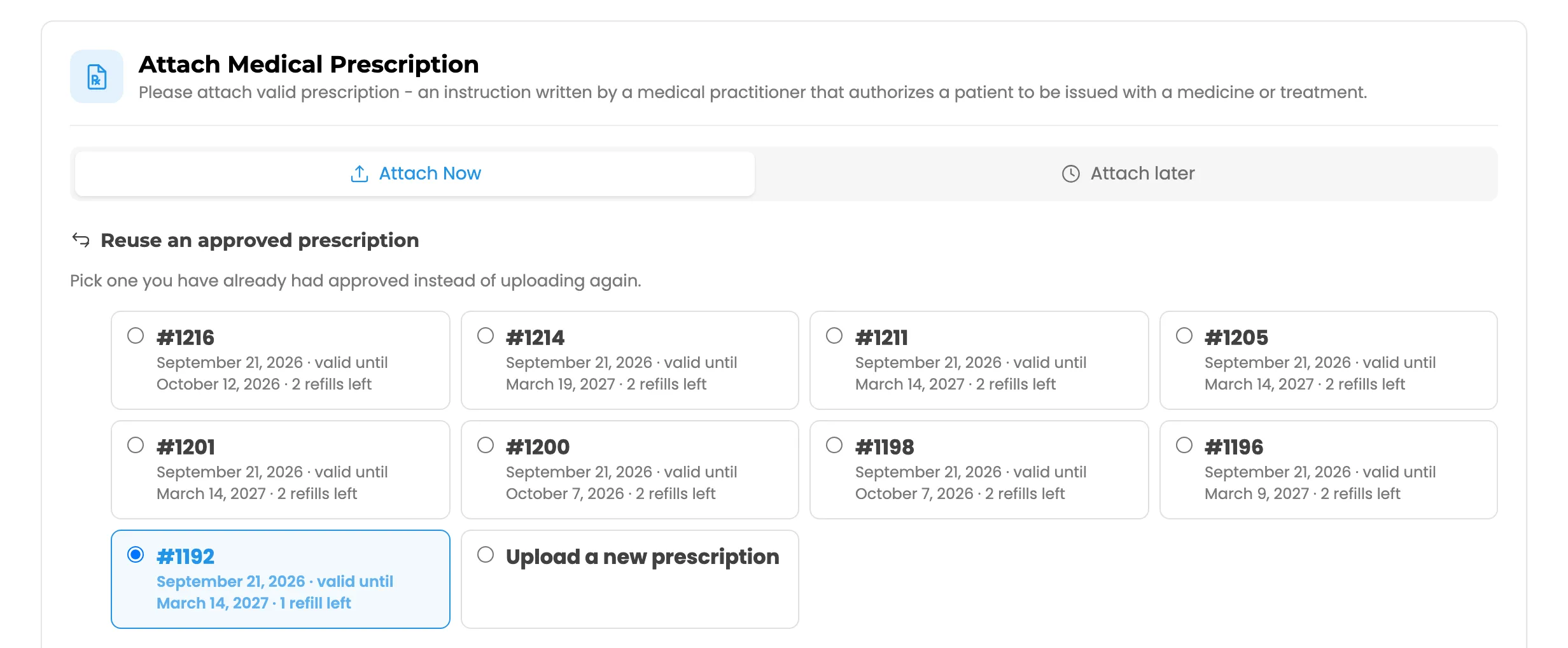
The list only holds prescriptions that are approved, not yet expired and, with refill tracking on, have a refill left. Upload a new prescription at the bottom goes back to a normal upload.
Picking one is enough. No upload and no details are needed, and Place order appears.
Step 4: The order is approved on arrival
Section titled “Step 4: The order is approved on arrival”The new order is placed with the status Approved. It copies the files, the details and the validity date of the prescription it reused, and takes one refill off that prescription.
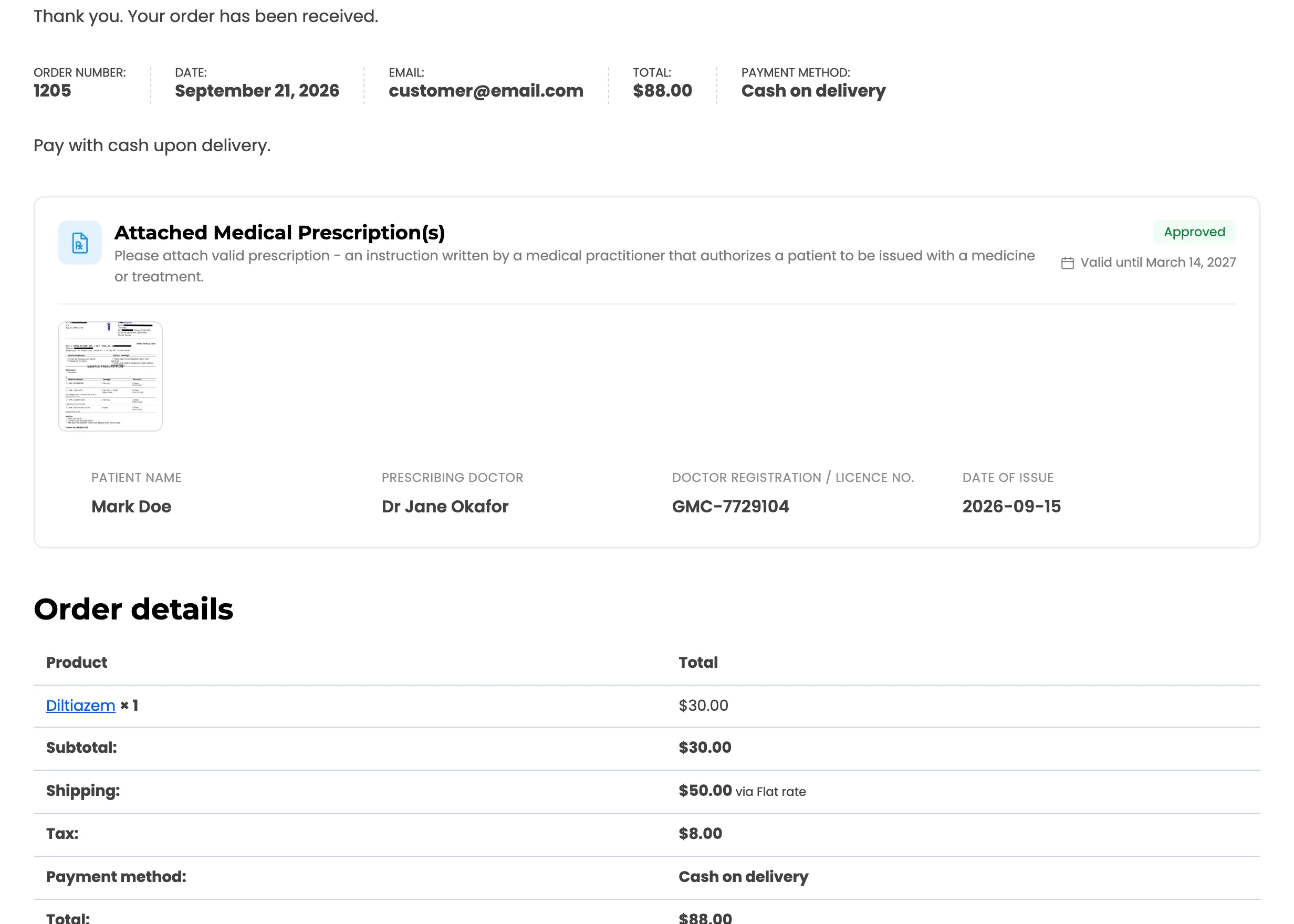
Because it is approved already, the order is not held. It follows its payment method like any other order, and no new-prescription email goes to the store.
Step 5: Read it in the review
Section titled “Step 5: Read it in the review”The workspace and the order review panel show Reused from with the original order number.
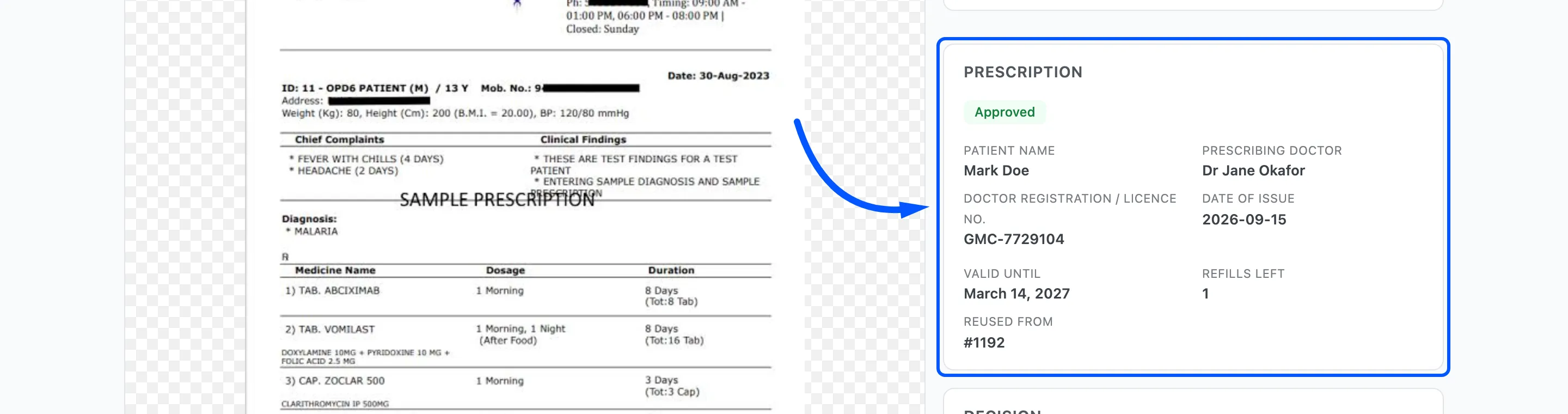
The original prescription shows its refills going down each time.
The reused order shows the same refills left as the original, because they share one allowance. Reusing the newest order draws from the first approval too, so a chain of reuses stops where the allowance does. Validity carries over as well: the new order copies the original’s expiry date.