

Product Prescription Settings
Two settings on each product’s own edit screen override the store-wide rules for that product alone.
Open a product in Products → All Products and look in the General tab of the Product data box.
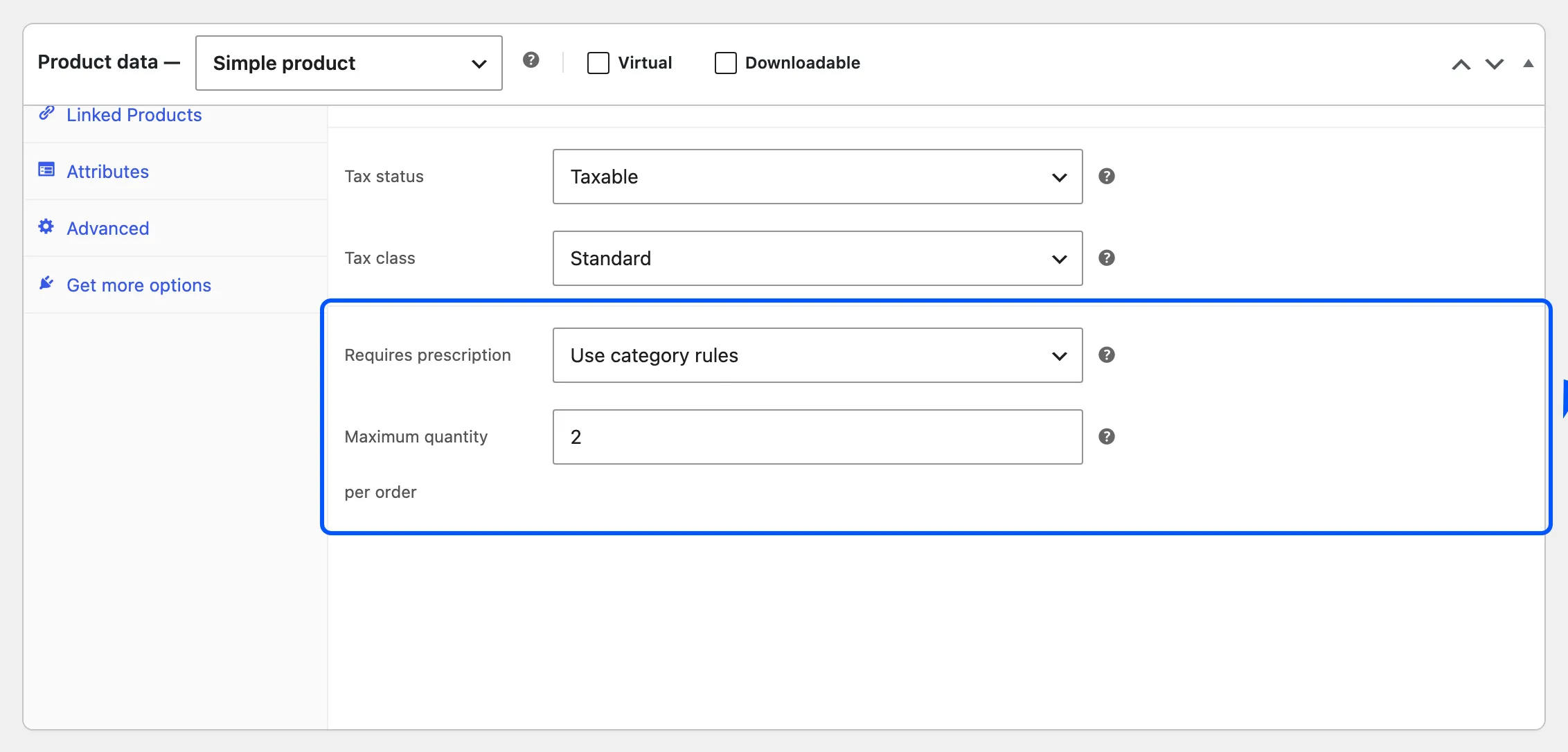
Requires prescription
Section titled “Requires prescription”| Option | Effect |
|---|---|
| Use category rules | The default. Allowed Categories and Excluded Products decide |
| Always require a prescription | This product always needs one, whatever its category |
| Never require a prescription | This product never needs one, whatever its category |
The product’s own rule is checked before anything on the General tab, so Always and Never win every time. A variation follows its parent product’s setting. This field is free.
Maximum quantity per order
Section titled “Maximum quantity per order”How many of this product one order may contain. Leave it empty for no limit.
The cap is checked twice:
- When the product is added to the cart. Adding more than the cap is refused with a notice.
- On the cart page. A cart that already holds too many shows the same notice, and WooCommerce blocks checkout until it is fixed.
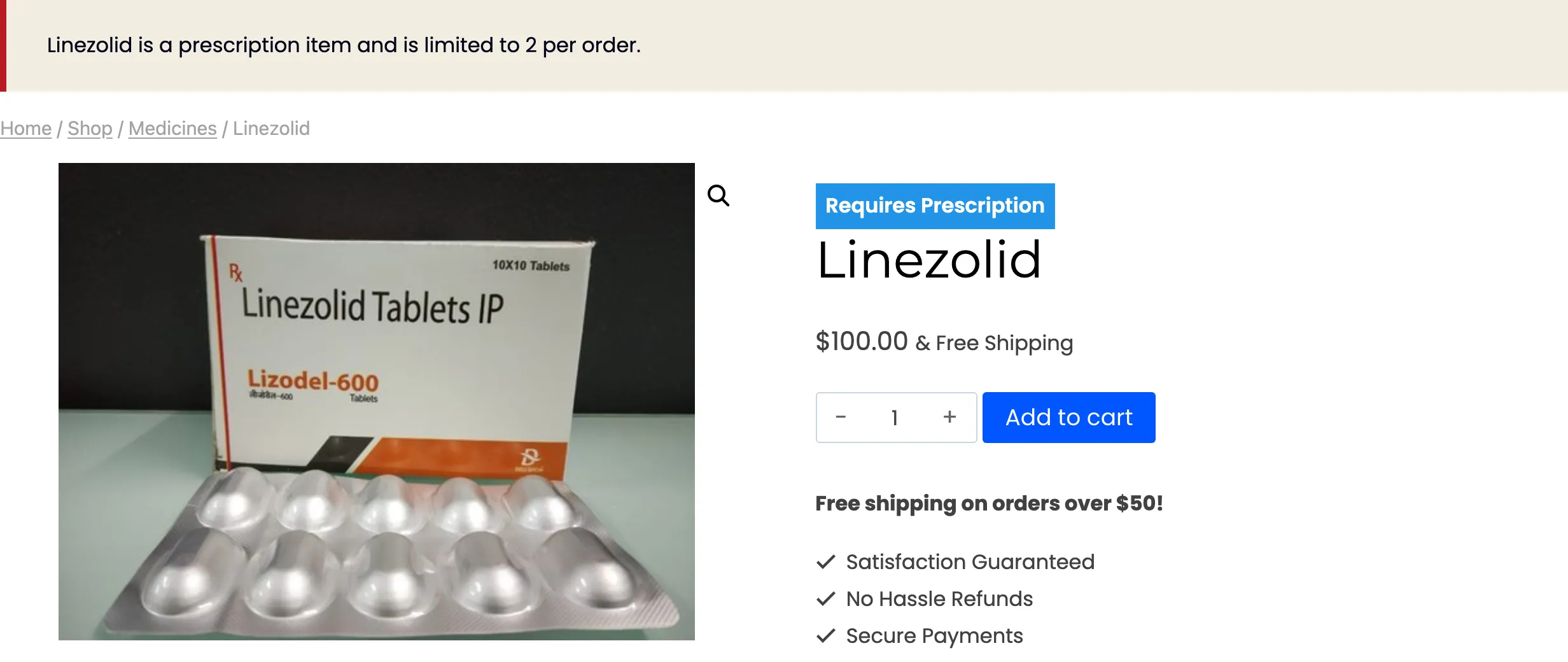
The cap applies to the product, whether or not it needs a prescription. A variable product’s cap applies to each variation separately.