

How to Send Receipts on WhatsApp (Pro)
A printed receipt ends up in a bin. A WhatsApp receipt stays on the customer’s phone, next to your store’s name, where they can find it for a return and message you back.
Step 1: Connect Purchase via WhatsApp
Section titled “Step 1: Connect Purchase via WhatsApp”MultiPOS sends receipts through Purchase via WhatsApp, which sends through your Twilio account. Install it and connect Twilio first: How to Connect Twilio to Your Store.
Step 2: Switch on WhatsApp receipts
Section titled “Step 2: Switch on WhatsApp receipts”Go to MultiPOS → Configuration → WhatsApp. The top line should read Purchase via WhatsApp is connected to Twilio, so receipts go out from your WhatsApp number.
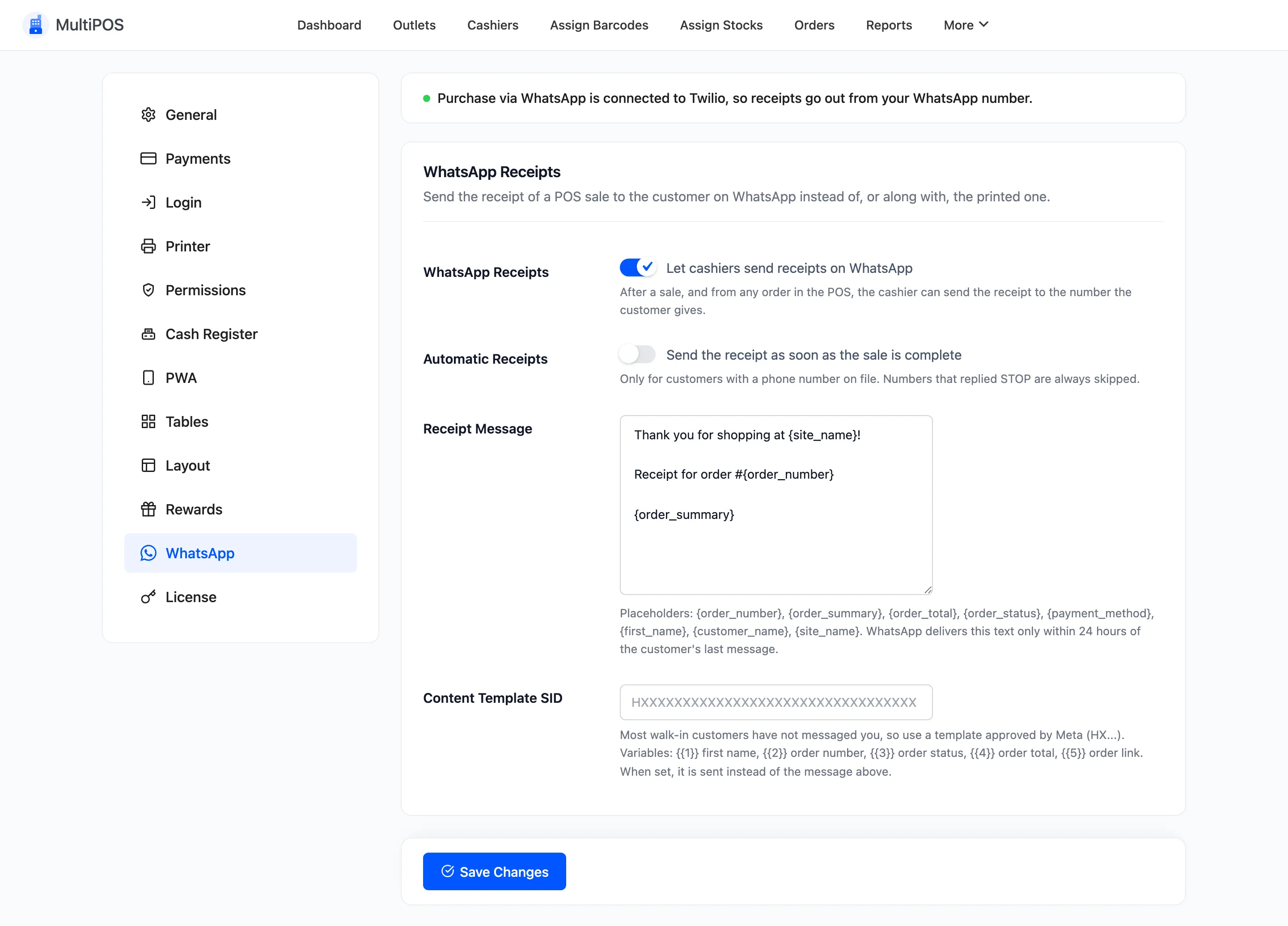
Turn on WhatsApp Receipts and press Save Changes. Leave Automatic Receipts off for now. Every field is explained in WhatsApp Settings.
Step 3: Take the sale
Section titled “Step 3: Take the sale”Sell as usual and press Pay. The Print Receipt popup now has a Send receipt on WhatsApp card above the buttons.
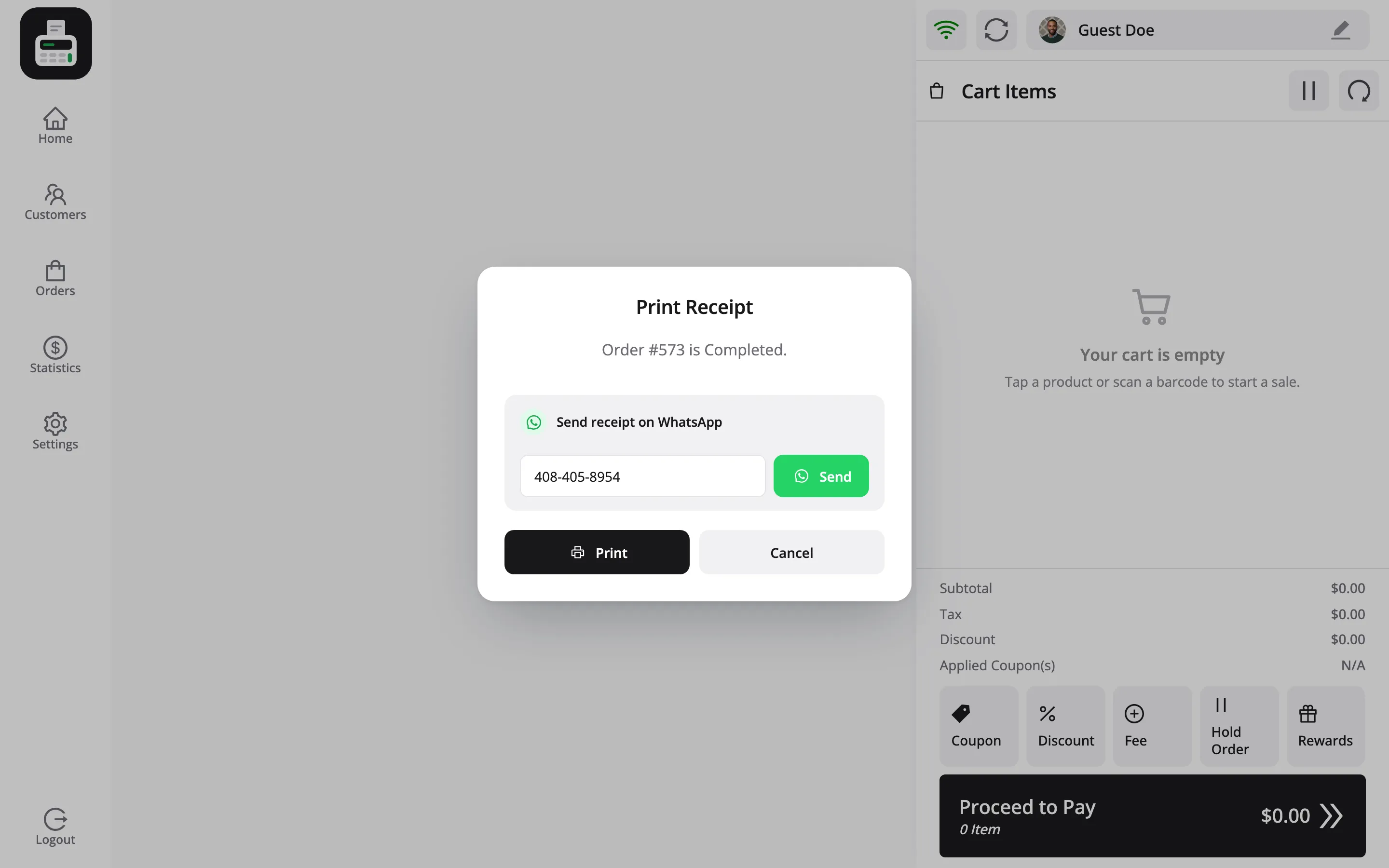
The number is filled in from the customer’s billing phone. For a walk-in customer it is empty.
Step 4: Type the number and press Send
Section titled “Step 4: Type the number and press Send”Check the number, or type the one the customer gives you, with the country code. Press Send.
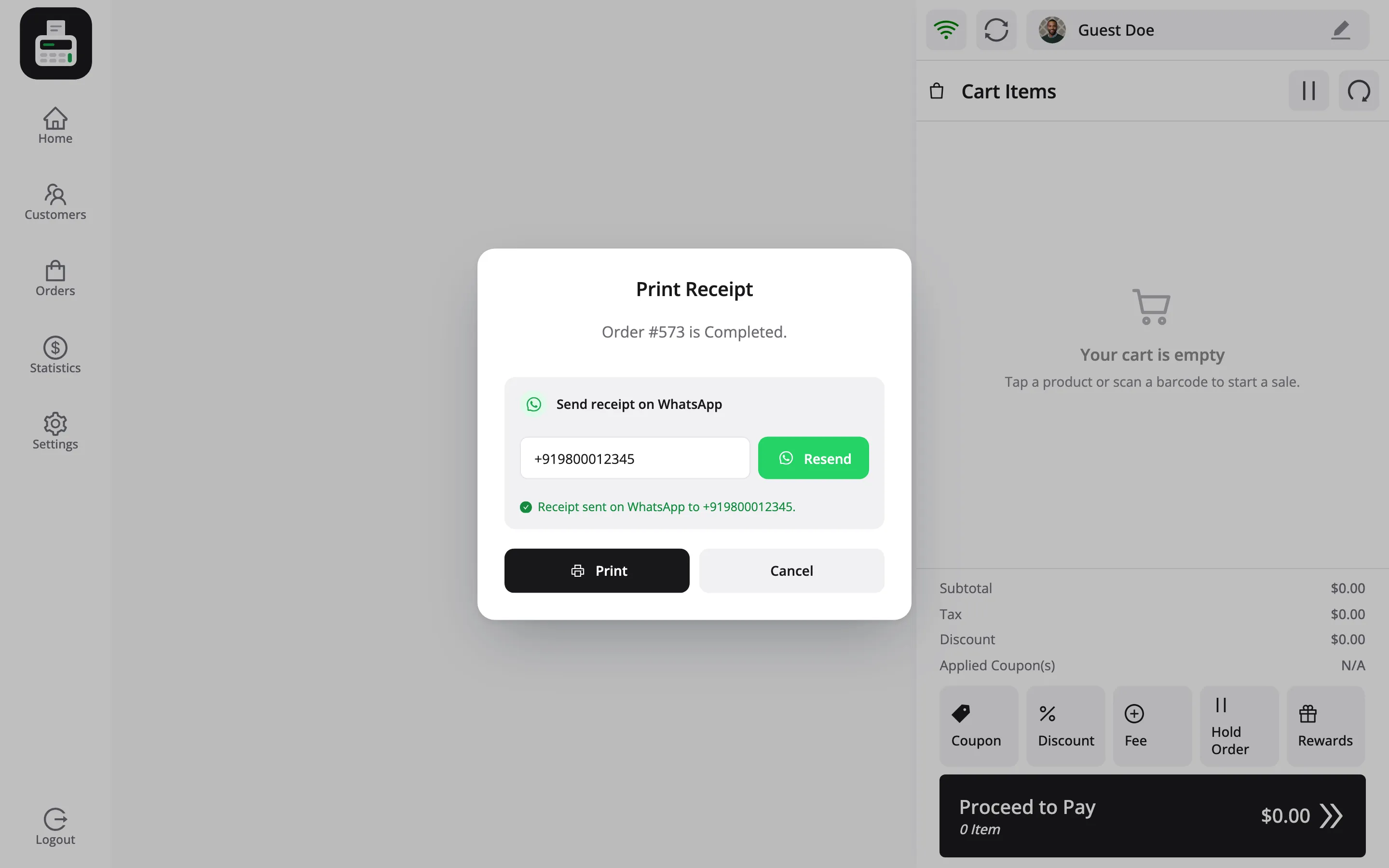
The row confirms Receipt sent on WhatsApp to the number, and the button becomes Resend. You can still press Print for a paper copy.
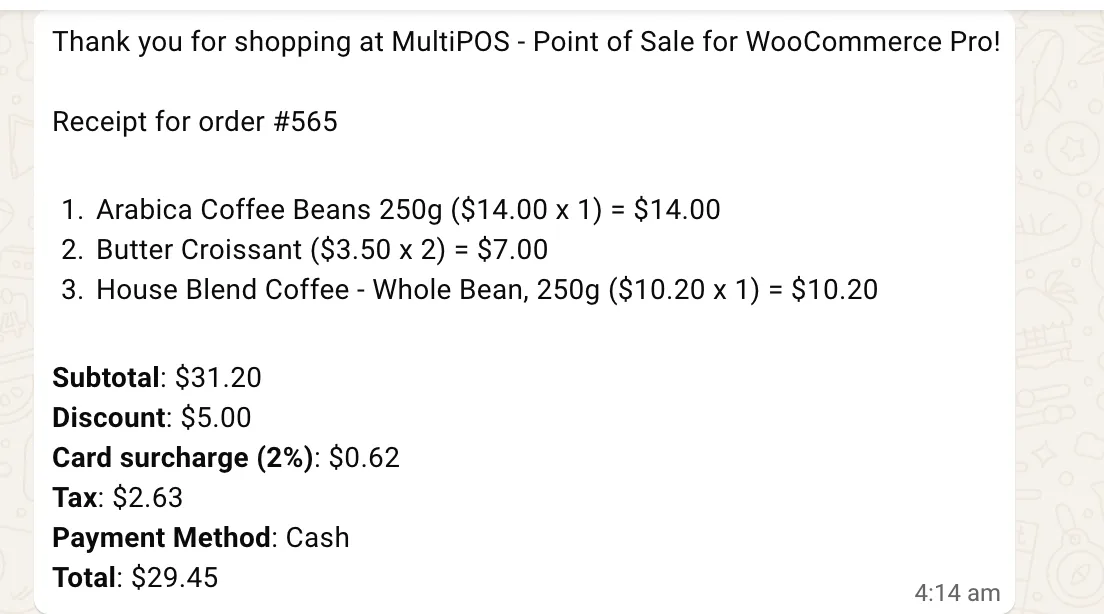
The customer receives the receipt in their chat with your store, line by line.
When the sale had no phone number, the one you typed is saved on the order, so the customer is known next time.
Step 5: Or send it later from Orders
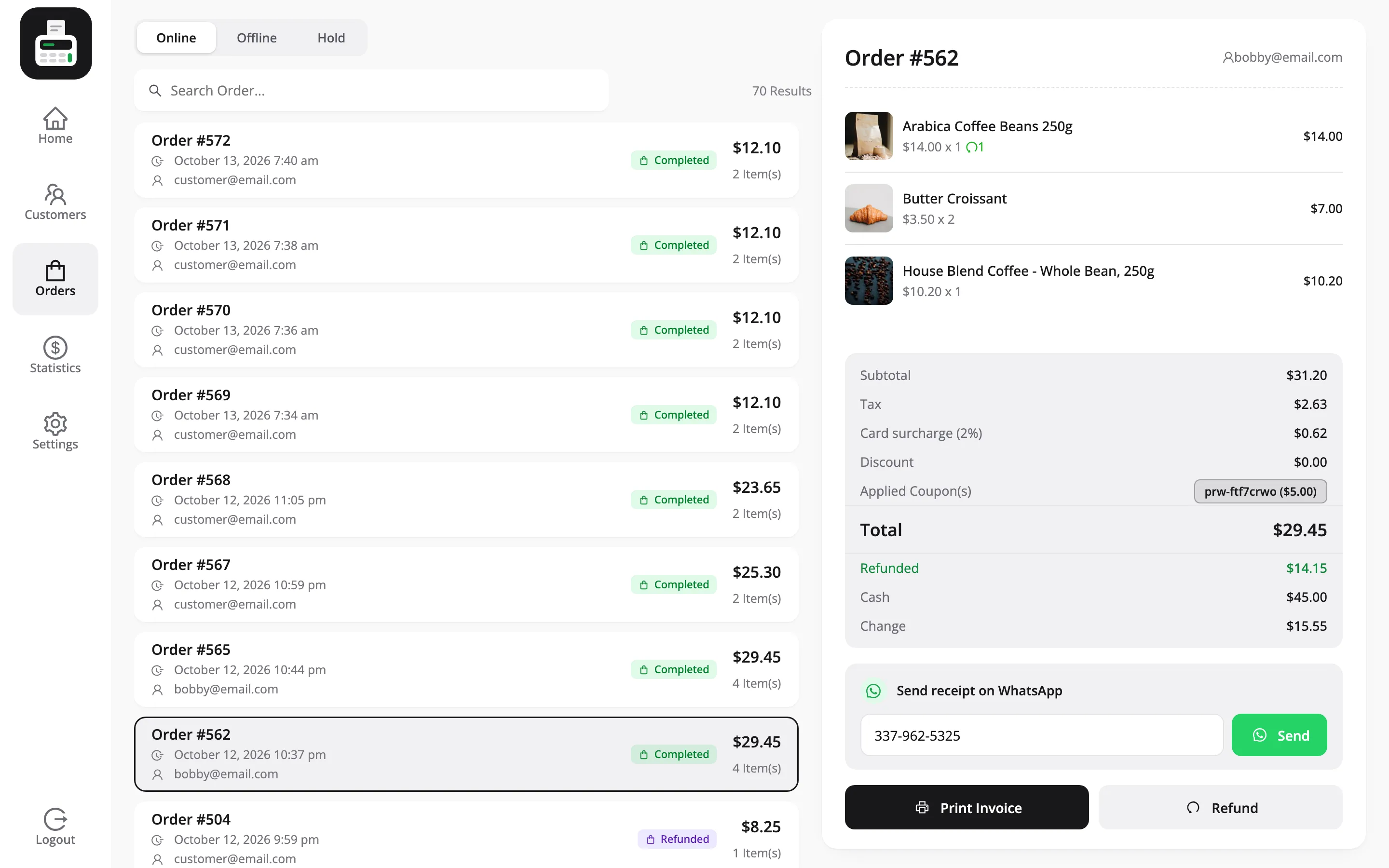
Section titled “Step 5: Or send it later from Orders”A customer who asks for the receipt the next day can still have it. Open Orders in the POS, pick the order, and use the same card above Print Invoice.
Send it automatically
Section titled “Send it automatically”Turn on Automatic Receipts and every sale for a customer with a phone number on file gets its receipt the moment it is paid. The popup then shows it as already sent.
When it does not arrive
Section titled “When it does not arrive”- This number replied STOP: The customer opted out of your WhatsApp messages, so nothing is sent.
- Enter a valid WhatsApp number: The number needs its country code.
- The order has not synced yet: A sale made offline gets its order number when it syncs. Until then the row reads The WhatsApp receipt can be sent once this order syncs.
- Sent but not delivered: WhatsApp only delivers free text within 24 hours of the customer’s last message to you. Use a Meta-approved Content Template SID for walk-in customers.
Every send is logged in Purchase via WhatsApp’s message log and as an order note, such as POS receipt sent on WhatsApp to the number.