

How to Pin Best Sellers as Quick Keys (Pro)
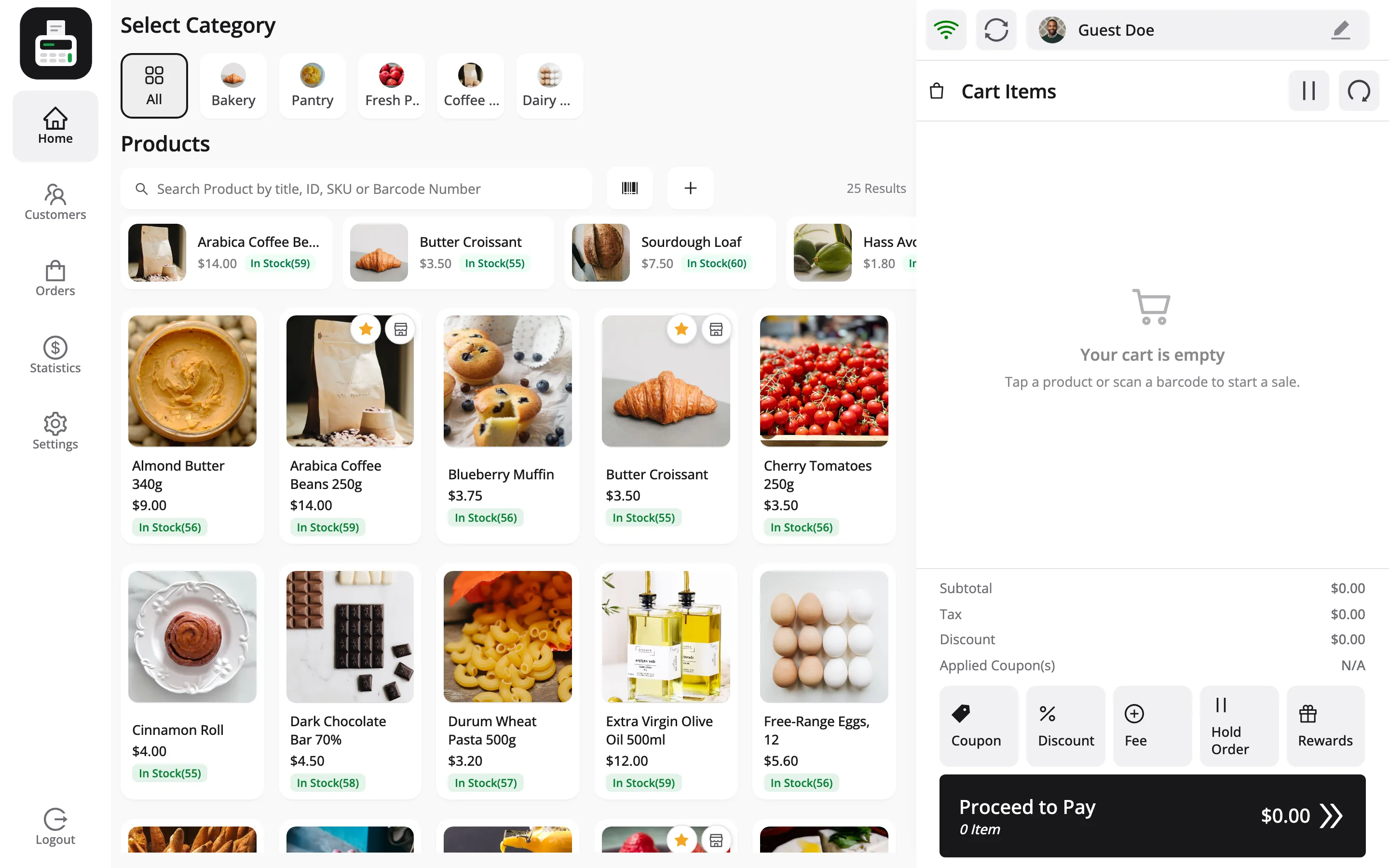
Every counter has a handful of products it sells all day: the coffee beans, the croissant, the loaf. Quick Keys put those in a row above the product grid, so they are one tap away without scrolling or searching.
Each outlet keeps its own row. The bakery counter and the grocery counter can pin different things.
Step 1: Check the Quick Keys row is on
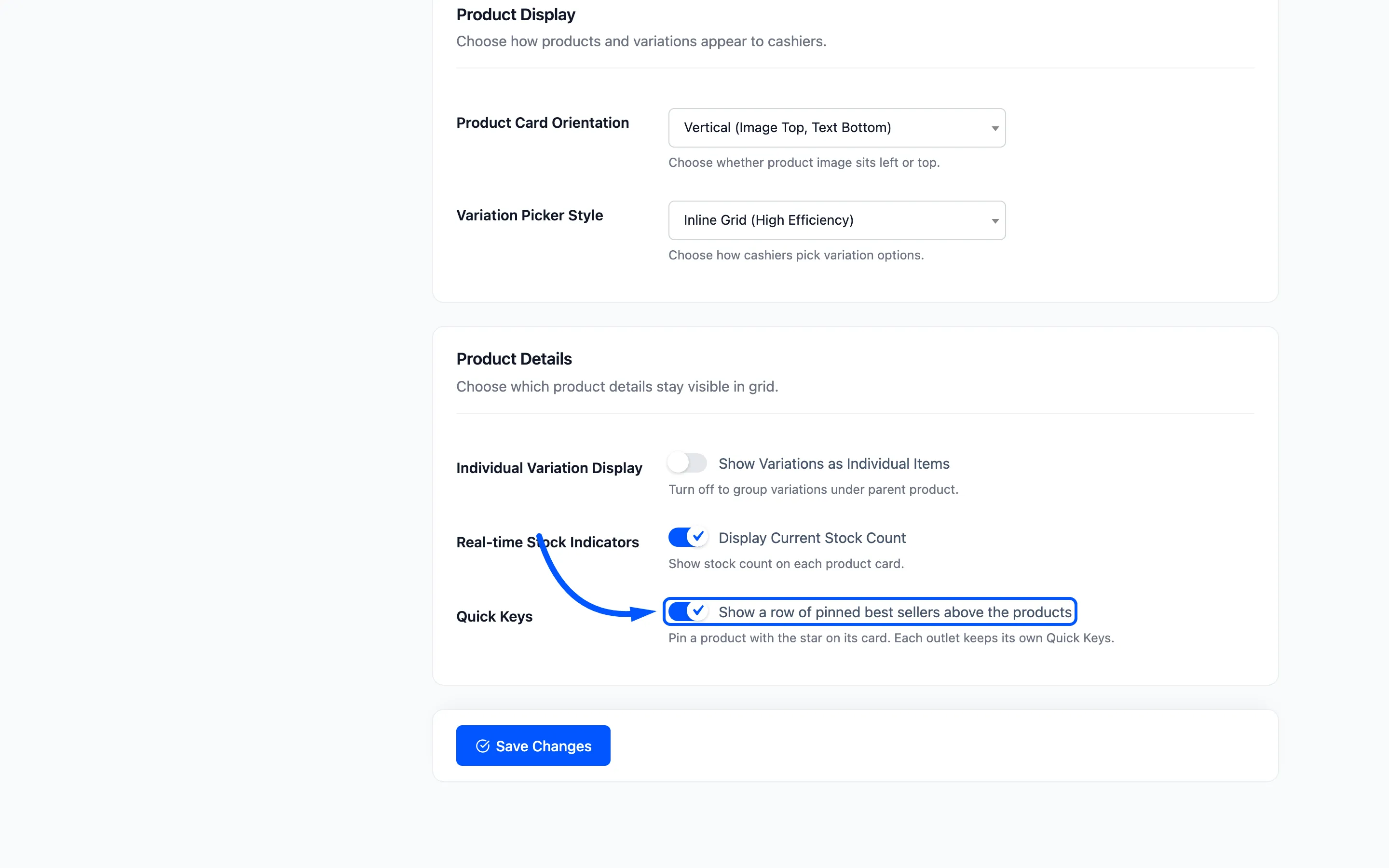
Section titled “Step 1: Check the Quick Keys row is on”Go to MultiPOS → Configuration → Layout. In Product Details, Quick Keys shows a row of pinned best sellers above the products. It is on by default.
Step 2: Decide who may change them
Section titled “Step 2: Decide who may change them”Quick Keys are shared by everyone at the outlet, so by default a cashier cannot change them alone. The switch is under Configuration → Permissions → Quick Keys.
Leave it off and a manager approves each change with their PIN. Turn it on to let cashiers pin and unpin freely.
Step 3: Pin a product with its star
Section titled “Step 3: Pin a product with its star”In the POS, hover over a product card. Two small buttons appear in its top right corner. The star is Add to Quick Keys.
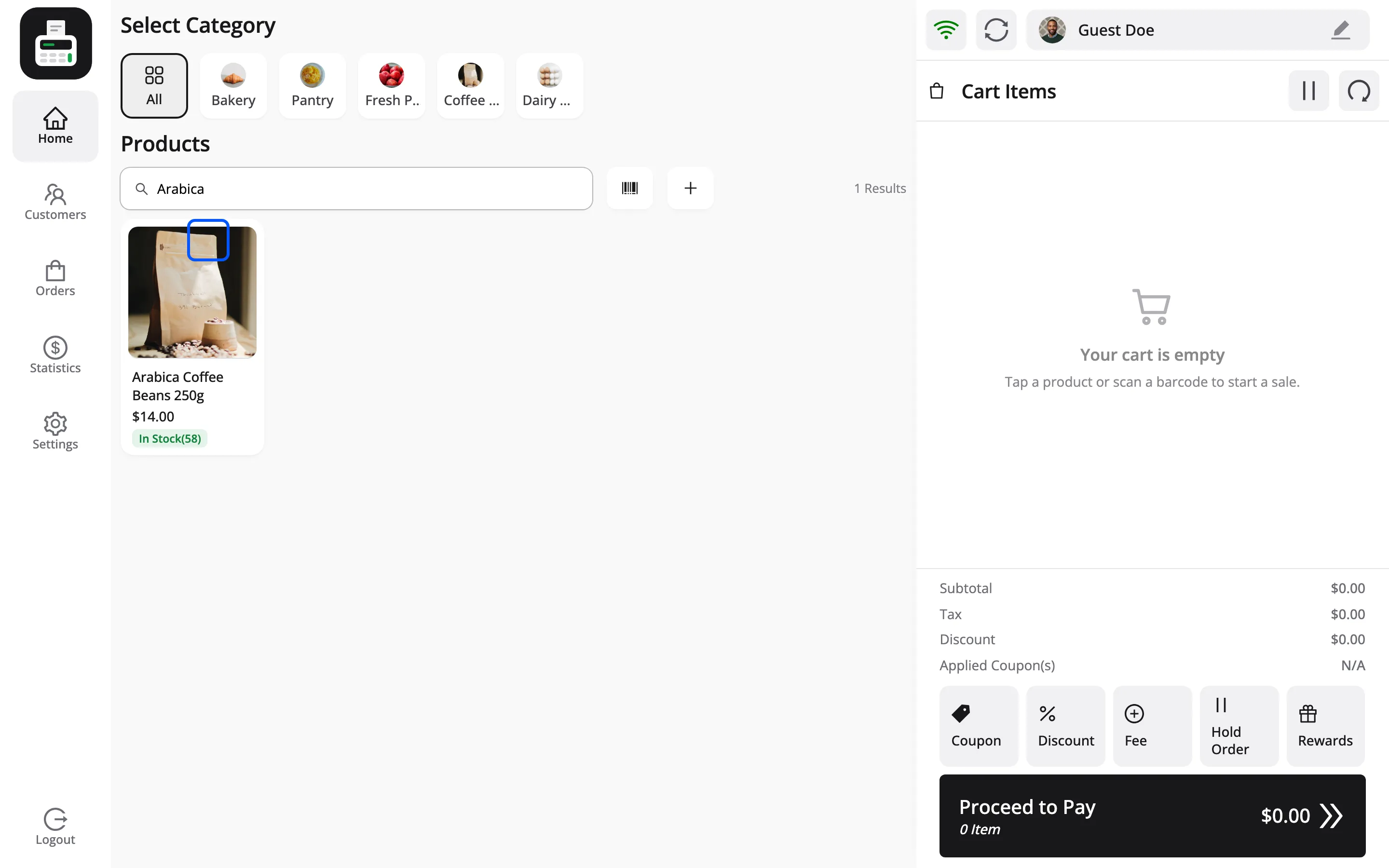
On a touch screen the buttons are always showing, because there is no hover.
Step 4: Approve if asked
Section titled “Step 4: Approve if asked”On the demo cashiers may not change Quick Keys, so pressing the star opens Manager Approval with the reason Change the Quick Keys of this outlet.
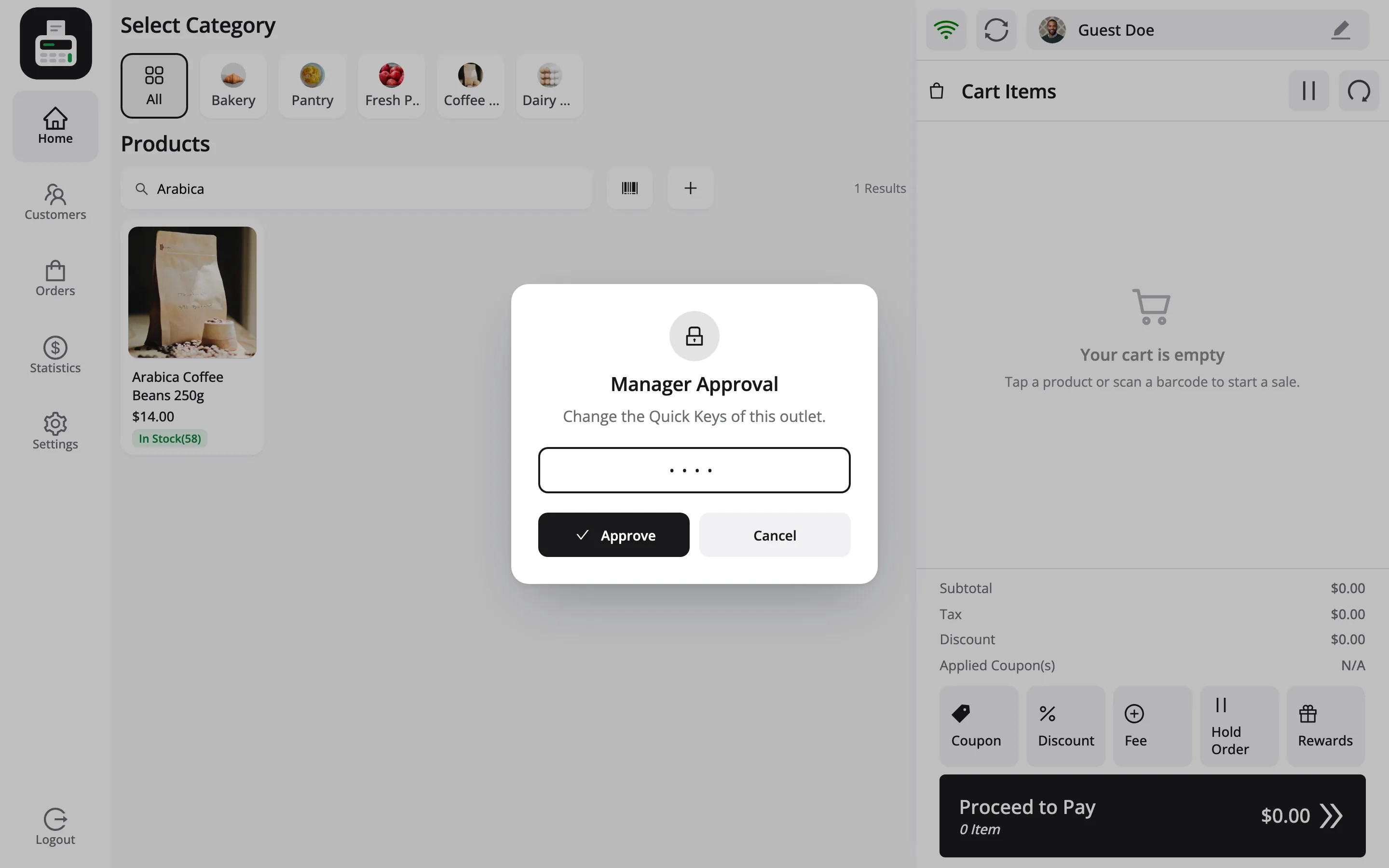
The supervisor types their PIN and presses Approve. The message Approved by Jordan Belfort. confirms it, and the product joins the row once the search is cleared.
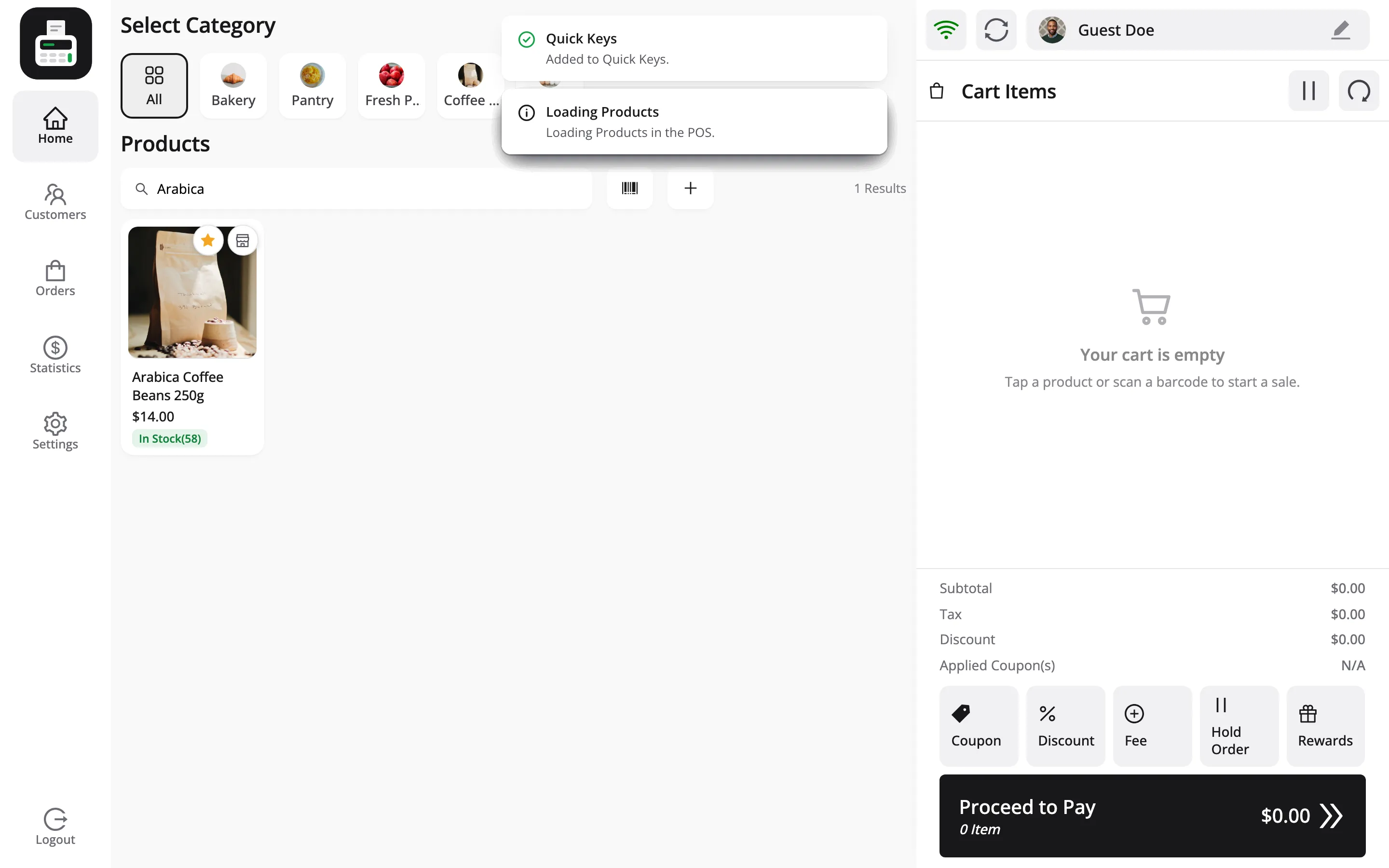
Each pin is its own change, so each one asks for the PIN again.
Step 5: Sell from the row
Section titled “Step 5: Sell from the row”Tap a Quick Key and the product goes into the cart, exactly like tapping its card in the grid.
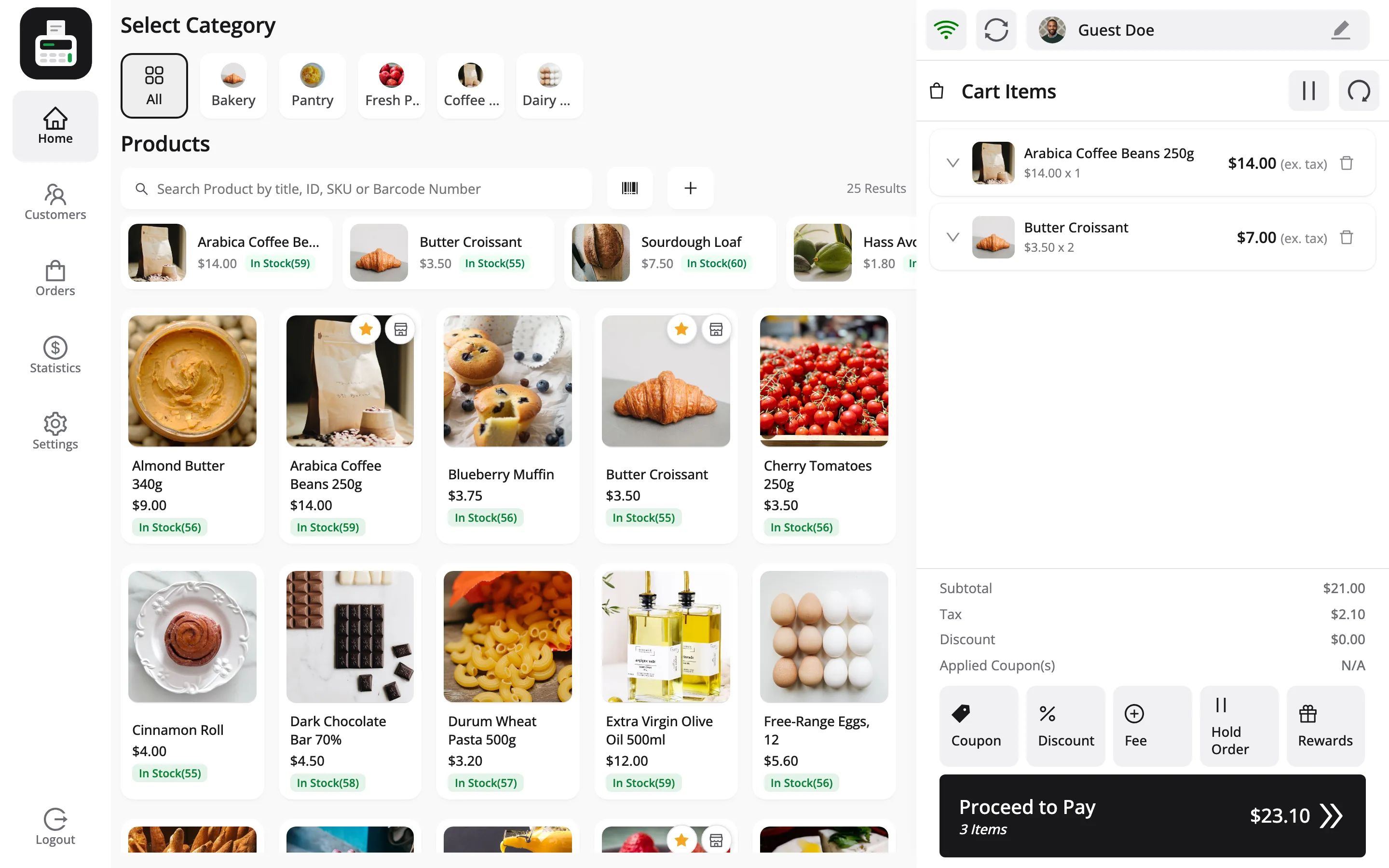
A pinned product keeps a filled star on its card. Press it to unpin the product, which asks for approval the same way.
Things to know
Section titled “Things to know”- Up to 24 per outlet: Pin a 25th and the POS says Quick Keys hold up to 24 products. Remove one first.
- They need a connection: Pinning is saved on the server, so it does not work offline. Selling from the row does.
- They hide while you search: The row steps aside during a search or while a variation is being picked, so the results get the room.