

How to Redeem LoyaltyX Rewards at the POS (Pro)
A loyalty programme that only works online teaches customers your shop does not count. With LoyaltyX connected, the points a customer earns on your website are the points they spend at your counter, and the other way round.
Step 1: Switch LoyaltyX on in the POS
Section titled “Step 1: Switch LoyaltyX on in the POS”Go to MultiPOS → Configuration → Rewards, turn on LoyaltyX Status and press Save Changes. The other switches are on by default.
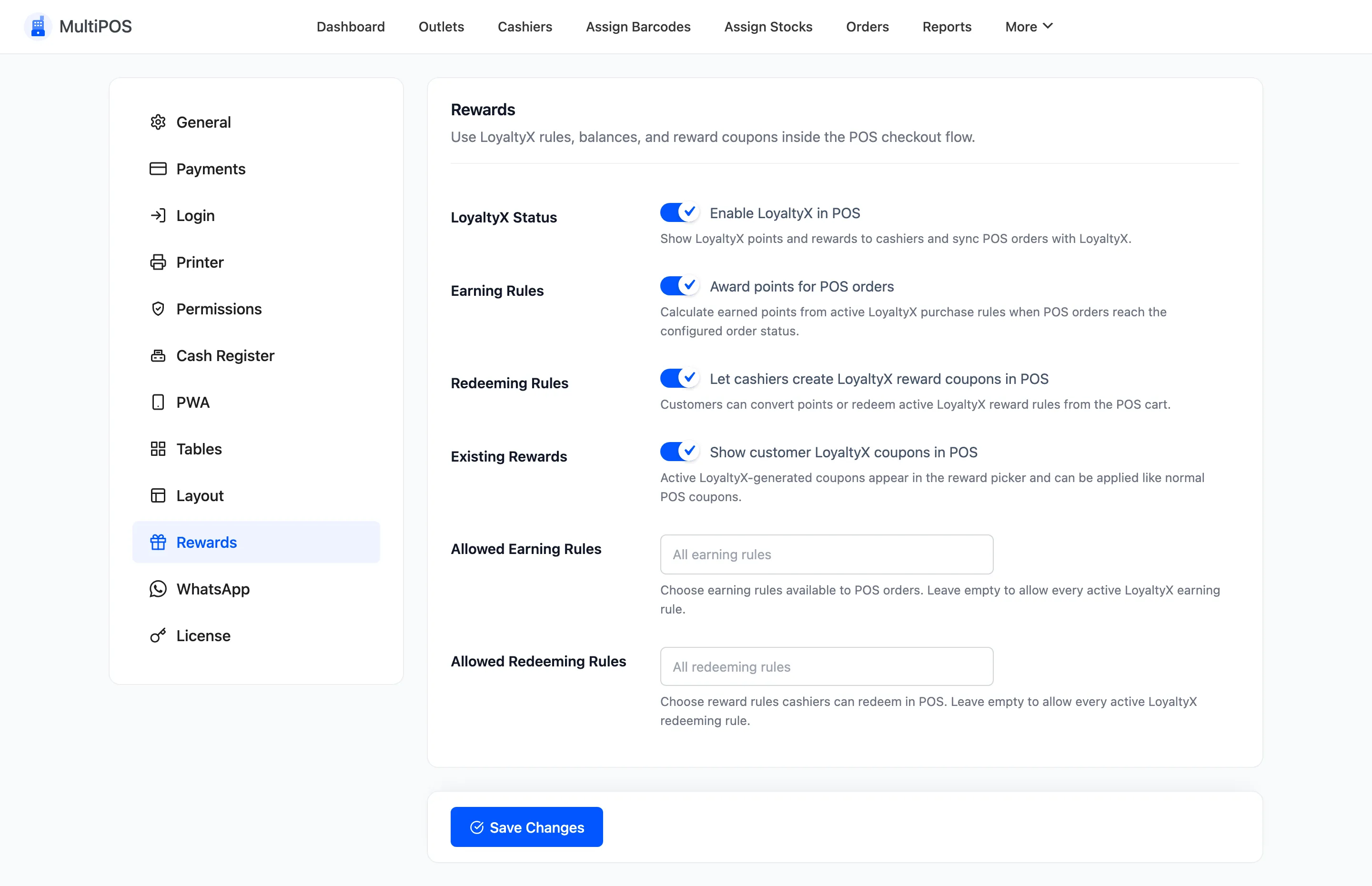
The rewards a cashier can offer are your LoyaltyX redeeming rules. The demo has two: $5 off your order for 500 points and 10% off the cart for 800 points.
Step 2: Set the customer on the sale
Section titled “Step 2: Set the customer on the sale”Rewards belong to a customer, so the sale needs one. Open Customers in the POS and find them. Their balance shows under their name.
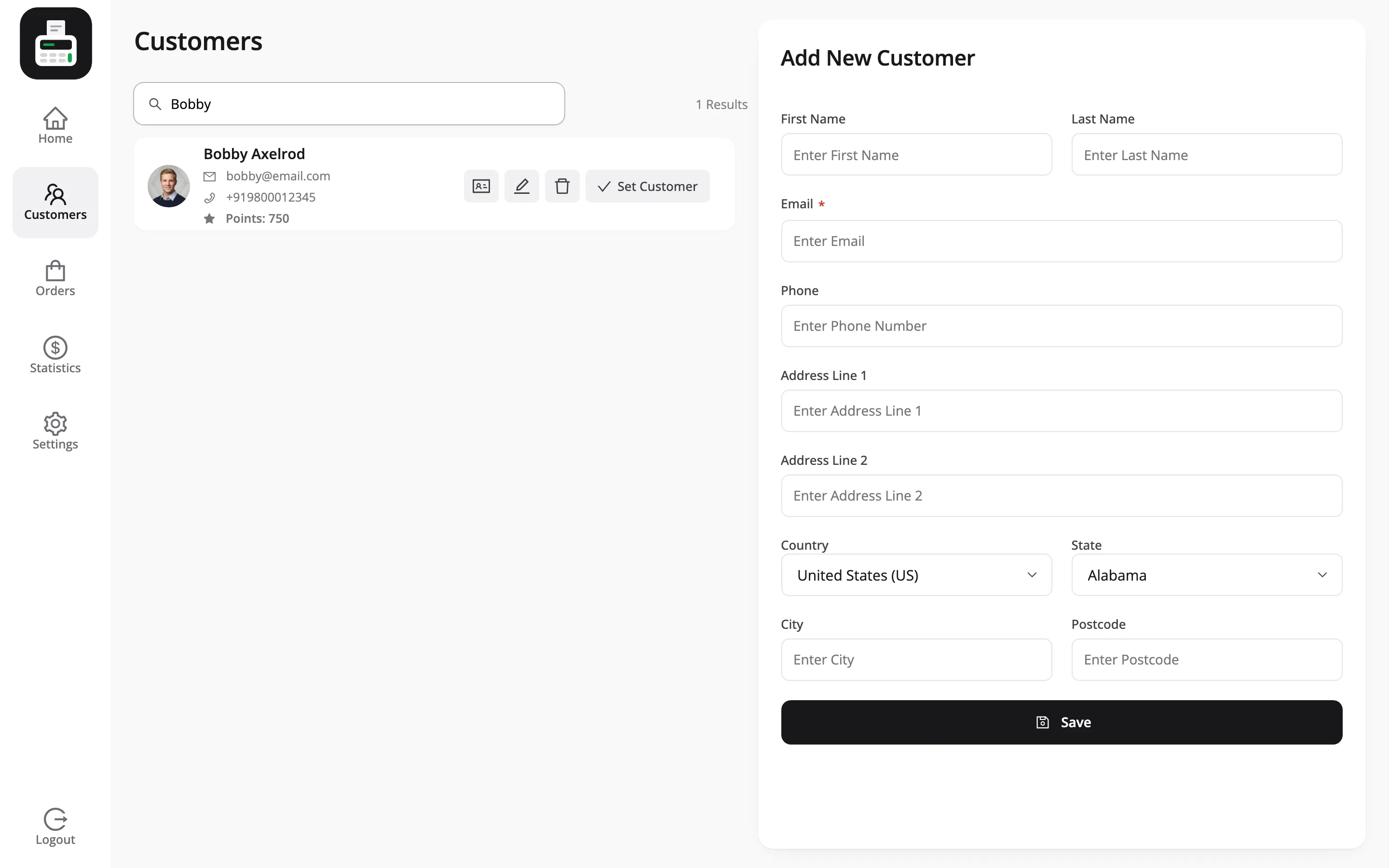
Press Set Customer. Back on the cart, their name is in the top bar.
Step 3: Open Rewards
Section titled “Step 3: Open Rewards”Press Rewards, the last of the cart actions. The popup shows Available Points and what the customer can do with them.
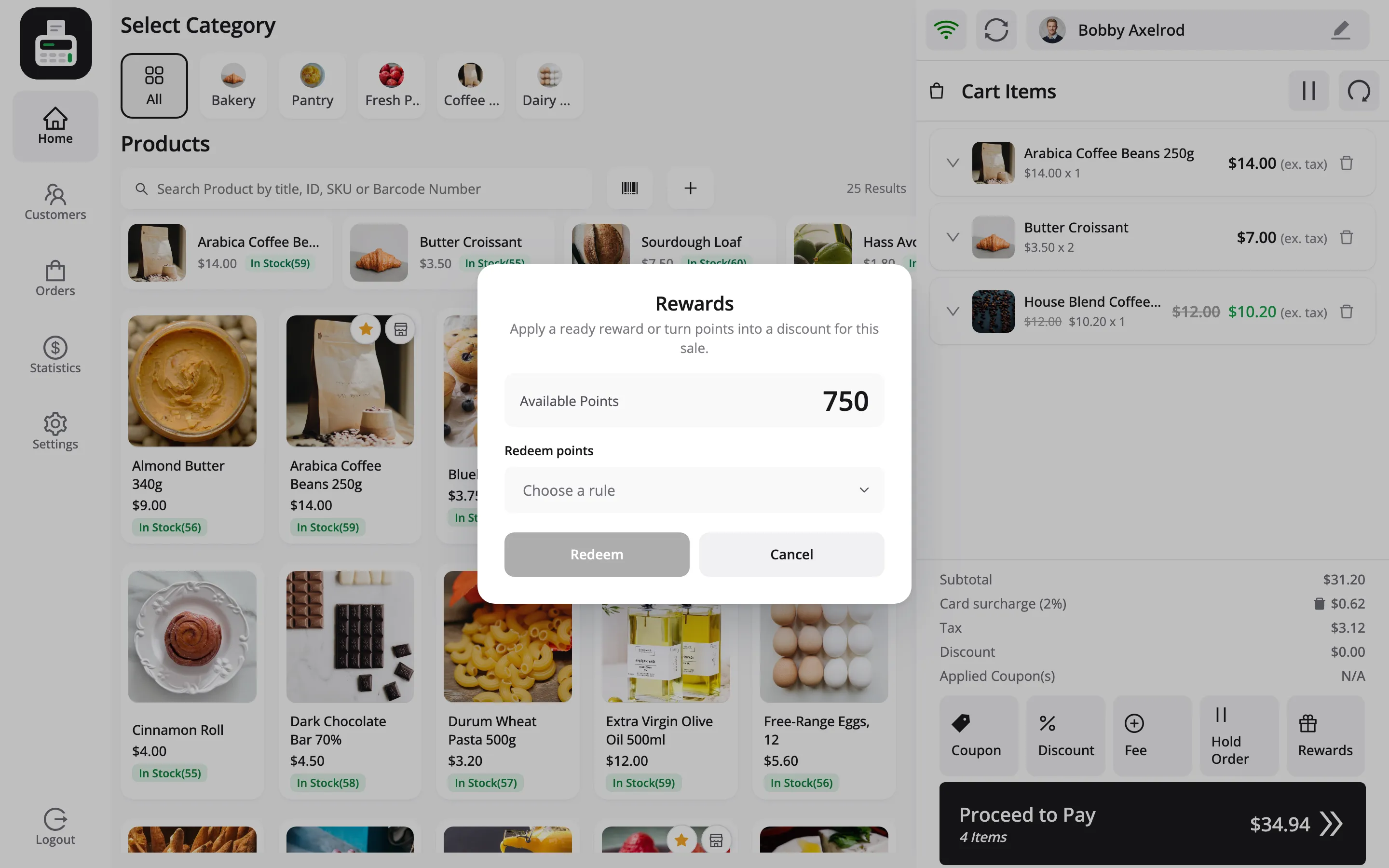
There are up to two sections:
- Ready rewards: Reward coupons the customer already holds. Each has an Apply button.
- Redeem points: A list of the rules they can afford, with the points each one costs.
Step 4: Apply a ready reward or redeem points
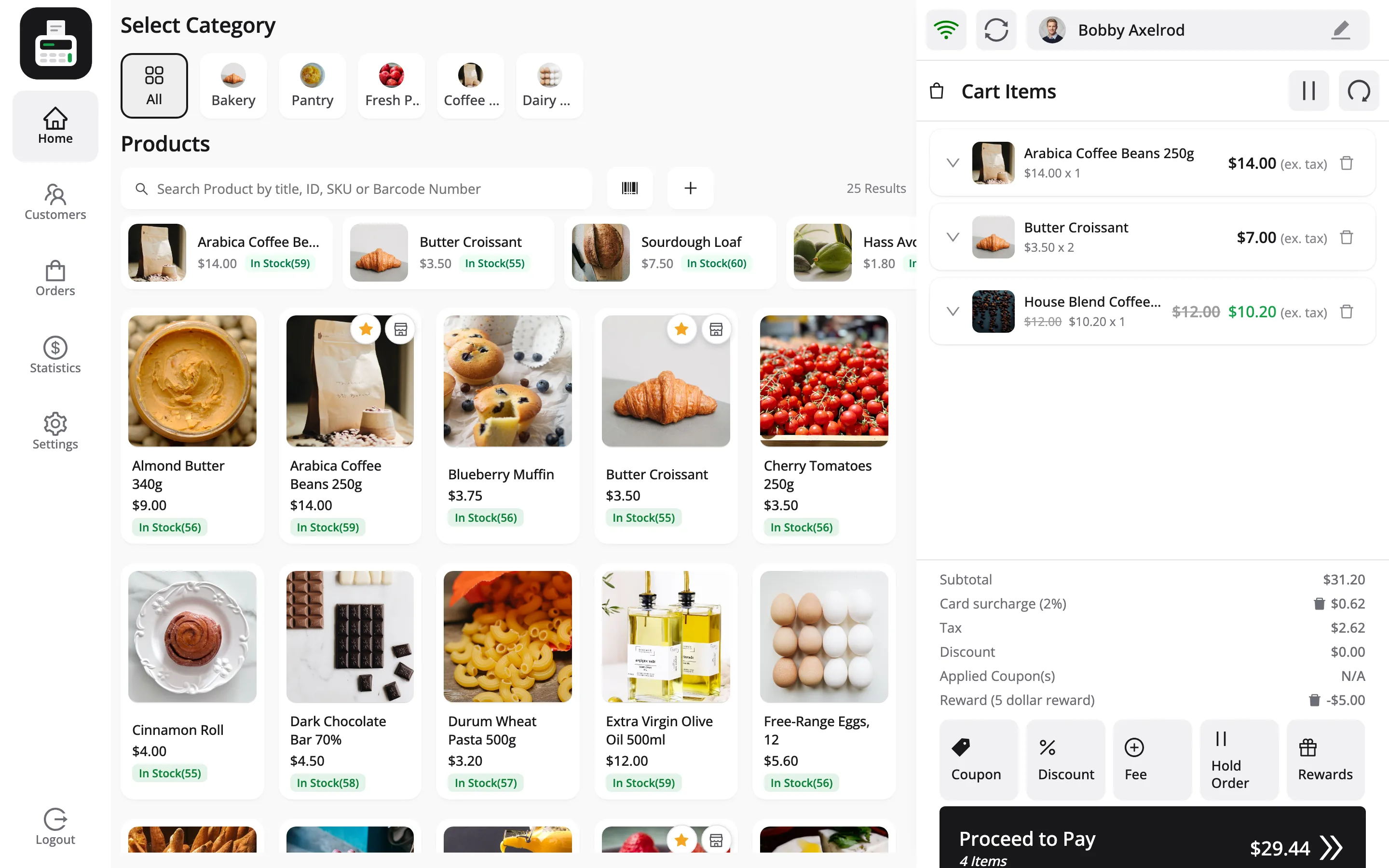
Section titled “Step 4: Apply a ready reward or redeem points”To redeem points, open Choose a rule, pick one, and press Redeem. The demo redeems $5 off your order for 500 points.
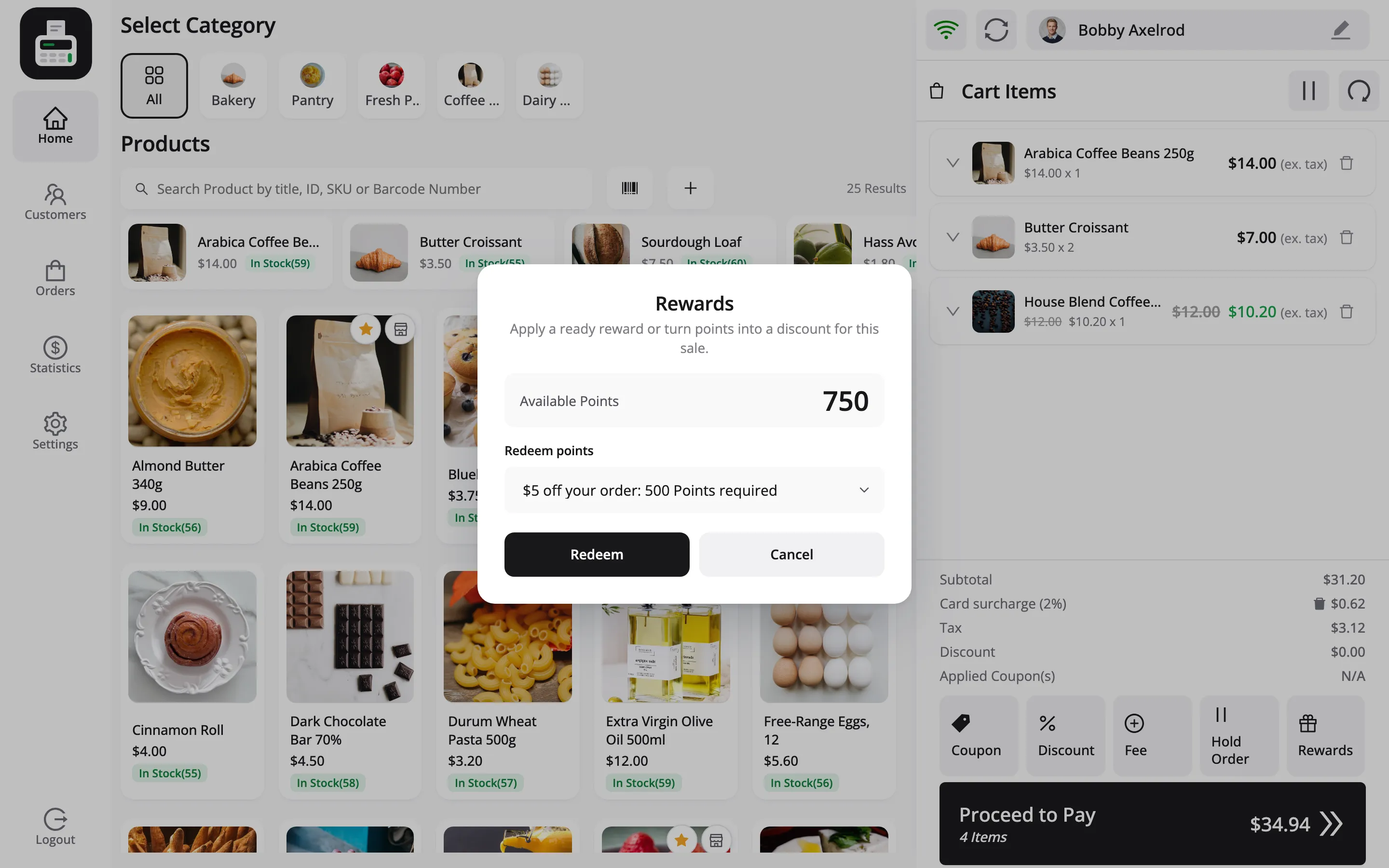
The points leave the customer’s balance straight away, and the reward is added to the cart as a coupon. It shows in the totals as Reward, with its label.
Step 5: Take the payment
Section titled “Step 5: Take the payment”Pay as usual. The order carries the reward coupon, and LoyaltyX writes Redeemed 500 Points from POS. to the customer’s points log.
If your LoyaltyX earning rules give points for purchases, the sale also earns points once the order reaches Processing or Completed.
Things to know
Section titled “Things to know”- It needs a connection: Rewards cannot be loaded offline, and a sale holding a reward must be completed online, so points and coupon use stay accurate.
- Product rewards need the product: A free-product or buy-one-get-one reward asks for the required product to be in the cart first.
- One use: Each reward coupon works once, for that customer only.