

Rewards Settings (Pro)
The Rewards tab connects MultiPOS to LoyaltyX, so the loyalty programme you run on your website also works at the counter. A customer earns the same points in your shop as online, and spends them there too.
Open it from MultiPOS → Configuration → Rewards.
What it needs
Section titled “What it needs”If LoyaltyX is not ready, the tab tells you what is missing instead of showing the fields:
- LoyaltyX Pro is not installed: It offers Install LoyaltyX Pro.
- LoyaltyX Pro is installed but off: It offers Activate LoyaltyX Pro.
- The LoyaltyX free plugin is off: LoyaltyX Pro runs on top of it, so the tab offers Activate LoyaltyX Free.
- Only the free LoyaltyX is active: Points can be shown, but redeeming at the POS needs LoyaltyX Pro.
The fields
Section titled “The fields”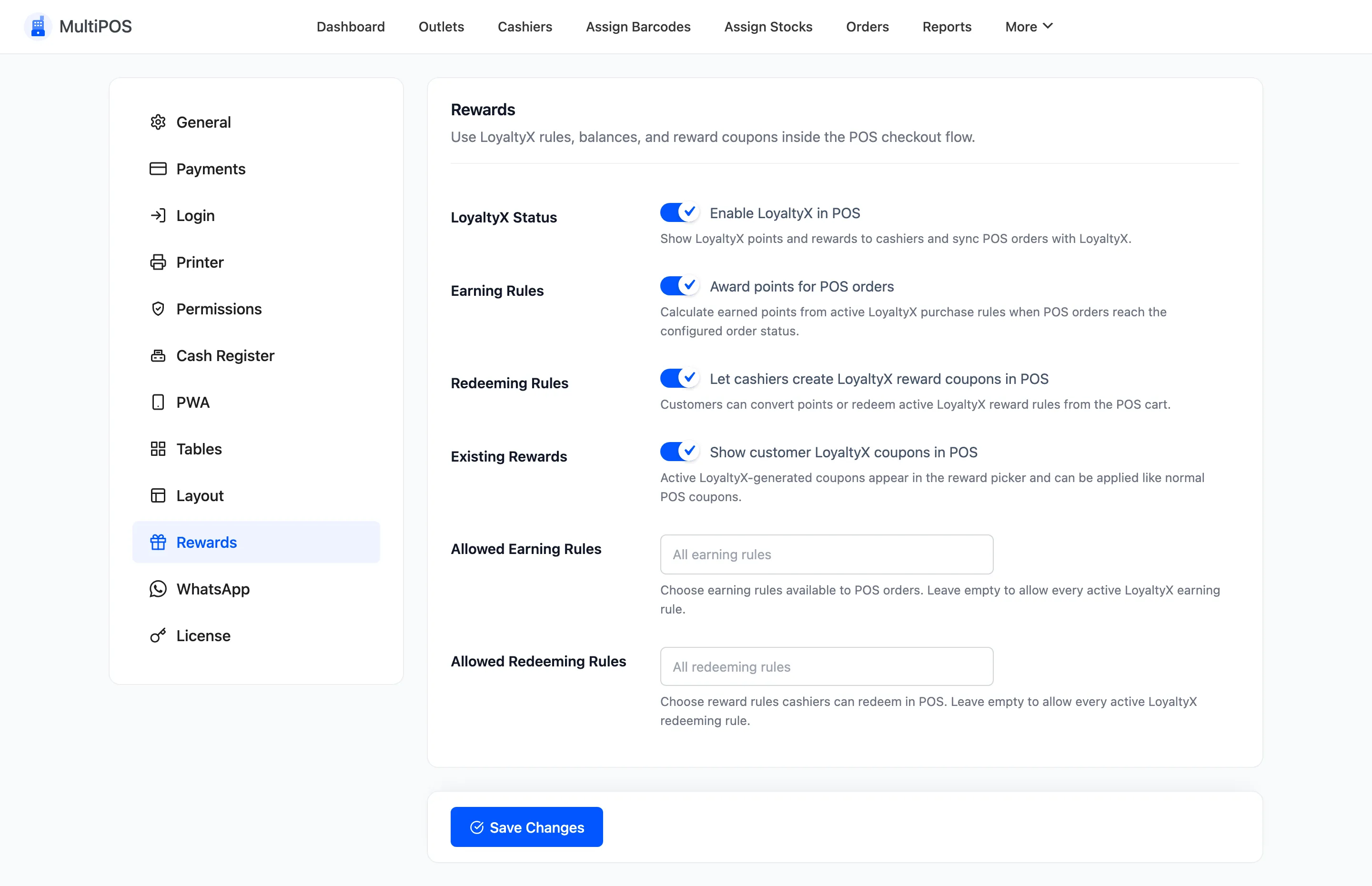
| Field | Default | What it does |
|---|---|---|
| LoyaltyX Status | Off | Enable LoyaltyX in POS. Shows points and rewards to cashiers. |
| Earning Rules | On | Award points for POS orders, using your LoyaltyX earning rules. |
| Redeeming Rules | On | Let cashiers create LoyaltyX reward coupons in POS. |
| Existing Rewards | On | Show customer LoyaltyX coupons in POS, the rewards they already hold. |
| Allowed Earning Rules | Empty, meaning all | Which earning rules count at the POS. |
| Allowed Redeeming Rules | Empty, meaning all | Which rewards a cashier may redeem, including Points Conversion (Global). |
What the cashier sees
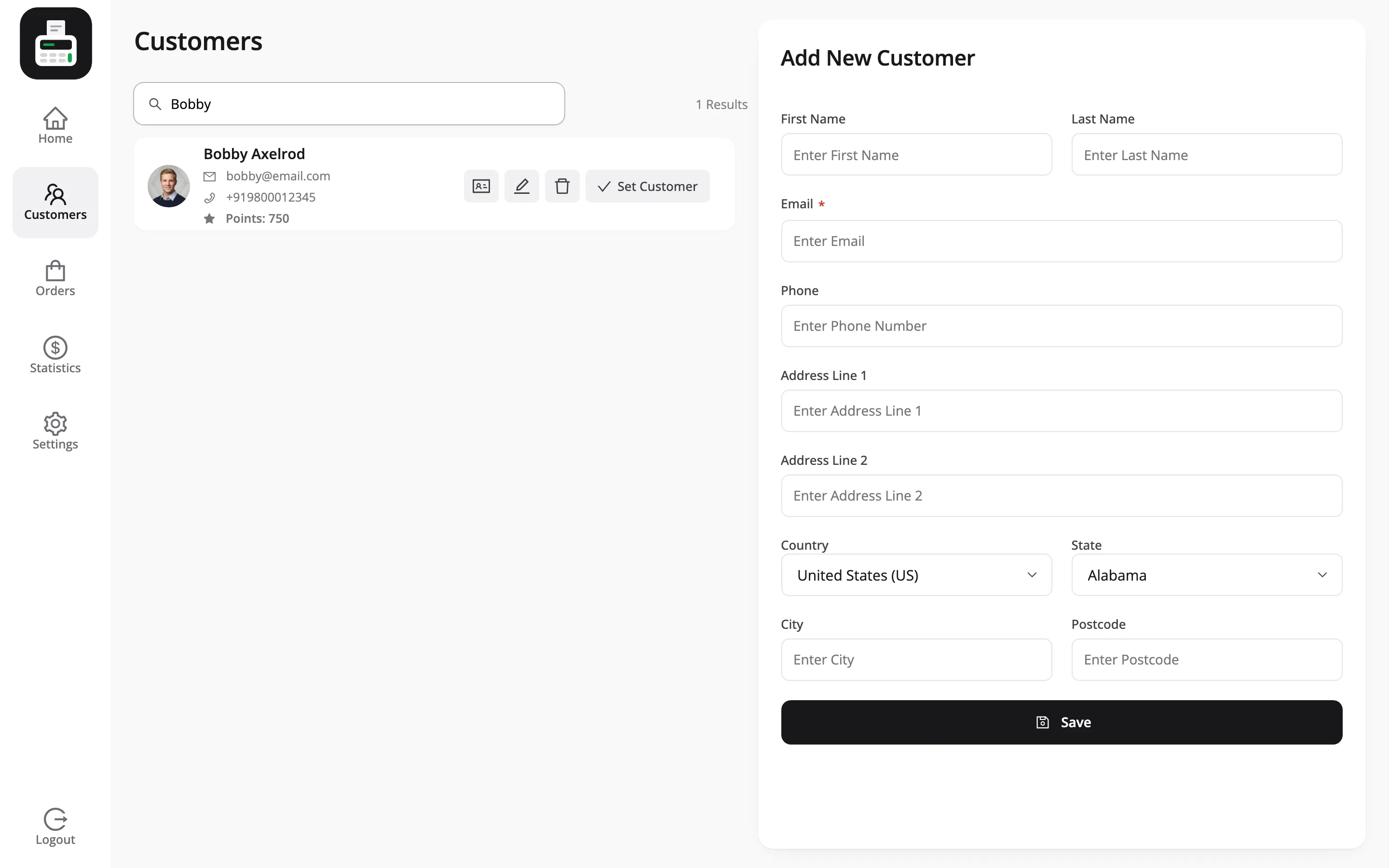
Section titled “What the cashier sees”With LoyaltyX on, each customer in the POS shows their points balance under their name.
Once a customer is set on the sale, a Rewards button sits beside Hold Order in the cart. It opens a popup with the balance, any ready rewards, and a list of rules to redeem points with.
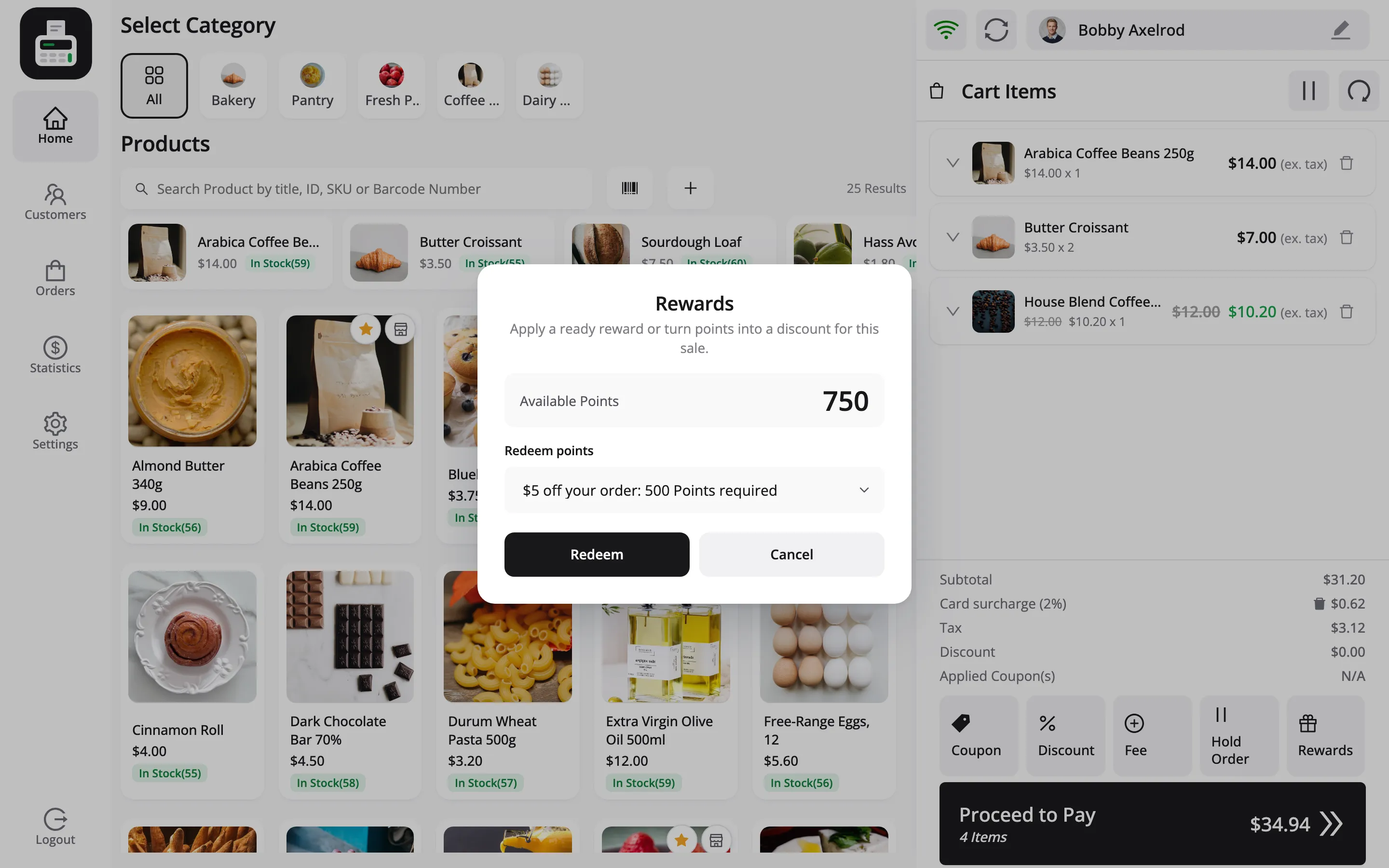
The full flow is in How to Redeem LoyaltyX Rewards at the POS (Pro).
How earning works
Section titled “How earning works”Points for a POS sale come from your LoyaltyX earning rules, the same way as online. LoyaltyX awards them when the order reaches one of its award statuses, Processing or Completed, and writes a note on the order.
So a store with no earning rule awards nothing at the counter. The demo uses one rule, 10 points for every $1 spent, counted on the items before tax.
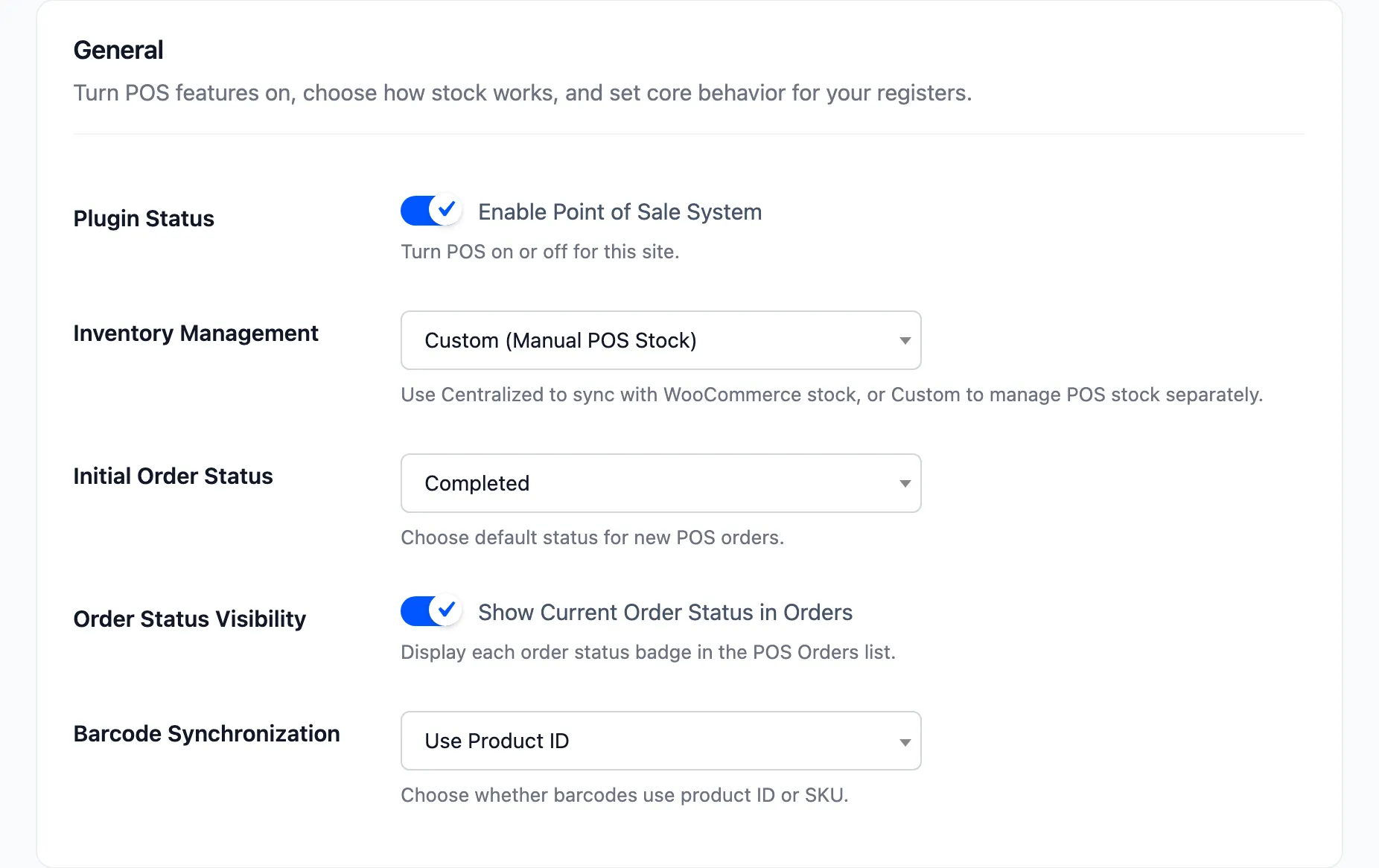
The status a POS order starts at is set by Initial Order Status under General settings. If you start POS orders On hold, points wait until the order moves on.
How redeeming works
Section titled “How redeeming works”Redeeming turns points into a one-use coupon for this customer, with a code that starts PRW-. The points leave the balance at once, with the log line Redeemed 500 Points from POS.
Two rules keep the numbers right:
- Online only: Rewards cannot be loaded or redeemed while the POS is offline.
- A reward sale must be completed online: An order holding a reward is refused offline, so points and coupon use stay accurate.
The allow-lists
Section titled “The allow-lists”The switches are on or off. The two lists are where you shape the programme for the counter.
A “refer a friend” rule makes no sense at the counter, and a double-points weekend might be for the website only. Leave the rule active for the website and keep it off the POS list. Empty means everything, so start empty and narrow it only when a rule should not apply in store.
Where to go next
Section titled “Where to go next”- How to Redeem LoyaltyX Rewards at the POS (Pro)
- LoyaltyX documentation for creating the rules themselves