

How to Track POS Sales and Commission in WCFM
A vendor’s POS sale is recorded in WCFM Marketplace like an online order, so it earns the commission your marketplace already charges. This is where to find it, and what a refund does to it.
Step 1: Keep Marketplace Orders on
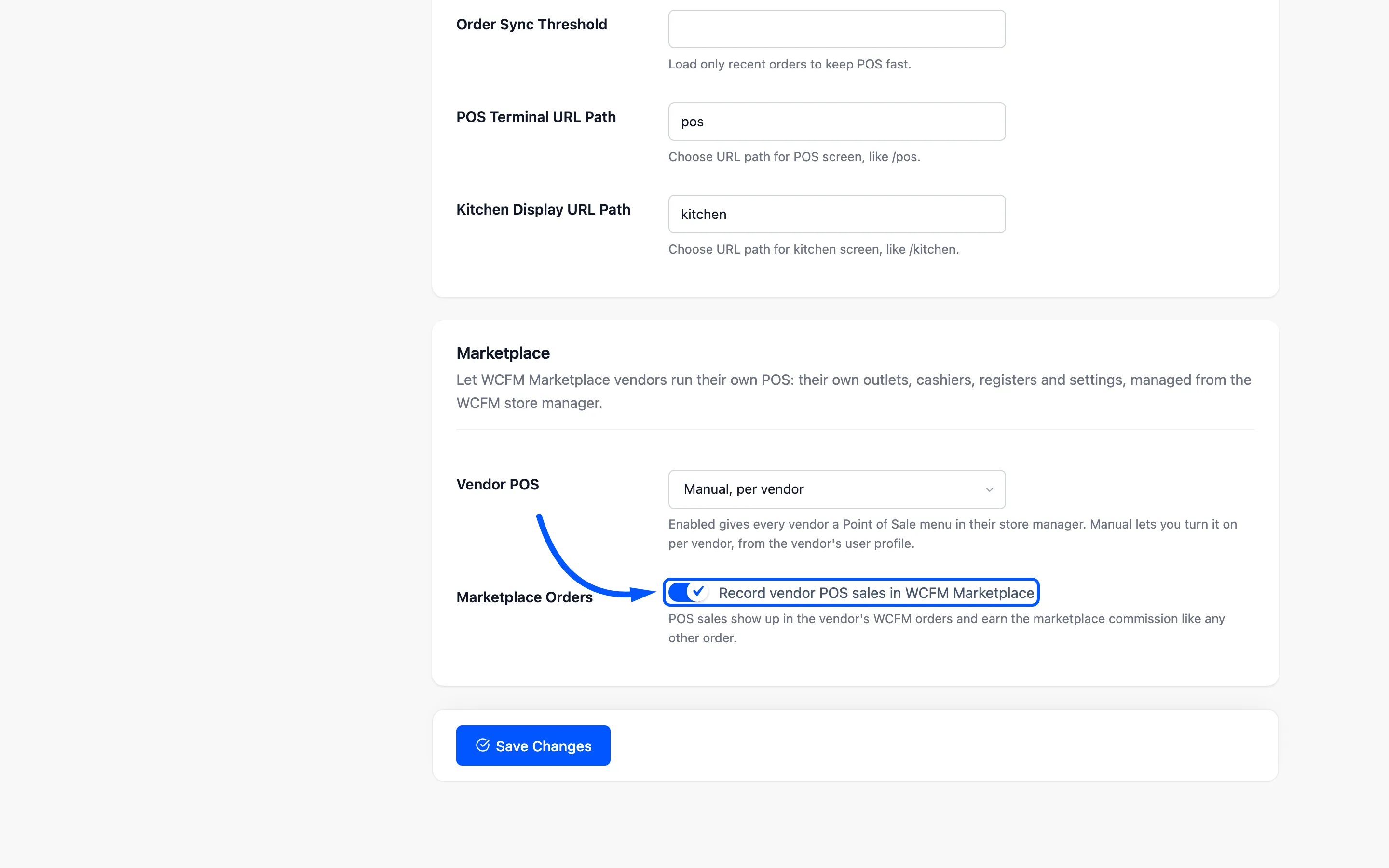
Section titled “Step 1: Keep Marketplace Orders on”Under DevDiggers Plugins → MultiPOS → Configuration → General → Marketplace, Record vendor POS sales in WCFM Marketplace is on by default.
Step 2: Make a sale at the vendor’s POS
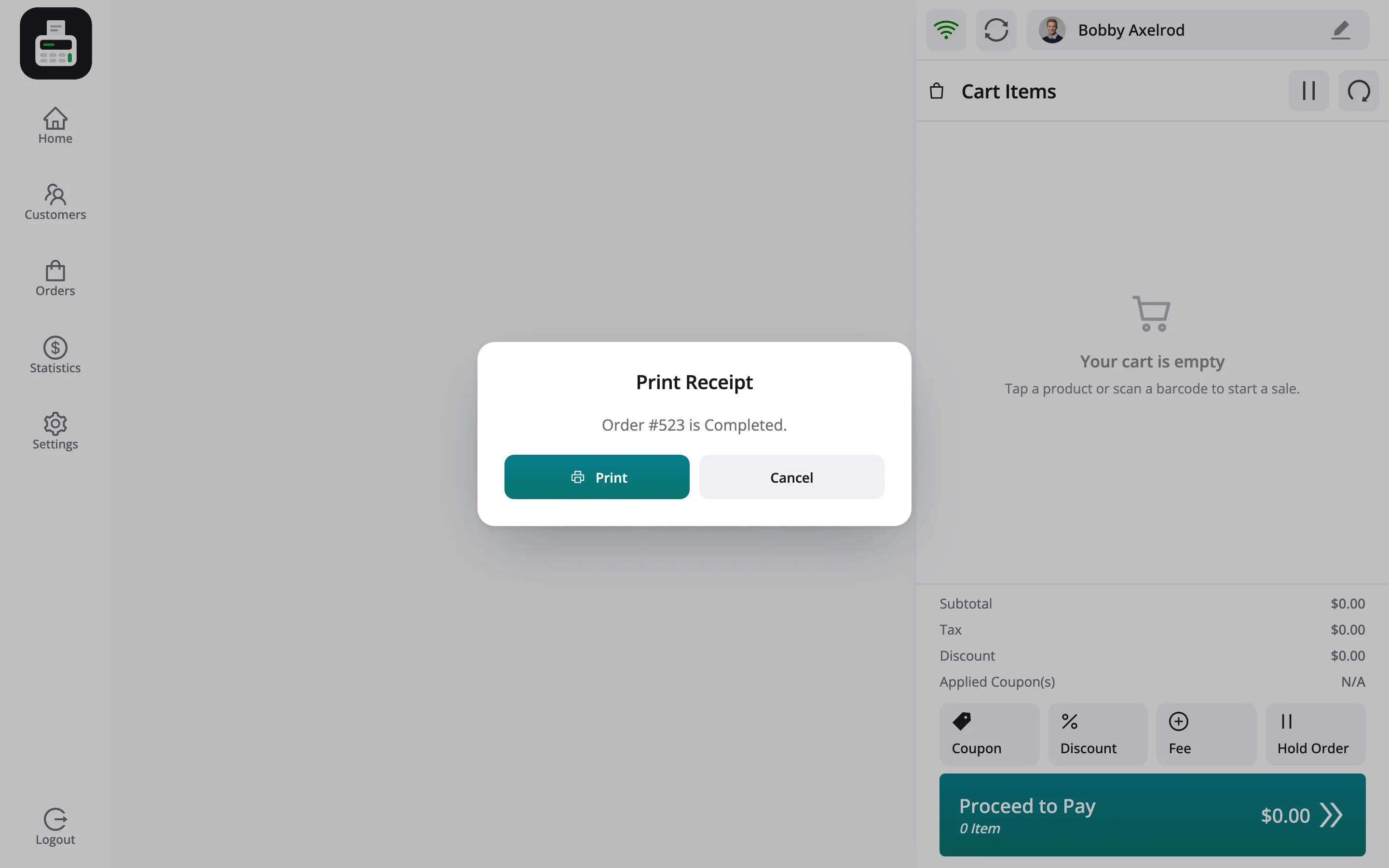
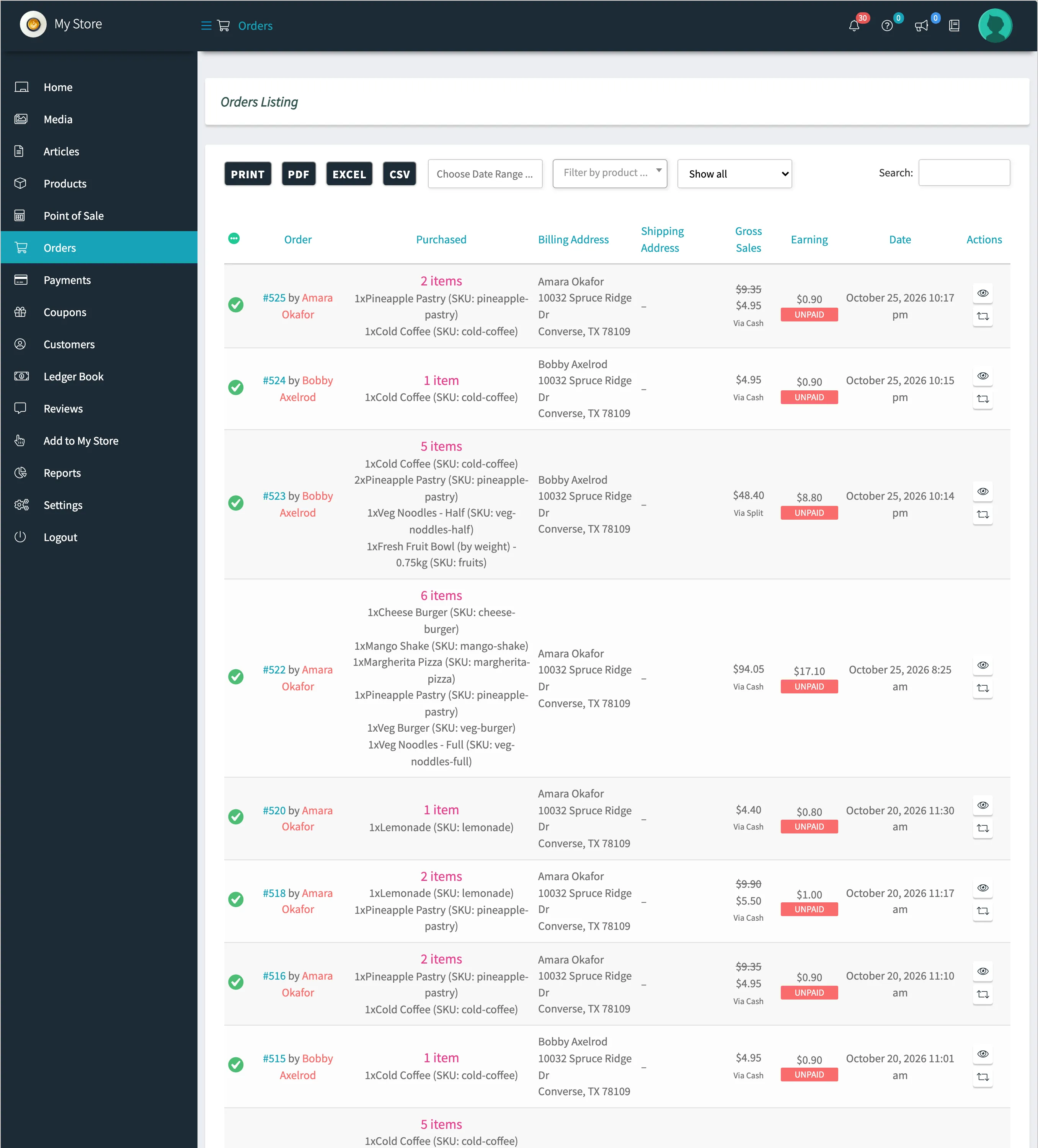
Section titled “Step 2: Make a sale at the vendor’s POS”Sell at one of the vendor’s outlets. On the demo, order #514 at Daily Grind Bakery Counter sold a coffee, two pastries, a noodle dish and a weighed fruit bowl. It came to $48.40 before a card surcharge, paid part cash, part card.
Step 3: Open the vendor’s WCFM orders
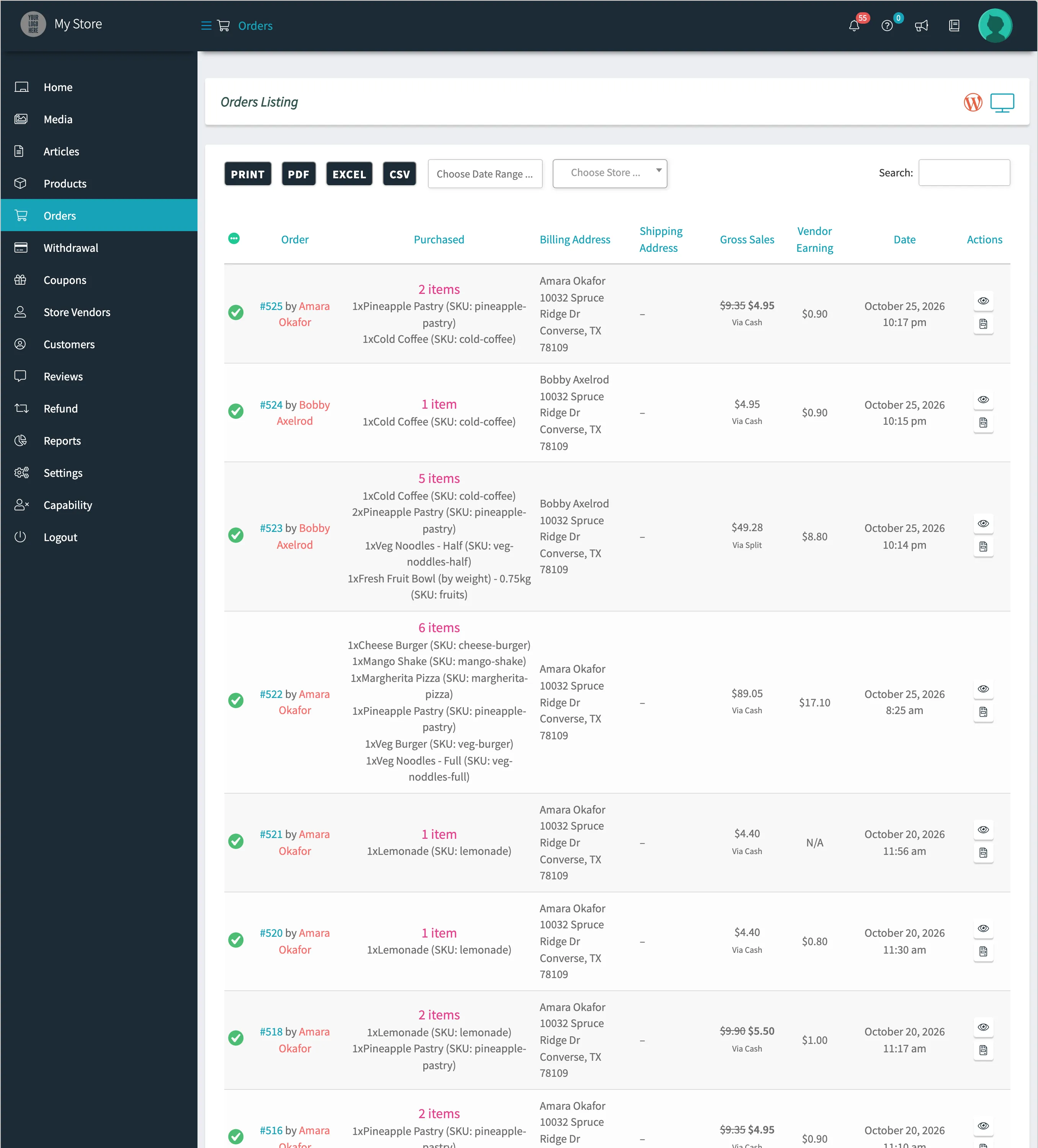
Section titled “Step 3: Open the vendor’s WCFM orders”In the vendor’s store manager, click Orders. Each POS sale is listed with its items, the outlet address as the billing address, the Gross Sales, the Earning and the payment method.
Step 4: Open the order
Section titled “Step 4: Open the order”Click the order number. The Order Items list each item’s cost, tax and earning, with the totals below: Gross Total, Total Earning and Admin Fee.
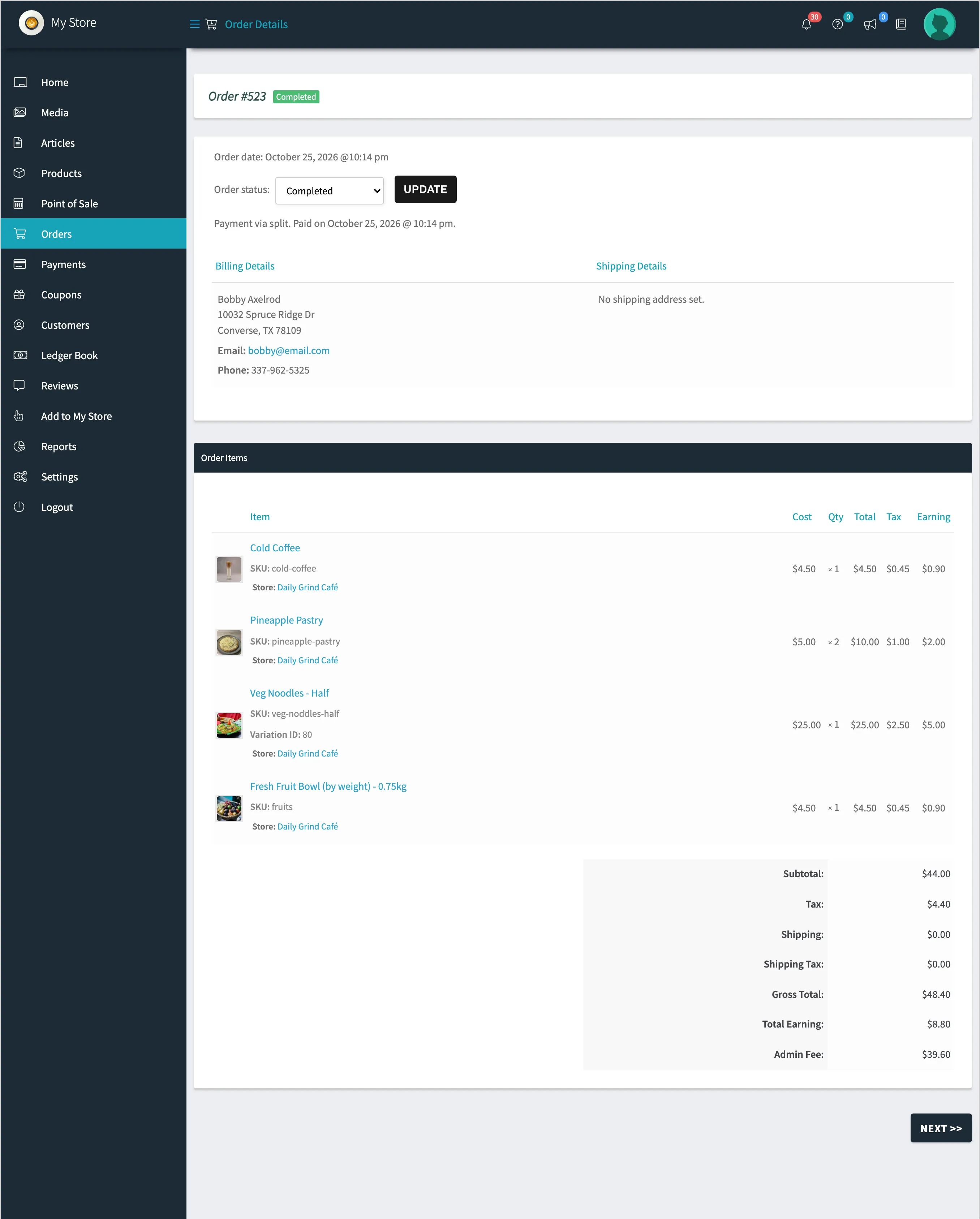
On the demo, commission gives vendors 10% plus the tax. So #514 earns the vendor $8.80, and the marketplace keeps a $39.60 admin fee. Your own WCFM commission settings decide these figures.
Step 5: Check the owner’s view
Section titled “Step 5: Check the owner’s view”As the owner, open Orders in the WCFM store manager. Every vendor’s POS sales sit beside online orders, with the Vendor Earning column.
What a refund at the POS does
Section titled “What a refund at the POS does”A refund taken at the POS works the commission out again. The refunded items earn nothing, and the rest keep their earning. On the demo, order #518 sold a lemonade and a pastry. After the lemonade was refunded at the POS, its earning dropped to $0.00 while the pastry kept $1.00.
Commission a vendor has already withdrawn is never changed.
Things to know
Section titled “Things to know”- Fees are not commissioned. A card surcharge added at the POS belongs to the order, not to an item. WCFM leaves it out of the vendor’s gross sales.
- Turning Marketplace Orders off stops recording new POS sales in WCFM. They stay normal WooCommerce orders, settled with the vendor however you choose.
- The owner’s own outlets sell marketplace products, so their sales earn no vendor commission.