

POS Orders in MultiPOS for WCFM
The Orders screen lists sales taken at a POS, and nothing else. Website orders are not here. The owner sees every outlet’s sales under DevDiggers Plugins → MultiPOS → Orders. A vendor sees their own outlets’ sales under Point of Sale → Orders.
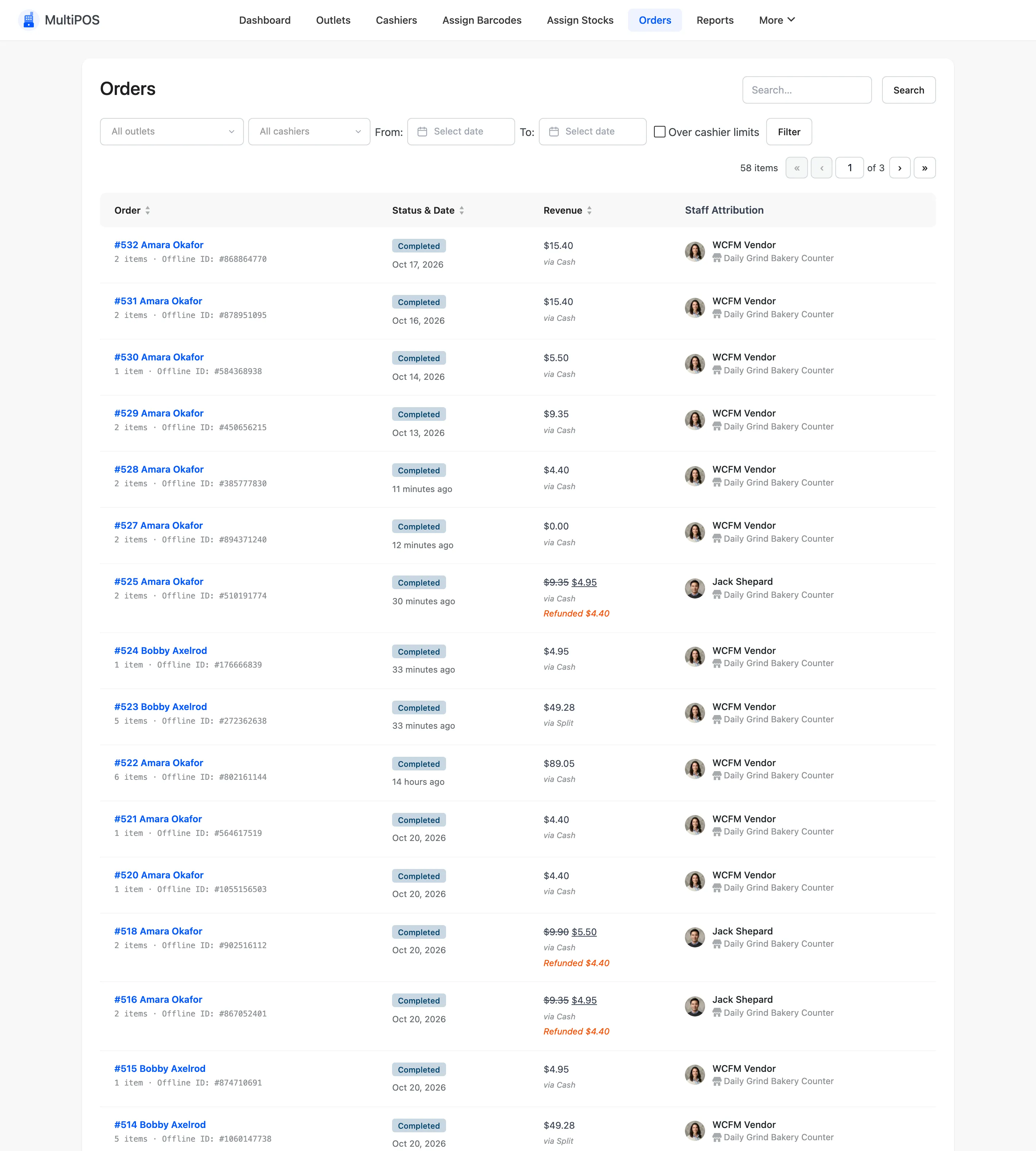
The columns
Section titled “The columns”| Column | What it shows |
|---|---|
| Order | The number, the customer, the item count, and the offline ID for a sale made offline |
| Status & Date | The WooCommerce status and when it was placed |
| Revenue | The total, the payment method and any refund |
| Staff Attribution | The cashier and the outlet |
The toggle on a row opens its line items.
Filters
Section titled “Filters”- All outlets: One outlet only.
- All cashiers: One cashier’s sales.
- From and To: A date range.
- Over cashier limits: Only sales where a cashier cut a price or gave a discount above their limit with no manager’s approval.
Click Filter to apply, Reset to clear.
The vendor’s screen
Section titled “The vendor’s screen”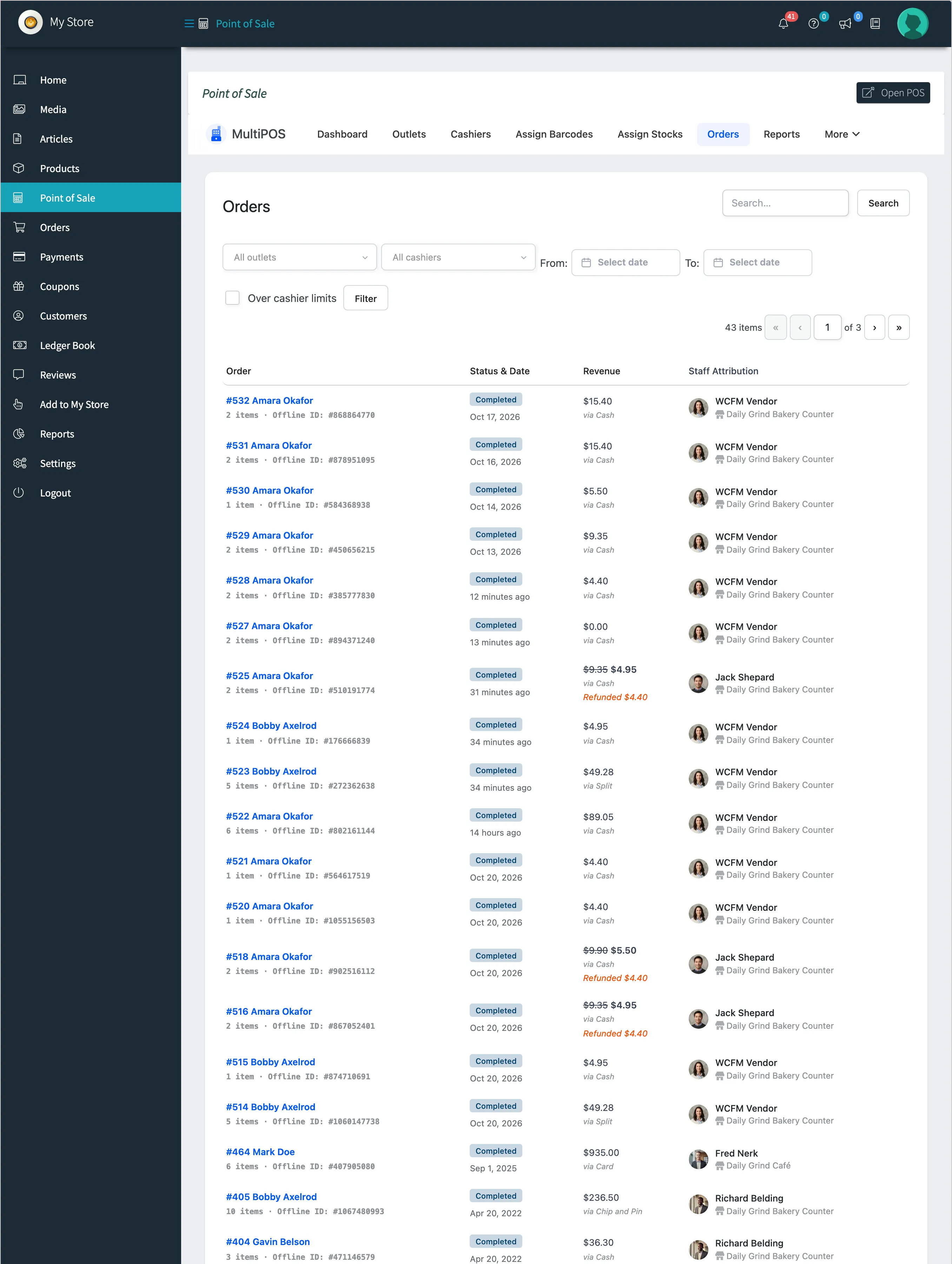
A vendor’s outlet and cashier filters list their own outlets and cashiers only.
The same sale in WooCommerce and WCFM
Section titled “The same sale in WooCommerce and WCFM”A POS sale is a normal WooCommerce order, so it is also in WooCommerce → Orders.
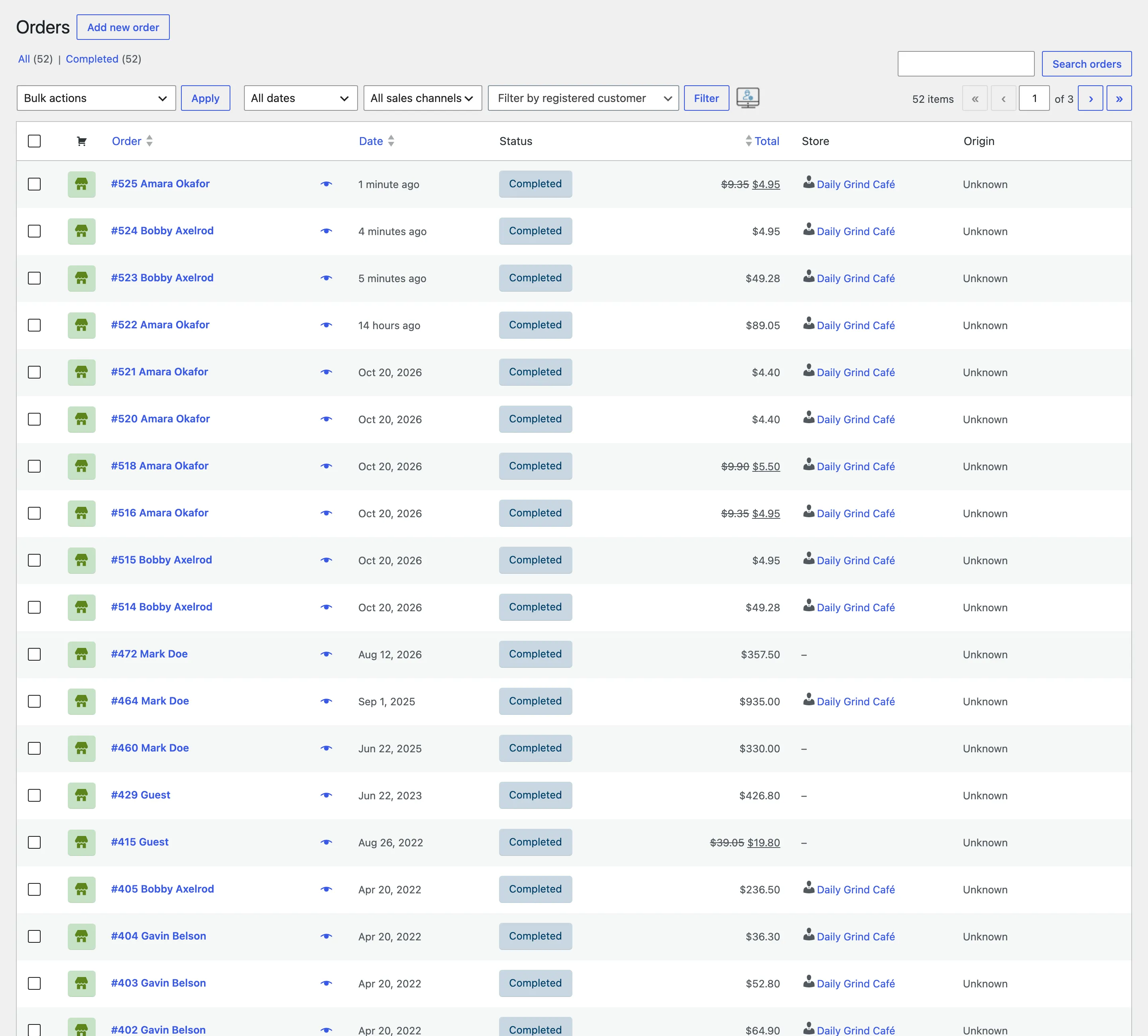
A vendor’s POS sale is also in WCFM, under Orders in their store manager, with its earning. See How to Track POS Sales and Commission in WCFM.