

How to Approve Actions with a Manager PIN
When a cashier is not allowed to do something alone, a manager can approve it on the spot. Nobody signs out, and the manager’s name is recorded.
Step 1: Give the approver a PIN
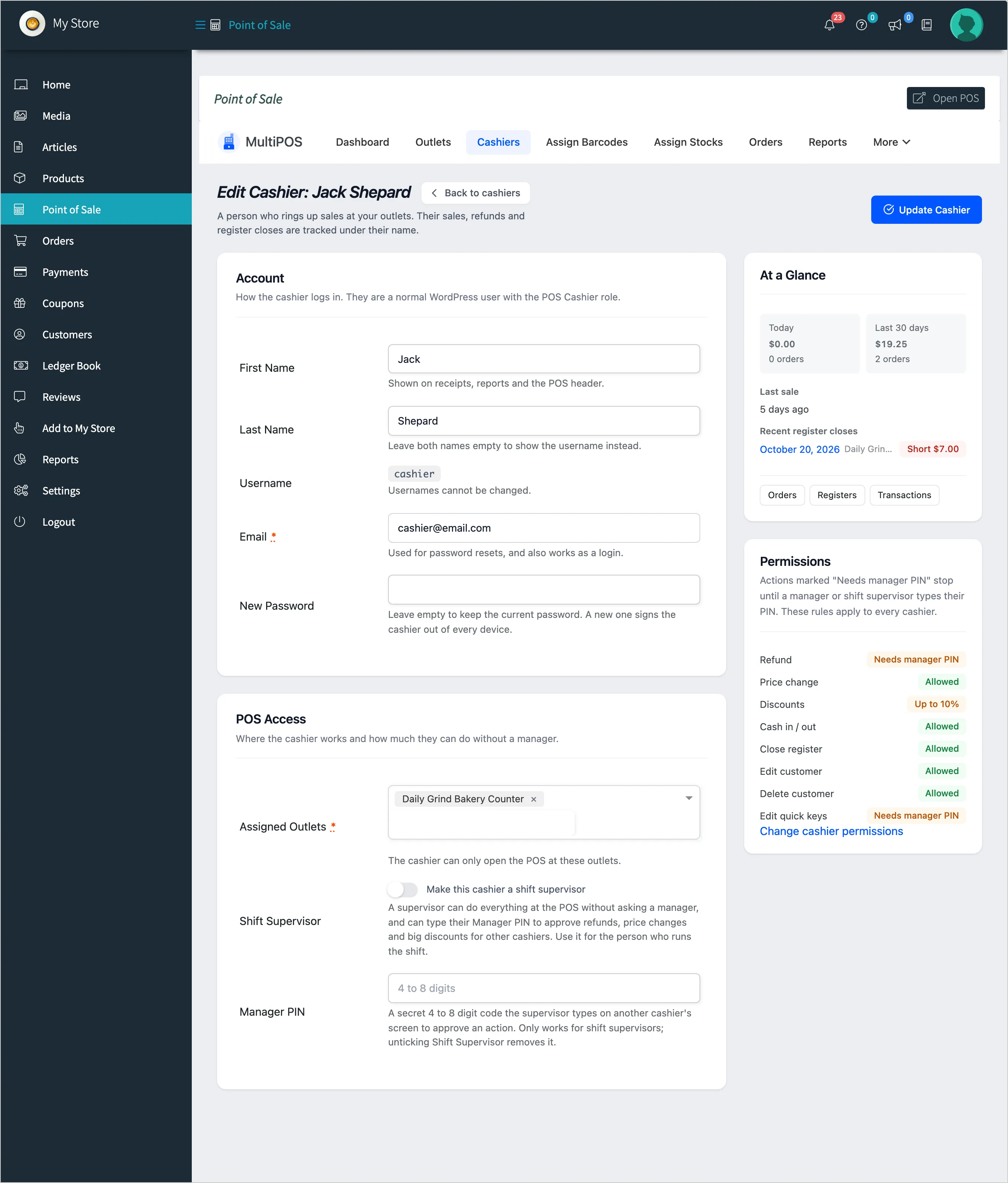
Section titled “Step 1: Give the approver a PIN”Three kinds of people can approve:
- The vendor: under Point of Sale → Configuration → Permissions → Your Manager PIN.
- A shift supervisor: Shift Supervisor ticked and a Manager PIN set on their cashier screen.
- The owner and shop managers: under Users → Profile → MultiPOS Manager PIN.
Step 2: Let the cashier try
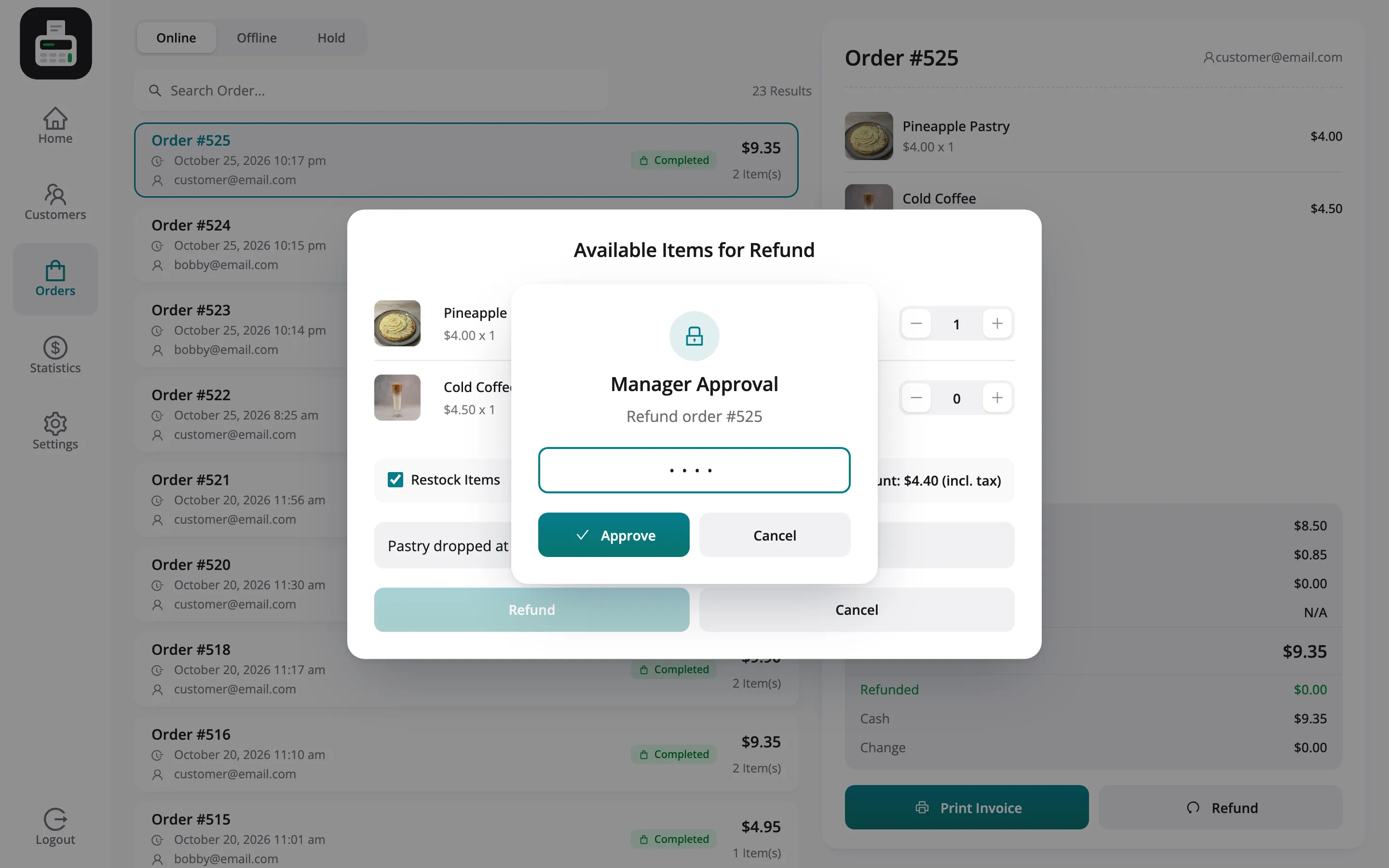
Section titled “Step 2: Let the cashier try”The cashier tries the action. At Daily Grind Café, where cashiers may not refund, Jack presses Refund on an order. Instead of a refusal, the POS shows Manager Approval, naming the action.
Step 3: Type the PIN
Section titled “Step 3: Type the PIN”The manager types their PIN on the cashier’s screen.
Step 4: Approve
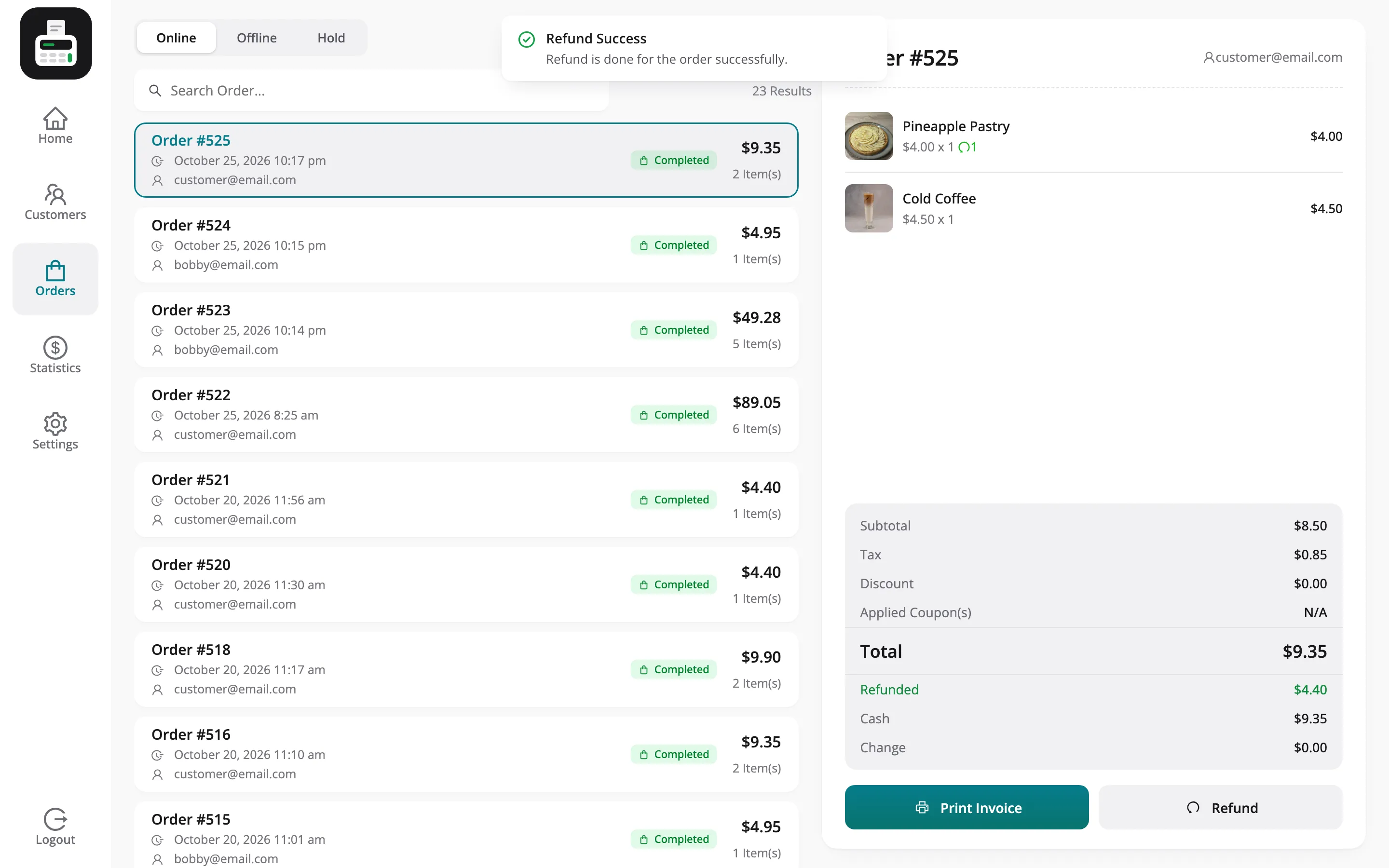
Section titled “Step 4: Approve”Press Approve. The refund goes through and the POS confirms it.
Who can approve where
Section titled “Who can approve where”| Approver | Approves at |
|---|---|
| Owner or shop manager | Every outlet in the marketplace |
| Vendor | Their own store |
| Shift supervisor | The store they work for |
On the demo, Daily Grind Café’s PINs approve Jack, its cashier, and are refused for a cashier of the marketplace’s own outlets.
Things to know
Section titled “Things to know”- Each approval covers one action, and only while online.
- Five wrong PINs lock the prompt for 15 minutes.
- The record: The approver’s name goes on the order note, the refund note or the transaction.