

How to Sell a Custom or Weighed Item in the POS
Two kinds of line need a number typed at the POS: an item that is not in the catalogue, and a product sold by weight.
Step 1: Open Add Custom Product
Section titled “Step 1: Open Add Custom Product”Click the + button beside the product search.
Step 2: Describe the item
Section titled “Step 2: Describe the item”Enter the Product Name, Price and Quantity, then click Add to Cart.
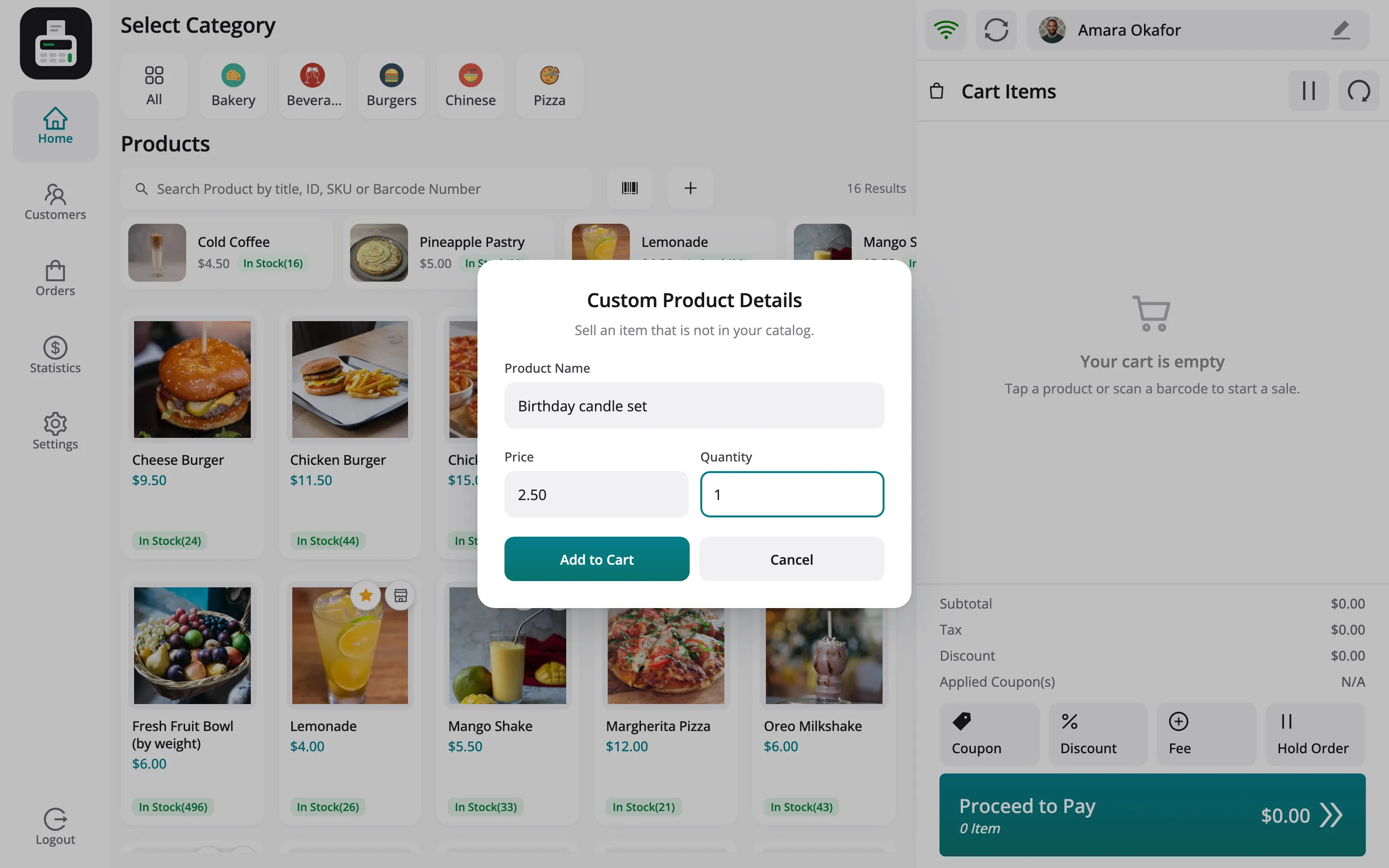
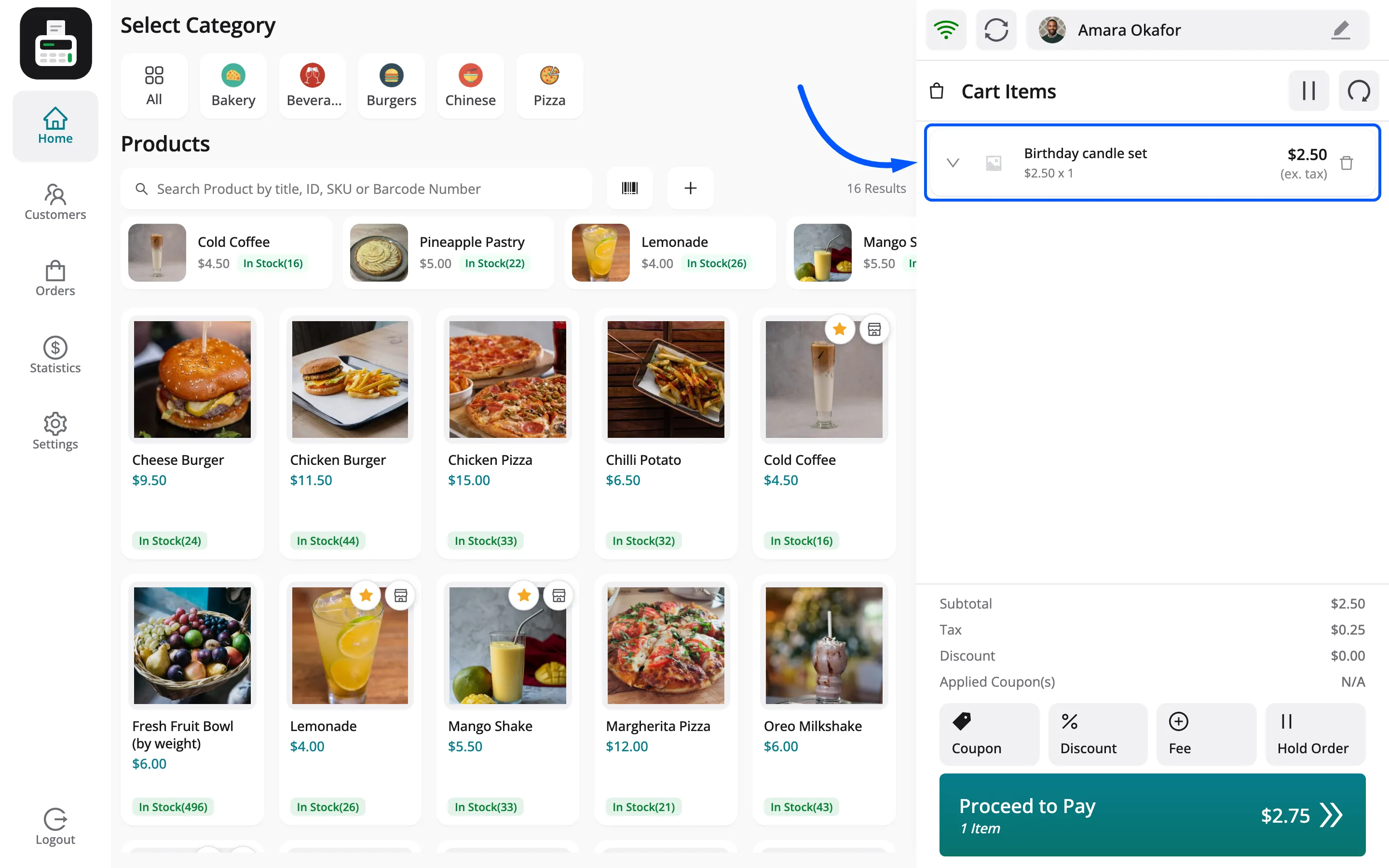
A custom item has no stock and no barcode, and it is not added to your catalogue. It needs Custom Product Entries on the General tab.
Step 3: Sell a weighed product
Section titled “Step 3: Sell a weighed product”Tap a product priced by weight, such as Fresh Fruit Bowl (by weight) at $6.00 per kg. The POS asks for the weight. Type it and click Add.
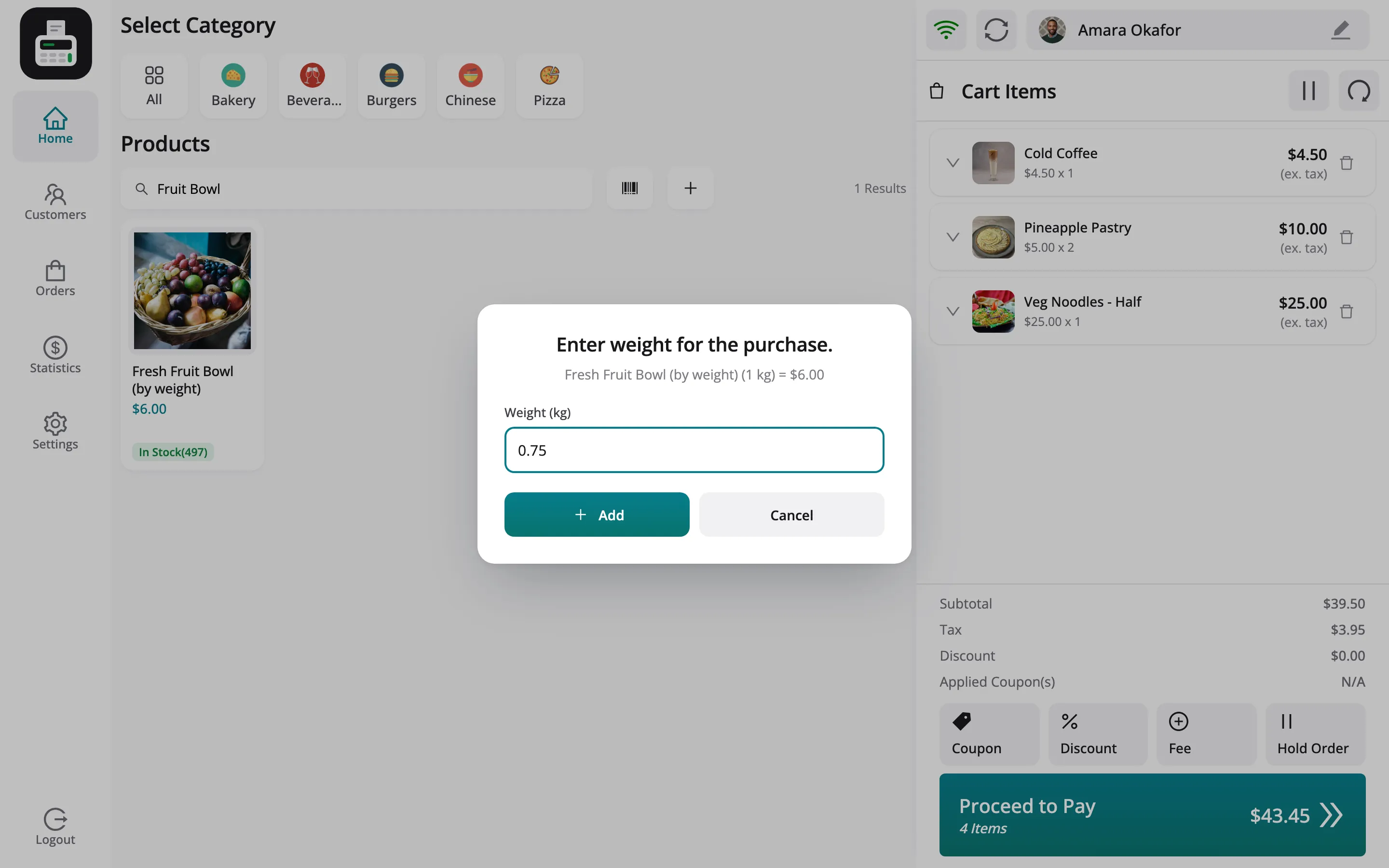
The weighed-item popup needs Calculated Unit Pricing on the General tab.
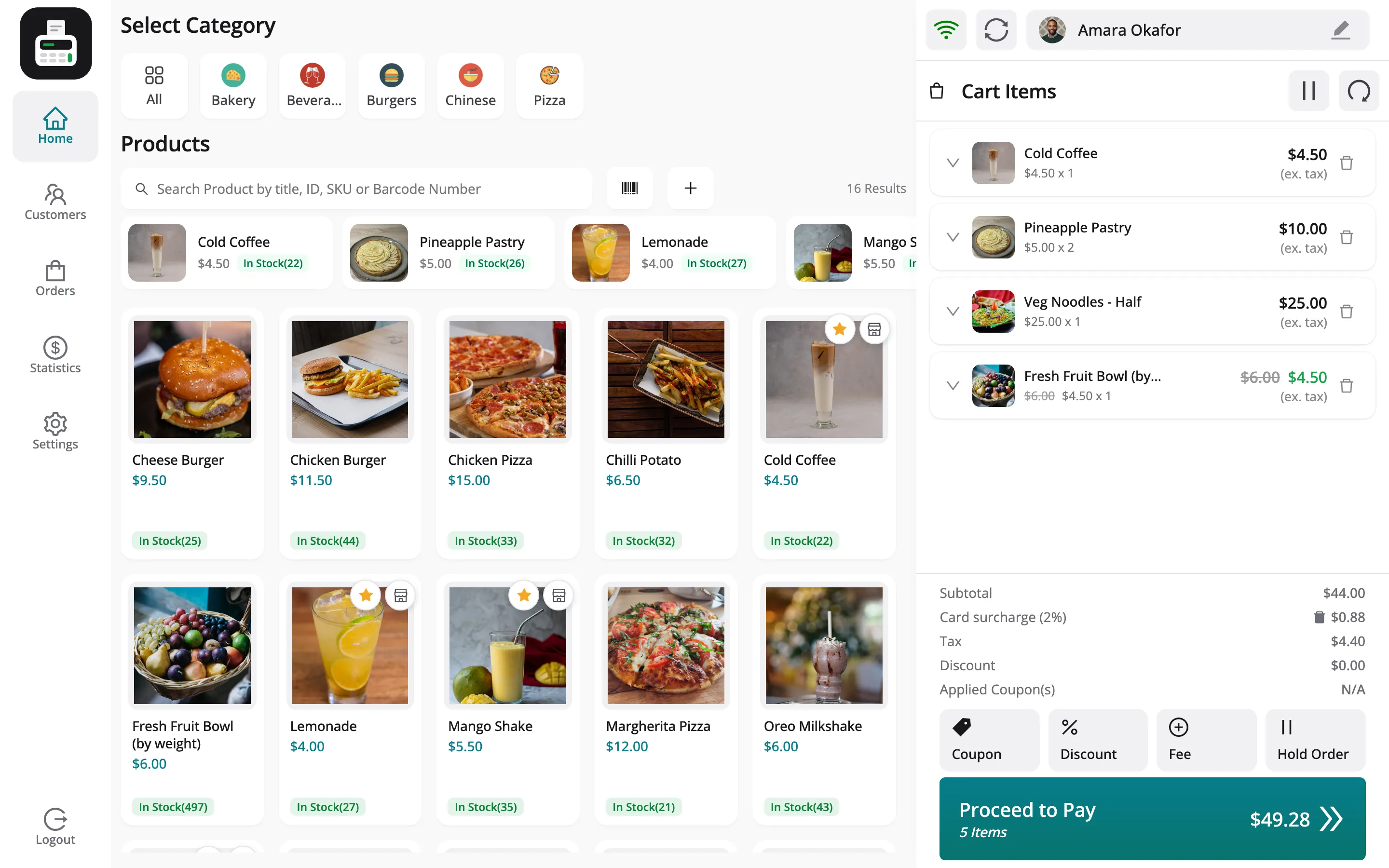
Step 4: Check the cart
Section titled “Step 4: Check the cart”The fruit bowl line reads 0.75 kg at $4.50, with the full $6.00 price struck through.
Things to know
Section titled “Things to know”- A vendor’s custom items belong to the vendor’s sale. They appear in WooCommerce with the order but are not a vendor product, so WCFM does not count them in the vendor’s earning.