

Managing Outlets in MultiPOS for WCFM
An outlet is a counter that runs the POS: an address, an operation mode, payment methods, a stock mode and a receipt. The owner manages them under DevDiggers Plugins → MultiPOS → Outlets, and each vendor under Point of Sale → Outlets in the store manager.
The owner’s list
Section titled “The owner’s list”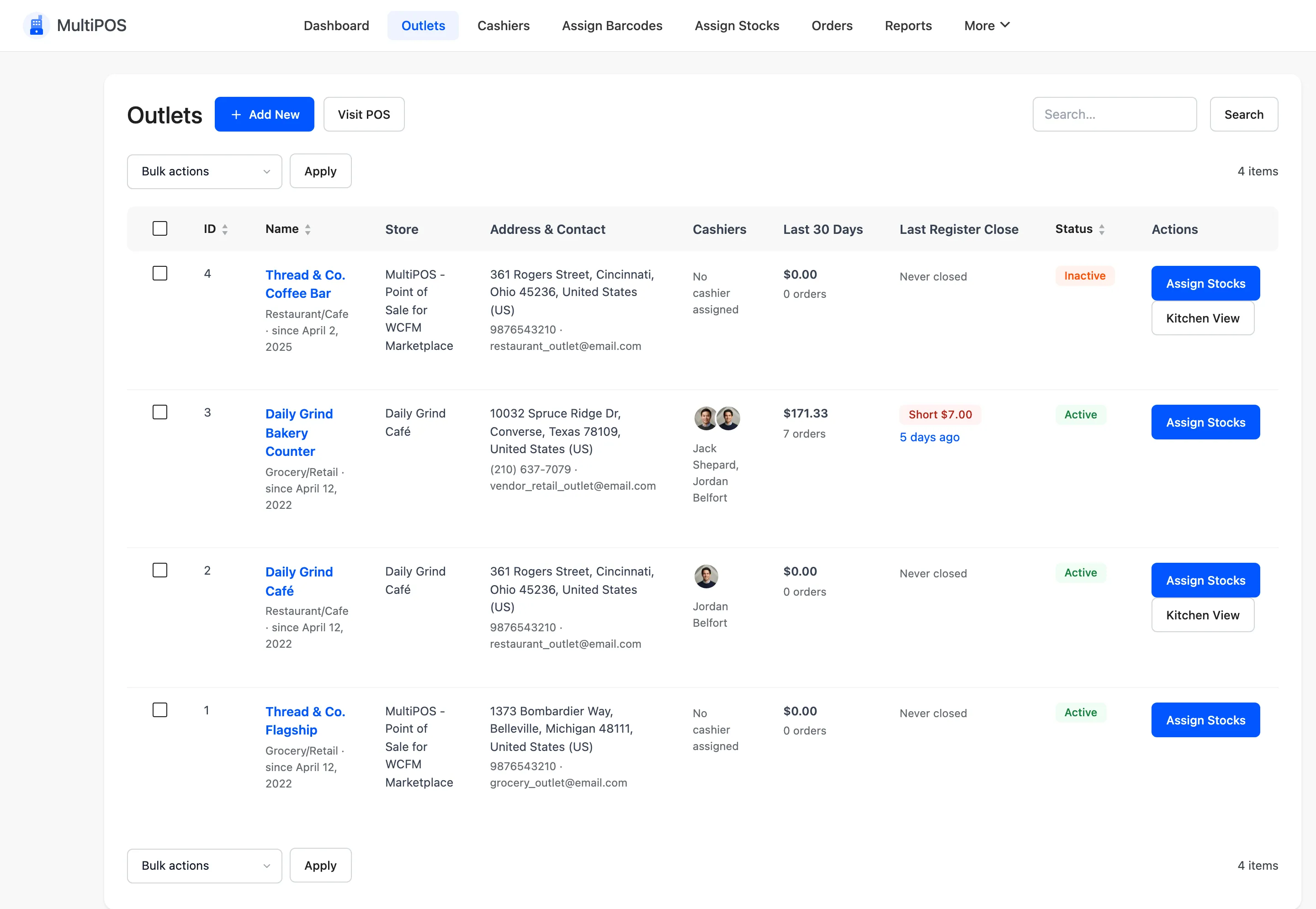
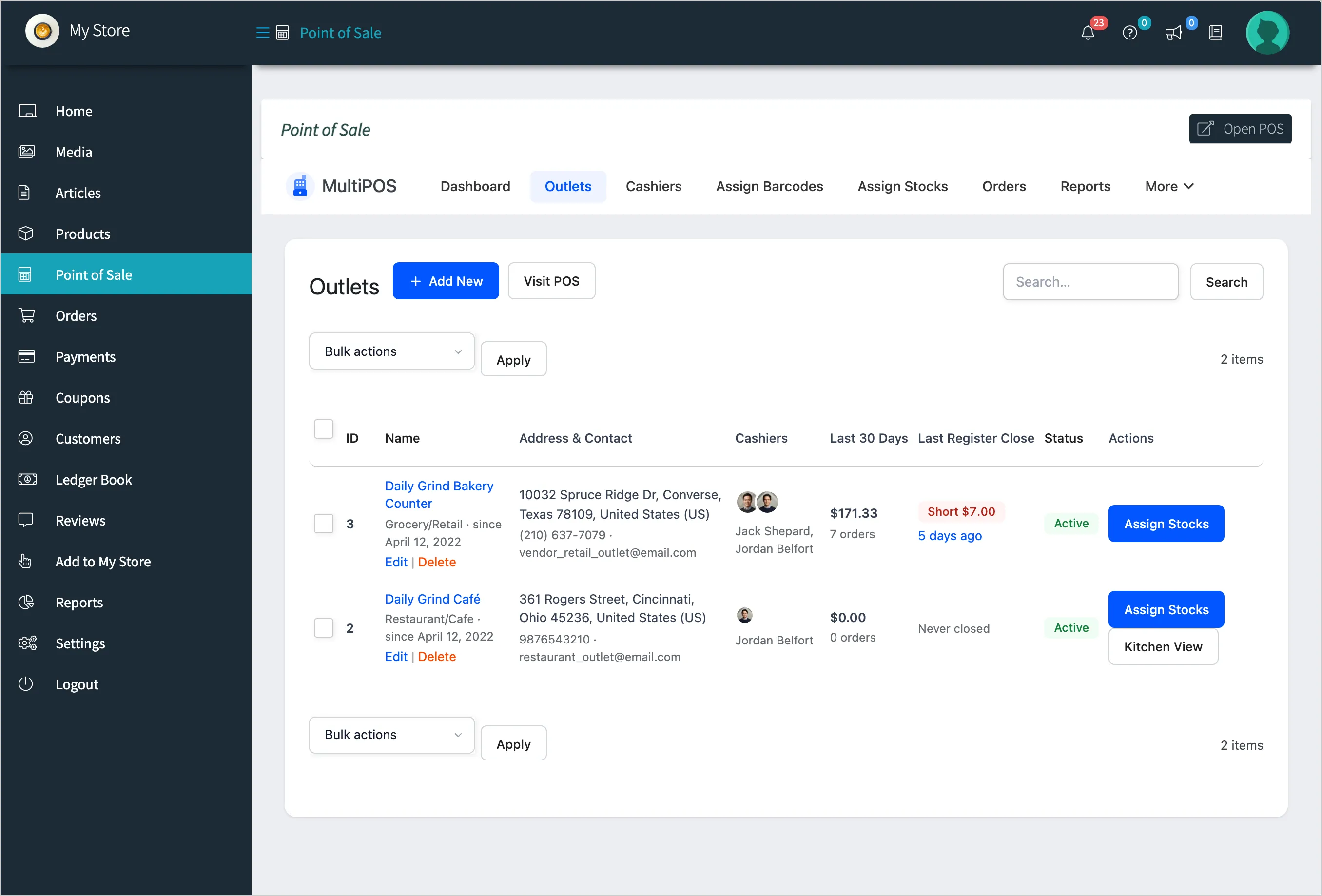
| Column | What it shows |
|---|---|
| ID, Name | The outlet, its mode and how long it has run, with Edit and Delete |
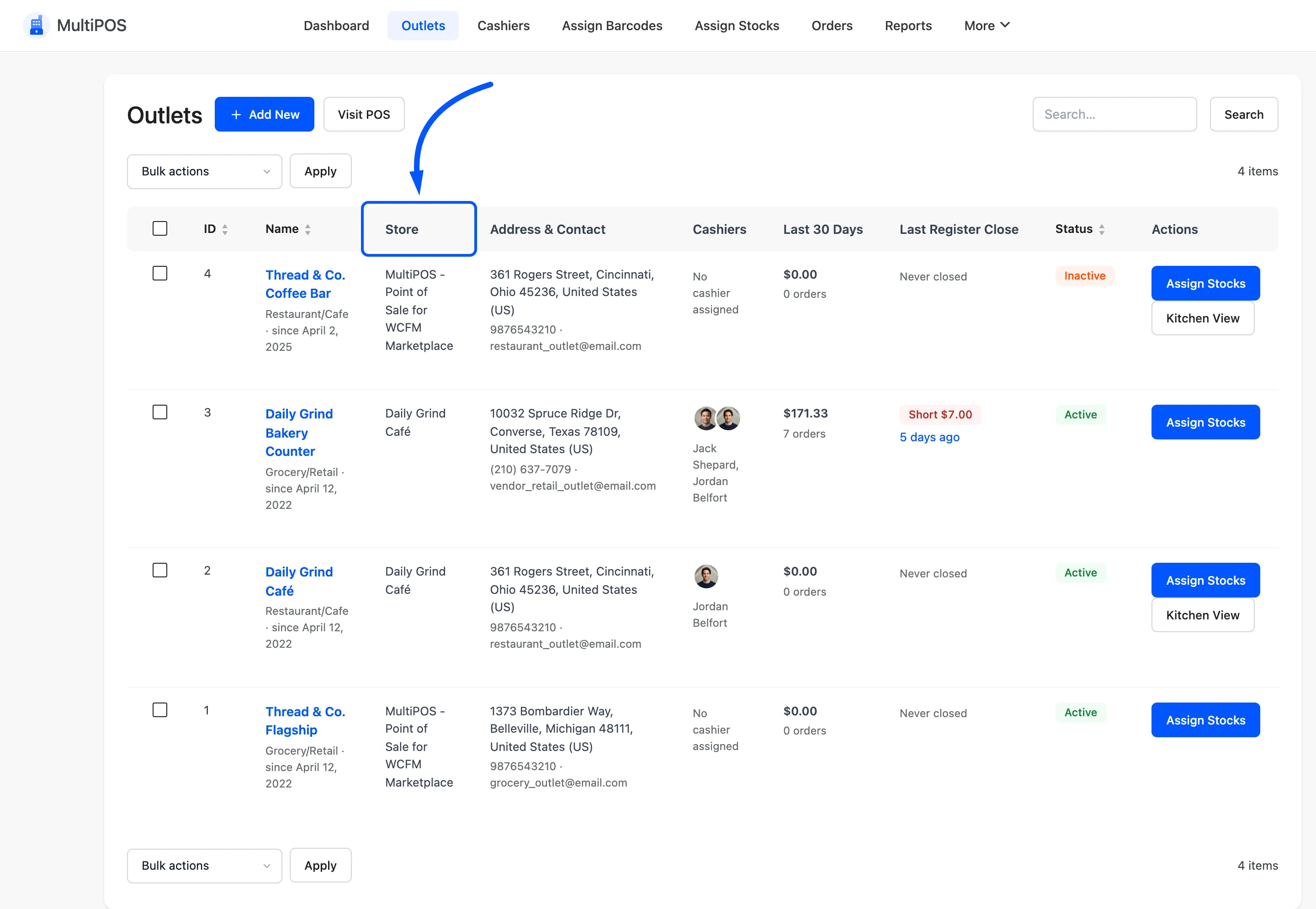
| Store | The vendor it belongs to, or the marketplace |
| Address & Contact | The address, phone and email printed on receipts |
| Cashiers | Who is assigned to it |
| Last 30 Days | Its sales and order count |
| Last Register Close | When its drawer was last closed |
| Status | Active or Inactive |
| Actions | Assign Stocks, and Kitchen View for a restaurant outlet |
Add New opens a blank outlet. Visit POS opens the POS.
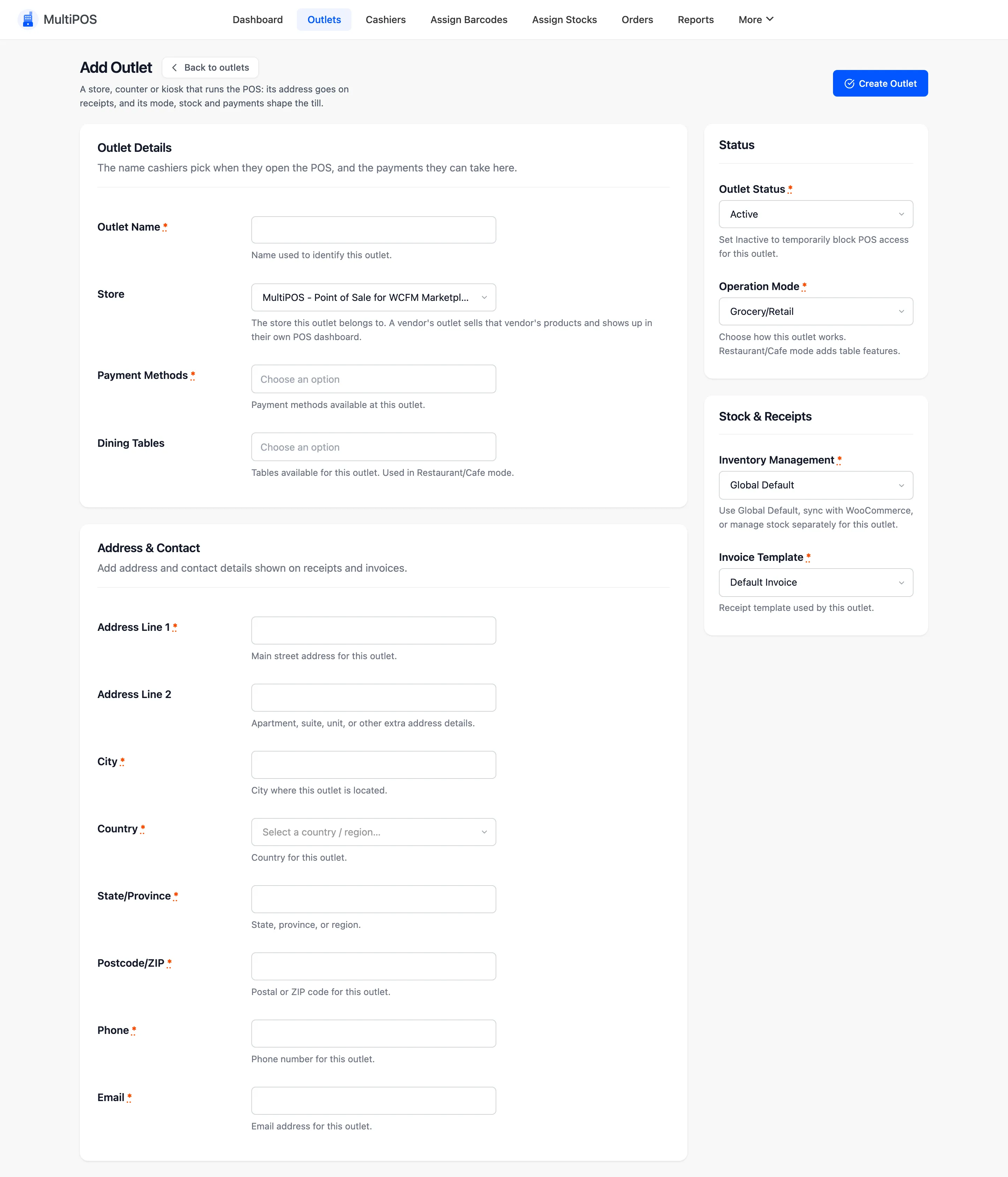
The outlet form
Section titled “The outlet form”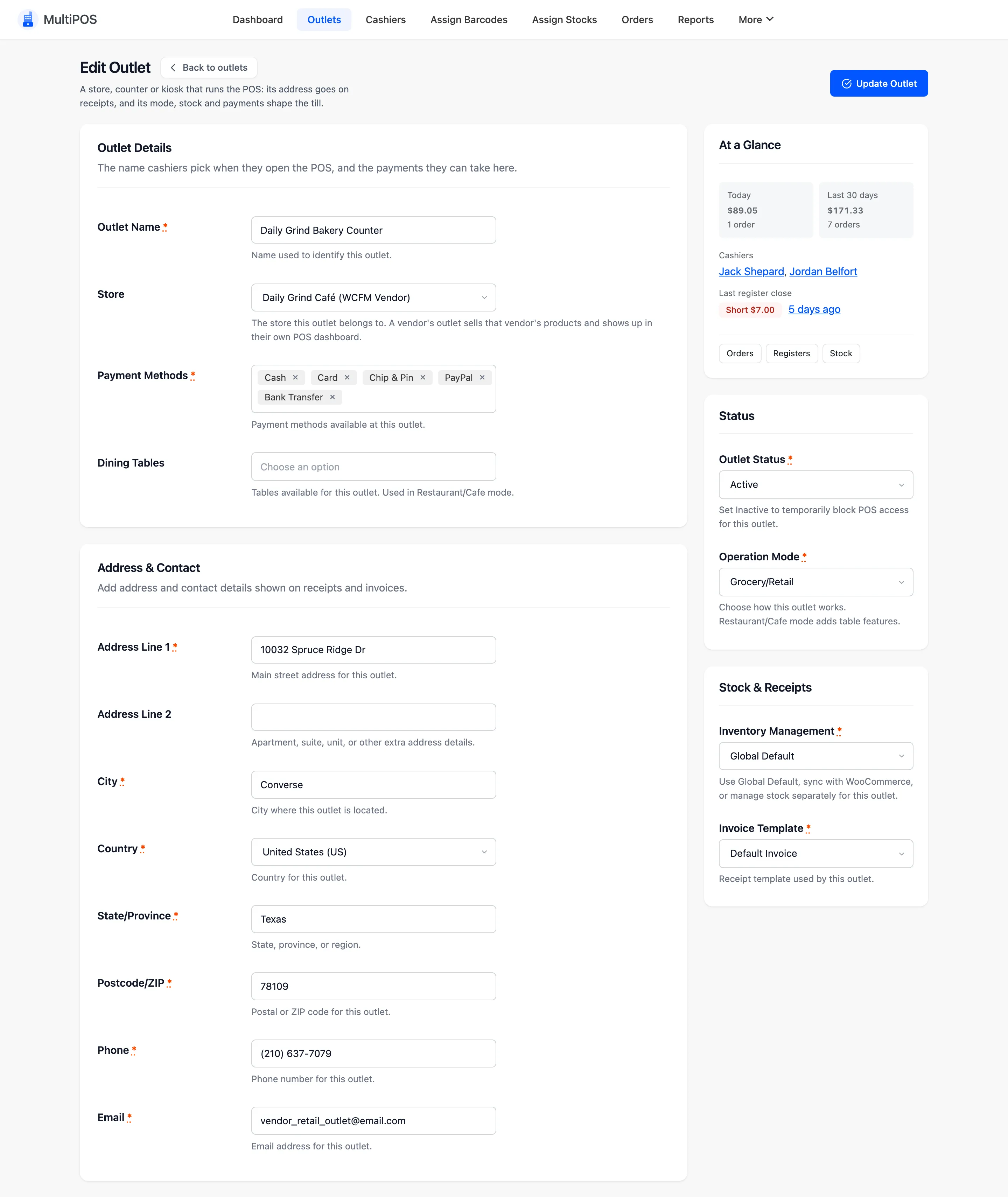
- Outlet Name: What cashiers pick when they open the POS.
- Store: The marketplace or one of your vendors. Owners only.
- Payment Methods: The methods taken here.
- Dining Tables: Tables for a Restaurant/Cafe outlet.
- Address & Contact: Printed on receipts, and the address taxes are worked out from.
- Outlet Status: Inactive blocks the POS here without deleting anything.
- Operation Mode: Grocery/Retail, or Restaurant/Cafe for tables and the kitchen.
- Inventory Management: Global Default, Centralized (WooCommerce stock) or Custom (a count for this outlet alone).
- Invoice Template: The receipt this outlet prints.
The At a Glance card shows today’s and the last 30 days’ sales, the cashiers and the last close. Its buttons open the outlet’s orders, registers and stock.
Which store an outlet belongs to
Section titled “Which store an outlet belongs to”The Store decides what the outlet sells and who manages it.
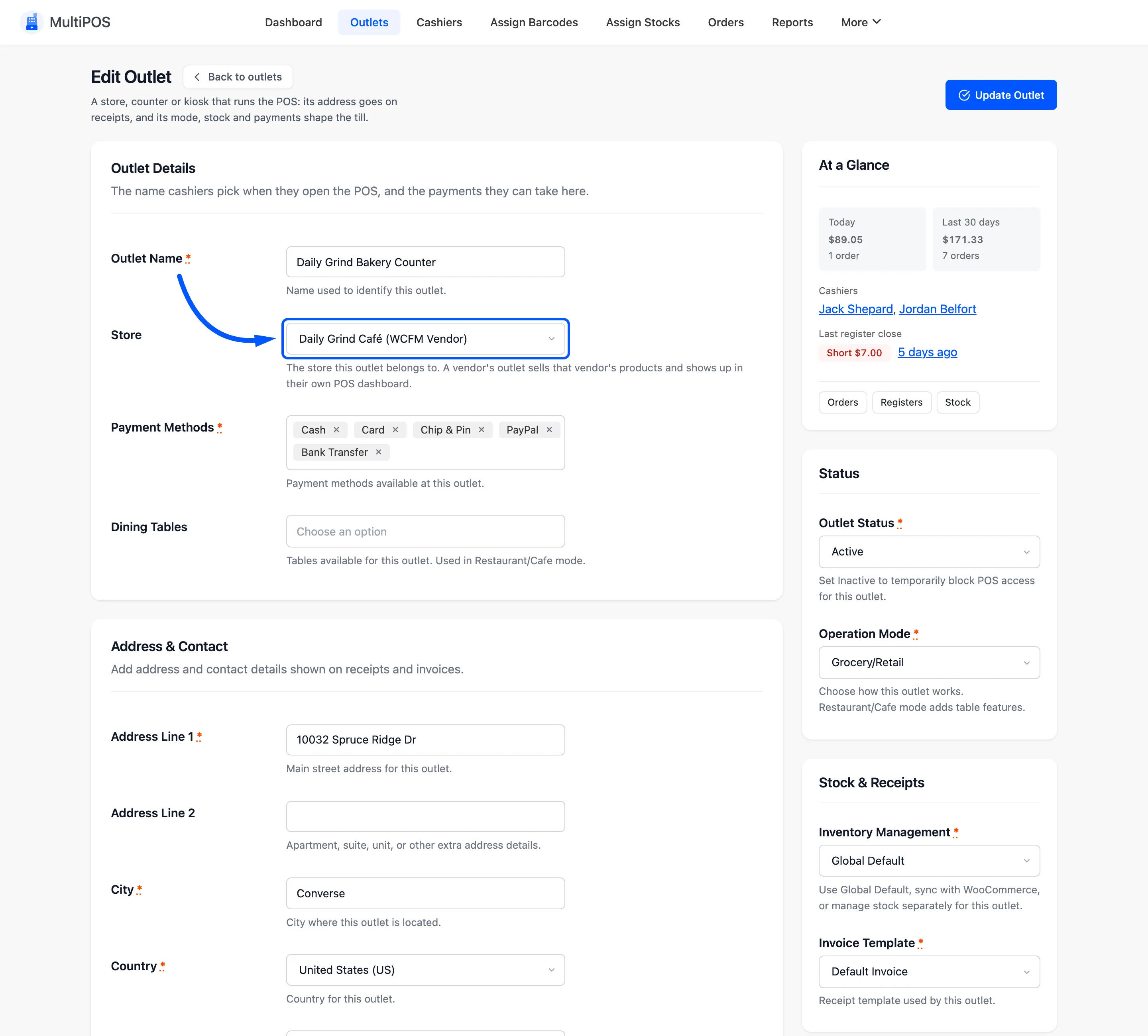
- The marketplace: sells products made by administrators and shop managers.
- A vendor: sells that vendor’s products, and appears in that vendor’s own list.
Changing the Store moves the outlet, with its history, to the other store. Check its cashiers afterwards: a vendor’s cashier can only work at that vendor’s outlets.
The vendor’s list
Section titled “The vendor’s list”A vendor sees and edits their own outlets only, and every outlet they add belongs to them. Their form has no Store field.
Delete an outlet
Section titled “Delete an outlet”Delete under its name removes it after a confirmation. Set it Inactive instead if it has sales you want to keep reporting on.