

How to Close the Cash Drawer at the End of a Shift
At the end of a shift the cashier counts the drawer. The POS compares it with what should be there and saves a Z-report.
Step 1: Open Close Register
Section titled “Step 1: Open Close Register”On Statistics, click Close Register.
Step 2: Read the summary
Section titled “Step 2: Read the summary”The popup adds up the shift: opening float, cash sales, cash in, cash out and refunds, ending in Expected in drawer.
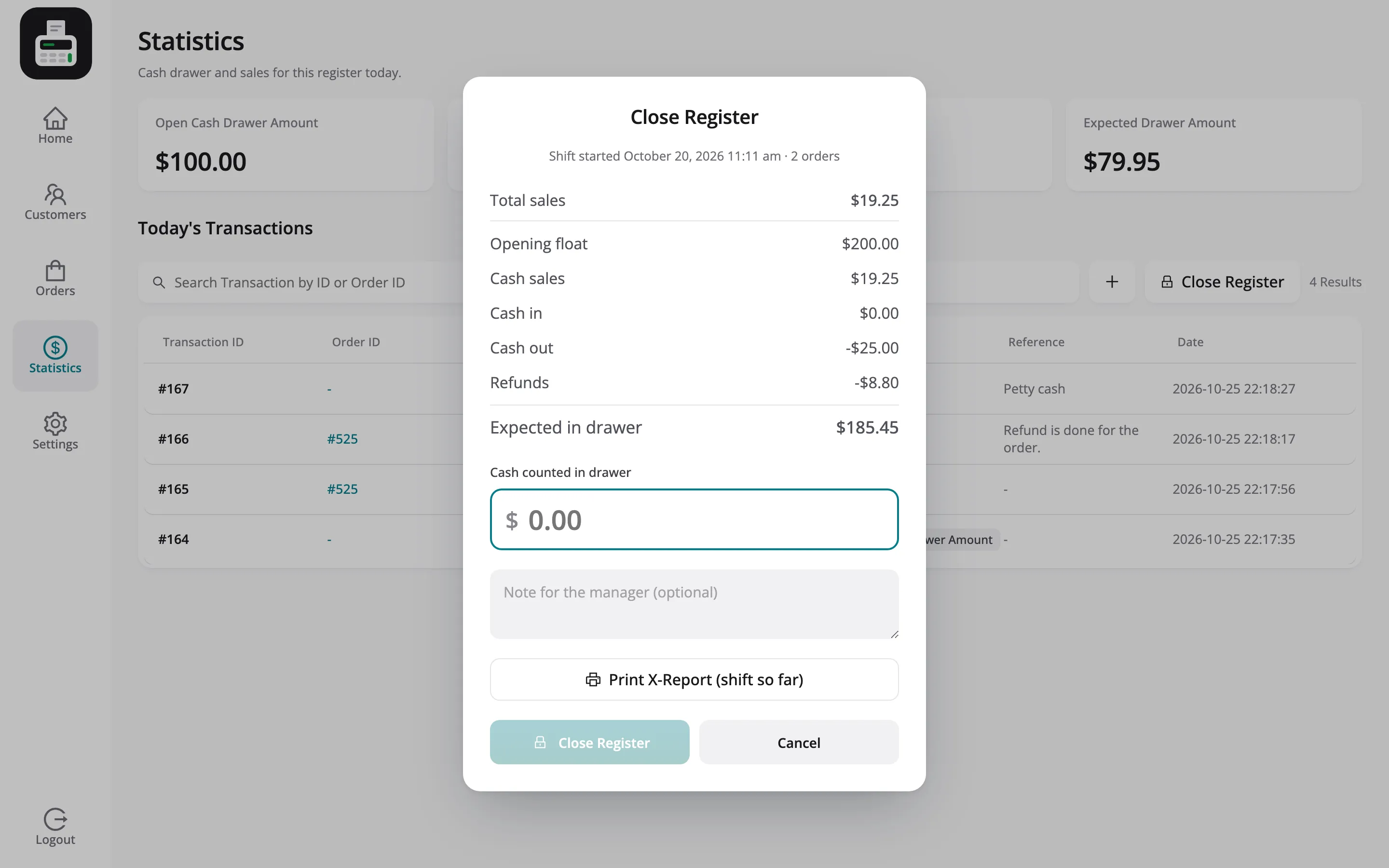
Jack’s shift: $100.00 float, $9.35 cash sales, $25.00 out, $4.40 refunded, so $79.95 expected.
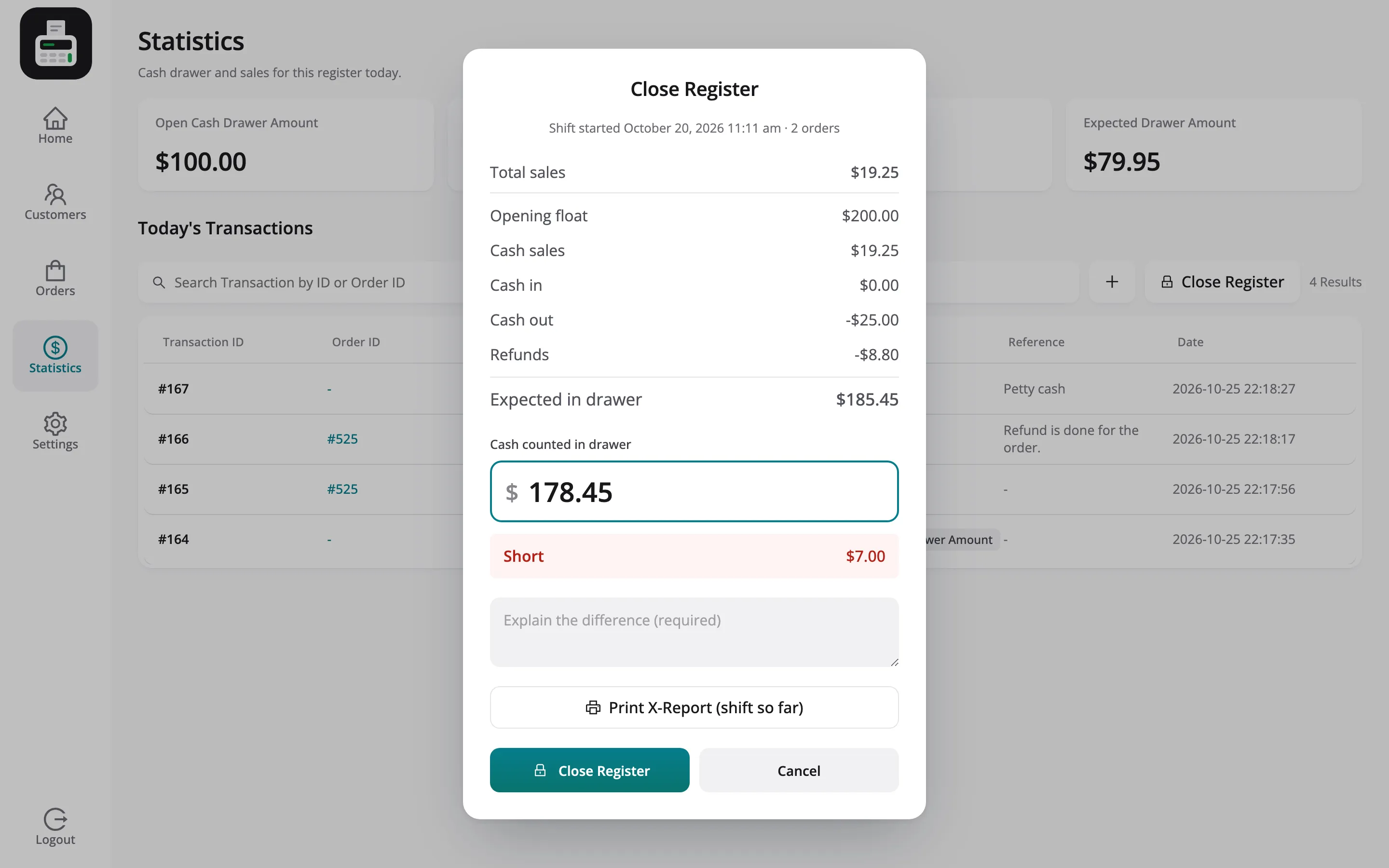
Step 3: Count the drawer
Section titled “Step 3: Count the drawer”Type the cash counted. The POS shows at once whether the drawer is balanced, over or short.
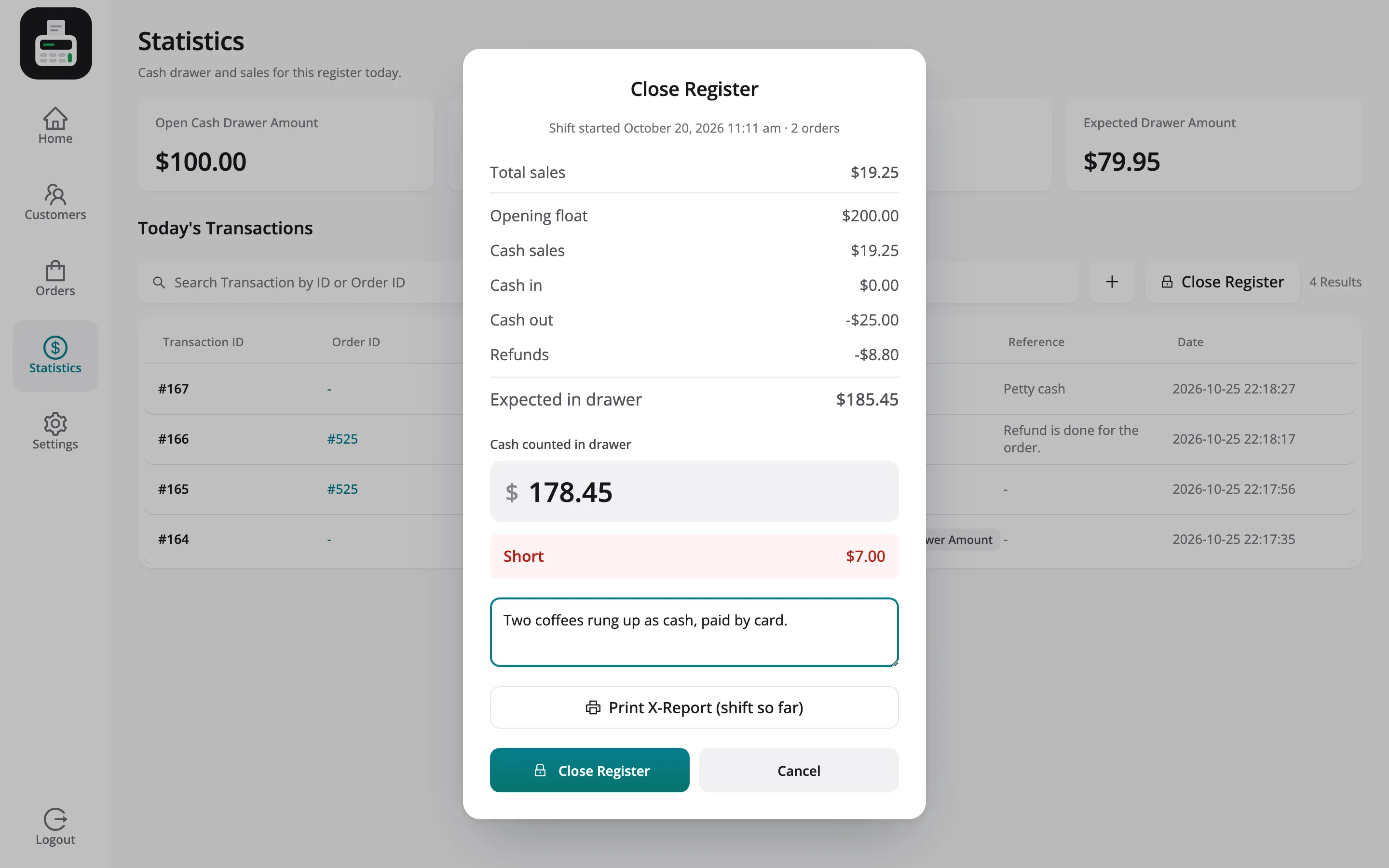
Step 4: Explain a difference
Section titled “Step 4: Explain a difference”Daily Grind Café asks for a note when a drawer is off by more than $5.00.
Step 5: Close the register
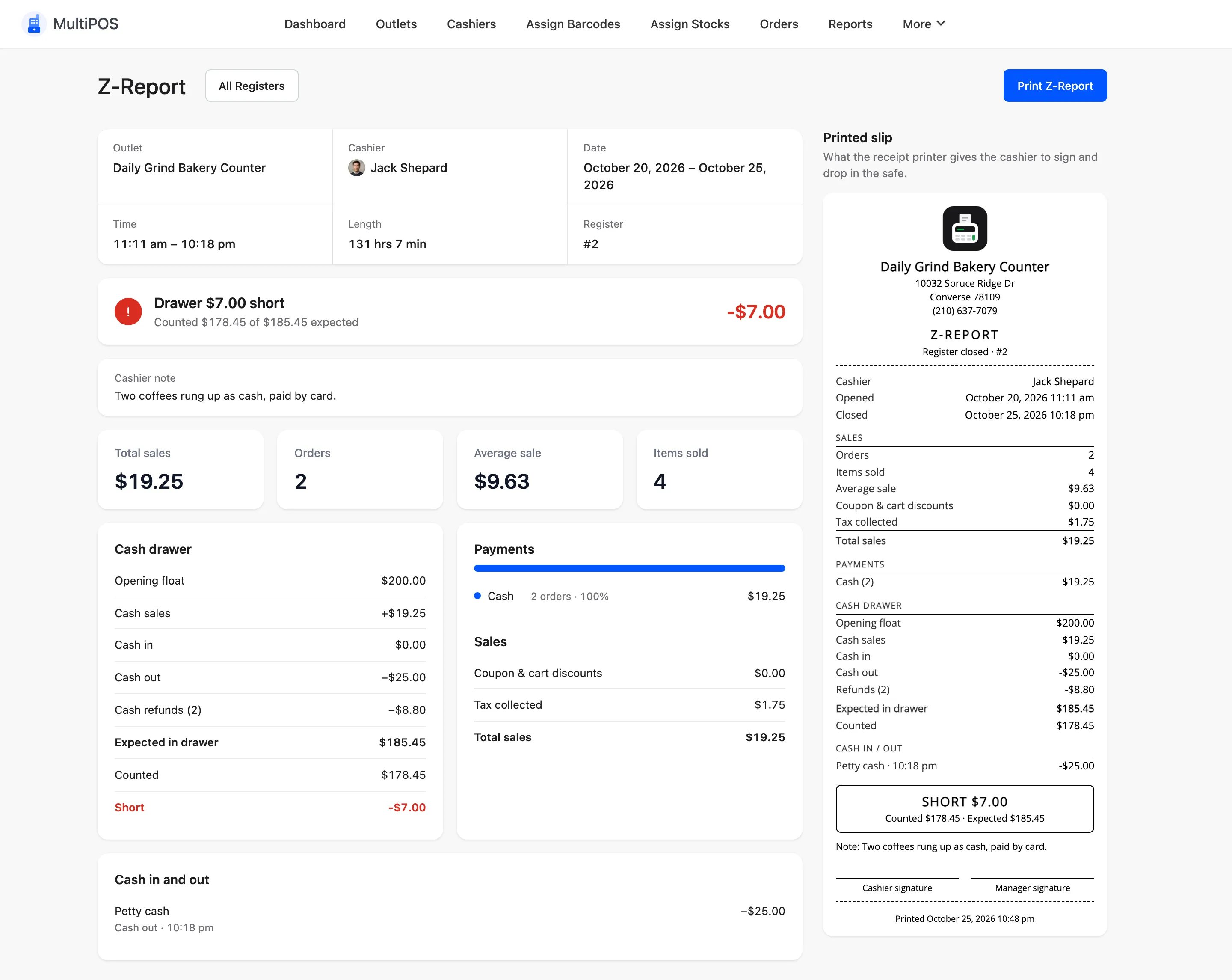
Section titled “Step 5: Close the register”Click Close Register. The Z-report opens, ready to print.
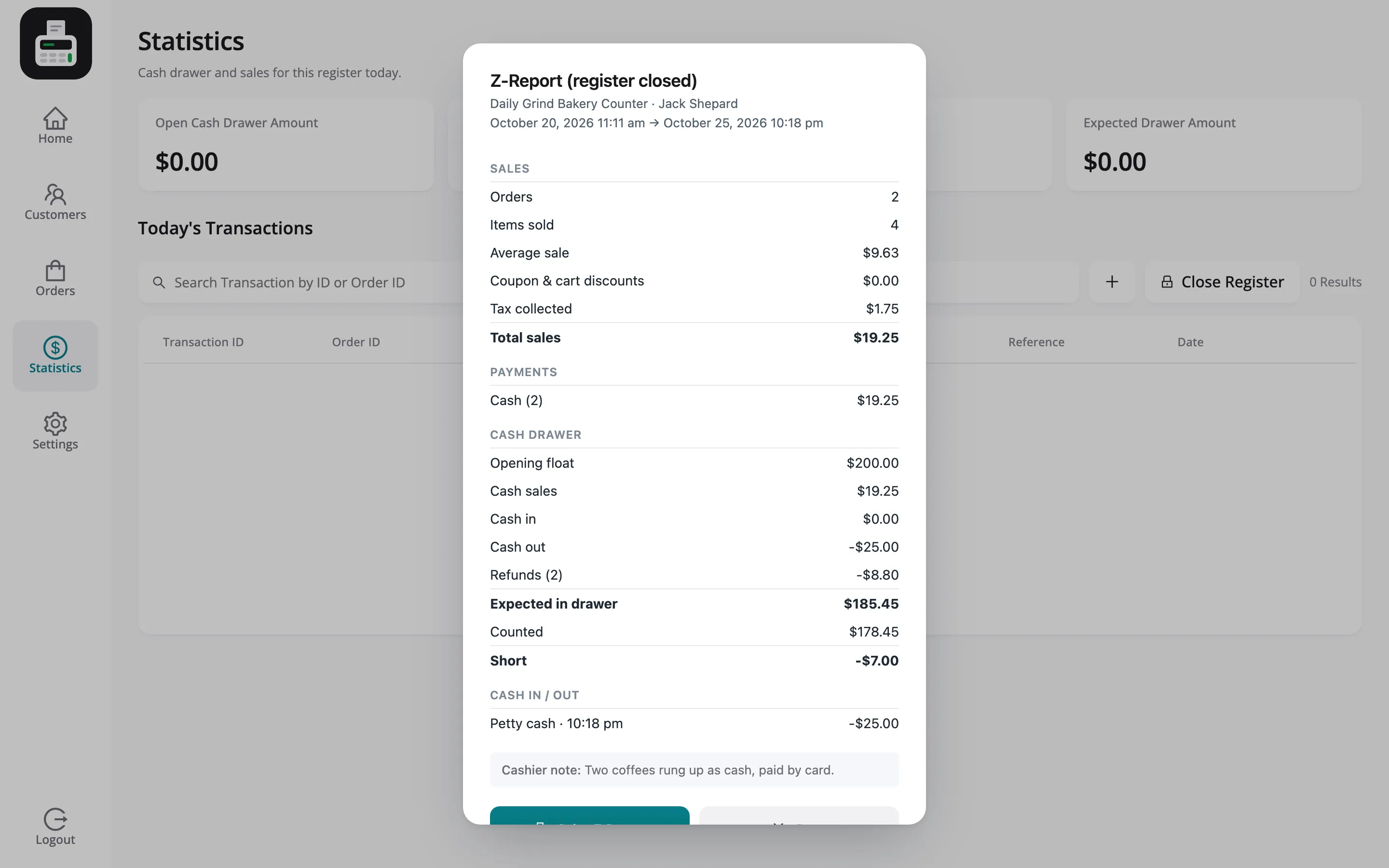
It is saved under Registers, and emailed to the store’s report recipients.
Things to know
Section titled “Things to know”- Blind close hides the expected amount until the count is typed, when it is on.
- Permission: Cashiers need Close Register on the store’s Permissions tab, or a manager.
- The next shift starts with a new opening amount.