

How to Apply a Coupon in the POS
Coupons at the POS are your WooCommerce coupons. The same code a customer would type online works at the counter.
Step 1: Open Apply Coupon
Section titled “Step 1: Open Apply Coupon”Click Coupon under the cart totals.
Step 2: Enter the code
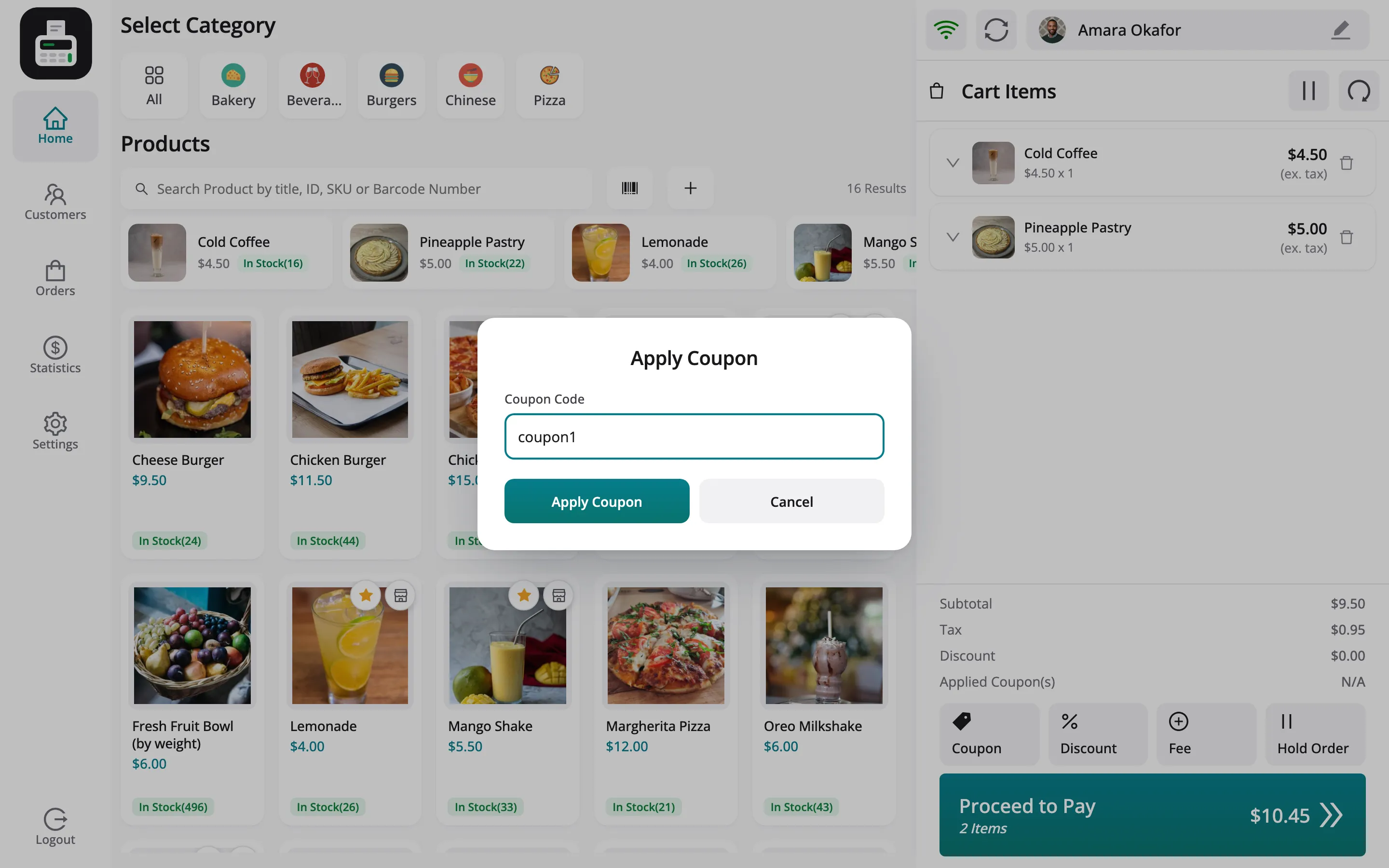
Section titled “Step 2: Enter the code”Type the code, here coupon1, and click Apply Coupon.
Step 3: Check the totals
Section titled “Step 3: Check the totals”Applied Coupon(s) shows the code and its value, and the total drops.
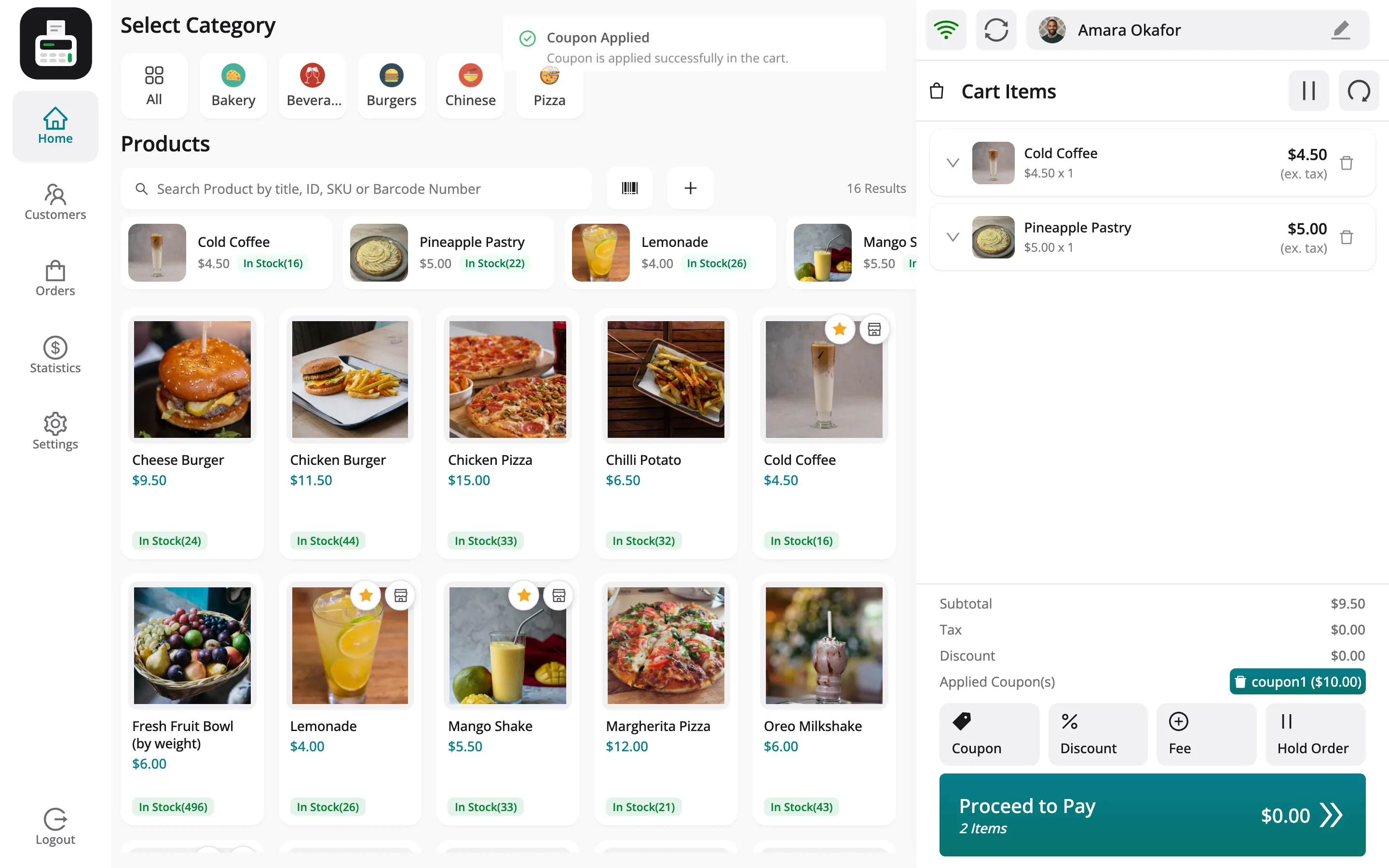
coupon1 is a $10.00 fixed cart discount, so on a $9.50 cart the total falls to $0.00. A fixed cart
coupon never takes a total below zero.
Things to know
Section titled “Things to know”- Coupon rules apply: Expiry, minimum spend and usage limits are WooCommerce’s, checked when the code is applied.
- Usage is counted when the order is placed, not when the code is typed.
- Reports: Each code appears in the Coupons table of Reports, with its orders and the discount it gave.