

How to Record Cash In and Out at the POS
Some cash enters or leaves the drawer outside a sale, such as a bank drop or milk bought from petty cash. Record it so the drawer still adds up.
Step 1: Open Statistics
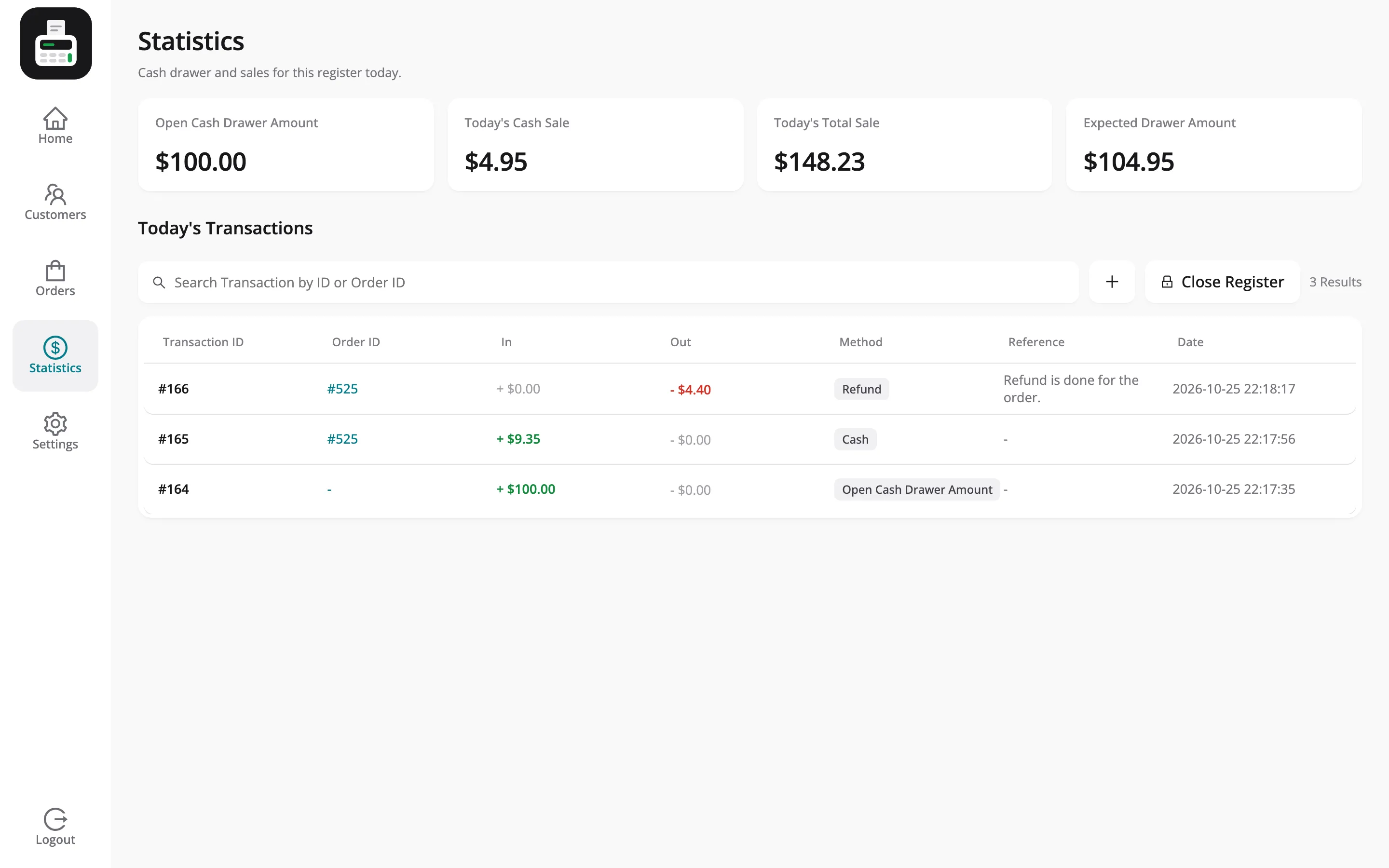
Section titled “Step 1: Open Statistics”Click Statistics in the POS menu.
Step 2: Add a manual transaction
Section titled “Step 2: Add a manual transaction”Click the + beside the transactions search.
Step 3: Describe the movement
Section titled “Step 3: Describe the movement”Choose In or Out, enter the amount, pick a reason, and add a note.
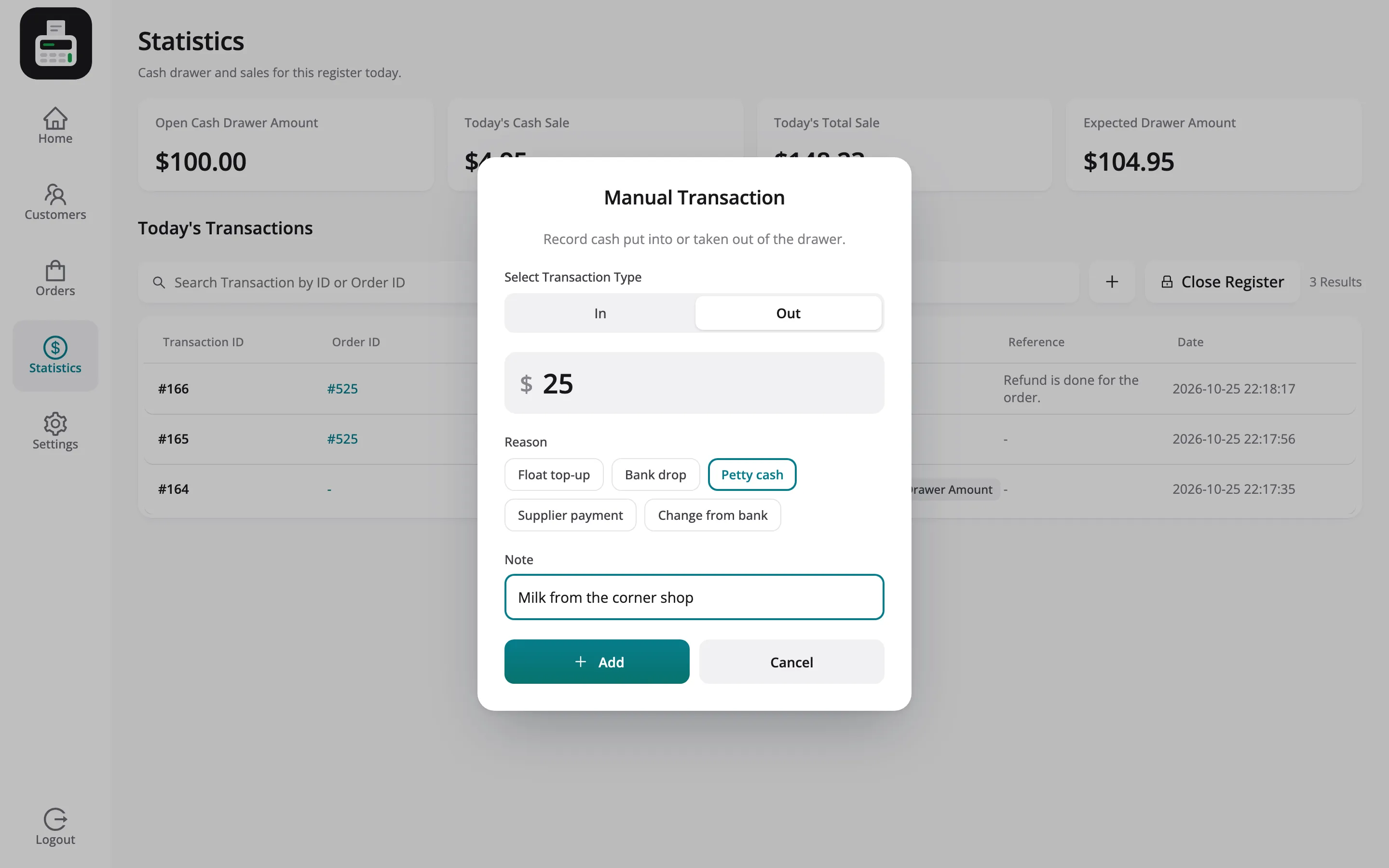
The reasons come from Cash In / Out Reasons on the store’s Cash Register tab.
Step 4: Save it
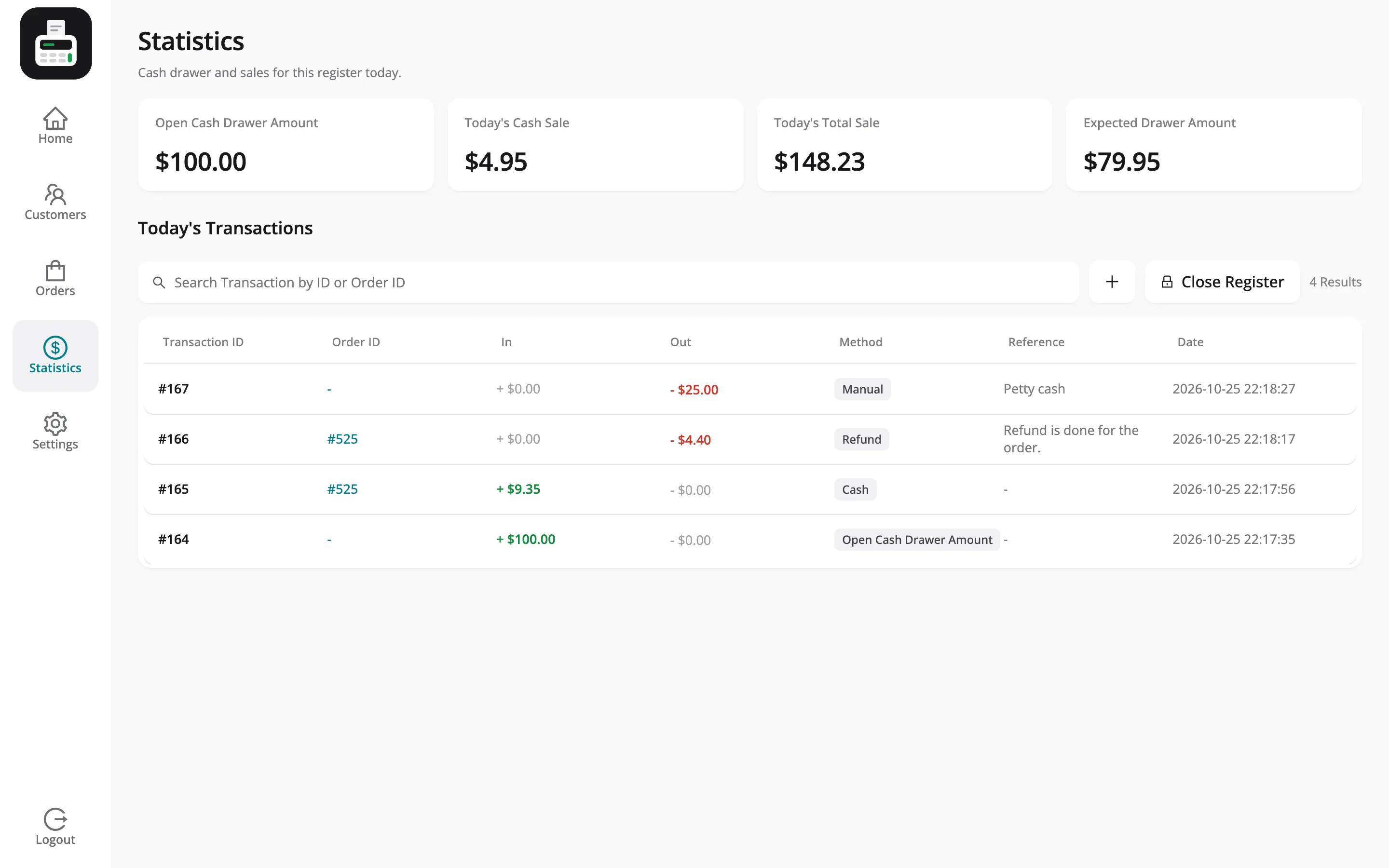
Section titled “Step 4: Save it”Click Add. The movement joins today’s transactions, and Expected Drawer Amount drops by $25.
Things to know
Section titled “Things to know”- Permission: Cashiers need Cash In / Out on the store’s Permissions tab, or a manager’s PIN.
- The Z-report lists each movement with its reason.