

The MultiPOS for WCFM Dashboard
The dashboard is the first screen of MultiPOS. The owner sees it under DevDiggers Plugins → MultiPOS, with every outlet in the marketplace. A vendor sees the same screen under Point of Sale in the store manager, counting their own outlets only.
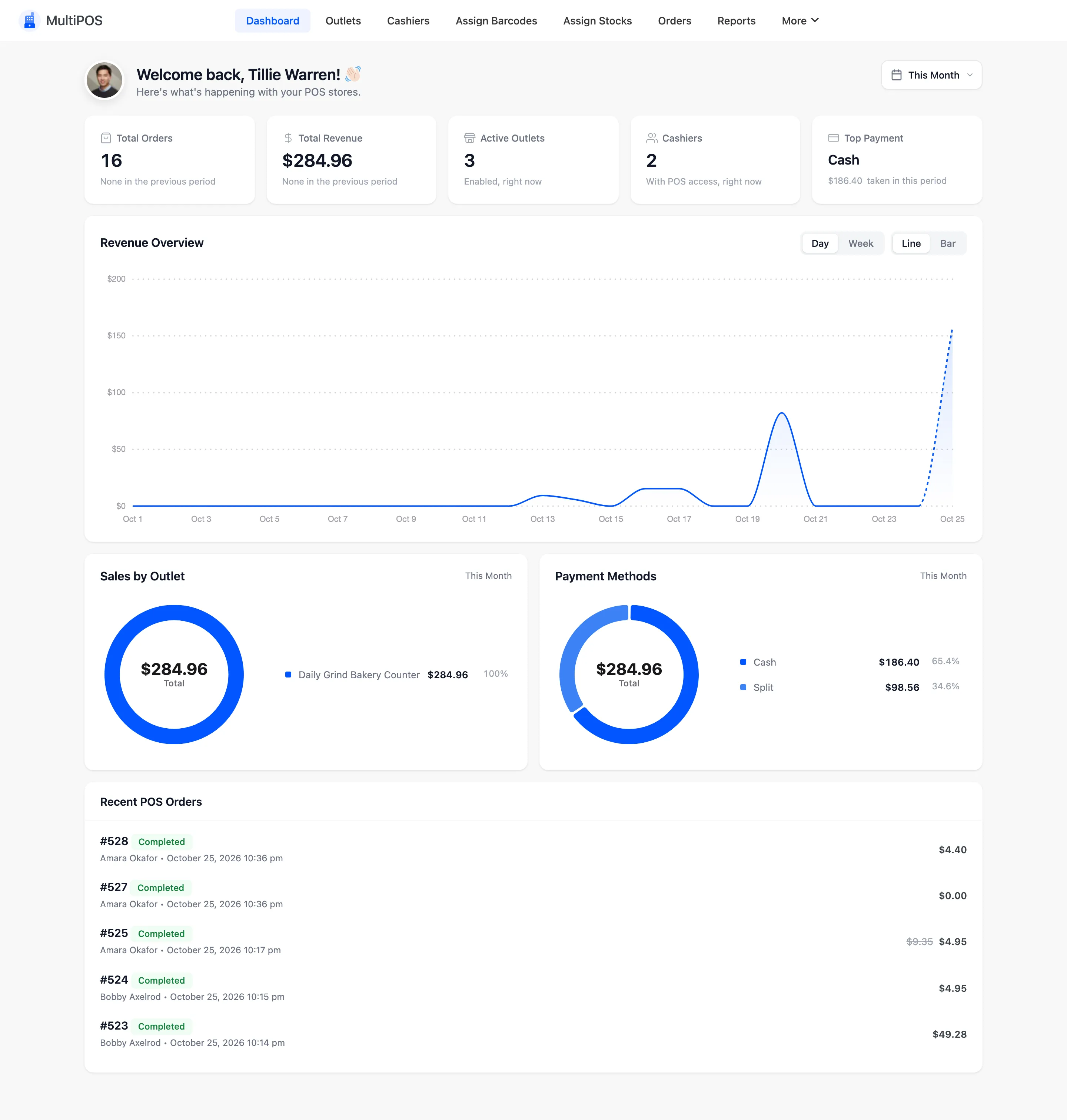
The date selector at the top right sets the period for every figure. It starts at This Month, so a store whose sales are older reads as zeros until you widen it.
The summary cards
Section titled “The summary cards”
- Total Orders: POS orders created in the period. Website orders are not counted.
- Total Revenue: What those orders were worth.
- Active Outlets: Outlets set to Active.
- Cashiers: Accounts with the POS Cashier role.
- Top Payment: The payment method that took the most money.
Orders and revenue carry a percentage against the previous period of the same length, when that period had sales.
The charts
Section titled “The charts”- Revenue Overview: Revenue across the period, as a line. A flat line at zero means no sales in the period, not a fault.
- Sales by Outlet: Revenue split by outlet.
- Payment Methods: Revenue split by the payment method recorded on each POS order.
Recent POS Orders
Section titled “Recent POS Orders”The five newest POS orders, each with its number, status, customer, date and total.
The vendor’s dashboard
Section titled “The vendor’s dashboard”The vendor’s dashboard has the same cards and charts, counted over their store alone.
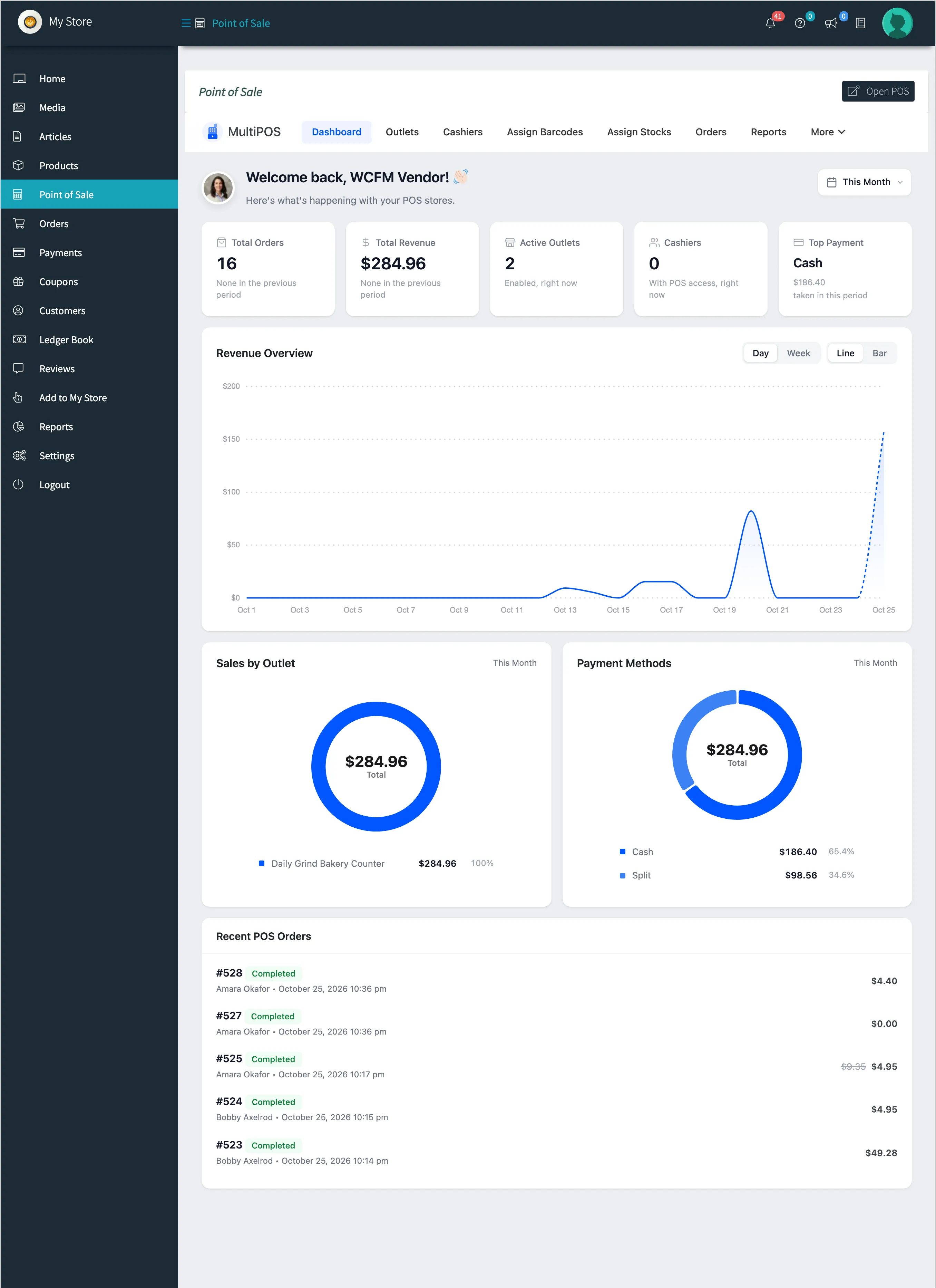
- Active Outlets counts the vendor’s outlets.
- Cashiers counts the cashiers who work for the vendor.
- Recent POS Orders lists sales from the vendor’s outlets.
Where to go next
Section titled “Where to go next”- Reports for the detail behind these figures, sales by cashier and the drawer results.