

How to Split a Payment in the POS
A customer can pay part in cash and the rest by card. The POS keeps both on the one sale.
Step 1: Open the payment screen
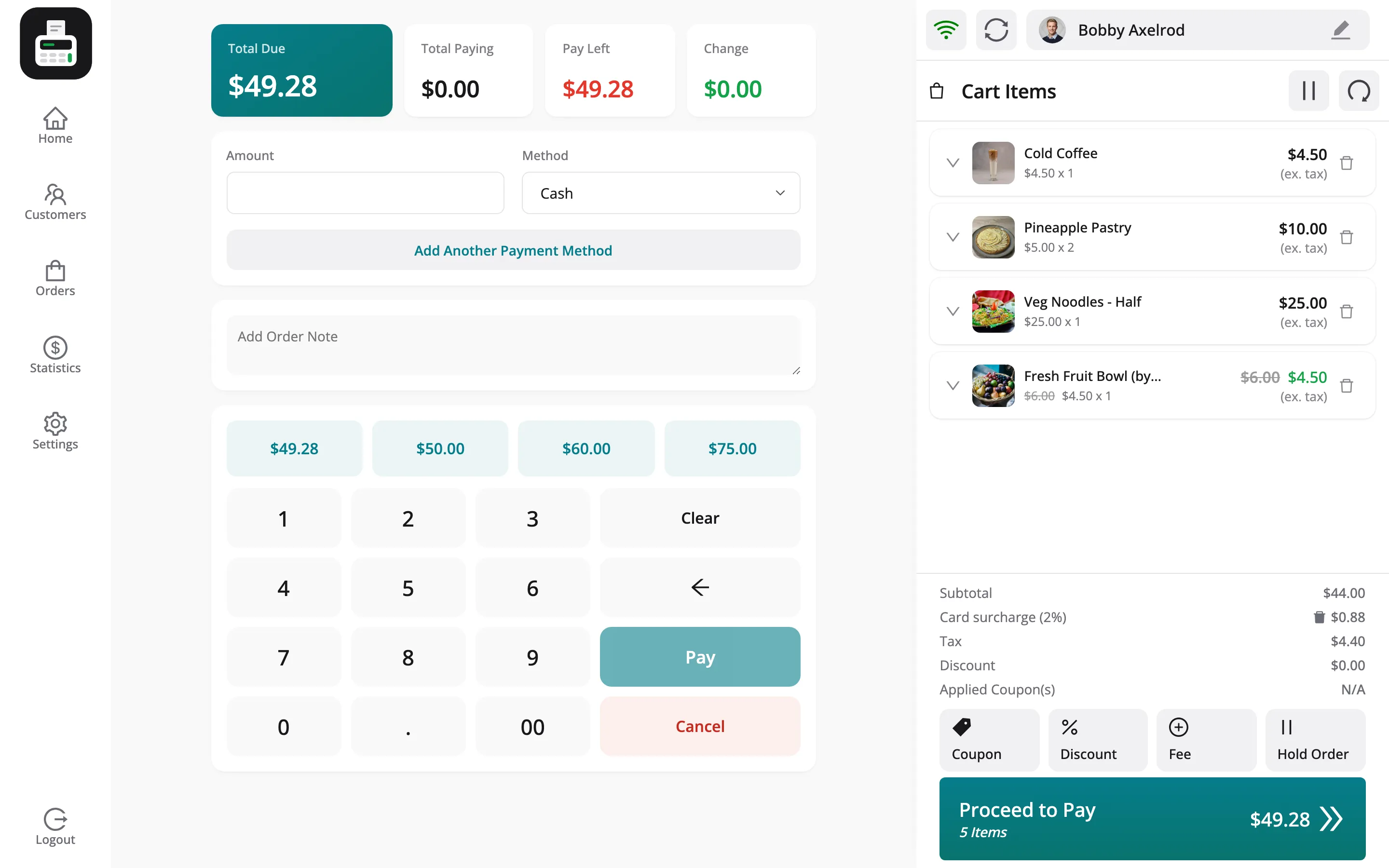
Section titled “Step 1: Open the payment screen”Press Proceed to Pay. The top shows Total Due, Total Paying, Pay Left and Change.
Step 2: Take the first part
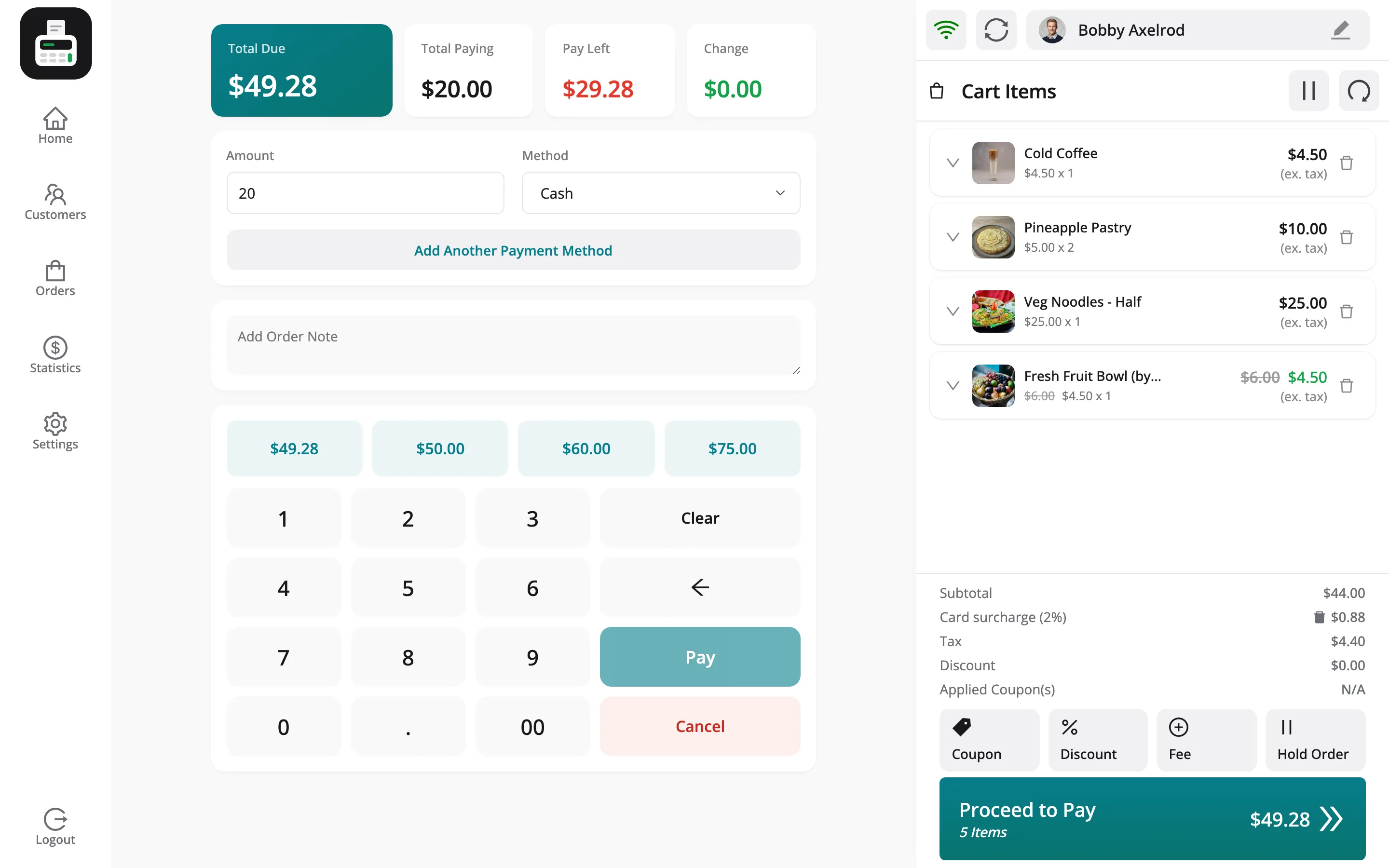
Section titled “Step 2: Take the first part”Leave the method on Cash and type $20.
Step 3: Add another method
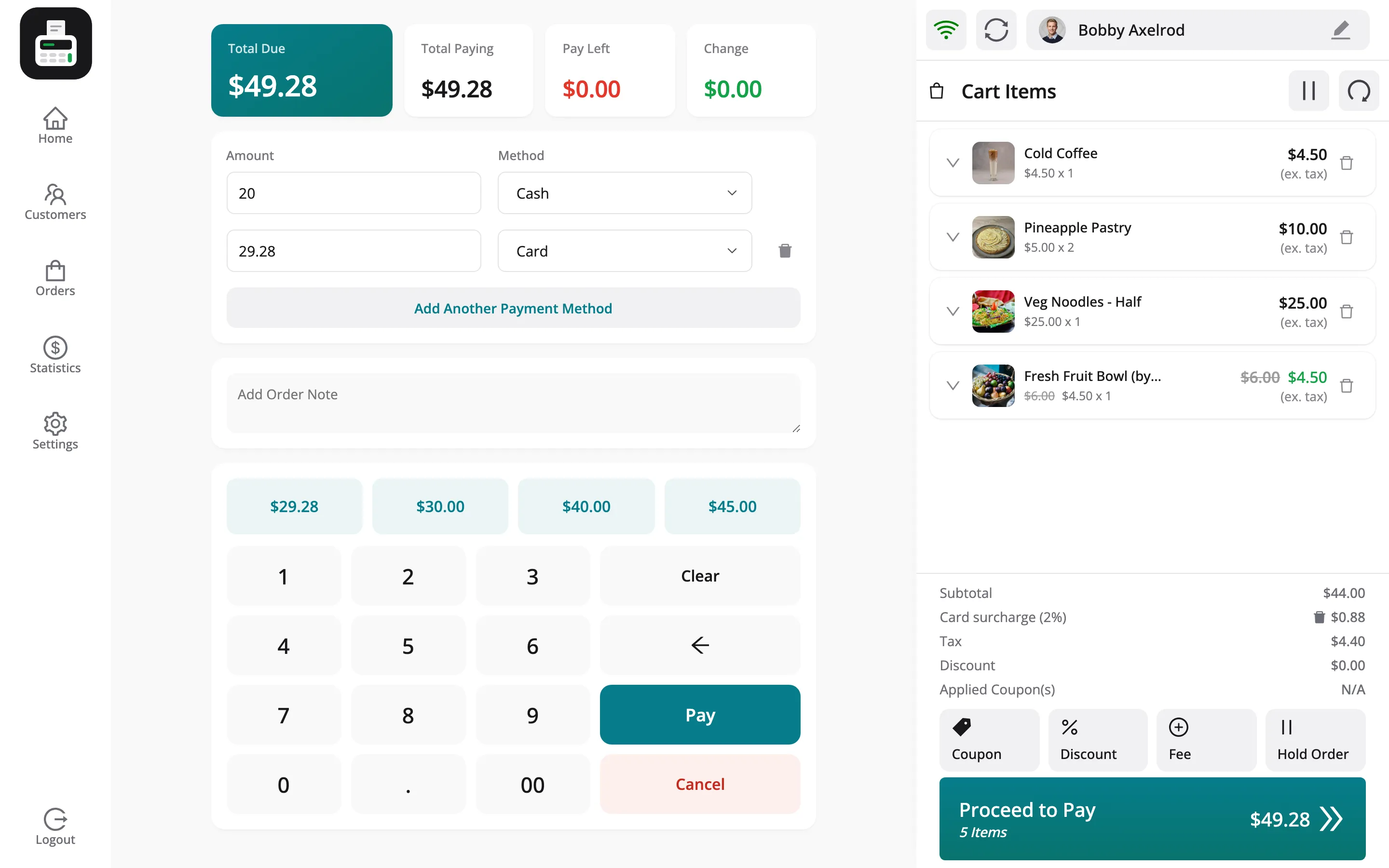
Section titled “Step 3: Add another method”Click Add Another Payment Method and choose Card on the new row.
Step 4: Take the rest
Section titled “Step 4: Take the rest”Tap the quick amount for the remainder. Pay Left reads $0.00. Press Pay.
What it records
Section titled “What it records”- The order: Both methods, and Split as the payment method in WooCommerce and WCFM.
- Transactions: One row per method, so the cash row counts in the drawer and the card row does not.
Split payments need Multi-Payment Support on the General tab. Each method must be on the outlet’s list.