

How to Add a Fee or Surcharge in the POS
A fee is an extra charge on the sale: a card surcharge, delivery, a service charge.
Step 1: Open Add Fee
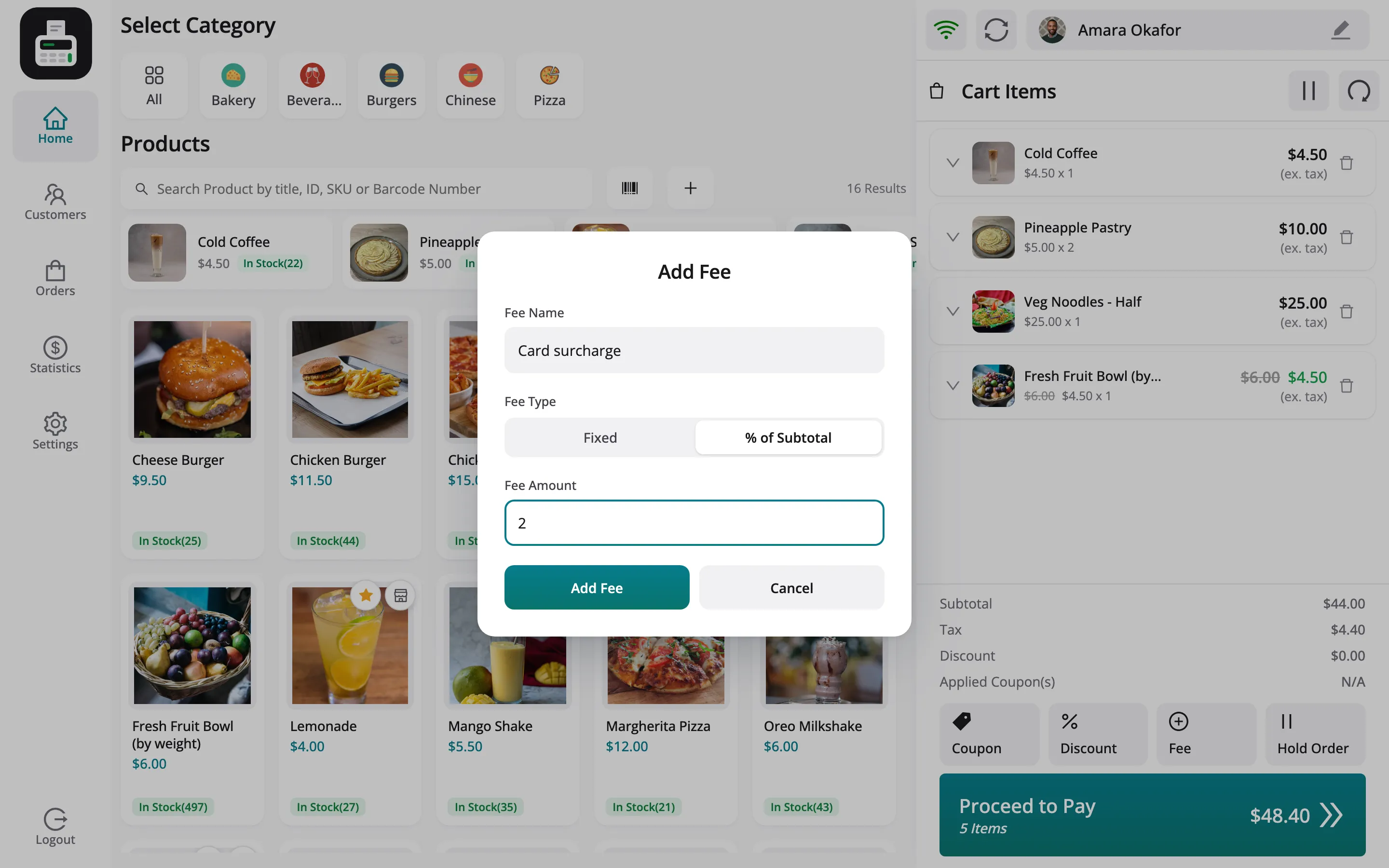
Section titled “Step 1: Open Add Fee”Click Fee among the buttons under the cart totals.
Step 2: Describe the fee
Section titled “Step 2: Describe the fee”- Fee Name: Shown on the receipt, such as Card surcharge.
- Fee Type: Fixed, or % of Subtotal.
- Fee Amount: The amount, or the percentage.
Step 3: Add it
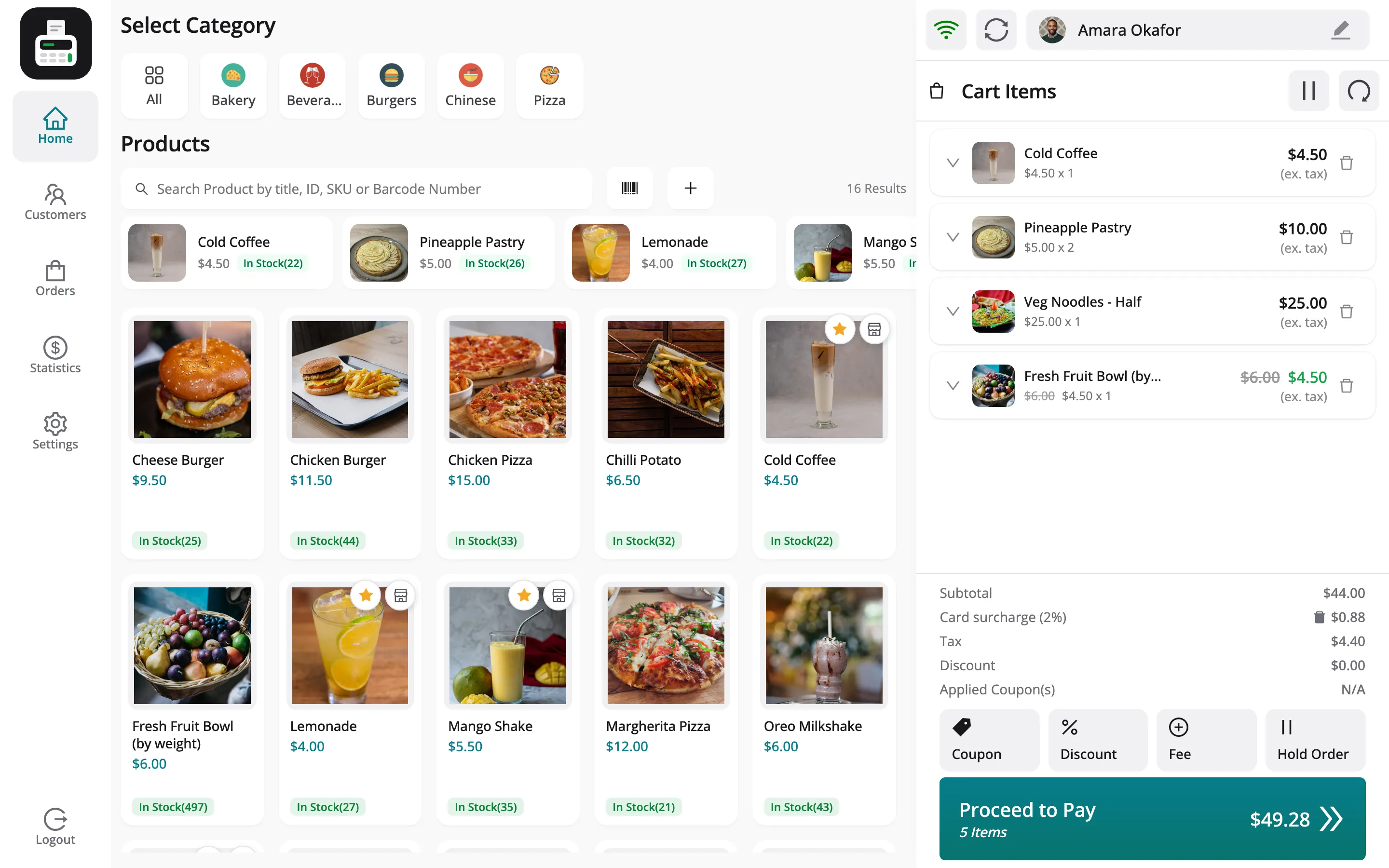
Section titled “Step 3: Add it”Click Add Fee. A line such as Card surcharge (2%) $0.88 joins the totals, and the total rises.
Things to know
Section titled “Things to know”- On a vendor’s sale, the fee is part of the order total but not of any item. WCFM does not count it in the vendor’s gross sales or earning.