

How to Sell a Variable Product in the POS
A variable product, such as noodles sold as a half or a full plate, shows a price range on its card. The POS asks which one before adding it.
Step 1: Tap the product
Section titled “Step 1: Tap the product”Tap the card. On the demo, Veg Noodles runs from $25.00 to $45.00.
Step 2: Pick the variation
Section titled “Step 2: Pick the variation”The POS lists the options with their price and stock. Tap one.
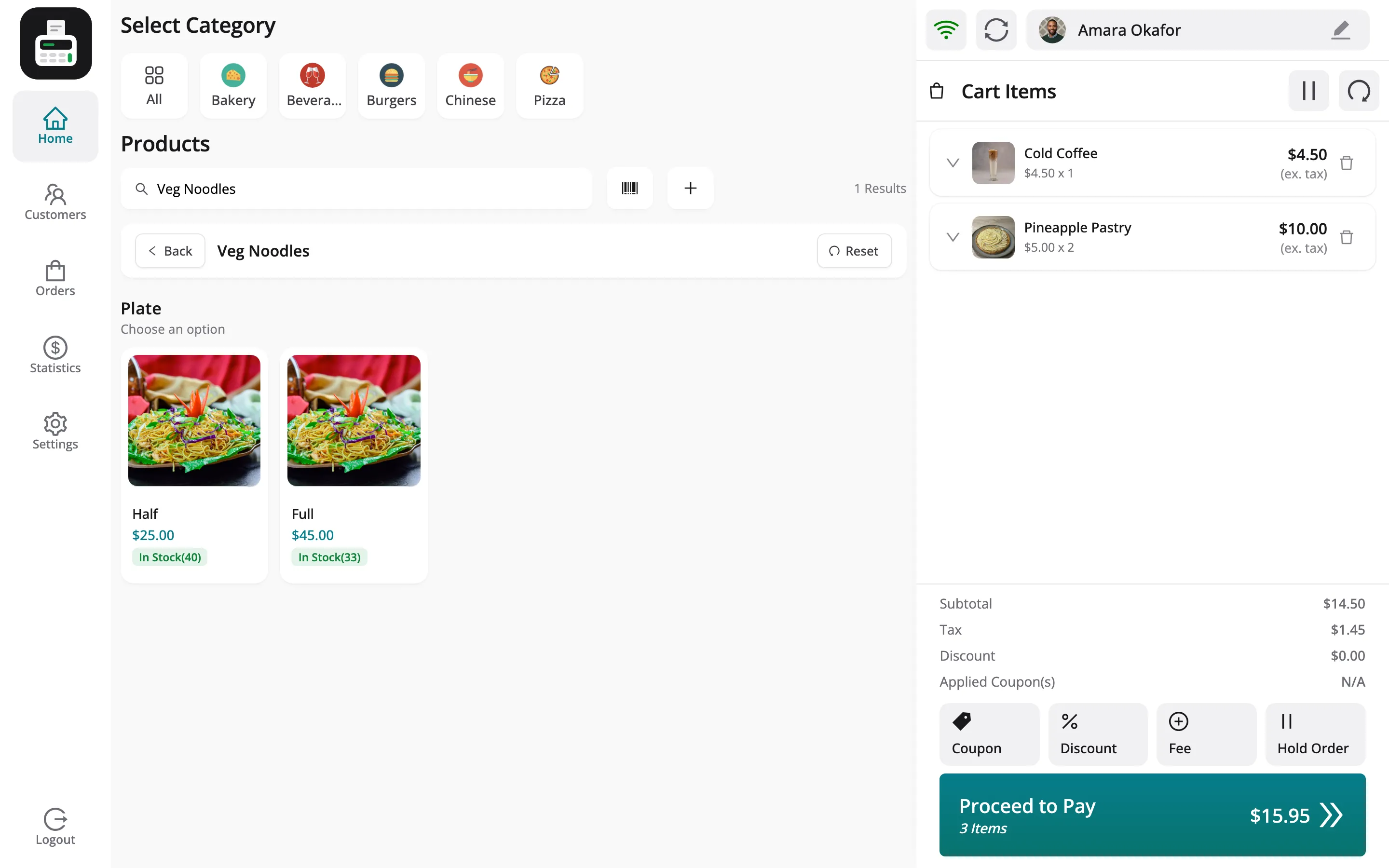
A product with several attributes asks one attribute at a time. Back returns to the grid.
Step 3: Check the cart
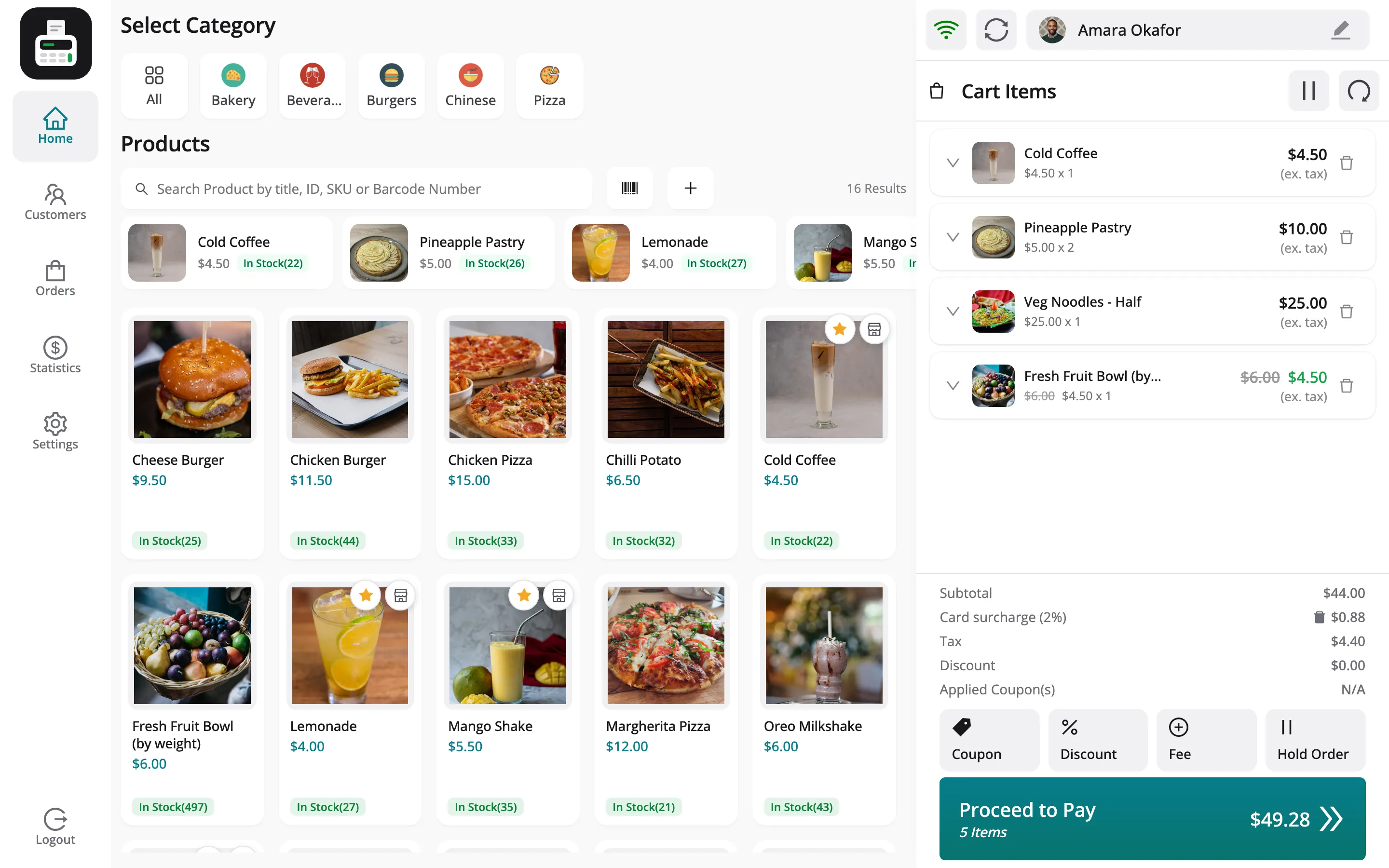
Section titled “Step 3: Check the cart”The cart line names the variation, here Veg Noodles - Half at $25.00.
Things to know
Section titled “Things to know”- Picker style: Variation Picker Style under Configuration → Layout shows the options in the grid or in a popup.
- Variations as cards: Individual Variation Display lists every variation as its own card.
- Custom stock: At an outlet on Custom stock, each variation needs its own count on Assign Stocks, or it does not show.