

POS Transactions in MultiPOS for WCFM
A transaction is a movement of money, not a sale. Every payment, refund, opening amount and manual cash movement writes one row. The owner sees every drawer under MultiPOS → More → Transactions; a vendor sees their own under Point of Sale → More → Transactions.
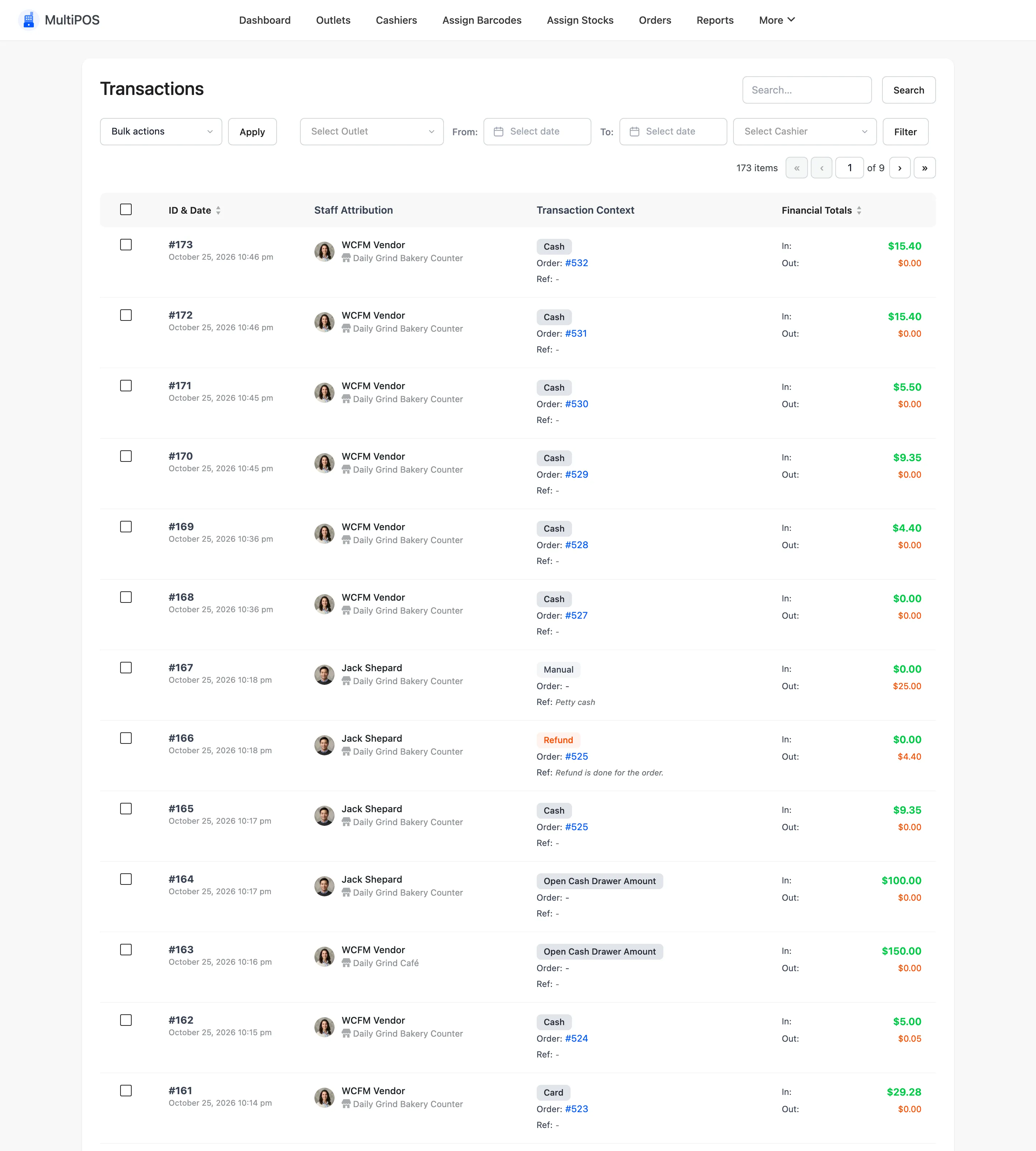
The columns
Section titled “The columns”| Column | What it shows |
|---|---|
| ID & Date | The transaction number and time |
| Staff Attribution | The cashier and the outlet |
| Transaction Context | The type, the order and a reference, such as a cash-out reason |
| Financial Totals | In and Out |
In and Out
Section titled “In and Out”- In: What came into the drawer: the amount handed over, an opening amount, cash in.
- Out: What left it: change on a cash sale, a refund, cash out.
Change is only recorded for the payment method with the slug cash. A card sale reads Out $0.00.
A split sale writes one row per method.
Filters
Section titled “Filters”Select Outlet, From and To dates and Select Cashier, then Filter. One cashier on one day is the drawer of one shift.
The vendor’s screen
Section titled “The vendor’s screen”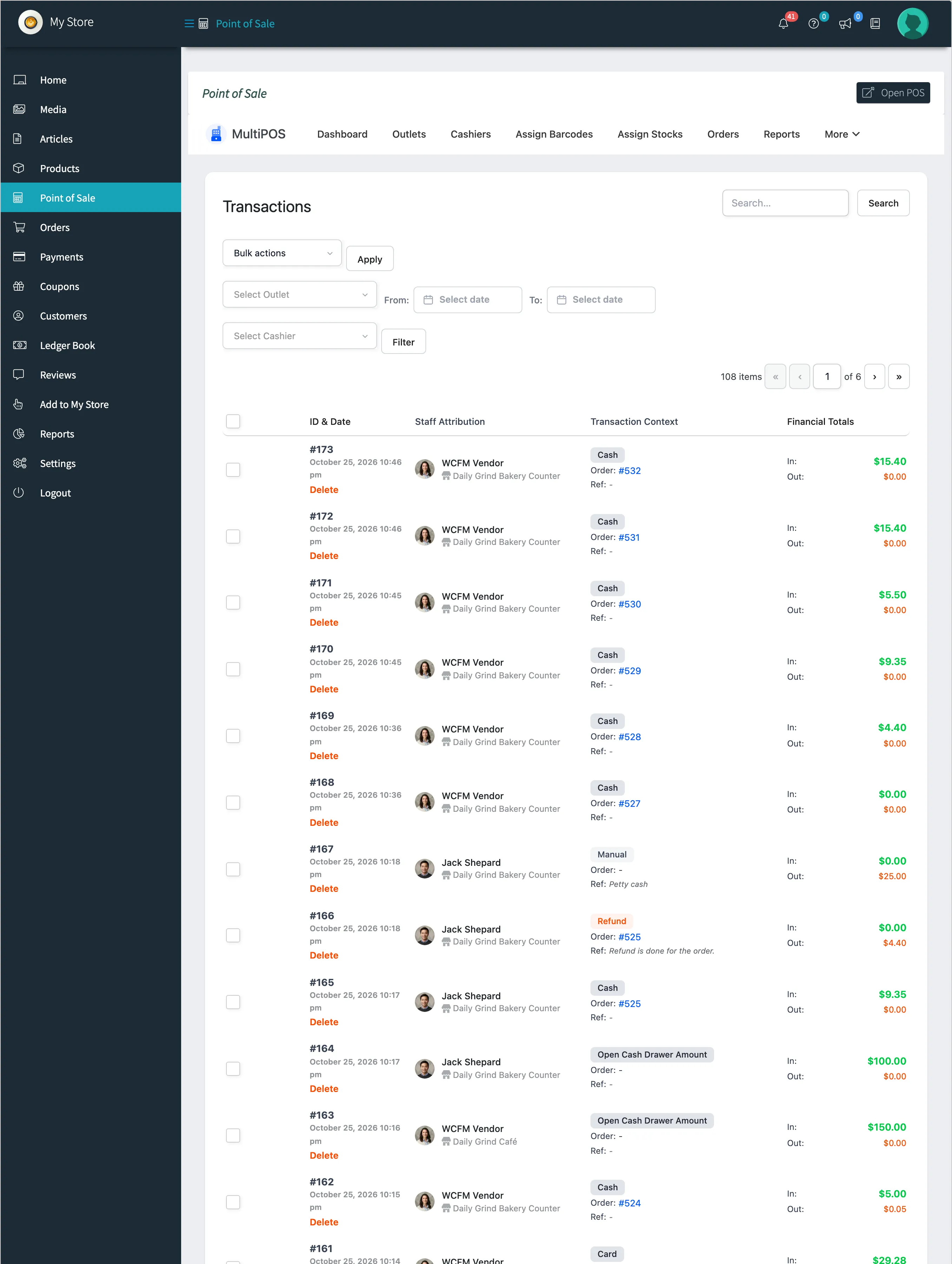
Delete
Section titled “Delete”Tick rows and choose Delete in the bulk actions. It removes the record only; the order and its refunds stay in WooCommerce.