

Introduction to MultiPOS for WCFM Marketplace
MultiPOS for WCFM Marketplace is a point of sale for a WCFM Marketplace store. The marketplace owner sells at their own counters, and every vendor runs a POS of their own. It runs in a browser, with real WooCommerce orders behind every sale.
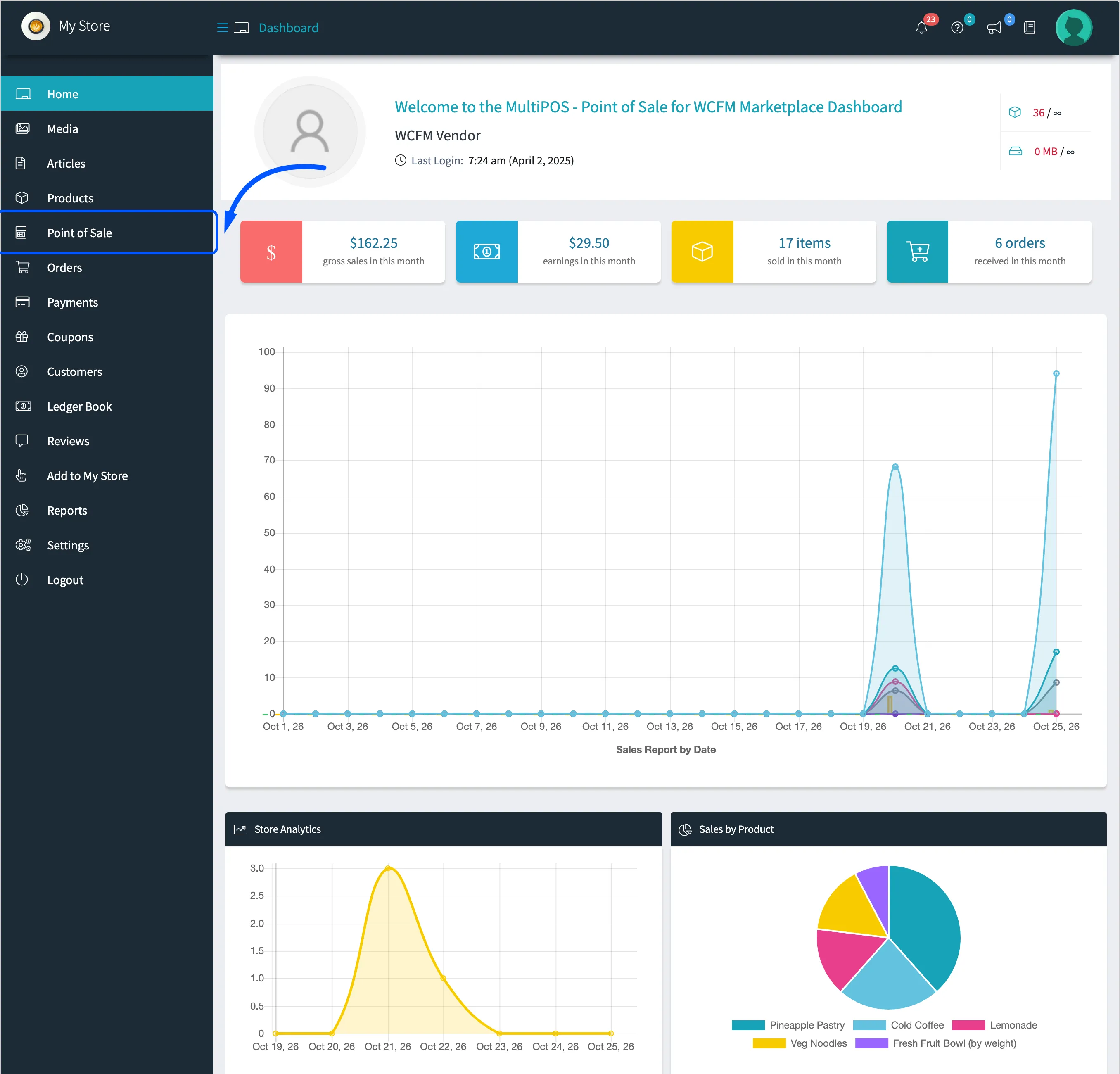
Each vendor gets a Point of Sale menu inside the WCFM store manager. Behind it is a full POS back office limited to that vendor’s store: their outlets, their cashiers, their products, their sales.
Who it is for
Section titled “Who it is for”A marketplace whose vendors also sell in person. A food hall where each stall is a vendor, a craft market, or a mall of small shops. Or a franchise where every branch owner is a WCFM vendor.
The point is one catalogue and one set of stock. A vendor who sells the last pastry at the counter sells it on the website too, because both read the same WooCommerce product.
What the owner gets
Section titled “What the owner gets”- A POS of their own: The owner’s outlets sell the marketplace’s own products, at
yoursite.com/pos. - Control over vendors: Give every vendor a POS, choose vendors one by one, or switch the feature off. One setting under Configuration → General → Marketplace.
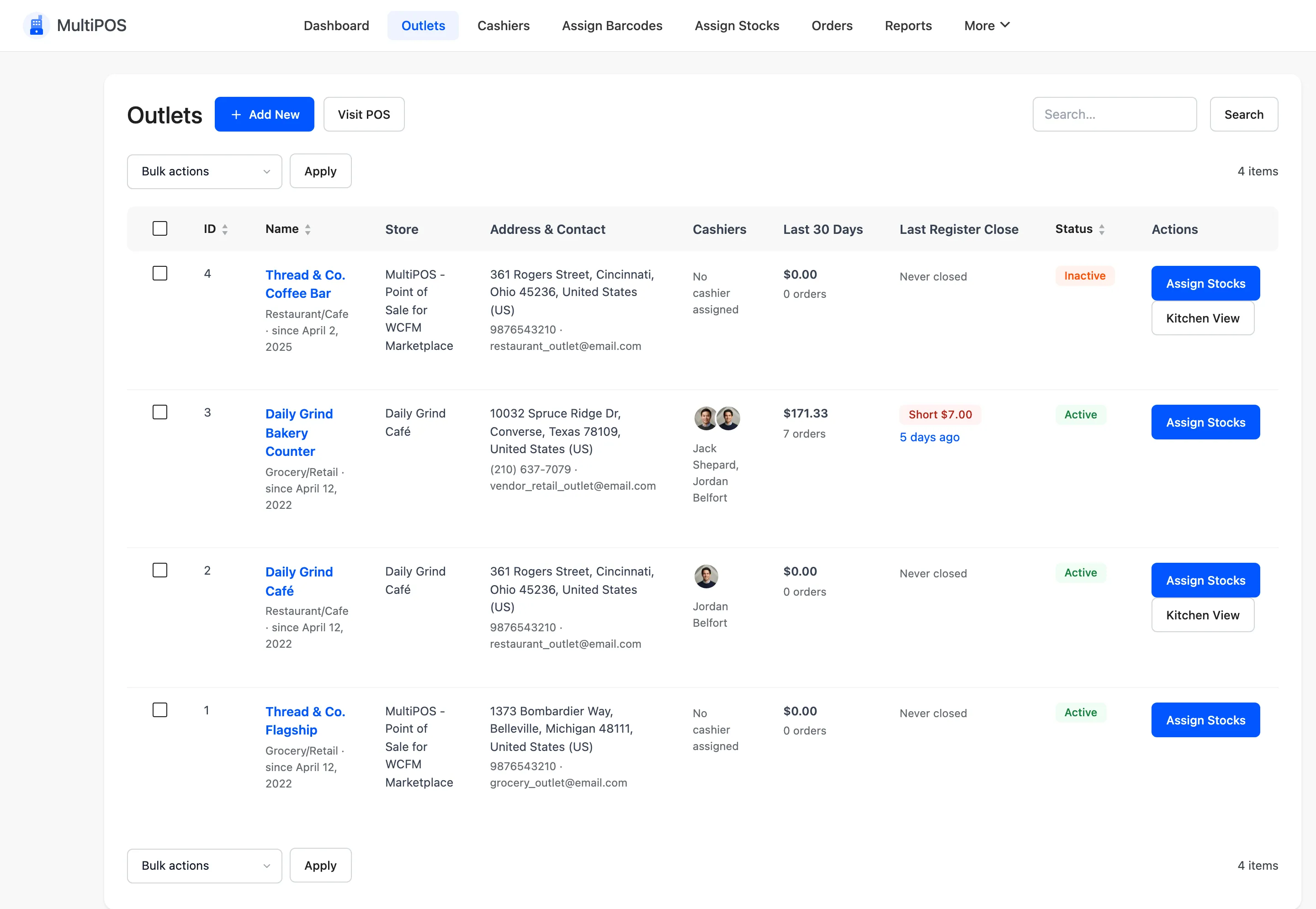
- Every outlet in one list: The Outlets screen shows each outlet’s store, and the owner can move an outlet to any vendor.
- Commission as usual: Vendor POS sales are recorded in WCFM Marketplace and earn the commission your marketplace already charges.
What each vendor gets
Section titled “What each vendor gets”- The full POS: Product grid, barcode scanning, split payments, holds, refunds, restaurant tables and a kitchen screen.
- Their own back office: Dashboard, Outlets, Cashiers, Assign Barcodes, Assign Stocks, Orders, Reports, Transactions, Registers, Invoices and Configuration.
- Their own rules: Payment methods, receipt size, cashier permissions, cash register rules, dining tables, colours and receipt templates. Anything a vendor leaves alone keeps the marketplace’s value.
- Their own staff: Cashiers and shift supervisors who can only work at the vendor’s outlets, and a Manager PIN to approve them at the POS.
What stays private to each store
Section titled “What stays private to each store”A vendor never sees another store. On every screen and every request from the POS, MultiPOS limits a vendor to:
- Their own outlets, cashiers, registers and transactions.
- Their own products. An outlet refuses another store’s product, even when its ID is sent to the server directly.
- Their own customers: the walk-in account, customers they added, and customers who bought from them.
- Their own orders, reports and settings.
The POS terminal
Section titled “The POS terminal”The POS is the same for the owner, a vendor and every cashier. It runs in any browser on a laptop, tablet or phone.
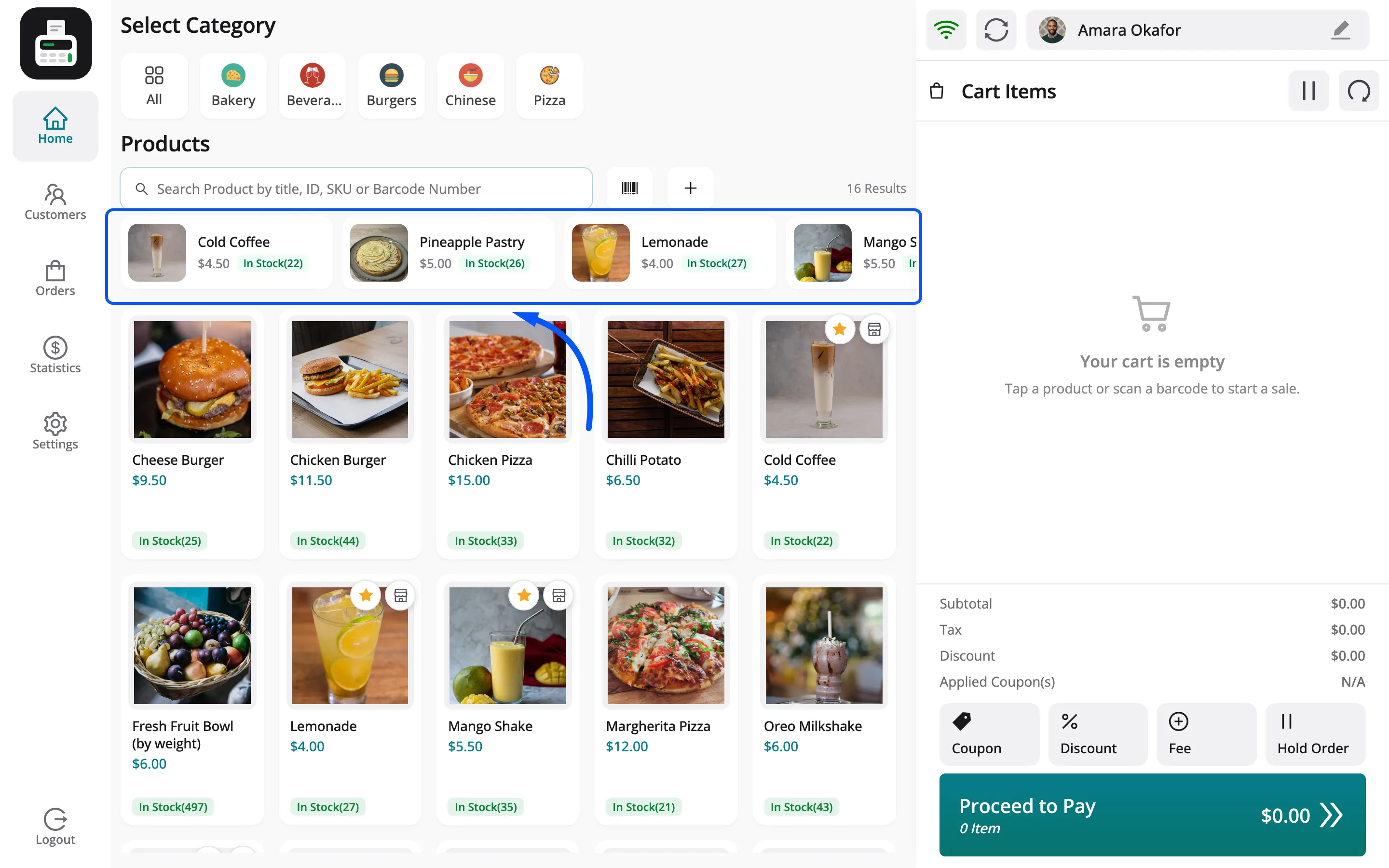
Sales become normal WooCommerce orders. Stock, taxes, coupons and refunds all stay in WooCommerce.
Cash control and staff control
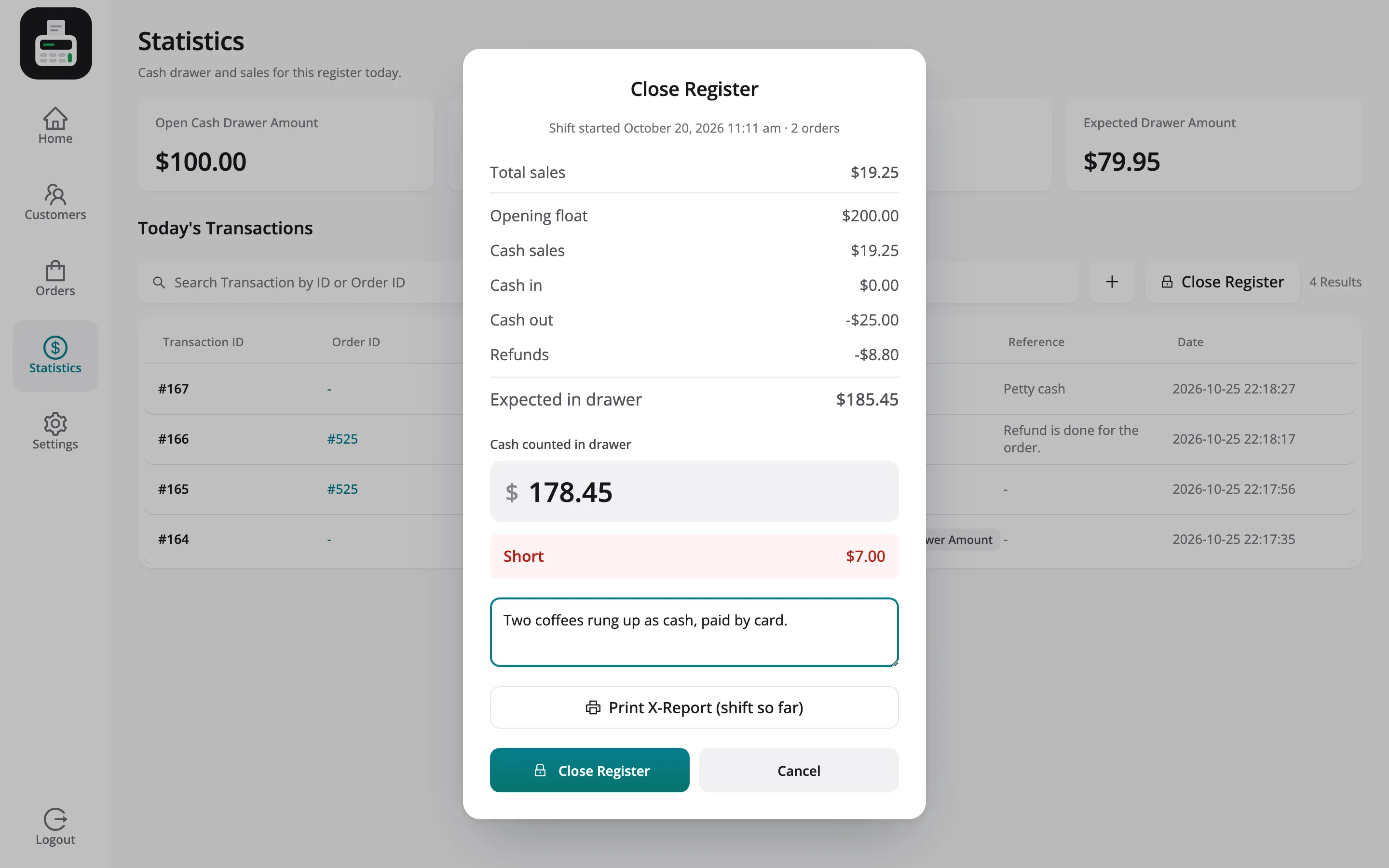
Section titled “Cash control and staff control”Every shift starts with an opening amount and ends with Close Register. The POS shows whether the drawer is balanced, over or short, and prints a Z-report.
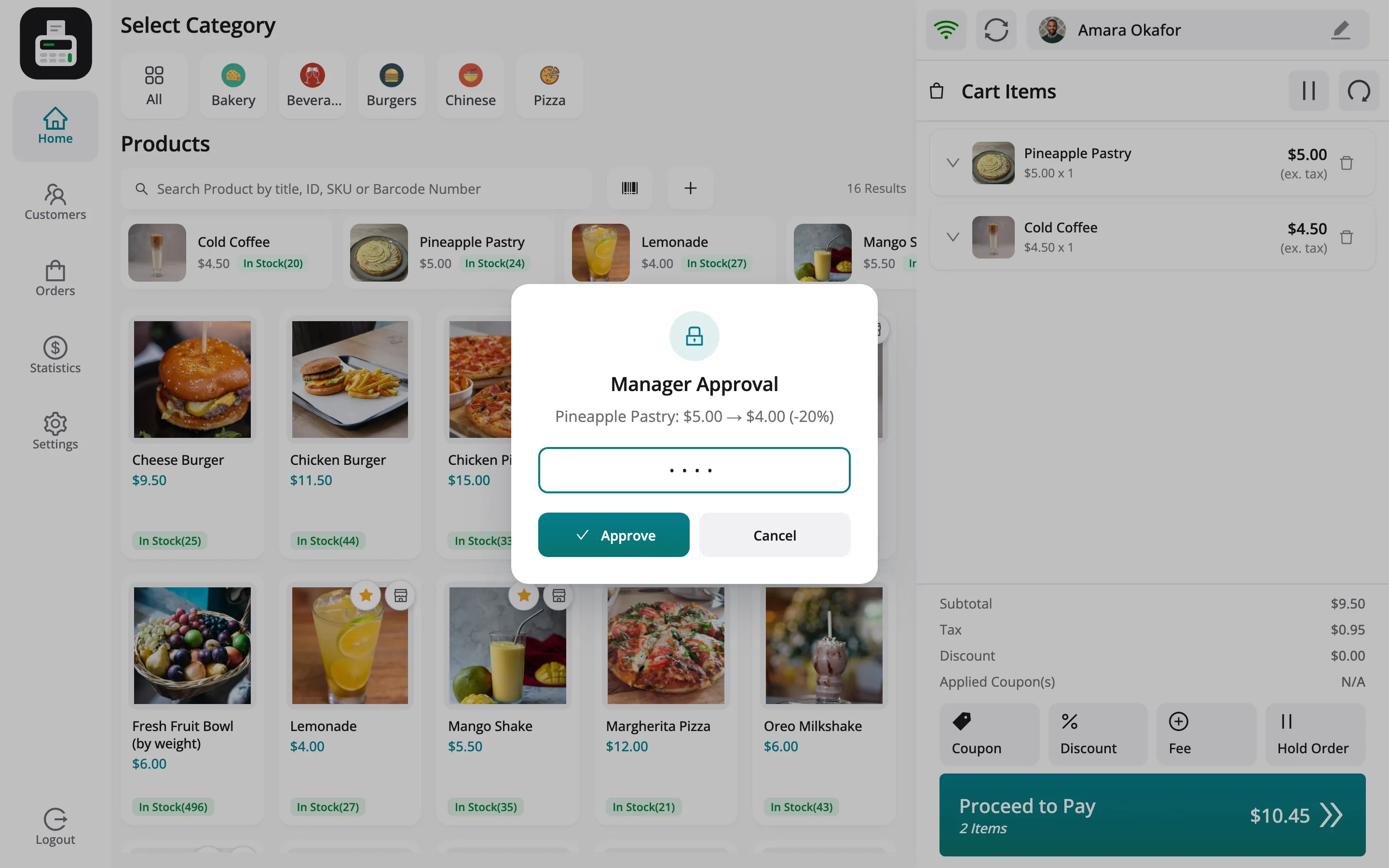
Cashiers can be limited, too. You choose what they may do alone, and a manager approves the rest by typing a PIN at the POS.
Where it lives
Section titled “Where it lives”The owner works under DevDiggers Plugins → MultiPOS in wp-admin. A vendor works under Point of Sale in the WCFM store manager. Both see the same set of screens:
| Menu | What it is for |
|---|---|
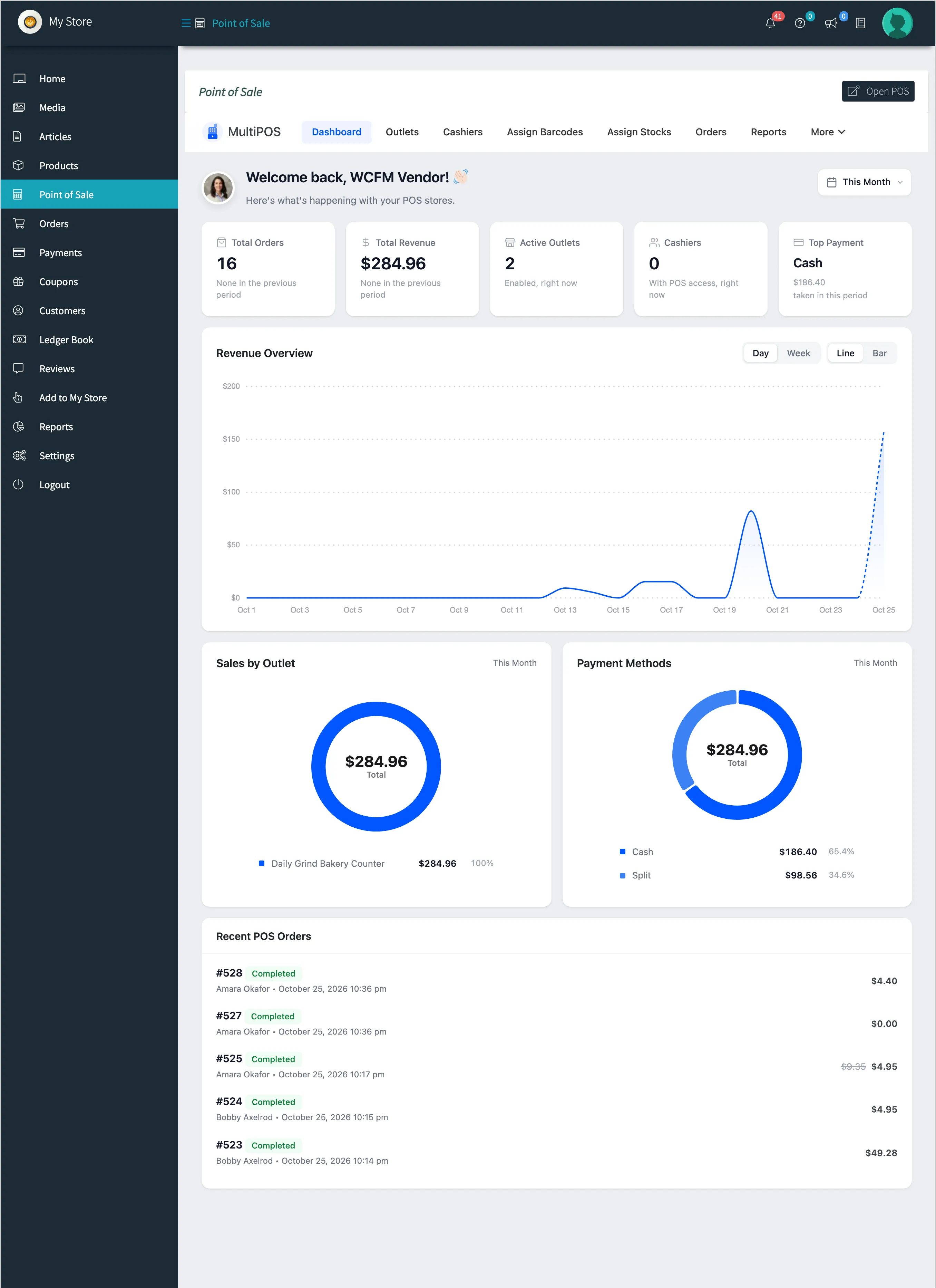
| Dashboard | Sales, revenue and the payment split for a date range |
| Outlets | Each counter, its address, payment methods, stock mode and store |
| Cashiers | Who can open the POS, and what they may do there |
| Assign Barcodes | A barcode per product, and label printing |
| Assign Stocks | Stock per outlet, for outlets that keep their own count |
| Orders | Every POS order, with the cashier who took it |
| Reports | Sales, cashiers, busiest hours, payments, products, coupons, taxes and the drawer |
| Transactions | Money in and out of the drawer |
| Registers | Every closed register and its Z-report |
| Invoices | The receipt templates |
| Configuration | The settings tabs |
MultiPOS for WCFM Marketplace is a paid plugin. There is no free version, so every feature in these docs is included.