

How to Take the First Payment at Purchase
Asking for the first payment up front is how Pay in 4 lowers your risk on new customers: nothing ships until money has arrived. The order still uses Pay Later credit for the full amount.
Step 1: Use a plan with the first payment at purchase
Section titled “Step 1: Use a plan with the first payment at purchase”Pay in 4 works this way out of the box. In Pro, tick First Payment at Purchase on any plan in the plan editor.
Step 2: The customer orders
Section titled “Step 2: The customer orders”At checkout the plan reads “$178.49 due today”. After Place order, the order waits On hold. Its note reads “Awaiting the first Pay Later installment.” Stock is reduced at once, so the item is kept for them.
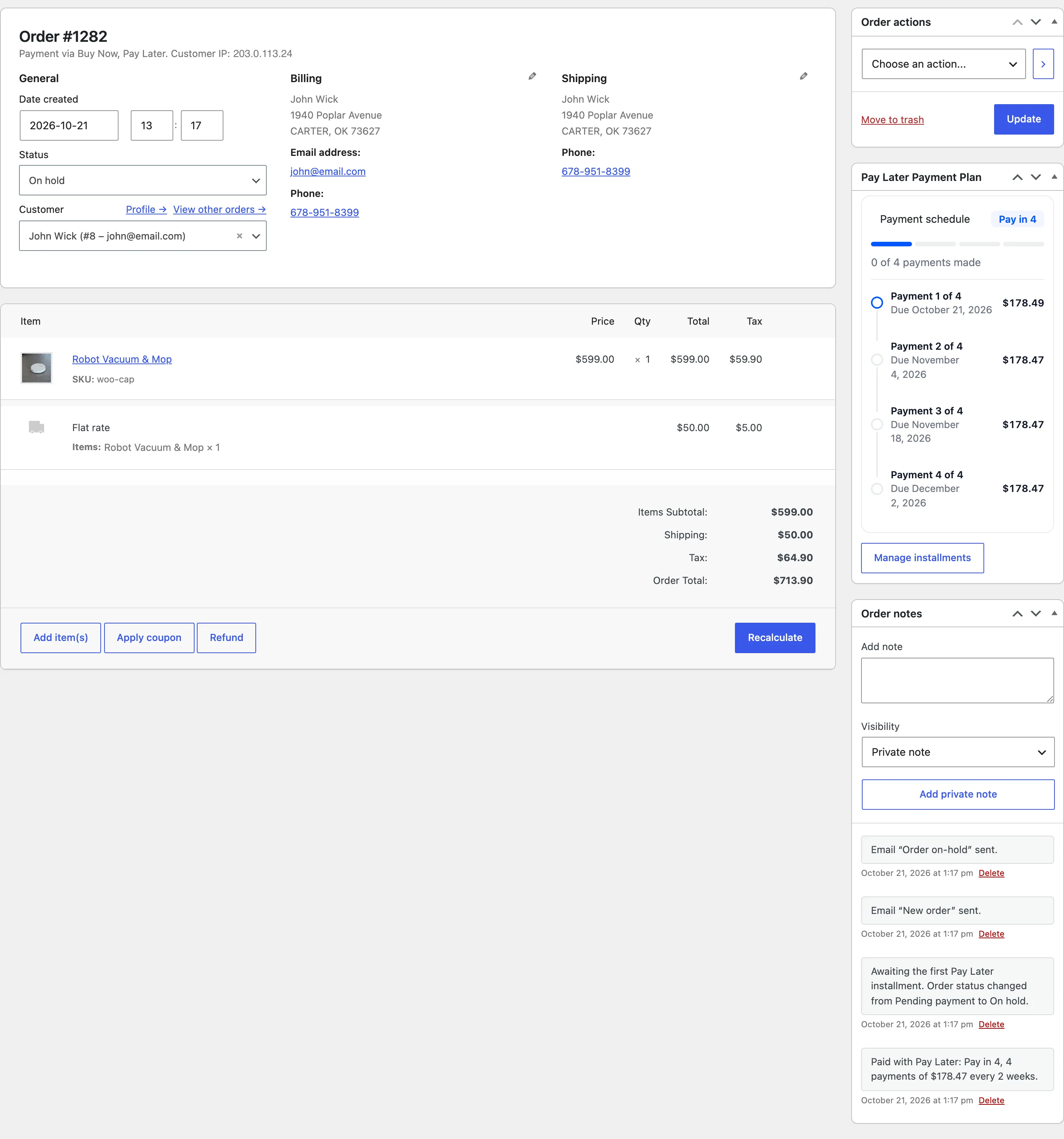
Step 3: The customer pays the first installment
Section titled “Step 3: The customer pays the first installment”Pay $178.49 now sits on the thank you page and on the next payment card in My Account.
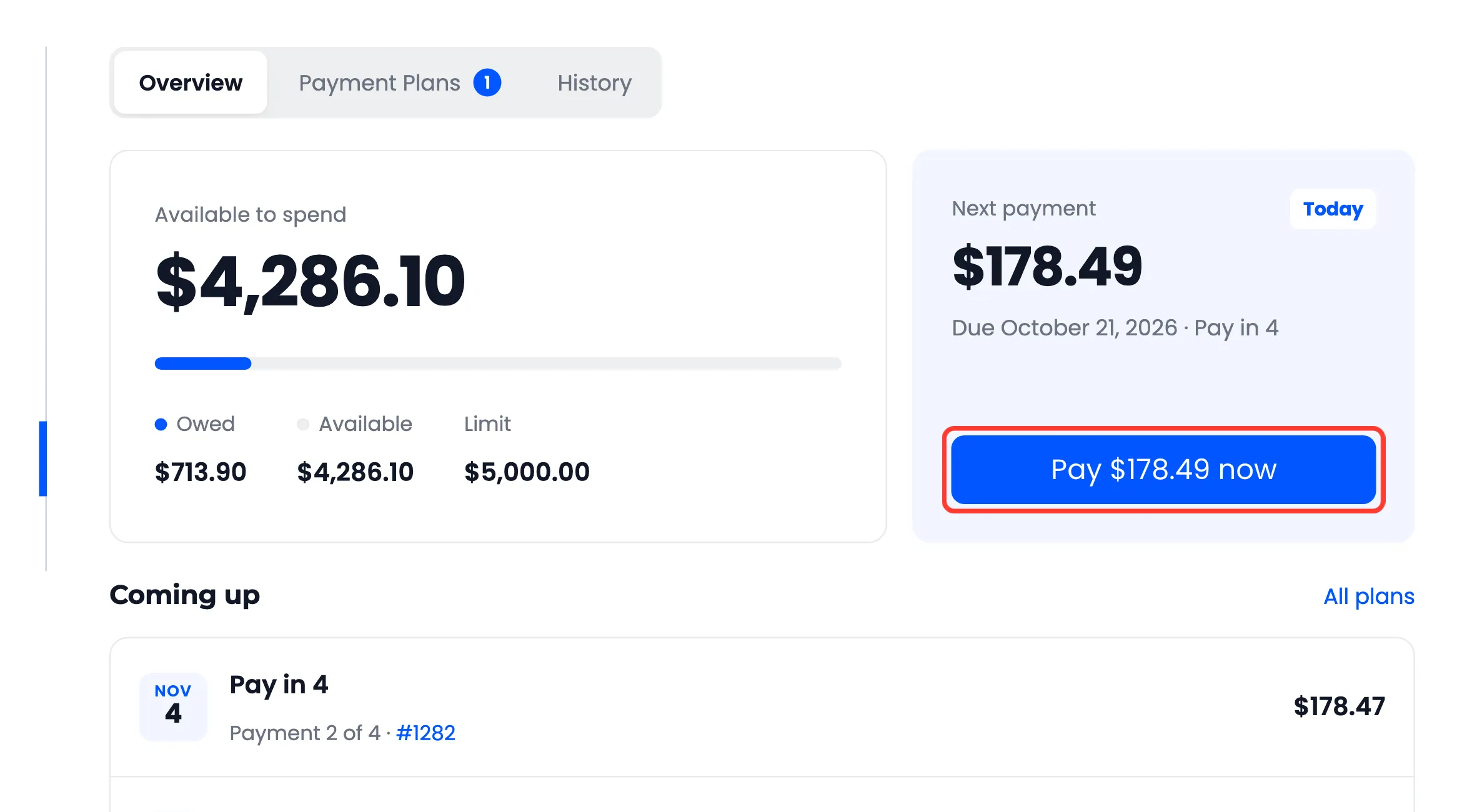
It opens the checkout for that amount. See How to Pay an Installment.
Step 4: The order is released
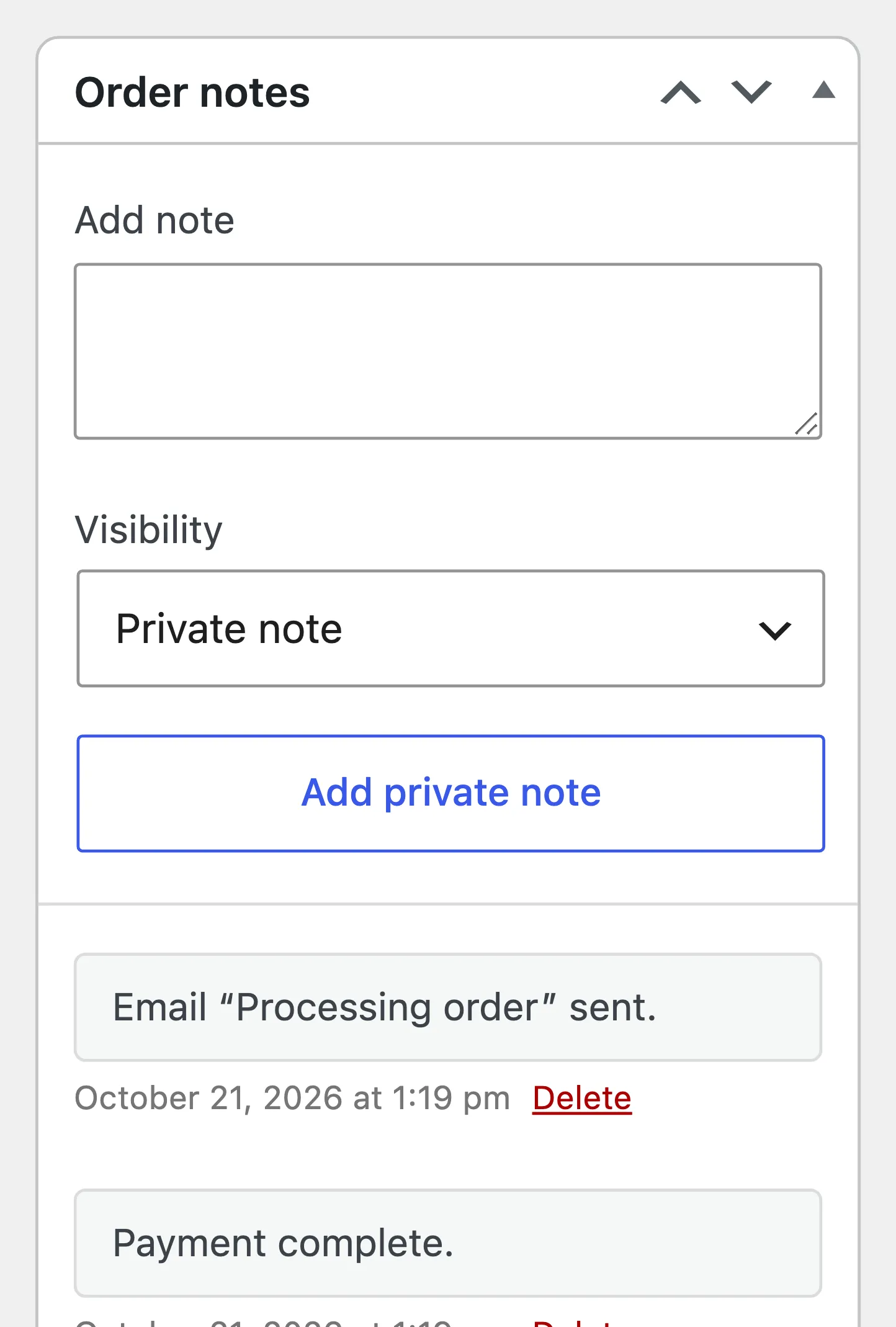
Section titled “Step 4: The order is released”Once the payment is confirmed, the first installment is Paid and the order moves from On hold to Processing by itself. Its notes read “First Pay Later installment received.”
If the customer never pays, the order stays on hold. Cancel it, and with Restore Credit on the credit comes back. See How to Cancel a Pay Later Order.