

Introduction to Buy Now Pay Later
Buy Now Pay Later lets approved customers order today and pay you later, in installments or on payment terms. There is no finance company in between. Each customer gets a credit line with your store. You decide who is approved and how much they can owe, and the plugin tracks every payment.
It comes in two editions. The free plugin, Buy Now Pay Later for WooCommerce, runs the whole loop. It covers approval, a credit limit, the Pay in 4 and Pay in 30 days plans, reminders and every admin screen. Buy Now Pay Later for WooCommerce Pro is an add-on that runs on top of it. It adds your own plans with fees, document checks, per-customer limits, partial payments, interest and late fees.
What it does
Section titled “What it does”- Gives approved customers a credit line. Every customer starts with your default limit, for example $5,000. What they owe can never go above it.
- Splits orders into installments. At checkout the customer picks a plan, such as four payments two weeks apart. The plugin writes the schedule and shows it on the order, in the email and in My Account.
- Collects the payments. Customers pay each installment from My Account → Pay Later with any payment method you accept. A payment settles the earliest installment first.
- Reminds and follows up. A reminder goes out before each due date and a notice the morning after a payment is missed. Overdue customers can be paused until they pay.
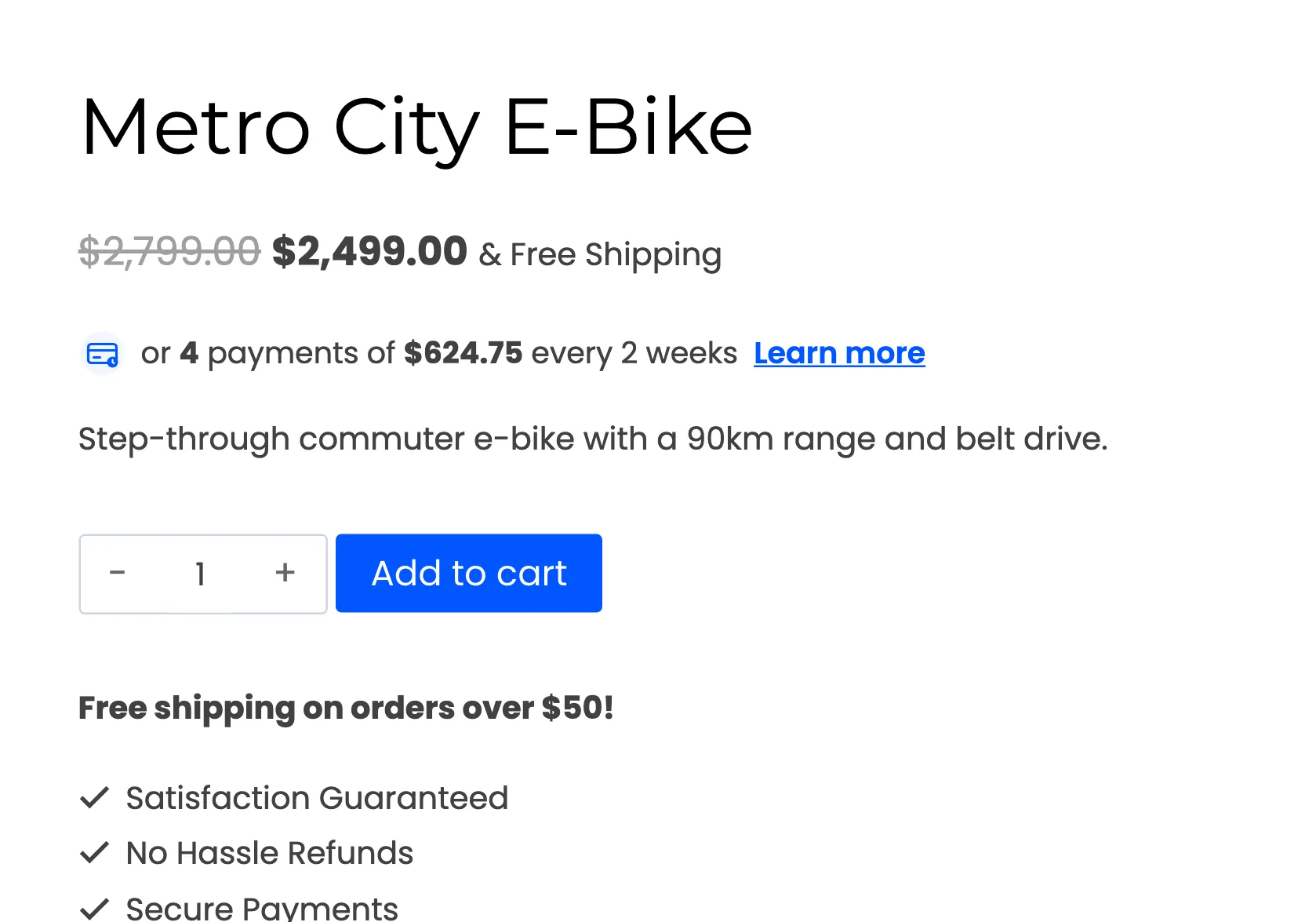
- Advertises the option. “or 4 payments of $624.75 every 2 weeks” under the price, with a Learn more window that explains how it works.
- Keeps the books straight. Refunds and cancellations give the credit back, and every change is a row on the Transactions screen.
Free or Pro
Section titled “Free or Pro”| Free | Pro | |
|---|---|---|
| Pay Later payment method, classic and block checkout | Yes | Yes |
| Default credit limit for every customer | Yes | Yes |
| Approval by an administrator, or no approval at all | Yes | Yes |
| Approval with an uploaded document, reverification | No | Yes |
| Pay in 4 and Pay in 30 days plans | Yes | Yes |
| Your own plans: any schedule, plan fees, order range per plan | No | Yes |
| Minimum and maximum order amount for Pay Later | Yes | Yes |
| Excluded products and categories, allowed user roles | No | Yes |
| Customers pay their installments one at a time, in order | Yes | Yes |
| Partial payments of any amount, minimum repayment, interest | No | Yes |
| Reminder before each due date, overdue notice, pause credit | Yes | Yes |
| Grace period and late fees | No | Yes |
| Installment message on product, shop and cart pages | Yes | Yes |
| Choose who sees it and which plan it advertises | No | Yes |
| Your own wording in the Learn more window | No | Yes |
| Nine editable emails | Yes | Yes |
| Dashboard, Customers, Installments and Transactions screens | Yes | Yes |
| Credit limit per customer, add or remove dues by hand | Limit: Pro | Yes |
| Bulk actions, reminders sent by hand, CSV export | No | Yes |
| Customer area colors, layout and tab names | No | Yes |
In the free version, adding or removing dues by hand works too. Only the per-customer limit is Pro. Pro keeps every customer, plan and balance the free plugin recorded, because both read the same data. See How to Upgrade to Pro.
Who it is for
Section titled “Who it is for”- Trade and wholesale stores, where buyers expect to order now and settle on 15 or 30 day terms.
- Stores selling furniture, appliances and bikes, where a $1,500 order is easier to say yes to in four parts.
- Stores with repeat customers they know, who would rather offer credit themselves than send customers to a finance company.
What a customer sees
Section titled “What a customer sees”A shopper sees the installment price under the product price. Once approved, they choose Buy Now, Pay Later at checkout and pick a plan. The order arrives with its payment schedule, and they pay each installment from their account.
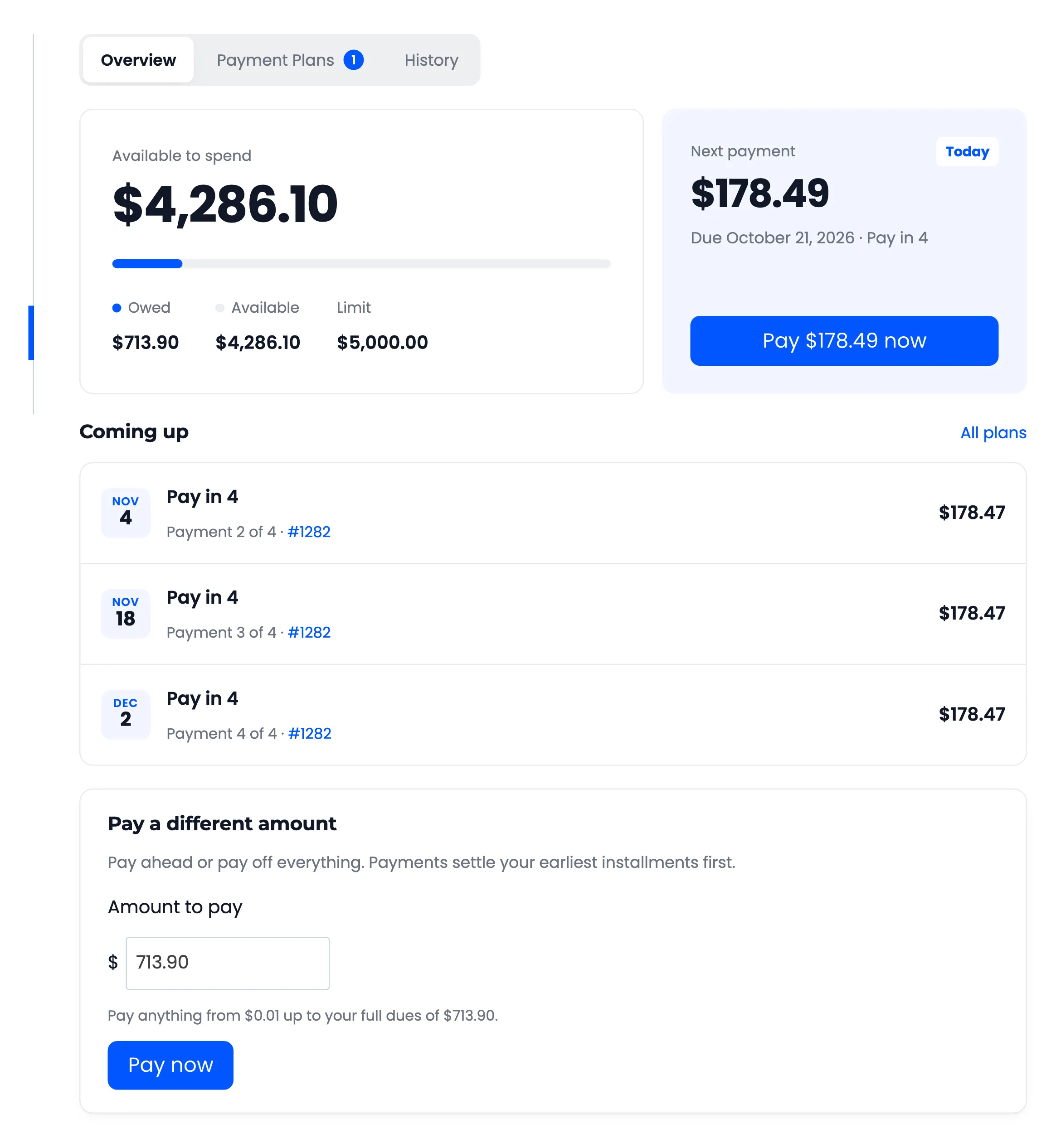
The Customer Experience walks through every screen.
Requirements
Section titled “Requirements”- WordPress 6.5 or newer.
- WooCommerce 9.0 or newer, active.
- PHP 7.4 or newer.
- Pro only: the free plugin, installed and active. Pro installs and activates it for you when it can.
Both editions support WooCommerce High-Performance Order Storage and the Cart and Checkout blocks. Customers need an account: Pay Later is never offered to guests.
Where to start
Section titled “Where to start”- Install and activate the plugin.
- Walk the setup wizard. It sets the credit limit, the approval process and the plans.
- Read How Pay Later Works. It follows one order from checkout to the last payment.