

The Pay Later Dashboard
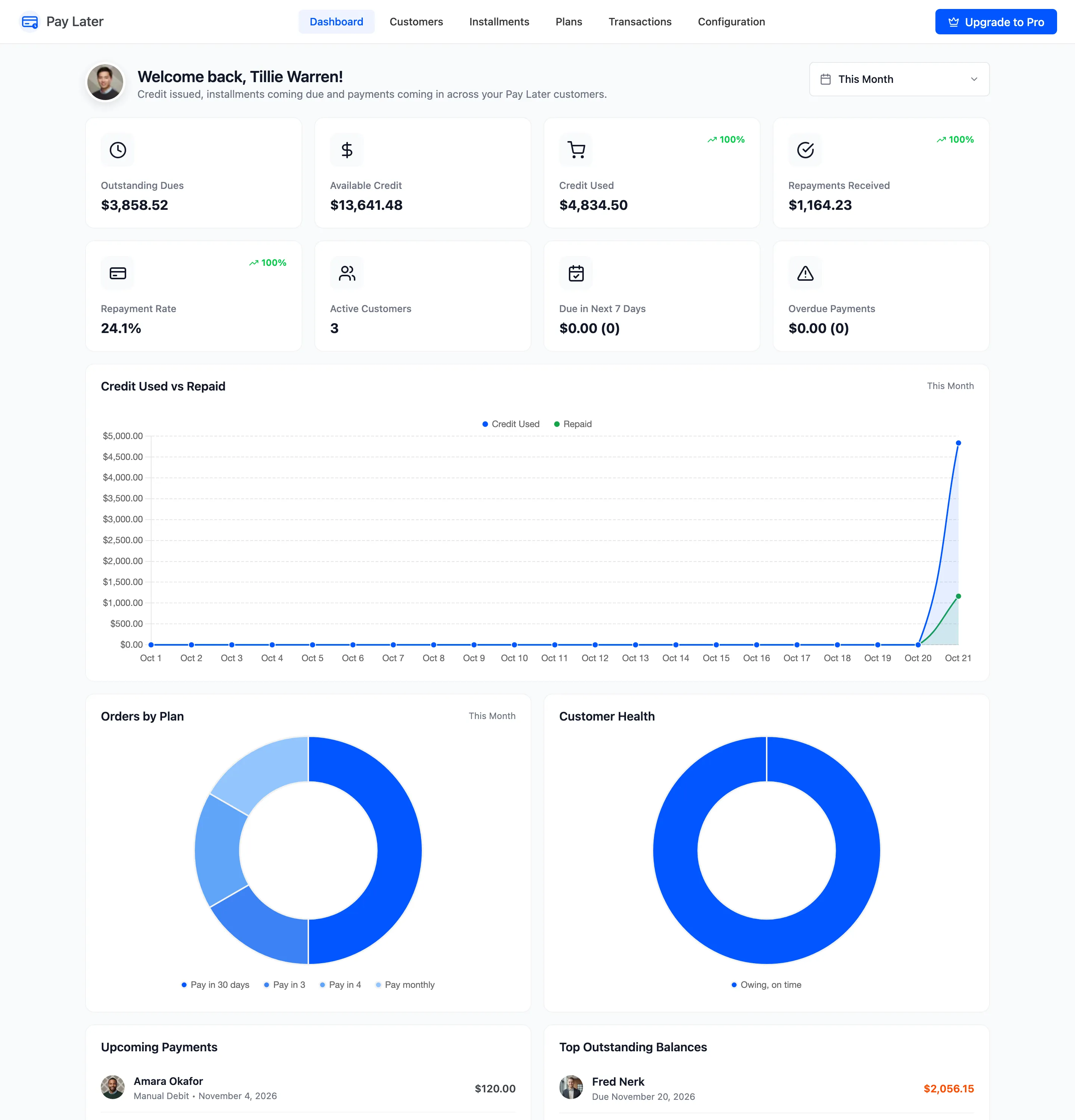
The dashboard shows how much credit is out, what is coming in, and who needs attention. Open DevDiggers Plugins → Pay Later → Dashboard.
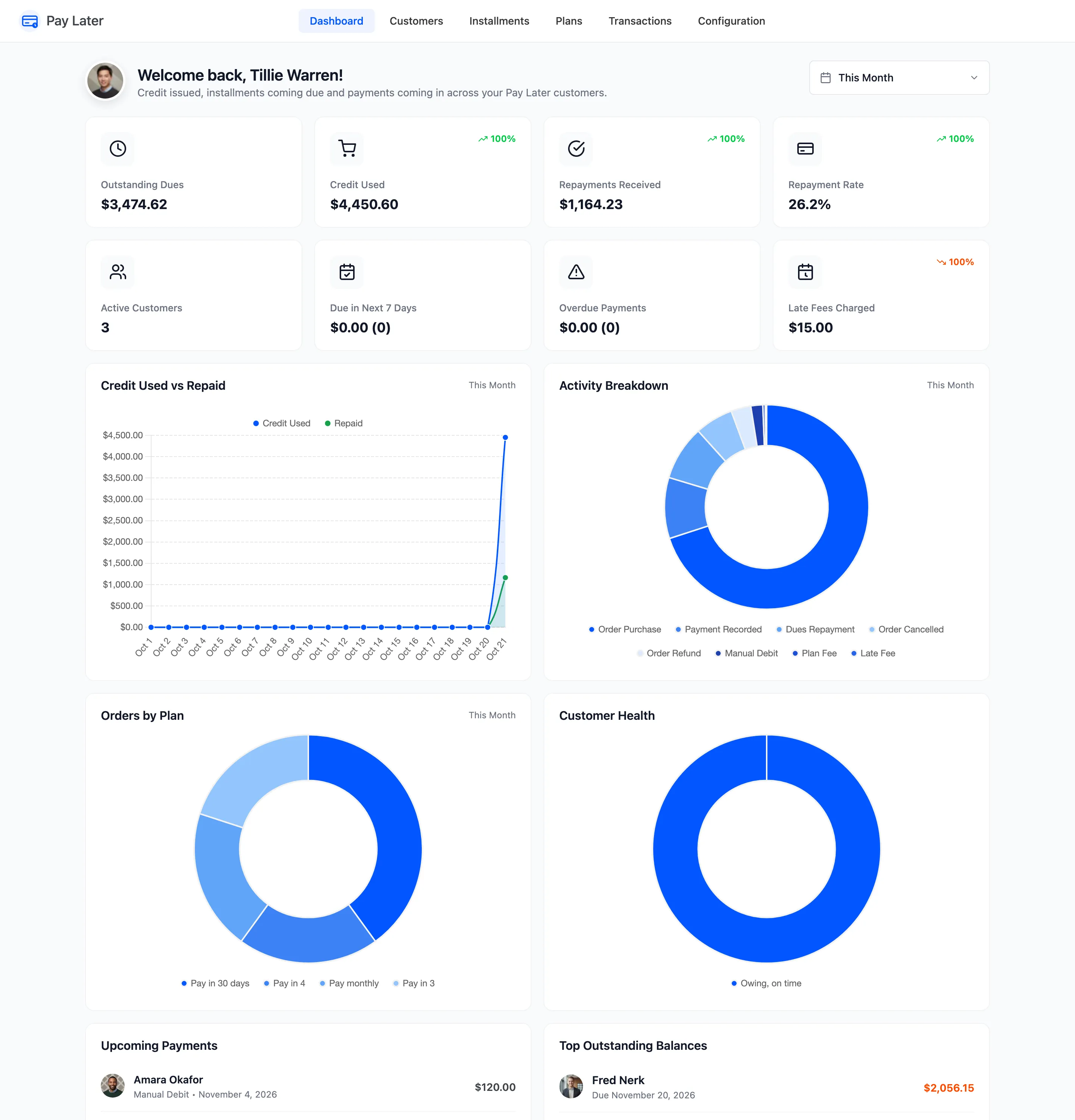
The date range
Section titled “The date range”The picker at the top sets the period, This Month by default. It changes the charts and the four cards that count activity: Credit Used, Repayments Received, Repayment Rate and Late Fees Charged. Each of those compares itself with the period before. The other cards always show today’s position.
The cards
Section titled “The cards”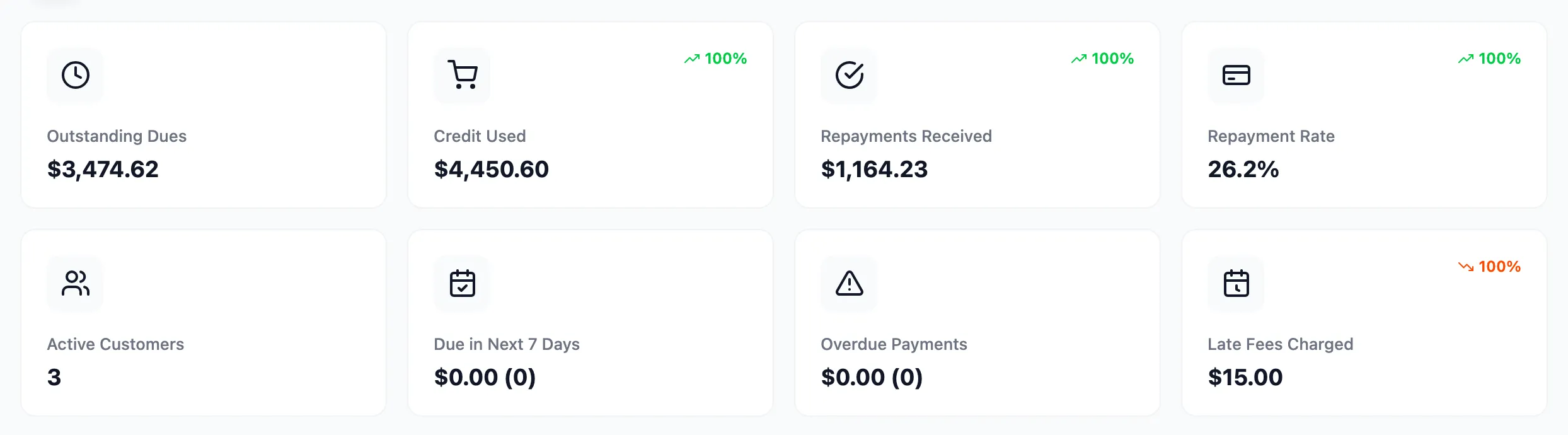
- Outstanding Dues: Everything customers owe now, with the share of their combined limits in use.
- Credit Used: The value of Pay Later orders in the period.
- Repayments Received: Payments in the period, through the checkout or recorded with Mark paid.
- Repayment Rate: Repayments received as a share of credit used in the period.
- Active Customers: Customers whose credit has started.
- Due in Next 7 Days: What falls due this week, and how many payments.
- Overdue Payments: What is late, and how many payments.
- Late Fees Charged: Late fees added in the period (Pro).
The charts
Section titled “The charts”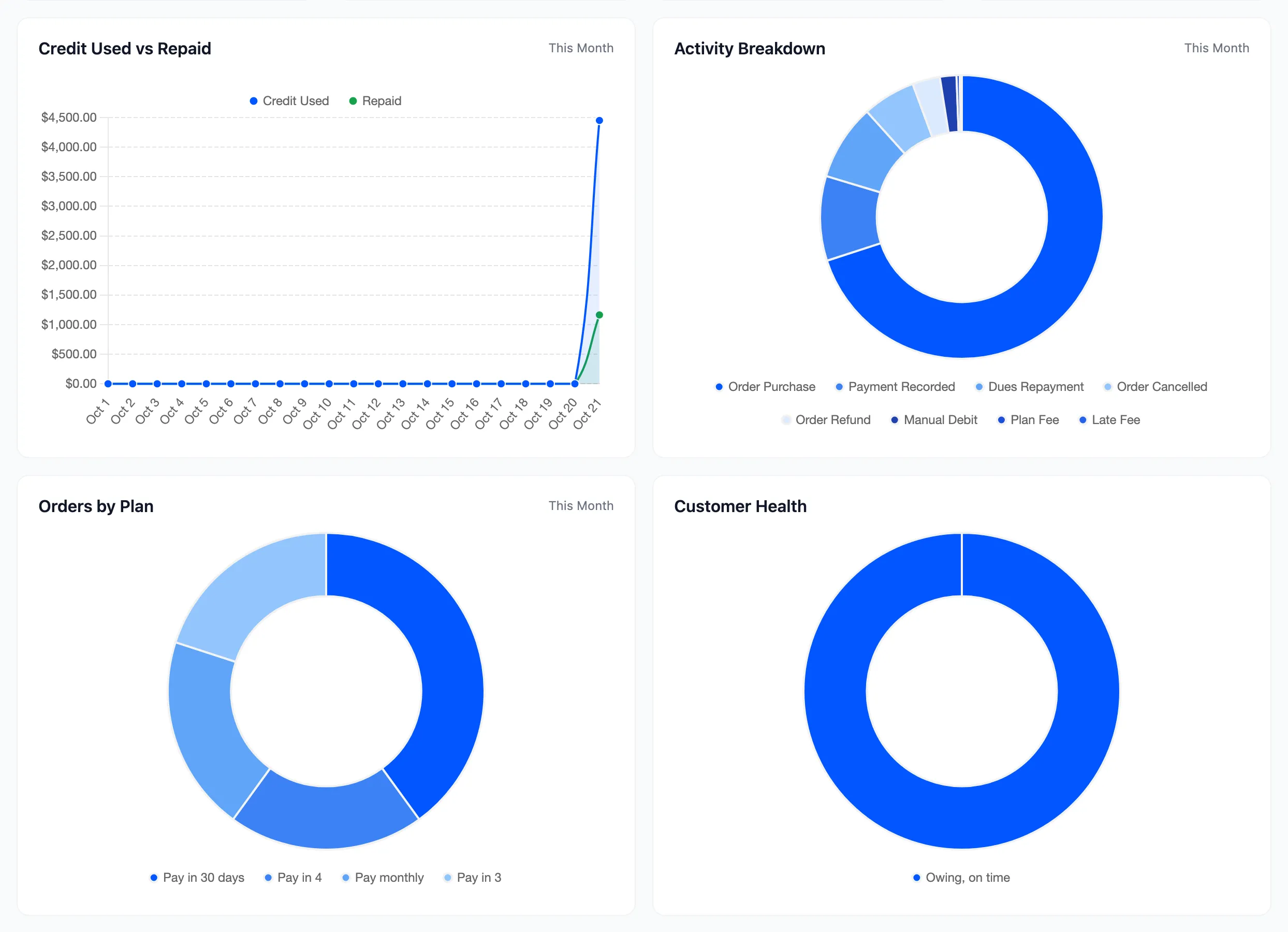
- Credit Used vs Repaid: Day by day, what went out on credit and what came back.
- Activity Breakdown: The period’s transactions by description: purchases, repayments, refunds, fees.
- Orders by Plan: Which plans customers chose.
- Customer Health: Active customers who owe nothing, who owe and are on time, and who are overdue.
The lists
Section titled “The lists”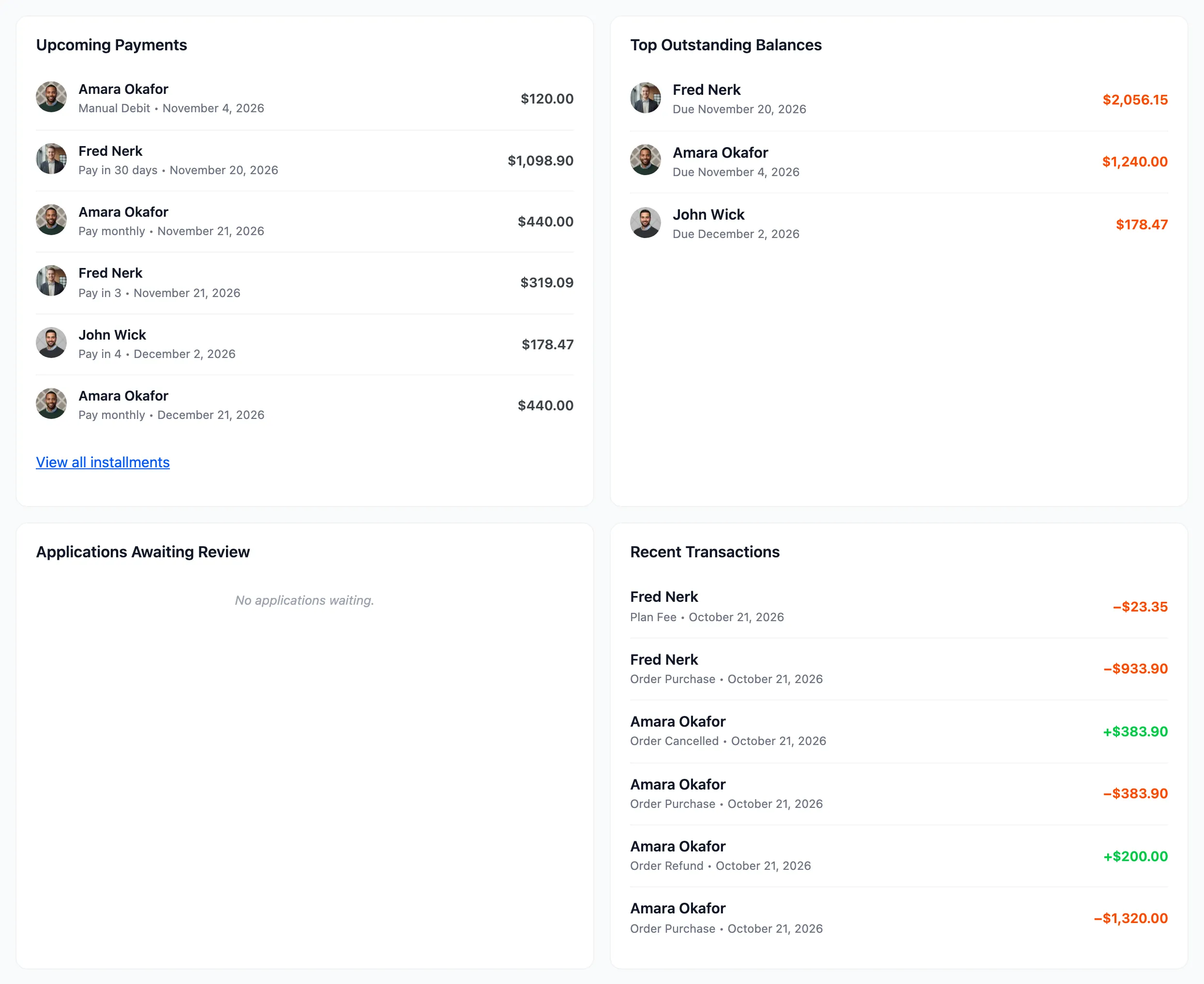
- Upcoming Payments: The next unpaid installments, earliest first, with View all installments.
- Top Outstanding Balances: Who owes the most, with their next due date or limit.
- Applications Awaiting Review: Customers waiting for your decision.
- Recent Transactions: The latest balance changes across all customers.
The free version’s dashboard shows Available Credit, what customers can still spend, in place of Late Fees Charged, and has no Activity Breakdown chart:
While Pay Later is switched off under Configuration → General, a notice at the top says so, with a Turn it on link.