

How to Add a Plan Fee (Pro)
A plan fee is a one-off charge for using a plan, often on longer plans that cost you more to carry. The demo’s Pay in 3 charges 2.5% of the order.
Step 1: Edit the plan
Section titled “Step 1: Edit the plan”Go to DevDiggers Plugins → Pay Later → Plans and click Edit on the plan, or create one. See How to Create a Payment Plan (Pro).
Step 2: Set the fee
Section titled “Step 2: Set the fee”Under Plan Fee:
- Fee Type: Fixed amount per order, or Percentage of the amount of the order total.
- Fee: The amount or percentage. 0 makes the plan interest free.
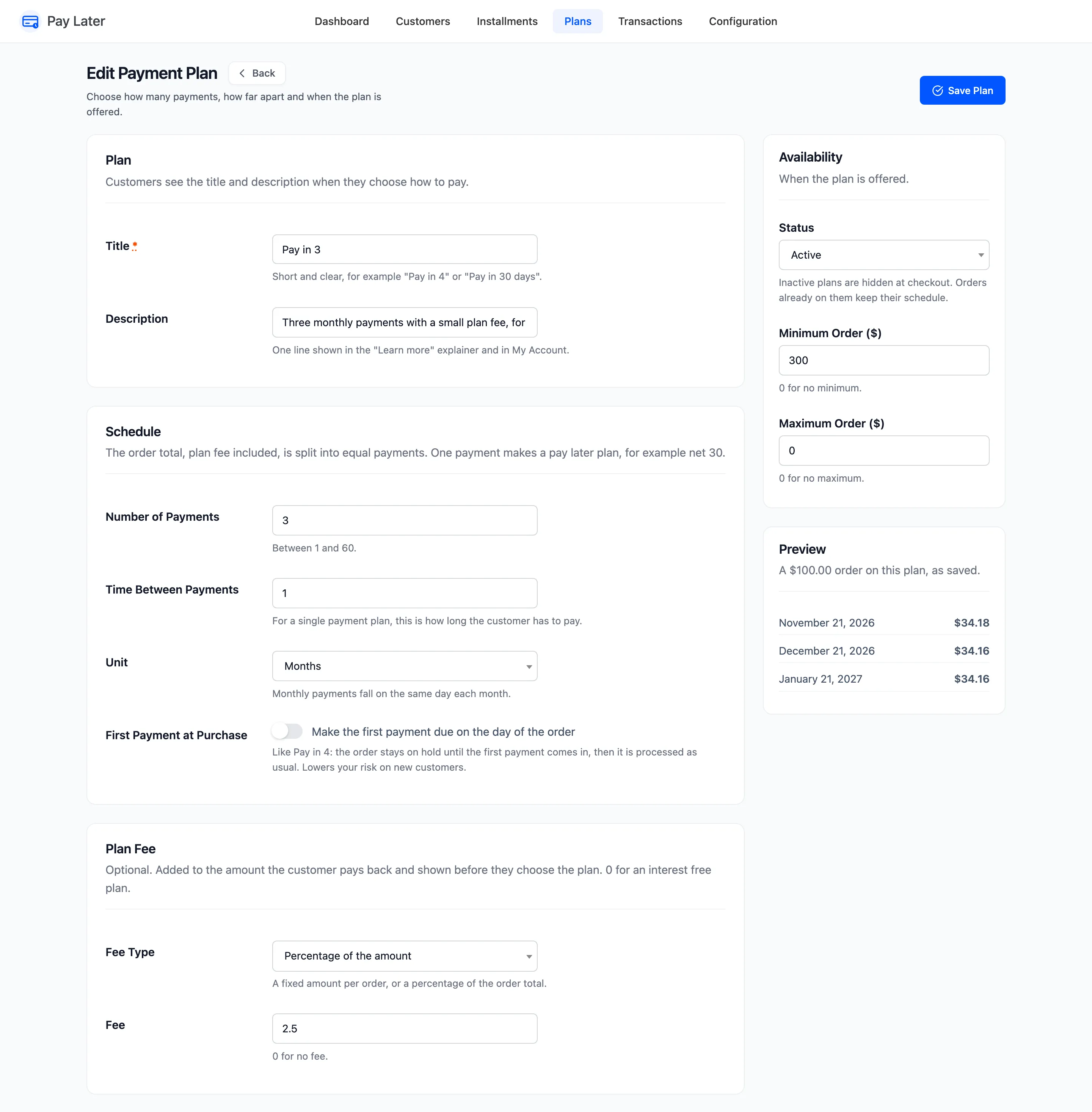
Click Save Plan. The Plans screen shows the fee in its Plan Fee column.
Step 3: Check the checkout
Section titled “Step 3: Check the checkout”Fred’s order comes to $933.90. Pay in 3 shows the payments with the fee included, and “Plan fee $23.35” in place of “No fees”.
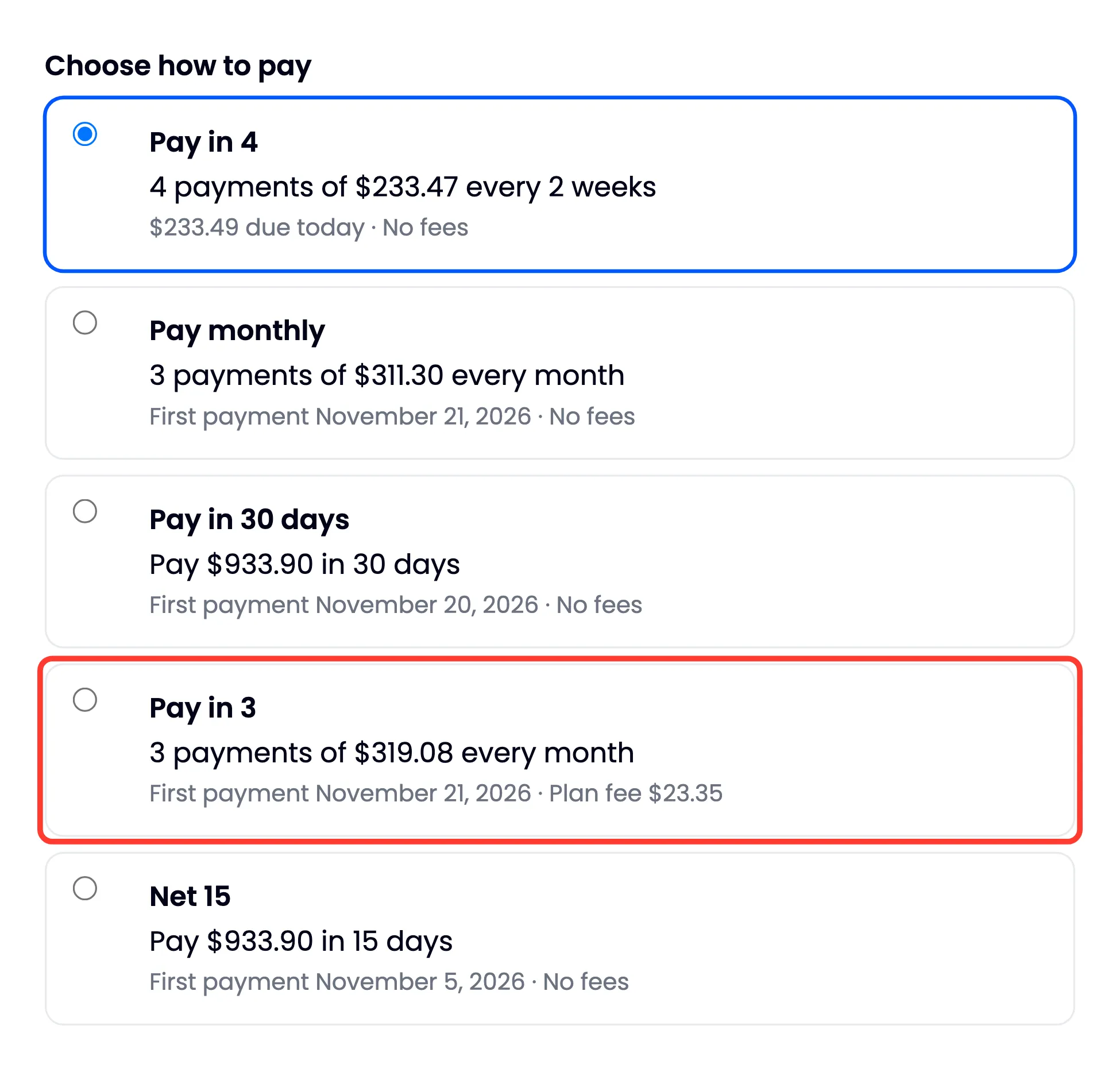
The customer’s available credit must cover the order and the fee. A plan whose fee would go over it is not offered.
Step 4: Check the schedule
Section titled “Step 4: Check the schedule”The fee is added to what the customer owes and split across the payments with the order. The order screen and My Account show the payments with the fee inside them. A separate Plan Fee transaction records it.
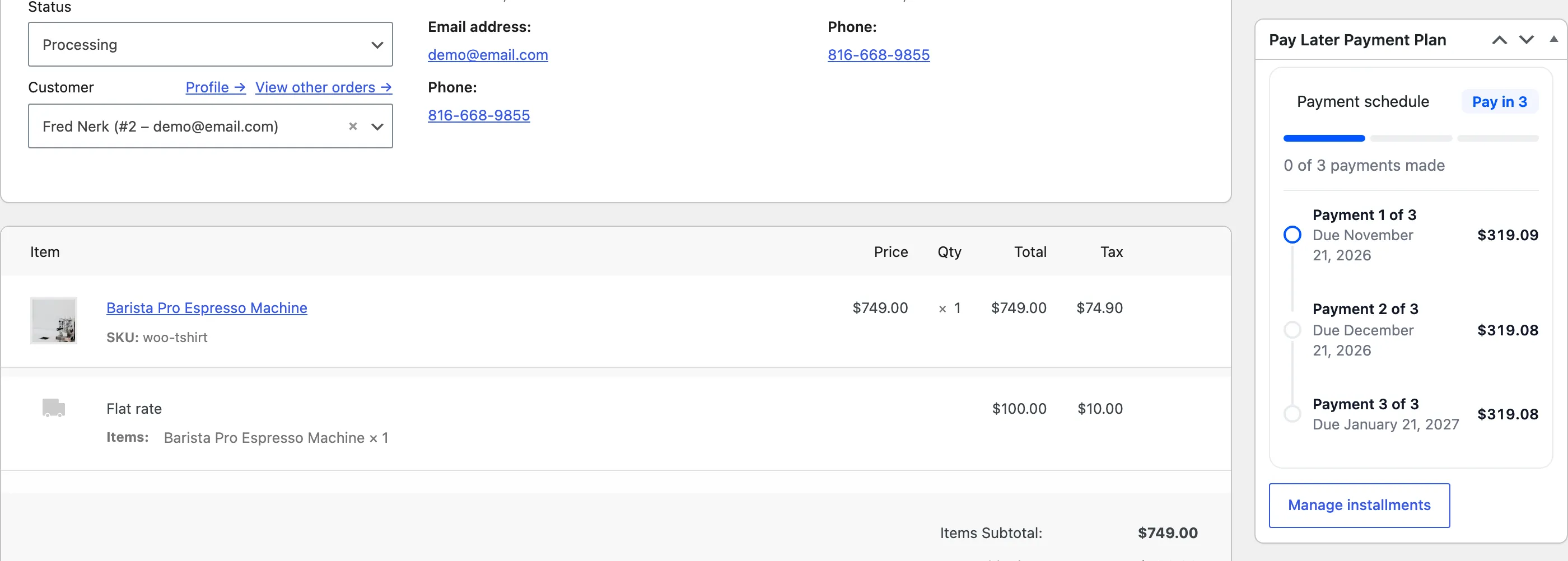
The order total itself does not change: the fee is between you and the customer’s Pay Later account.