

How to Set a Credit Limit for One Customer (Pro)
Everyone starts with the Default Credit Limit. Customers who pay on time earn a higher one, and a customer you are unsure of can get a lower one. Amara has always paid, so the demo raises her limit from $5,000 to $7,500.
Step 1: Find the customer
Section titled “Step 1: Find the customer”Open DevDiggers Plugins → Pay Later → Customers. Search Customers finds them by name or email.
Step 2: Type the new limit
Section titled “Step 2: Type the new limit”Replace the amount in Credit Limit with the new one.
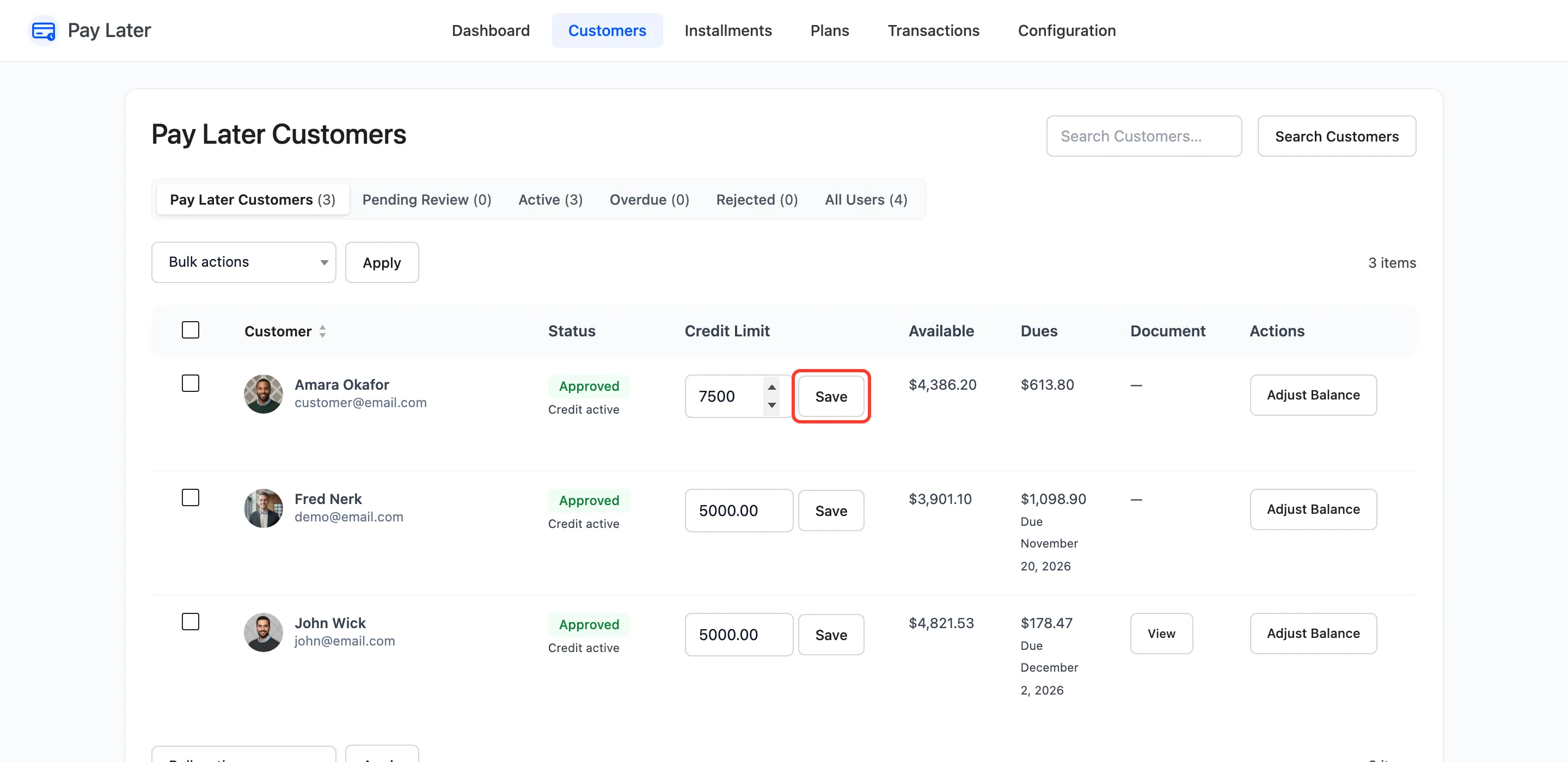
Step 3: Save it
Section titled “Step 3: Save it”Click Save. “Credit limit updated.” confirms it, and Available updates in the same row.
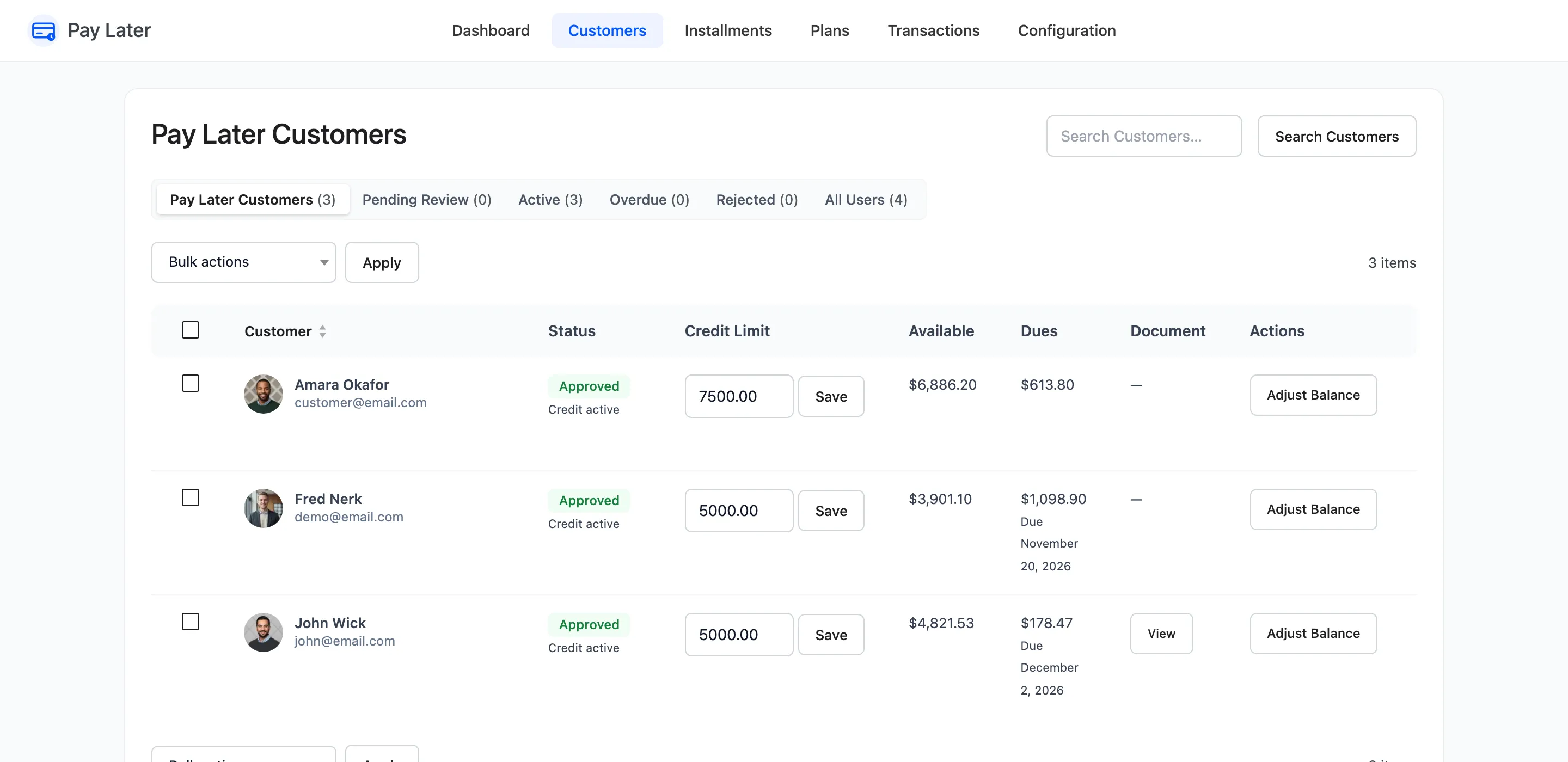
What changes
Section titled “What changes”What the customer owes stays the same, so their available credit moves by exactly the difference. Amara owed $613.80: her available credit went from $4,386.20 to $6,886.20.
Lowering a limit below what a customer owes leaves them with no available credit until they pay it down. Their existing payments stay due on their dates.
A customer who has not started their credit yet starts with the limit you set here, not the default.