

How to Limit Pay Later to Certain Order Amounts
Small orders are rarely worth splitting, and very large ones may be more risk than you want on credit. An order range keeps Pay Later where it makes sense.
Step 1: Set the range
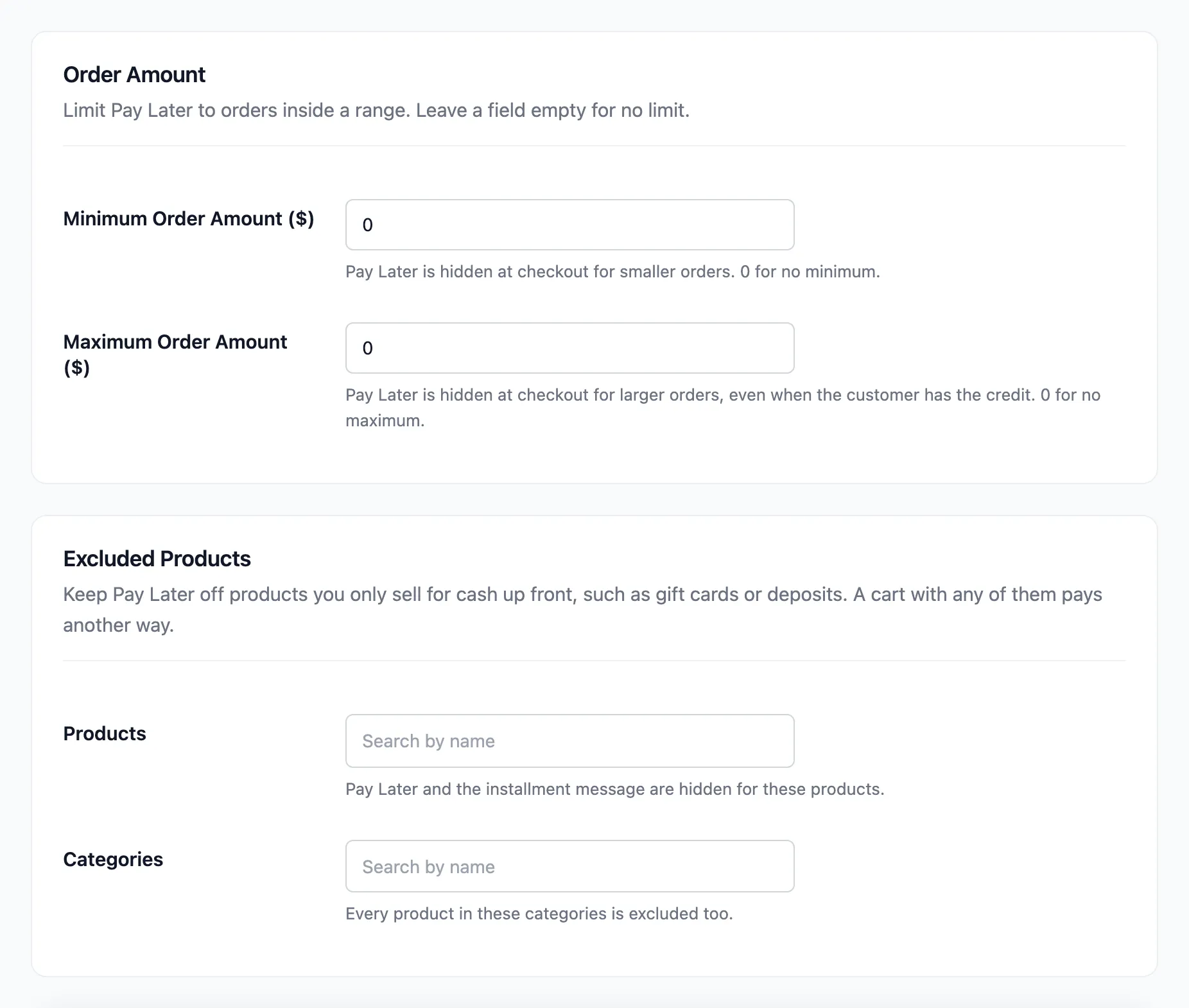
Section titled “Step 1: Set the range”Go to DevDiggers Plugins → Pay Later → Configuration → Credit & Approval. Under Order Amount:
- Minimum Order Amount: Pay Later is hidden at checkout below this. 0 for no minimum.
- Maximum Order Amount: Pay Later is hidden above this, even when the customer has the credit. 0 for no maximum.
Step 2: Save
Section titled “Step 2: Save”Click Save Changes.
Step 3: Check an order outside the range
Section titled “Step 3: Check an order outside the range”With a $1,000 minimum, Amara’s $383.90 order no longer shows Pay Later. The checkout says “Pay Later needs an order total of at least $1,000.00.” Above a maximum it says “Pay Later can be used for orders up to” and the amount.
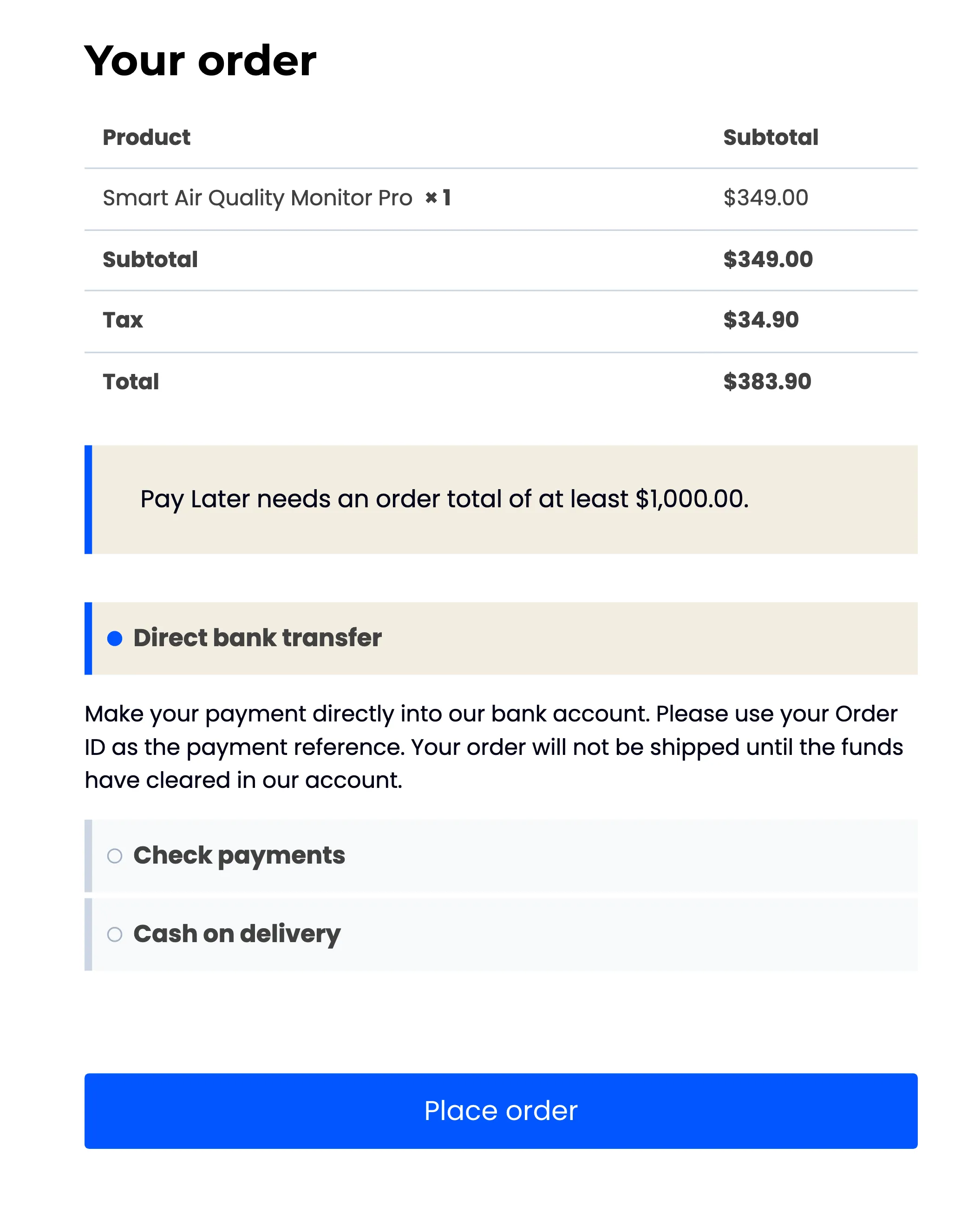
The order total includes shipping and tax. In Pro, each plan has its own range too, so a long plan can start at a higher amount than Pay Later as a whole. See The Plans Screen (Pro).