

How to Let Customers Pay Any Amount (Pro)
Some customers want to pay ahead, pay everything off, or pay what they can this week. Partial payments let them.
Step 1: Turn on partial payments
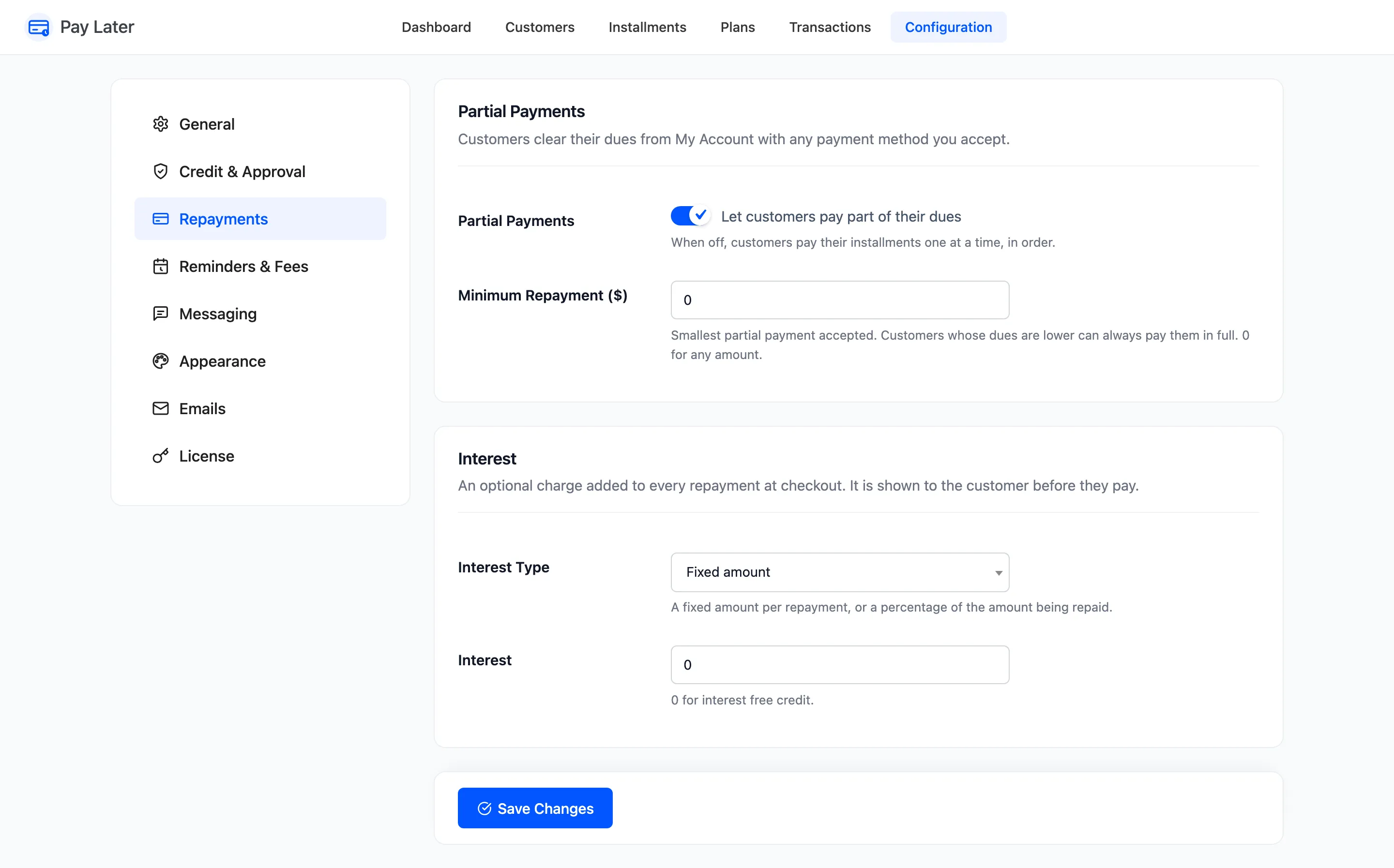
Section titled “Step 1: Turn on partial payments”Go to DevDiggers Plugins → Pay Later → Configuration → Repayments and tick Partial Payments, “Let customers pay part of their dues”. It is on by default.
Step 2: Set a minimum
Section titled “Step 2: Set a minimum”Minimum Repayment stops tiny payments. 0 accepts any amount. A customer who owes less than the minimum can always pay it all. Click Save Changes.
Step 3: The customer pays an amount
Section titled “Step 3: The customer pays an amount”Under Pay a different amount in My Account, the customer types an amount and clicks Pay now. The field starts at their full dues, and the line under it gives the range they can pay.
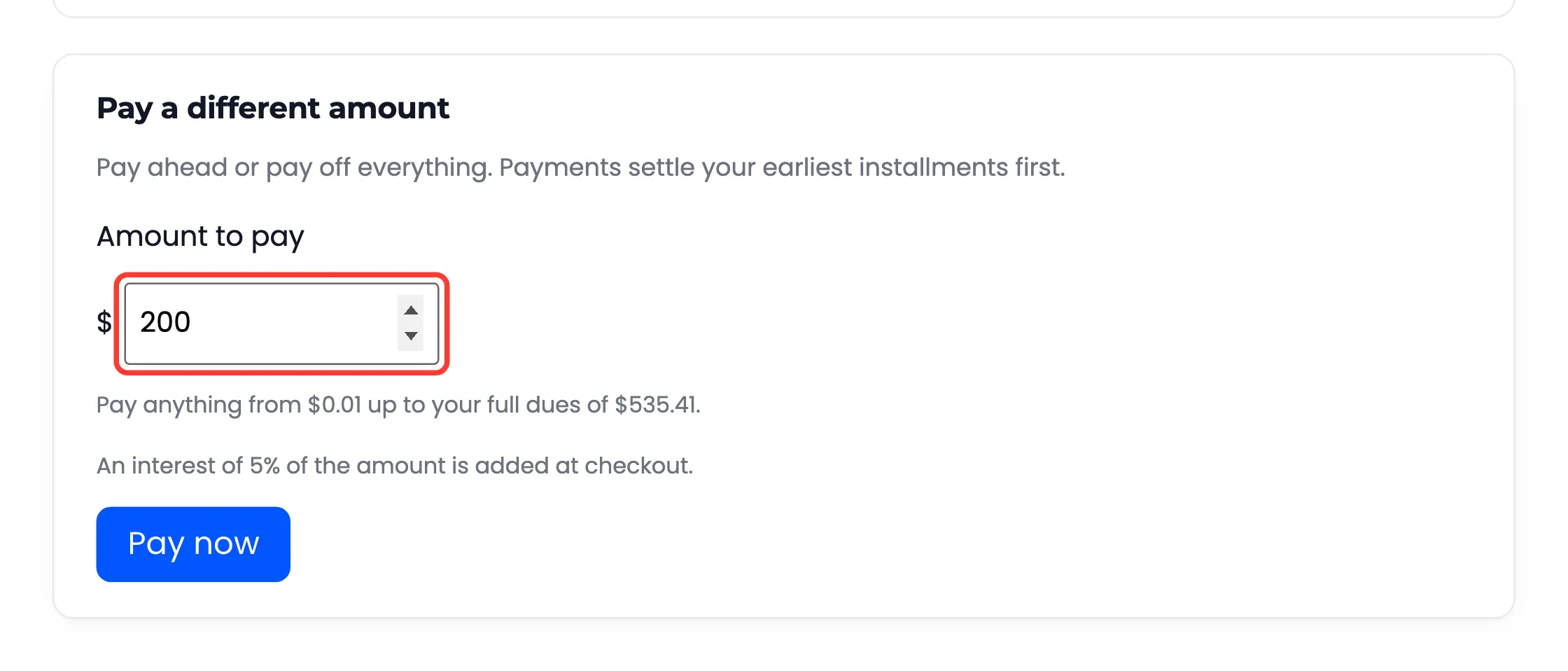
The checkout works exactly like paying an installment. See How to Pay an Installment.
Step 4: See where it went
Section titled “Step 4: See where it went”A payment always settles the earliest installment first. John paid $200 while his second payment was $178.47: it was paid off, and $21.53 went towards the third.
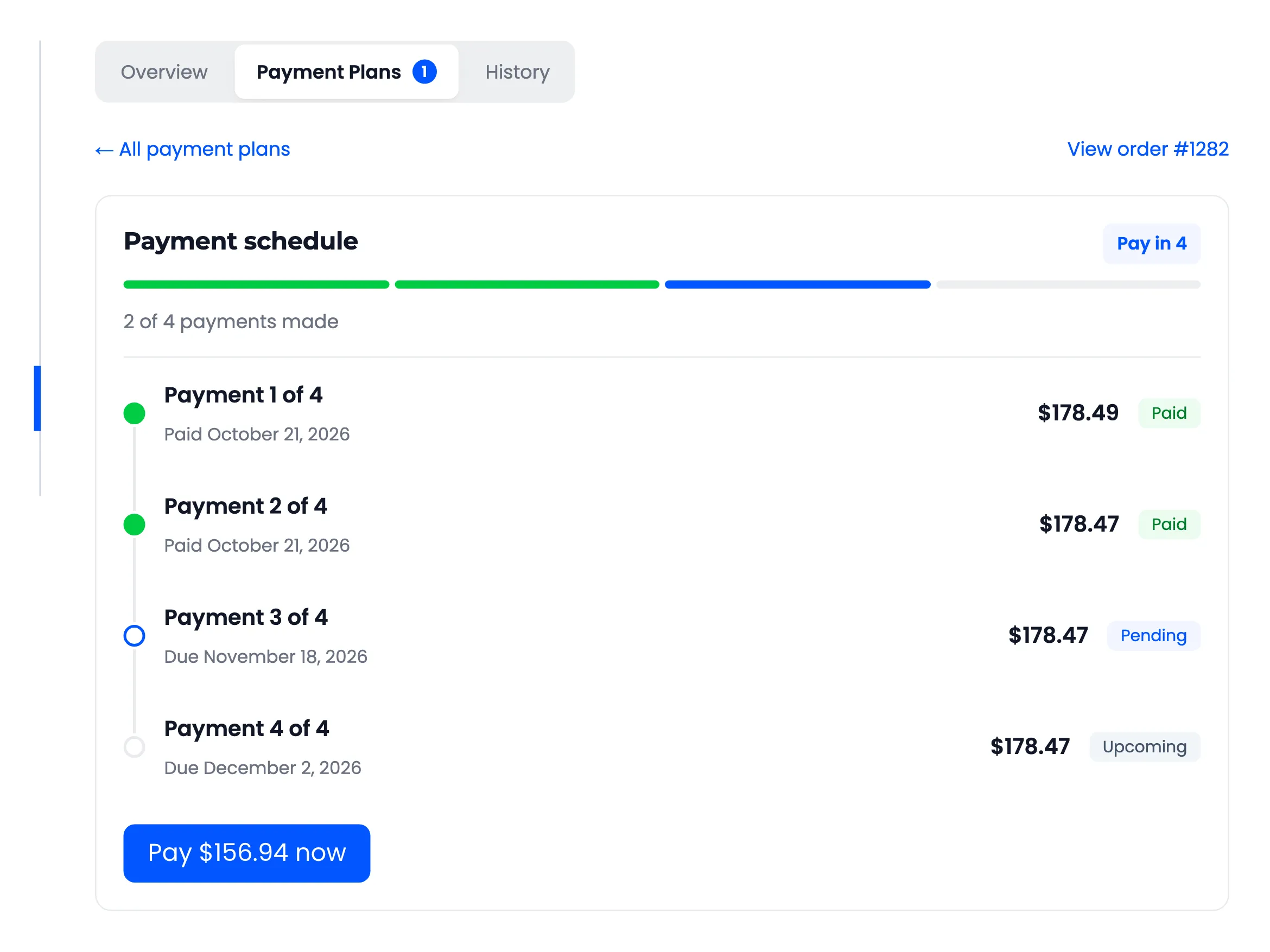
The third payment then shows what is left of it, $156.94, and reminders ask for that amount.