

How to Place an Order with Pay Later
This is the customer’s side of Pay Later, step by step. Send it to customers who ask how it works. The demo customer John buys a $599.00 robot vacuum, which comes to $713.90 with shipping and tax.
Step 1: Go to checkout
Section titled “Step 1: Go to checkout”Add products to the cart and go to the checkout, logged in. Pay Later is never shown to guests.
Step 2: Choose Buy Now, Pay Later
Section titled “Step 2: Choose Buy Now, Pay Later”Under the payment methods, pick Buy Now, Pay Later. Its description, the available credit and the plans appear.
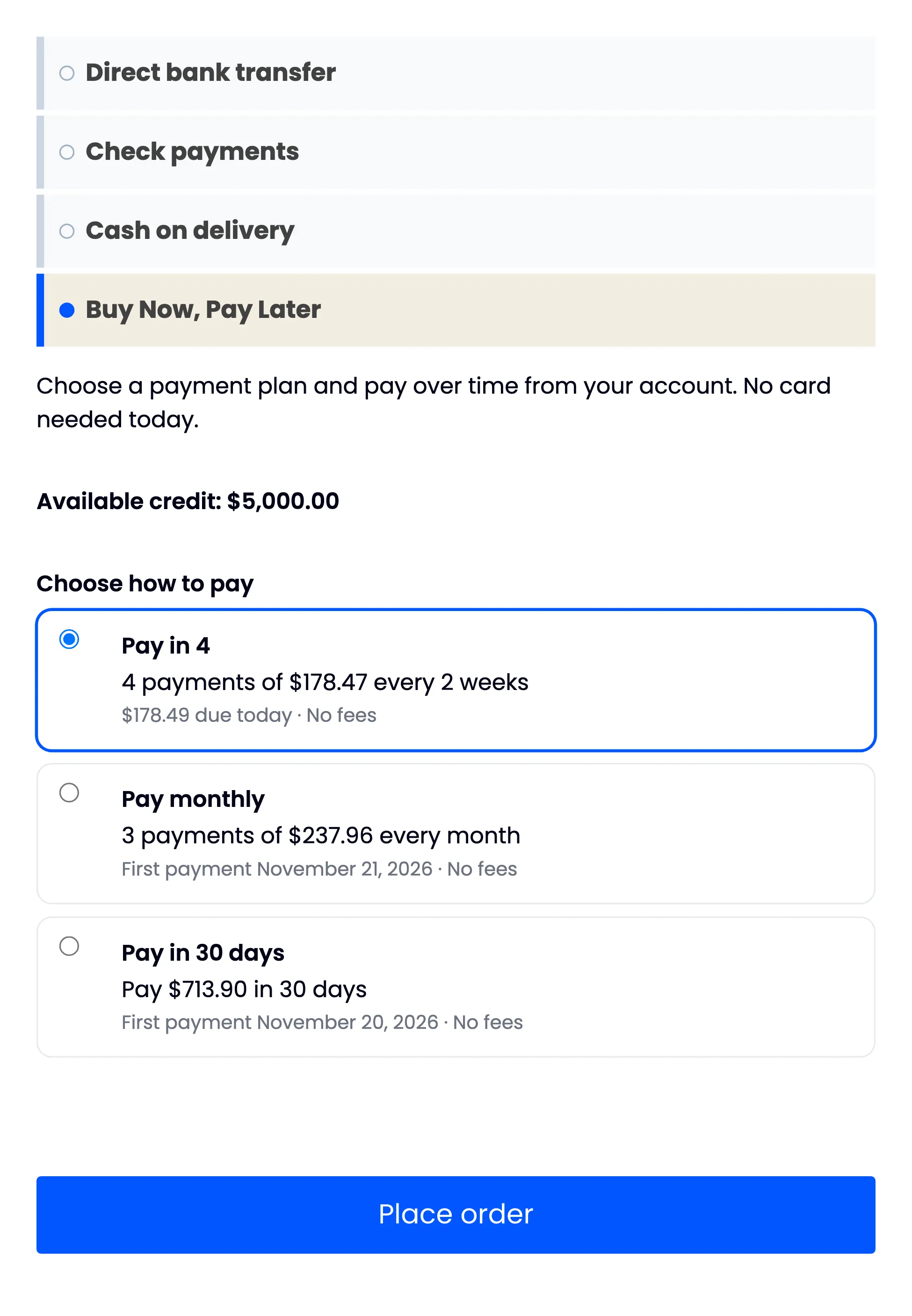
If Pay Later is missing, a line above the payment methods usually says why, for example a payment that is overdue or an order above the available credit.
Step 3: Pick a plan
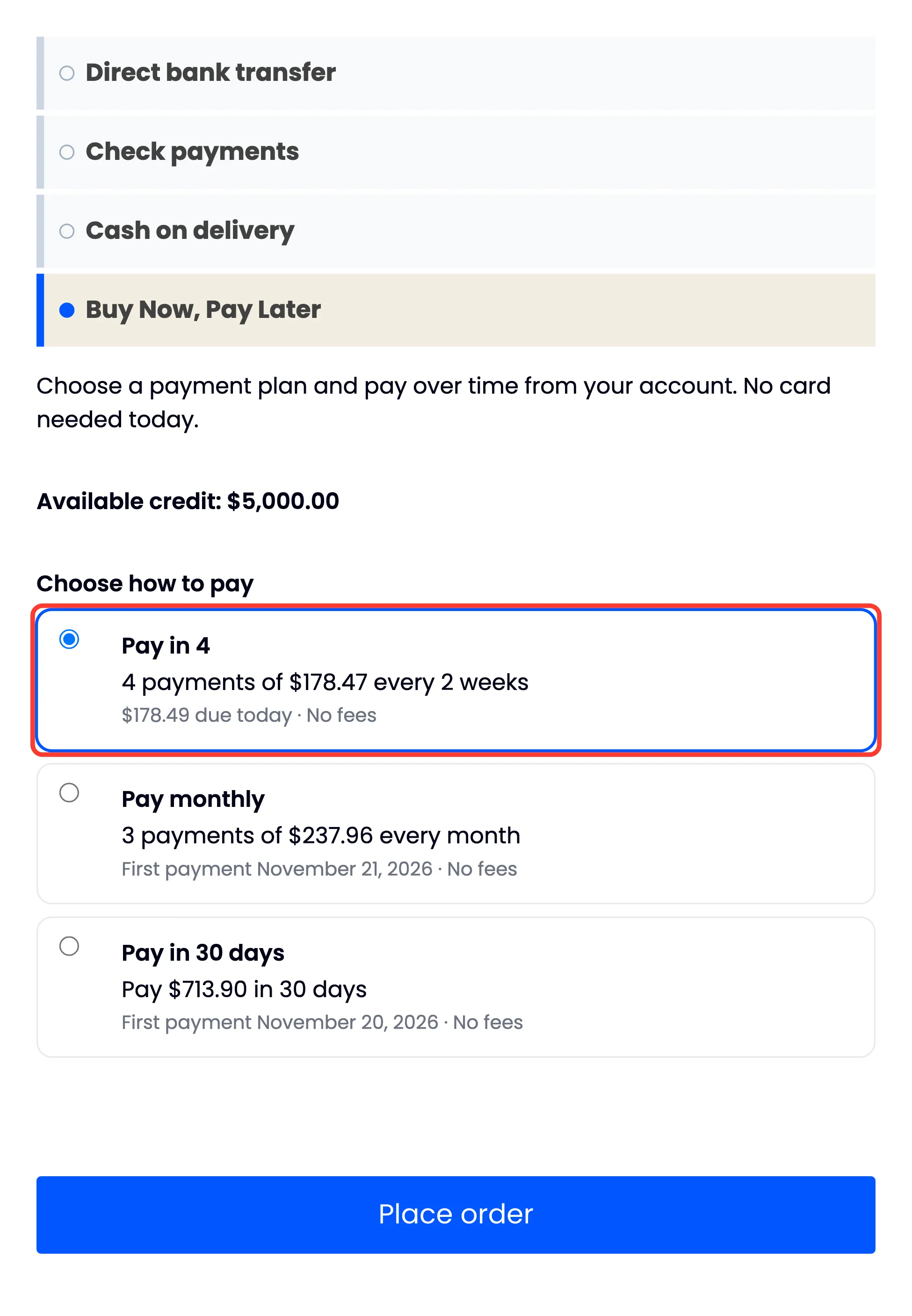
Section titled “Step 3: Pick a plan”Every plan that fits the order is listed:
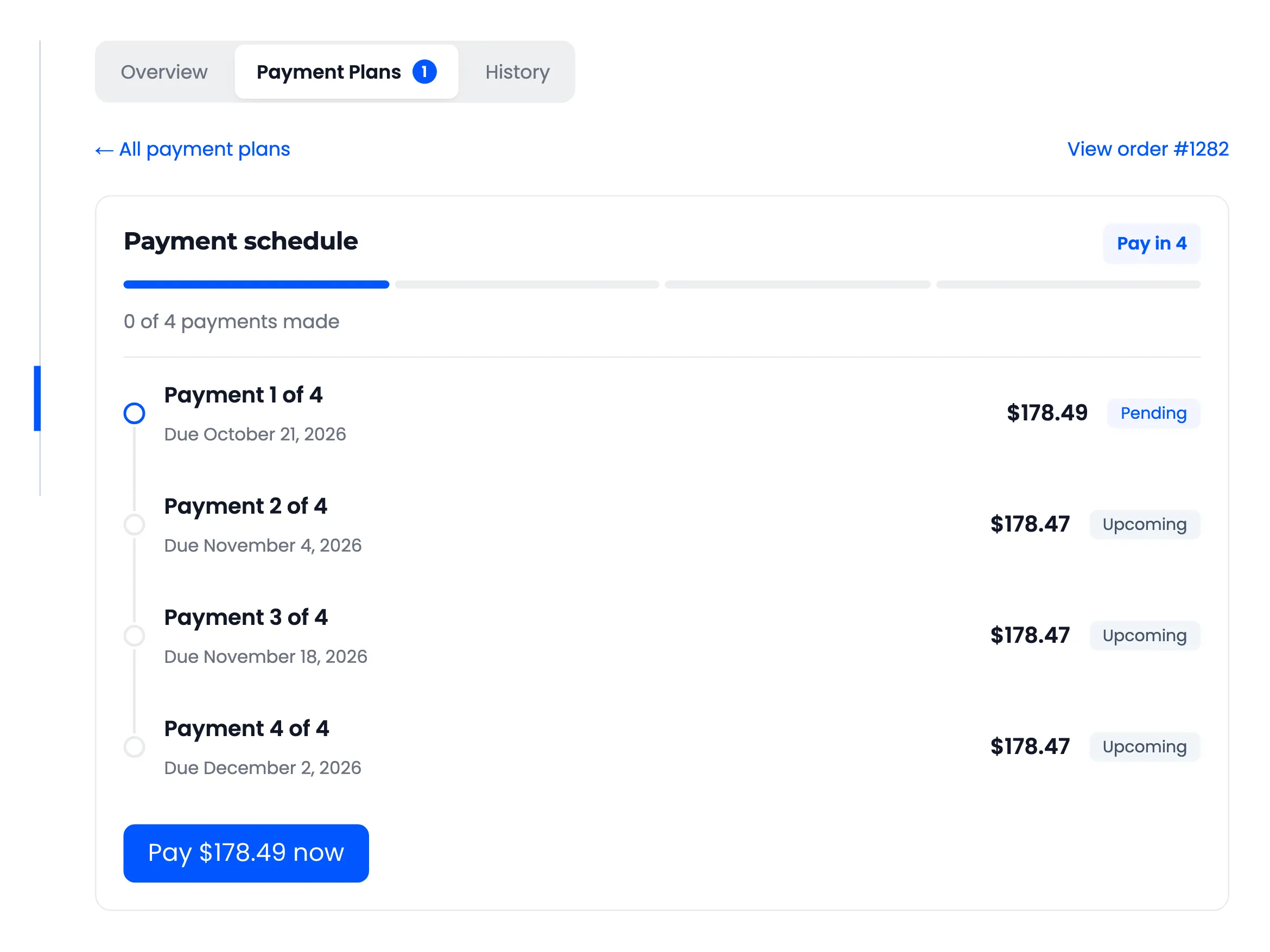
- Pay in 4: “4 payments of $178.47 every 2 weeks”, “$178.49 due today · No fees”.
- Pay monthly: “3 payments of $237.96 every month”, with the first payment’s date.
- Pay in 30 days: “Pay $713.90 in 30 days”.
Step 4: Place the order
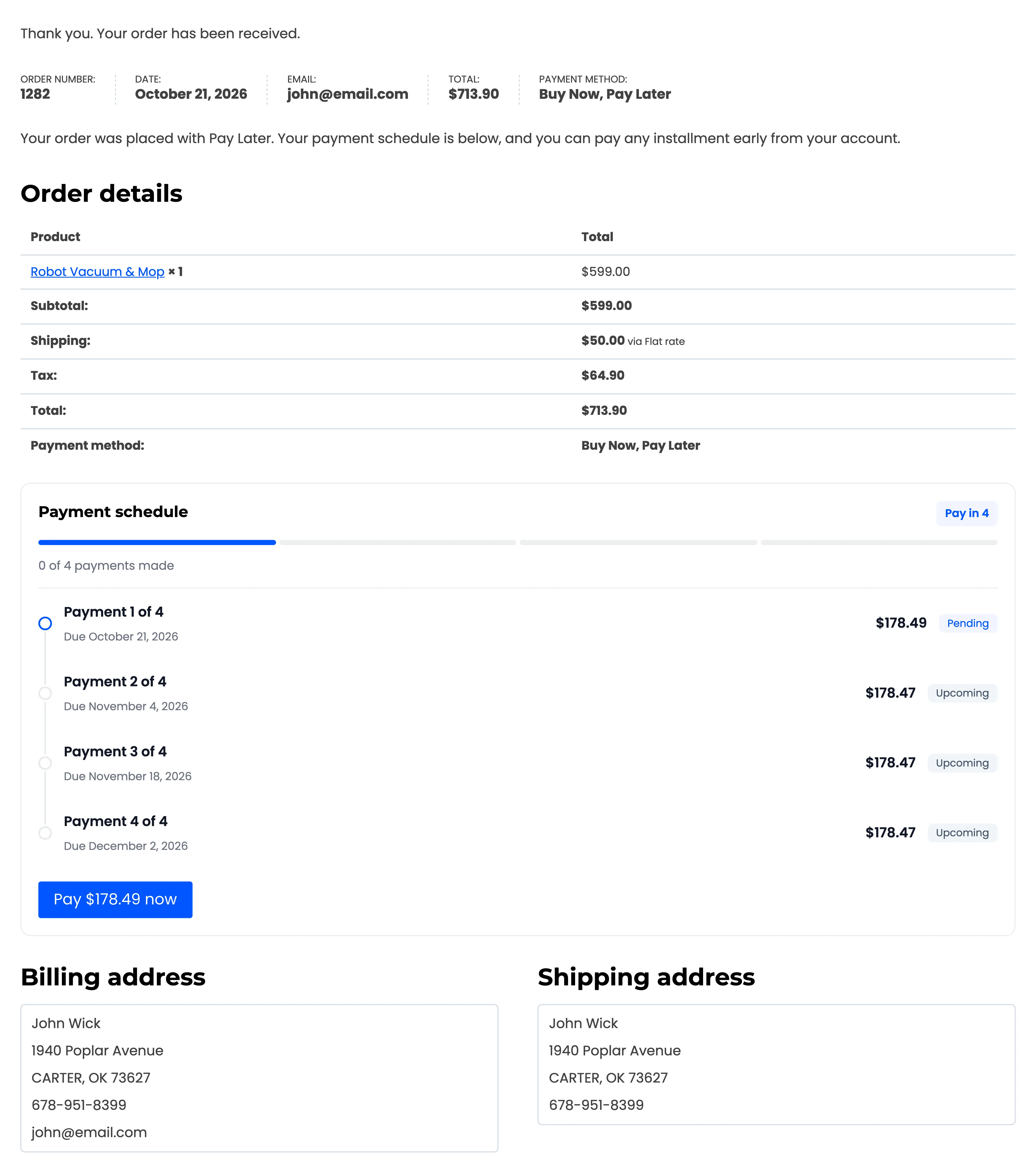
Section titled “Step 4: Place the order”Click Place order. The thank you page shows the plan and every payment with its date. A plan with a payment due today has a Pay now button straight away.
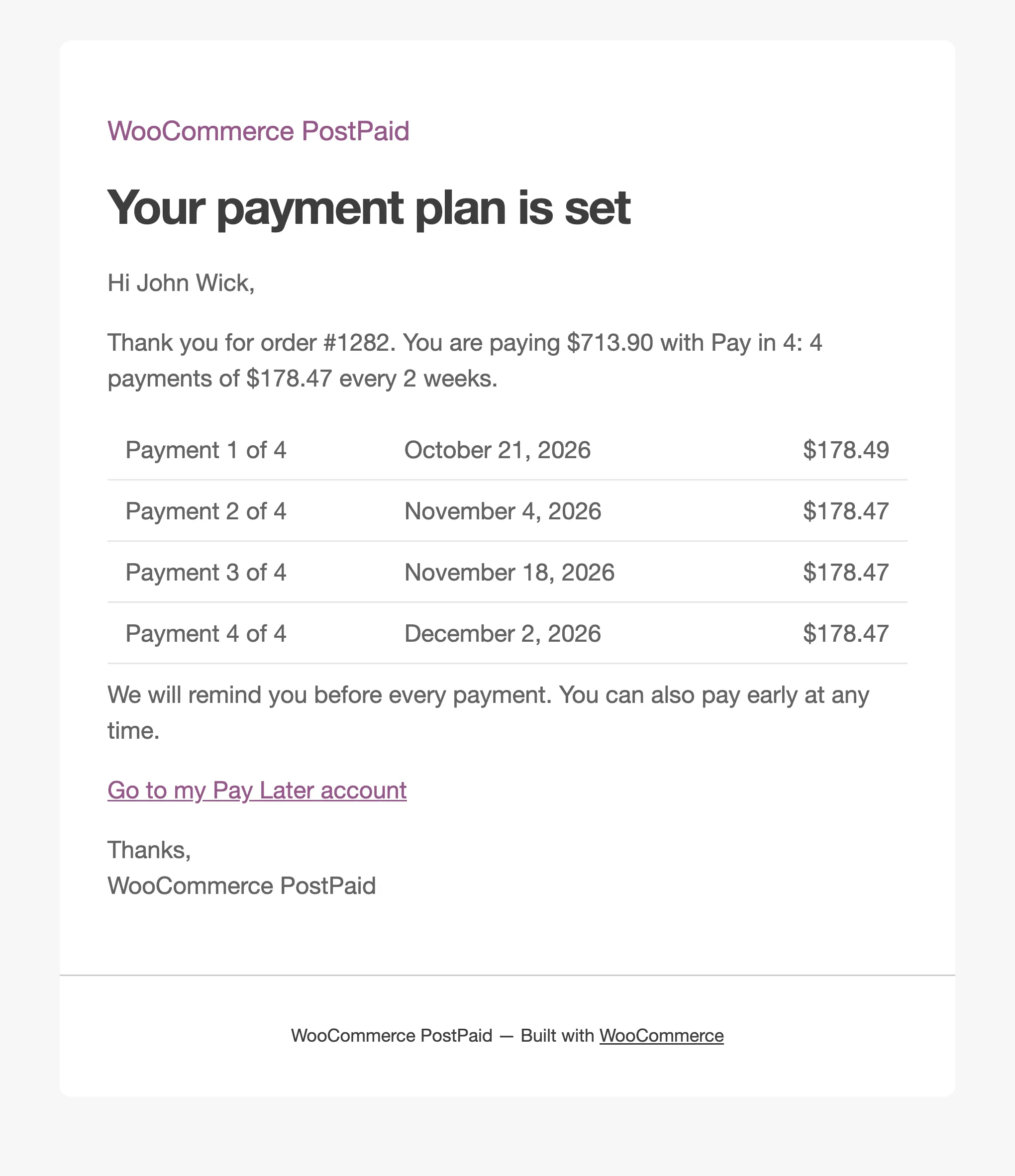
The customer also receives Your payment plan for order with the same schedule.
After the order
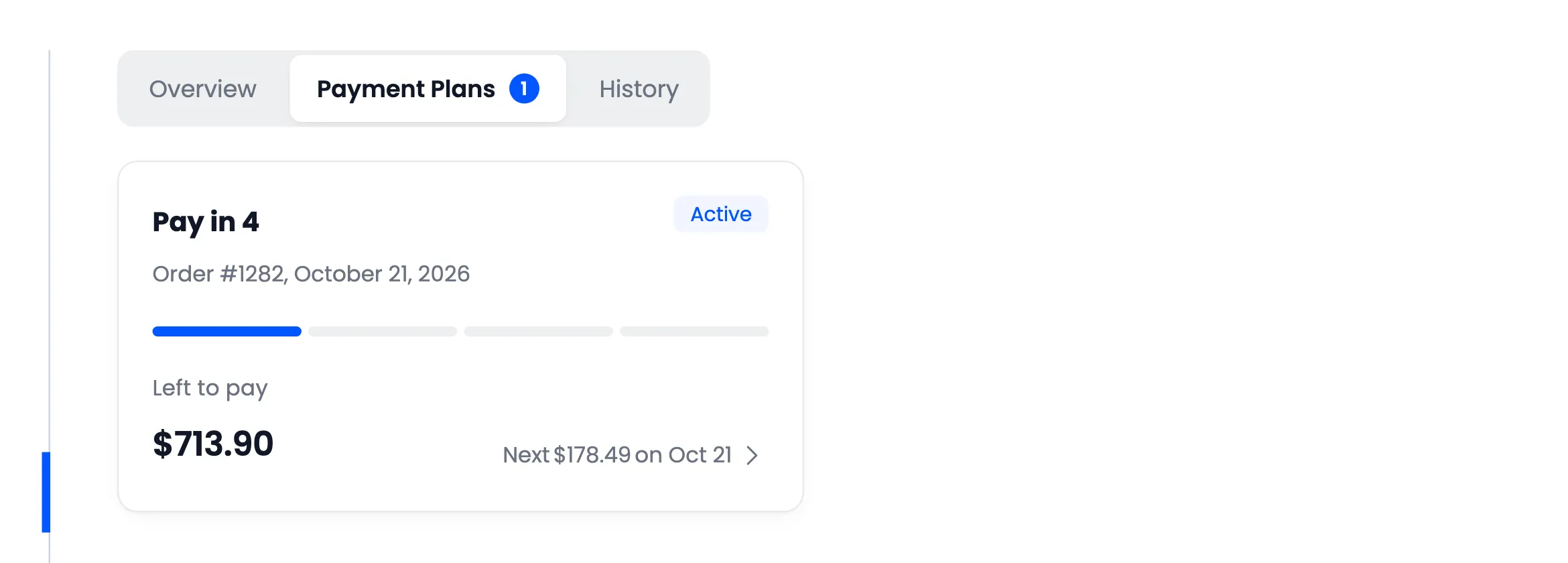
Section titled “After the order”The order is in My Account → Pay Later → Payment Plans, with its progress.
Each plan opens to its full schedule, with Pay now on the payment that is due.
Next: How to Pay an Installment.