

Payment Method Settings
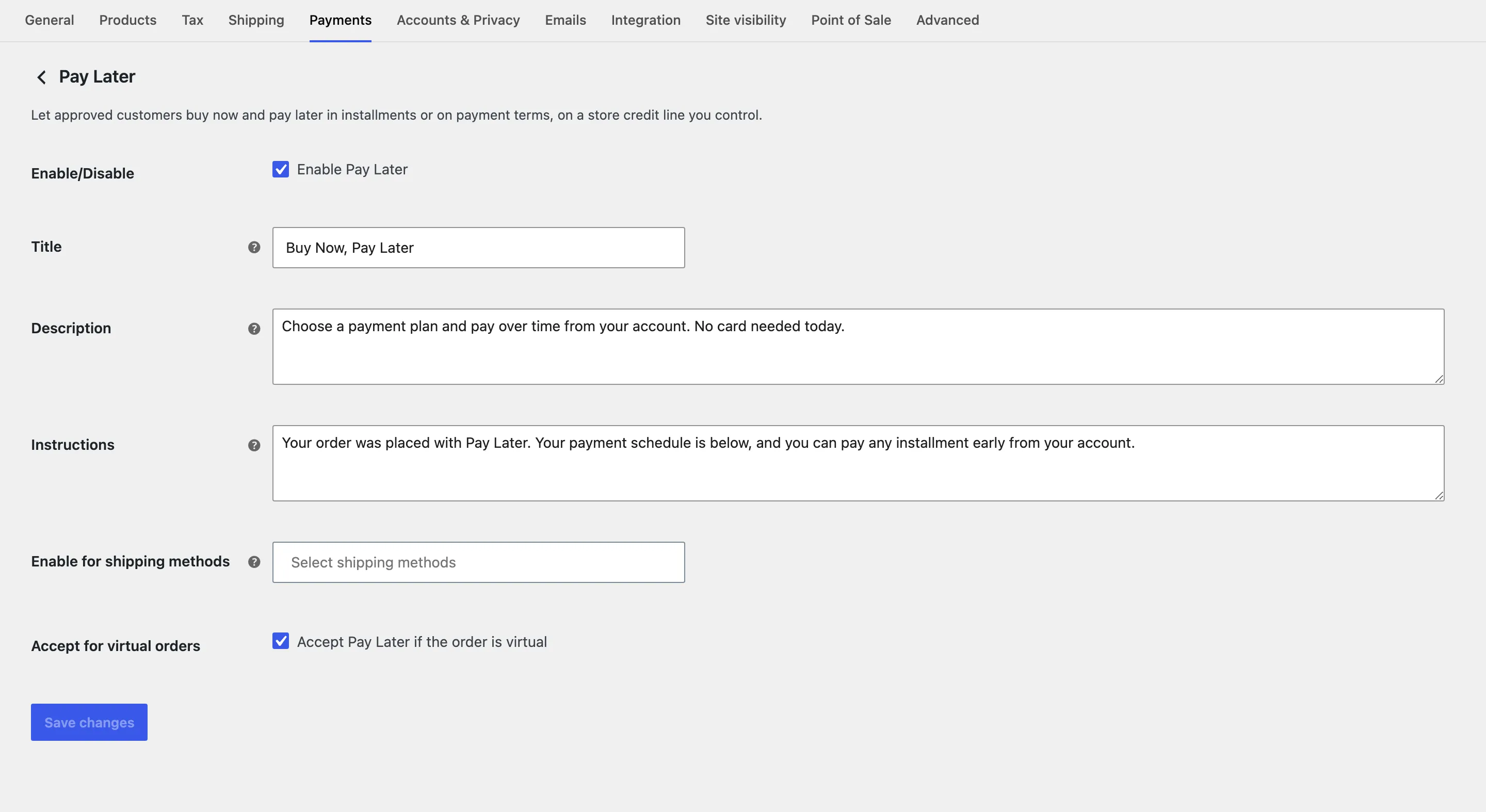
Pay Later is a WooCommerce payment method, so its checkout wording lives with your other payment methods. Open WooCommerce → Settings → Payments and click Buy Now, Pay Later, or use Configure the Pay Later payment method on the plugin’s General tab.
Fields
Section titled “Fields”- Enable/Disable: “Enable Pay Later”. On by default. Off, the method never shows at checkout, but the My Account section stays.
- Title: The method’s name at checkout and on orders. Default Buy Now, Pay Later.
- Description: The line under the title at checkout. Default “Choose a payment plan and pay over time from your account. No card needed today.”
- Instructions: Added to the thank you page and to the customer’s order emails. Default “Your order was placed with Pay Later. Your payment schedule is below, and you can pay any installment early from your account.”
- Enable for shipping methods: Offer Pay Later only with these shipping methods. Empty by default, which allows every method.
- Accept for virtual orders: “Accept Pay Later if the order is virtual”. On by default.
Click Save changes.
What the customer sees
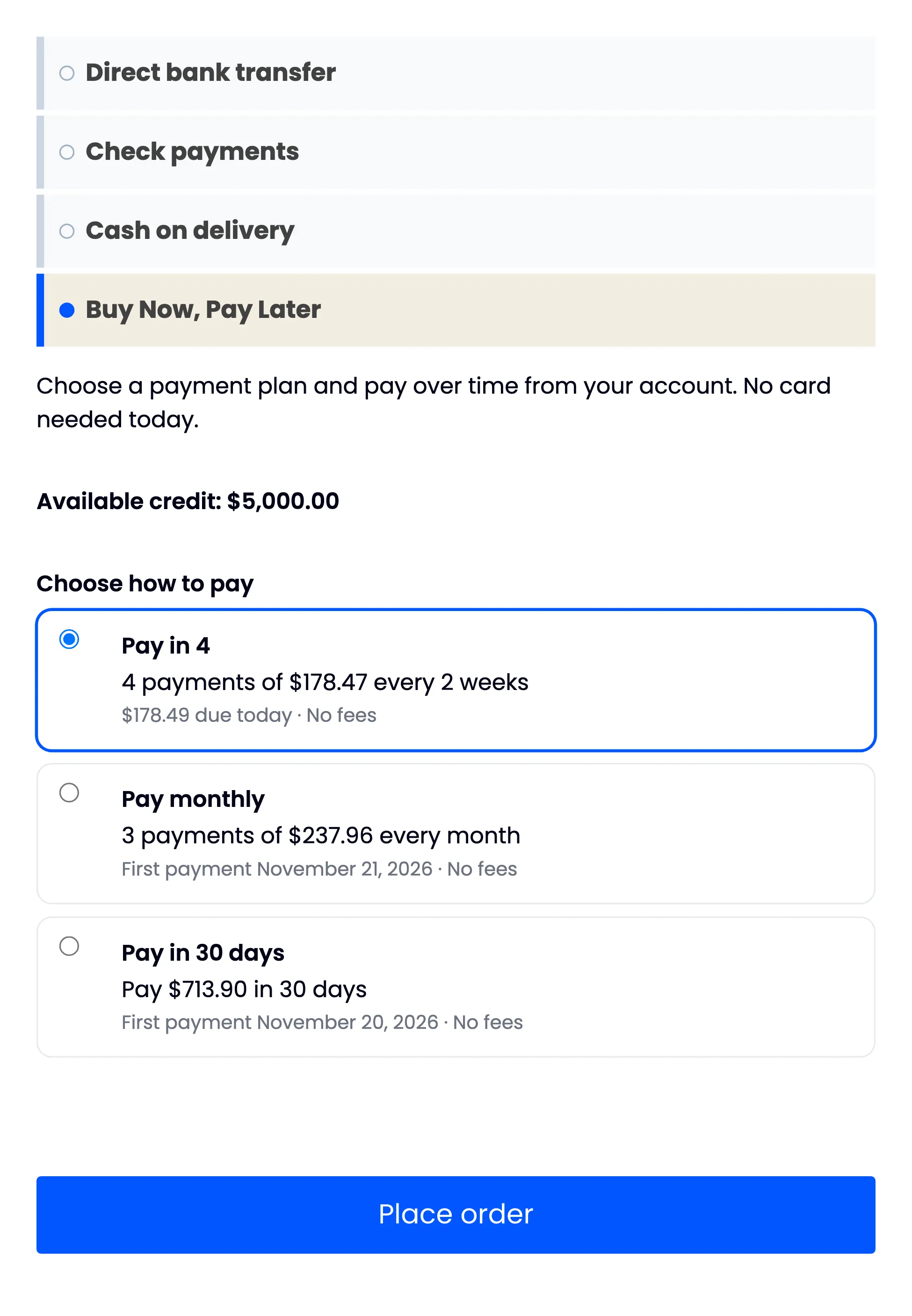
Section titled “What the customer sees”The title, the description and the available credit, then the plans that fit the order.
Refunds made on the order screen go back to the customer’s Pay Later credit through this payment method. See How to Refund a Pay Later Order.