

How to Offer Pay Later Without Approval
Some stores only sell to customers they already know, such as a members’ shop or a B2B portal with manual registration. There, an application step is just friction.
Step 1: Switch verification off
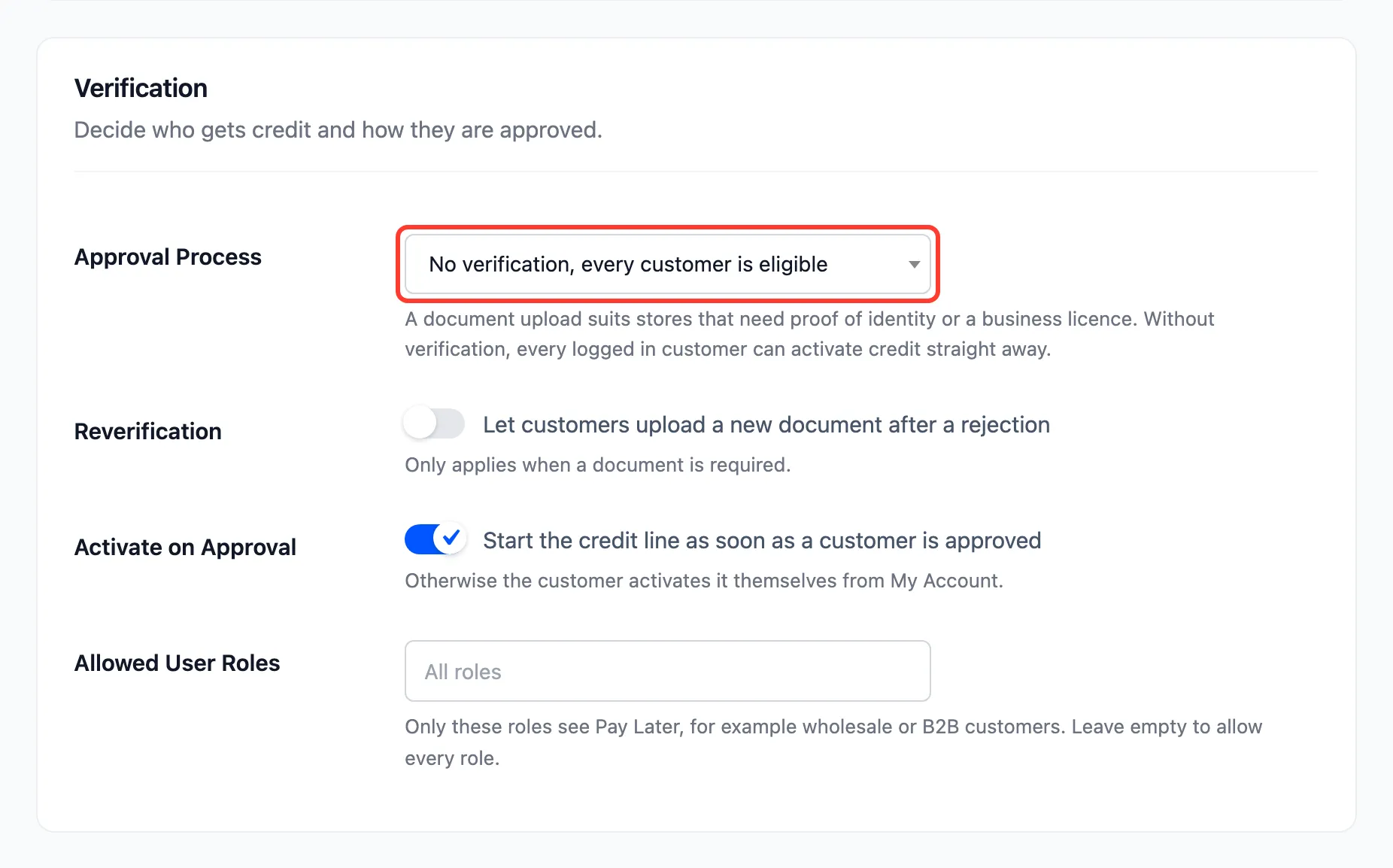
Section titled “Step 1: Switch verification off”Go to DevDiggers Plugins → Pay Later → Configuration → Credit & Approval. Set Approval Process to No verification, every customer is eligible.
Step 2: Start credit automatically
Section titled “Step 2: Start credit automatically”Tick Activate on Approval, then click Save Changes. Every customer’s credit now starts the first time they open their Pay Later section, or the first time they reach the checkout.
Without it, every customer is approved but still clicks Activate Pay Later once.
Step 3: Check it as a customer
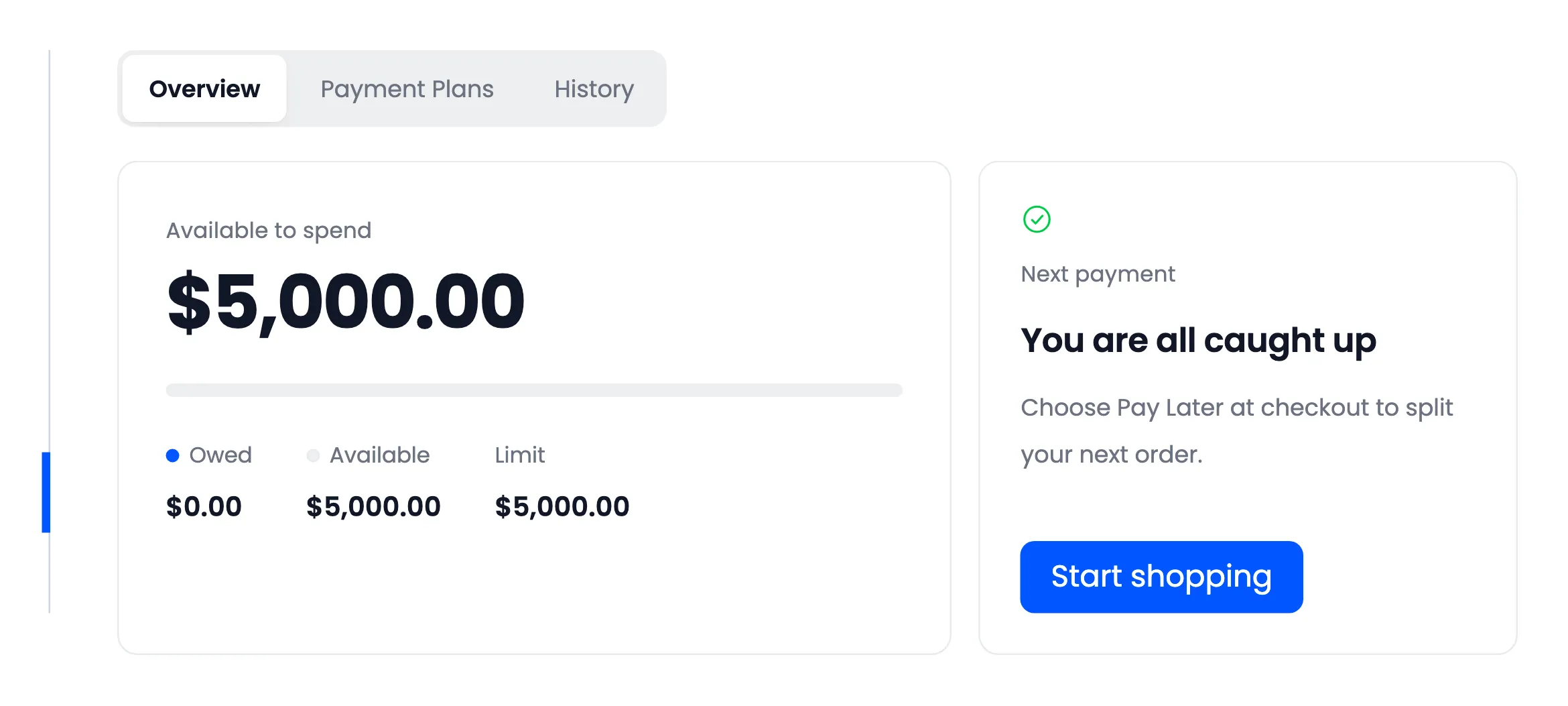
Section titled “Step 3: Check it as a customer”Open My Account → Pay Later as a customer. There is nothing to apply for: the section opens on the balance.
Keep a limit on the risk
Section titled “Keep a limit on the risk”With no approval, your safety is the credit limit and the rules around it:
- A modest Default Credit Limit, raised per customer in Pro once they have paid on time.
- Maximum Order Amount, so no single order goes past what you are comfortable with.
- Pause Credit, so a customer with a missed payment cannot add more.
- In Pro, Allowed User Roles, to keep it to one group. See How to Offer Pay Later to Wholesale Customers Only (Pro).
Guests never see Pay Later at checkout, so customers still need an account.