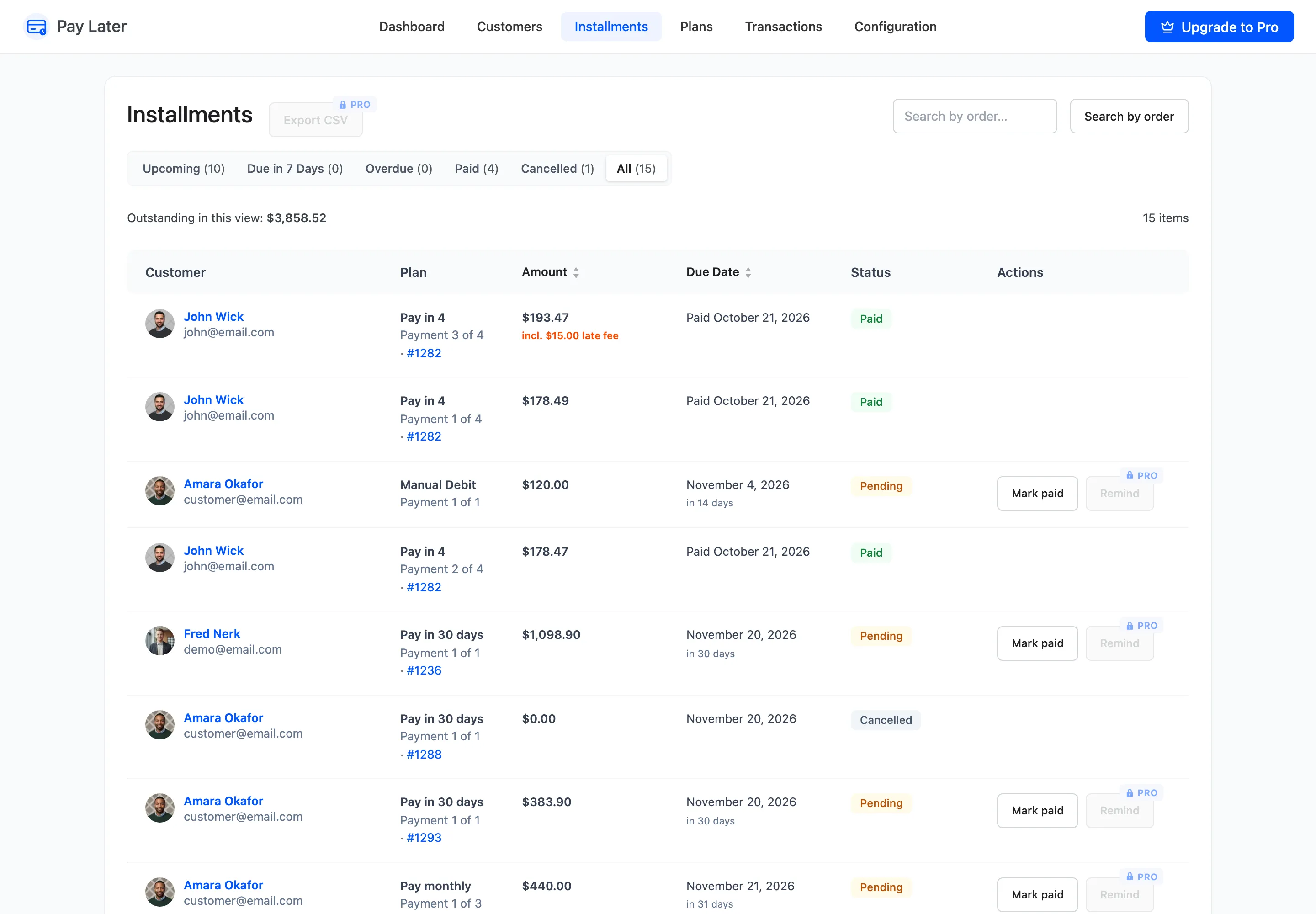
The Installments Screen
The Installments screen lists every payment customers owe you, one row per installment. It is the collections list. Open DevDiggers Plugins → Pay Later → Installments.
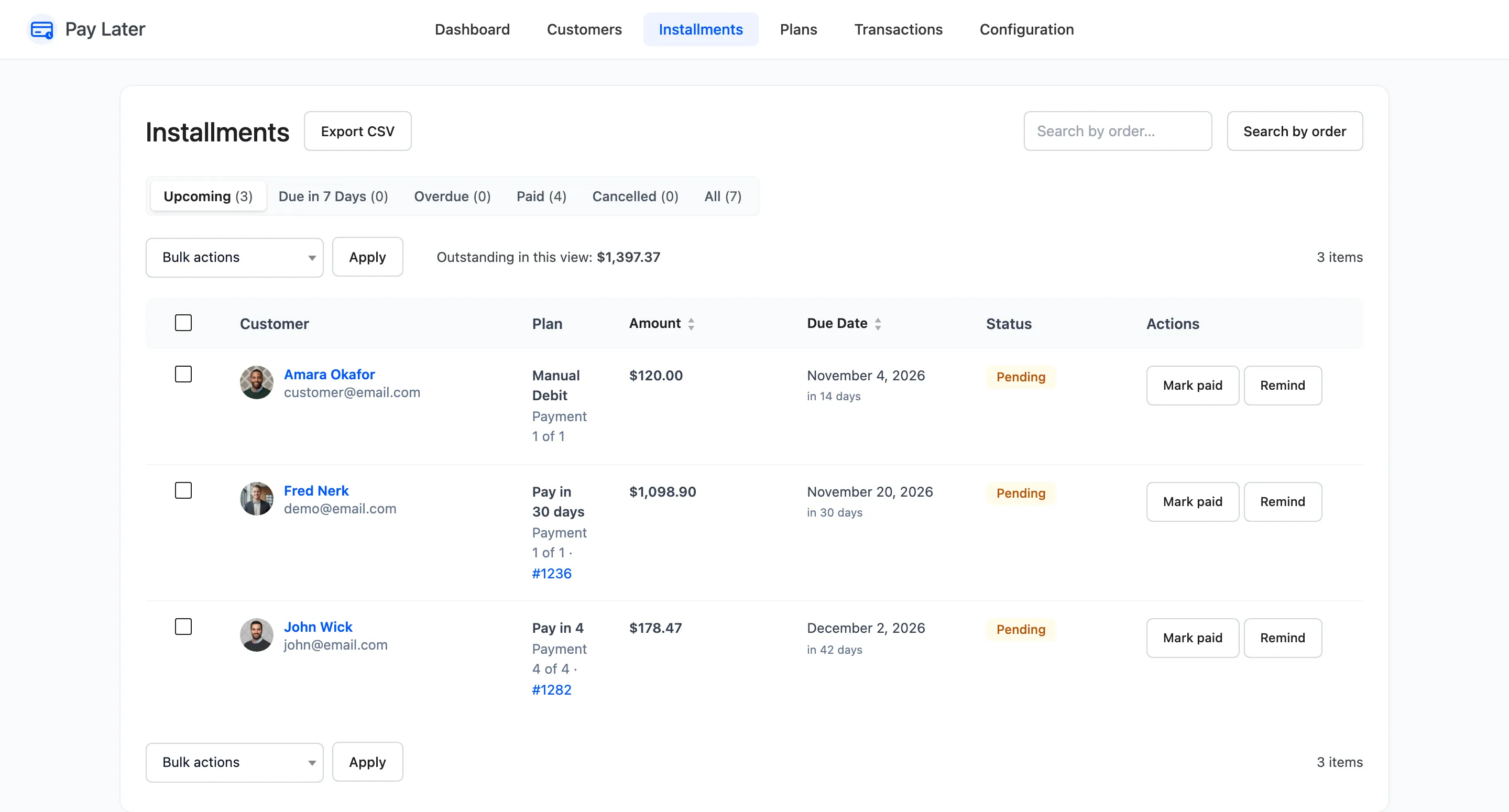
- Upcoming: Unpaid installments not yet due, and those with no due date. The default view.
- Due in 7 Days: Unpaid installments due within a week.
- Overdue: Unpaid installments past their due date.
- Paid and Cancelled: Settled, or cancelled with their order.
- All: Everything.
Outstanding in this view adds up what is still owed on the rows shown. Search by order finds the installments of one order.
Columns
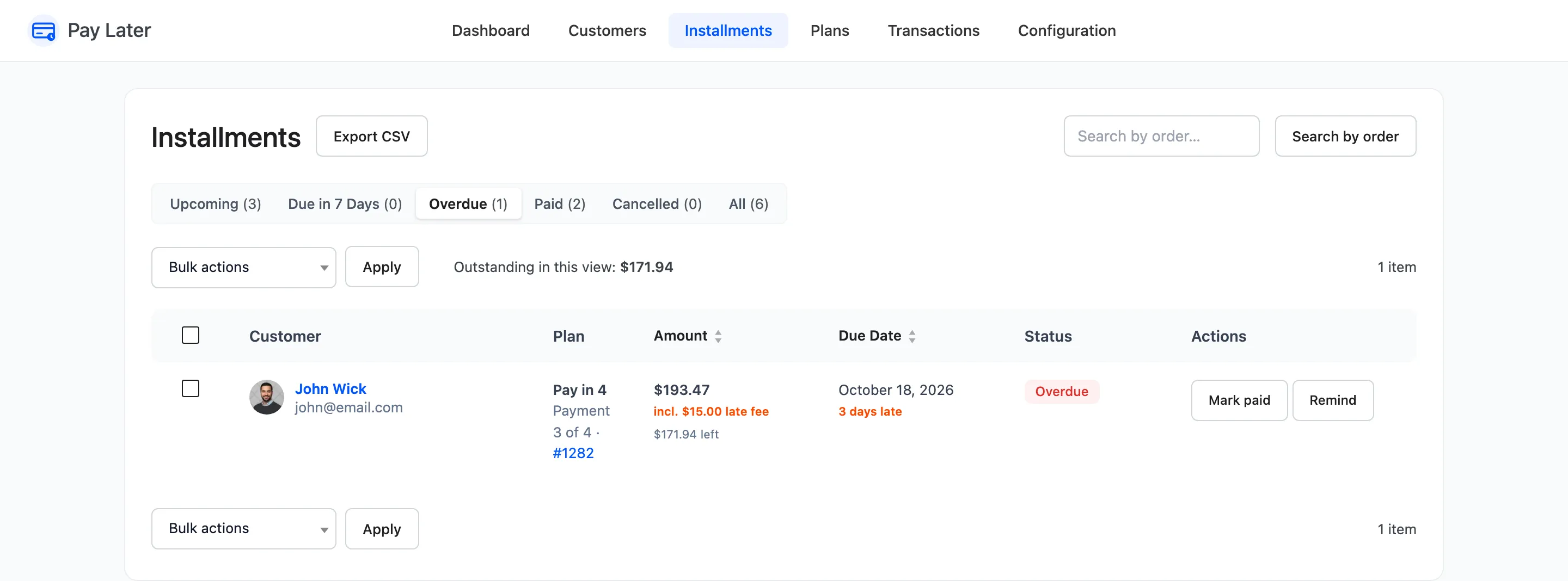
Section titled “Columns”- Customer: Name and email, linked to the filtered view for that customer.
- Plan: The plan, “Payment 3 of 4” and the order number. Charges you added by hand show their type, such as Manual Debit.
- Amount: The installment, any late fee (“incl. $15.00 late fee”) and what is left after part payments.
- Due Date: The date, with “in 13 days”, Due today or “3 days late” under it.
- Status: Pending, Overdue, Paid or Cancelled.
- Actions: Mark paid and Remind (Pro).
Mark paid
Section titled “Mark paid”Mark paid records a payment you received outside the store, such as a bank transfer or cash. It asks you to confirm first. The installment becomes Paid, the customer’s credit comes back, a Payment Recorded transaction is written and the customer gets Payment Received.
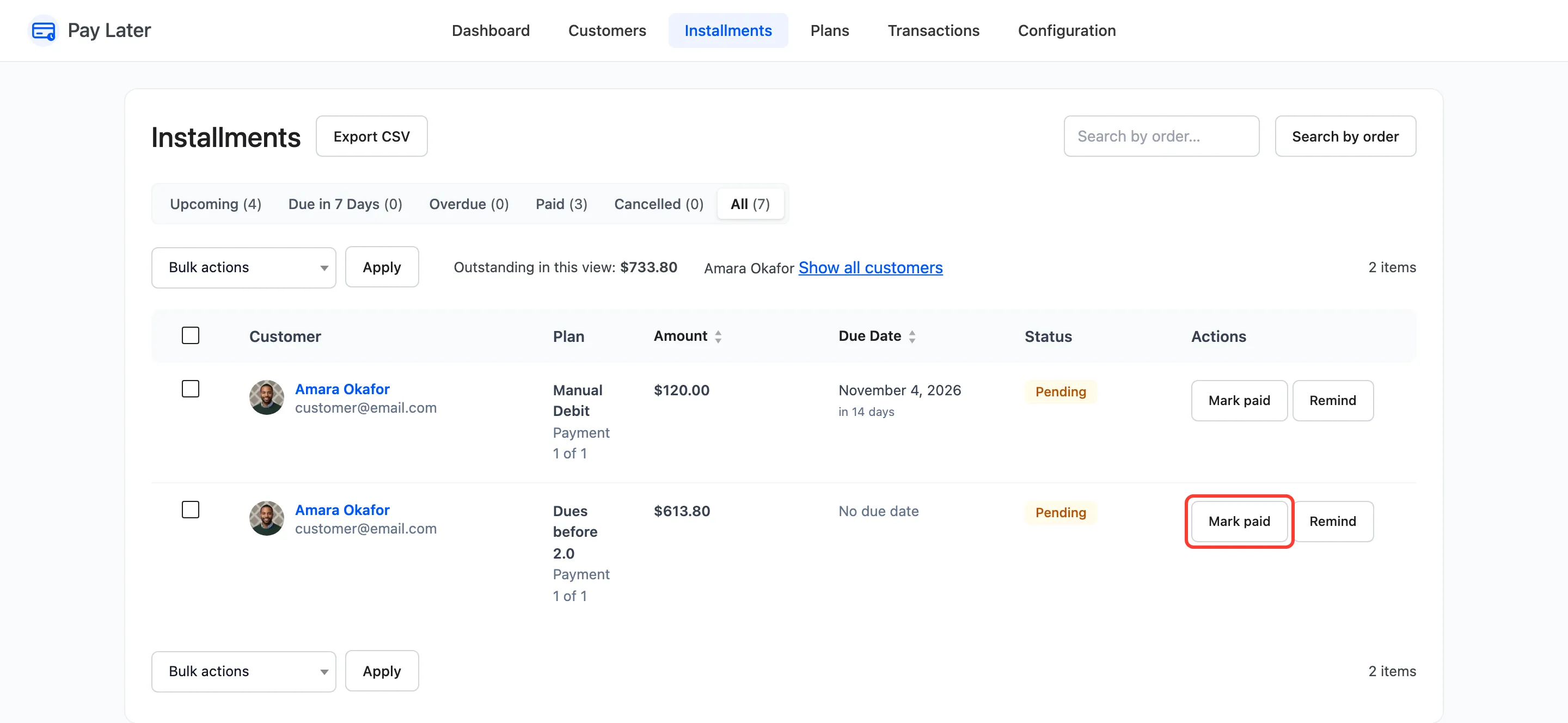
Marking the first installment of a held order paid releases that order to Processing, the same as a payment through the store. See How to Record a Payment Made Outside the Store.
Remind (Pro)
Section titled “Remind (Pro)”Remind emails the customer about that installment now: the Payment Reminder, or Overdue Payment if it is late. It does not stop the automatic reminder or notice.
Bulk actions and export (Pro)
Section titled “Bulk actions and export (Pro)”- Mark as paid and Send reminder for every ticked row.
- Export CSV downloads the current view: customer, email, order, plan, payment number, amount, late fee, paid, remaining, due date, status and paid date.
In the free version
Section titled “In the free version”The same screen without bulk actions. Remind and Export CSV show locked.