

How to Offer Net Payment Terms (Pro)
Business buyers expect terms: the goods now, the invoice paid in 15, 30 or 60 days. In Pay Later that is a plan with one payment.
Step 1: Add a plan
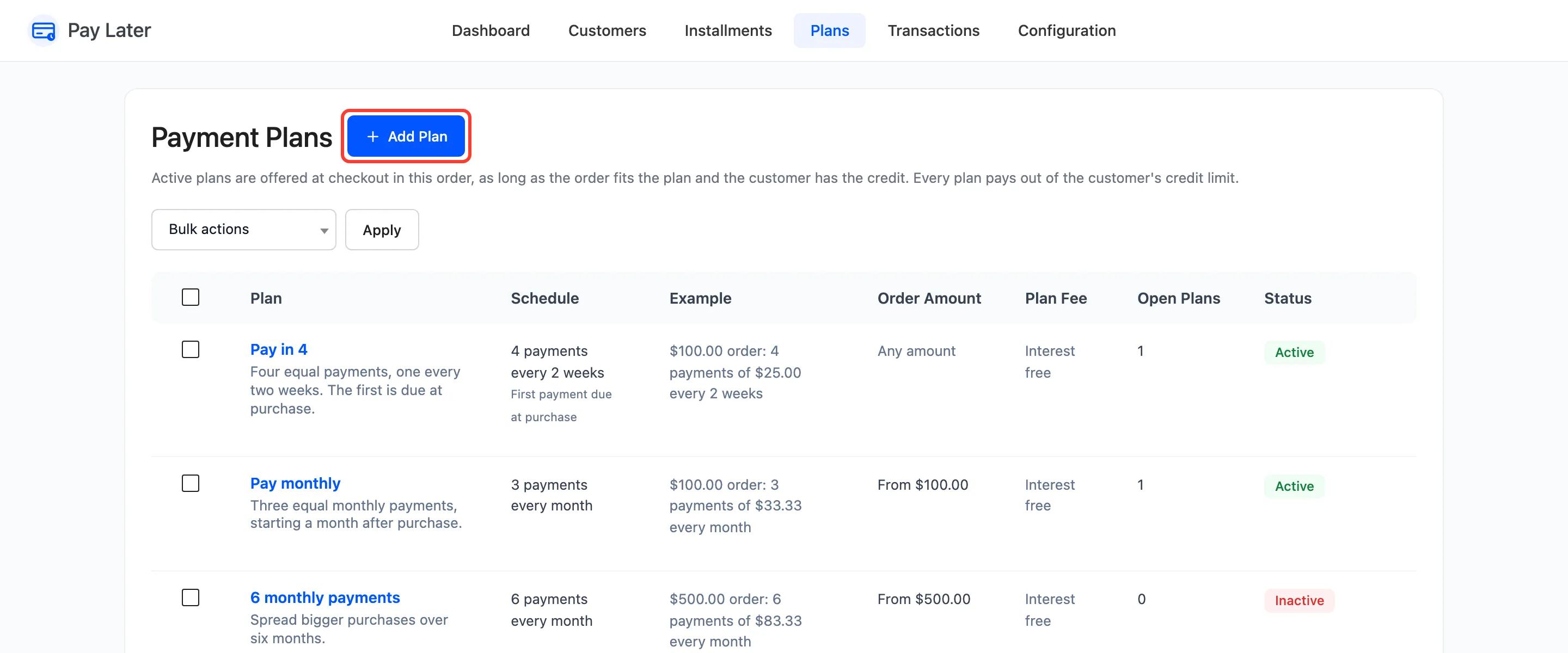
Section titled “Step 1: Add a plan”Go to DevDiggers Plugins → Pay Later → Plans and click Add Plan.
Step 2: Make it one payment
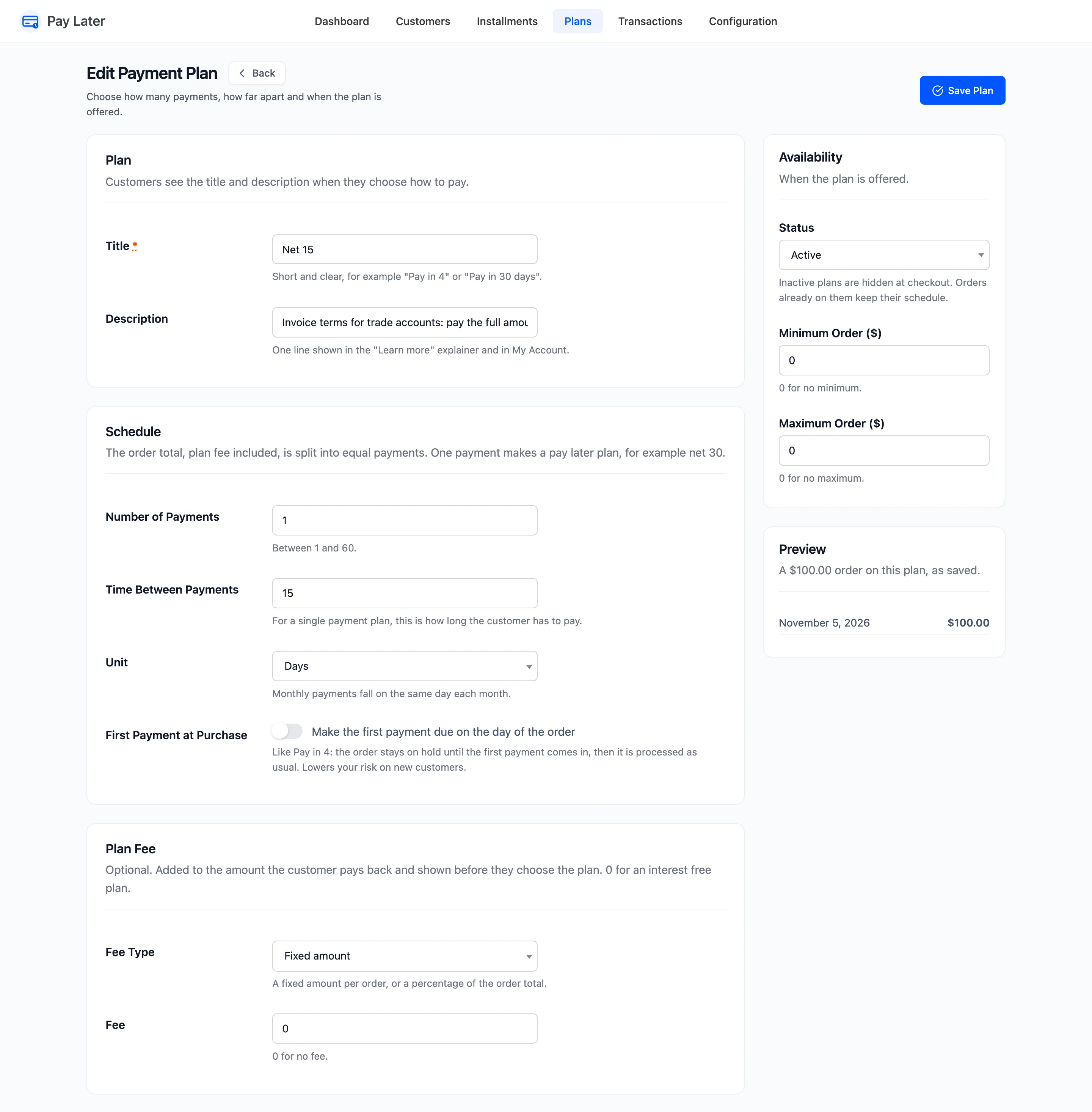
Section titled “Step 2: Make it one payment”- Number of Payments: 1.
- Time Between Payments: 15. For a single payment, this is how long the customer has to pay.
- Unit: Days.
Step 3: Name and save it
Section titled “Step 3: Name and save it”Title it Net 15, describe it, and click Create Plan.
At checkout it reads “Pay $933.90 in 15 days”, with its due date.
To advertise the term on product pages, pick it under Plan to Advertise on the Messaging tab. The message then uses the Single Payment Text, for example “or buy now and pay $749.00 in 15 days”.
Step 4: Limit who sees it
Section titled “Step 4: Limit who sees it”Terms are usually for trade accounts. Keep Pay Later to them with Allowed User Roles. See How to Offer Pay Later to Wholesale Customers Only (Pro).
The ready-made Pay in 30 days is already Net 30. Edit its title to “Net 30” if your customers know it by that name.