

How to Charge Interest on Repayments (Pro)
Interest makes slower payers cover the cost of the credit you give. It is charged on each repayment, not on the order. To charge for a plan once, at checkout, use a plan fee instead.
Step 1: Choose the interest type
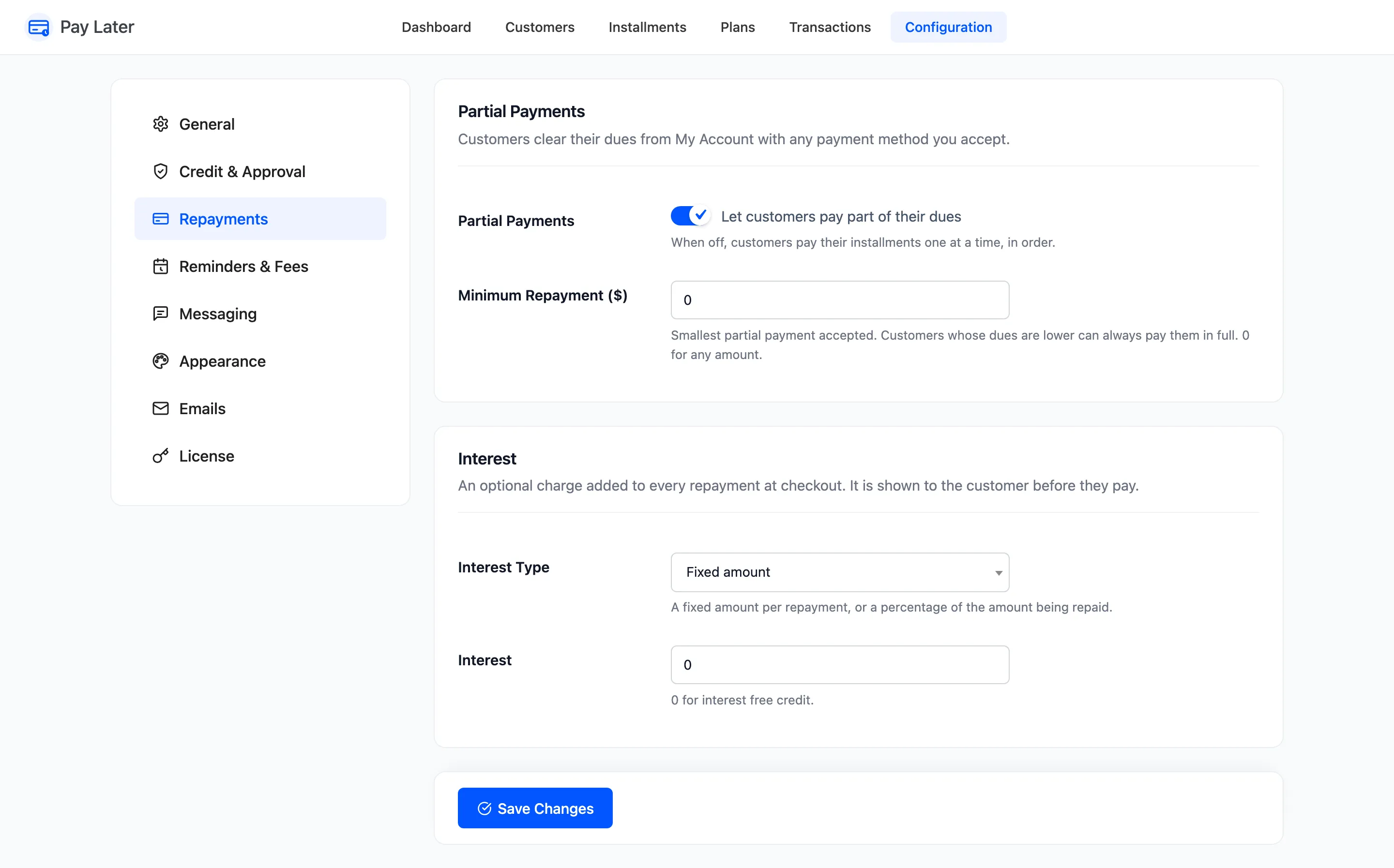
Section titled “Step 1: Choose the interest type”Go to DevDiggers Plugins → Pay Later → Configuration → Repayments. Under Interest, set Interest Type:
- Fixed amount: The same charge on every repayment, whatever its size.
- Percentage of the amount: A share of the amount being repaid.
Step 2: Set the interest
Section titled “Step 2: Set the interest”Enter the amount or percentage in Interest. The demo uses 5%. Click Save Changes.
Step 3: Check what the customer sees
Section titled “Step 3: Check what the customer sees”Under Pay a different amount, My Account says “An interest of 5% of the amount is added at checkout.” At checkout, the cart shows a Pay Later Interest line on top of the payment.
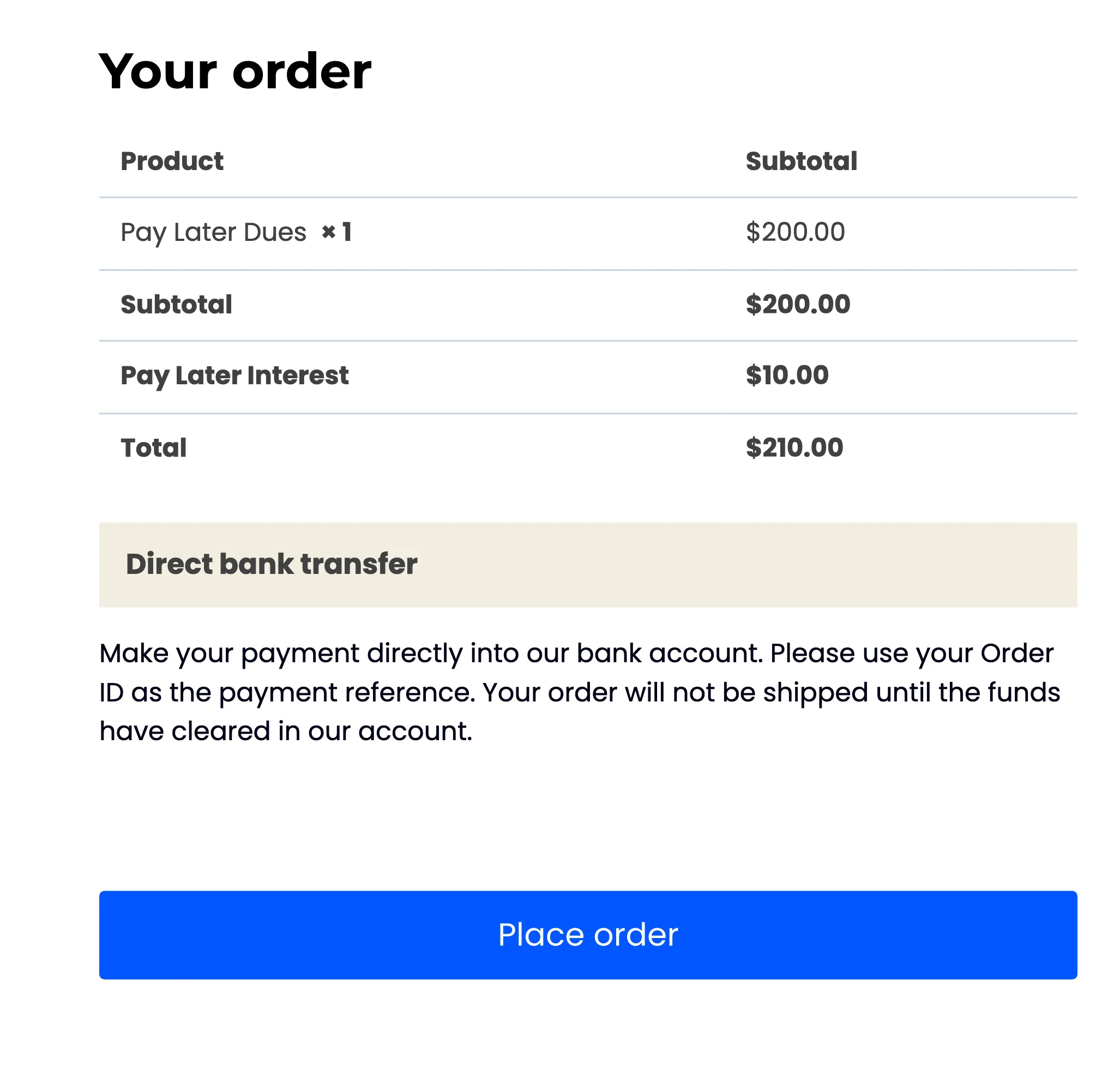
It applies to every repayment, including Pay now on a single installment.
The customer pays $210.00 and $200.00 comes off what they owe. The $10.00 is your income. It is not added to their dues, and it is not taxed.