

How to Win Back Customers with RFM Segments
RFM sorts customers by how recently they bought, how often, and how much. It answers “who should I write to this week?” without a spreadsheet.
The segments
Section titled “The segments”| Segment | Who | What to do |
|---|---|---|
| Champions | 3+ orders, last within 60 days | Reward them, ask for reviews |
| Loyal | 2+ orders, last within 120 days | Upsell, early access |
| New | 1 order, within 30 days | Welcome, earn the second order |
| Promising | 1 order, within 90 days | A nudge with something related |
| At Risk | 2+ orders, last 4 to 12 months ago | Win them back before they go |
| Hibernating | 1 order, 3 to 12 months ago | A reminder of what is new |
| Lost | No order for over a year | A last offer, or let them be |
| Prospects | An account, no order | A first-order incentive |
The rules are fixed in the plugin and can be changed by a developer with the ddwcct_customer_segments
filter.
Step 1: Open a segment
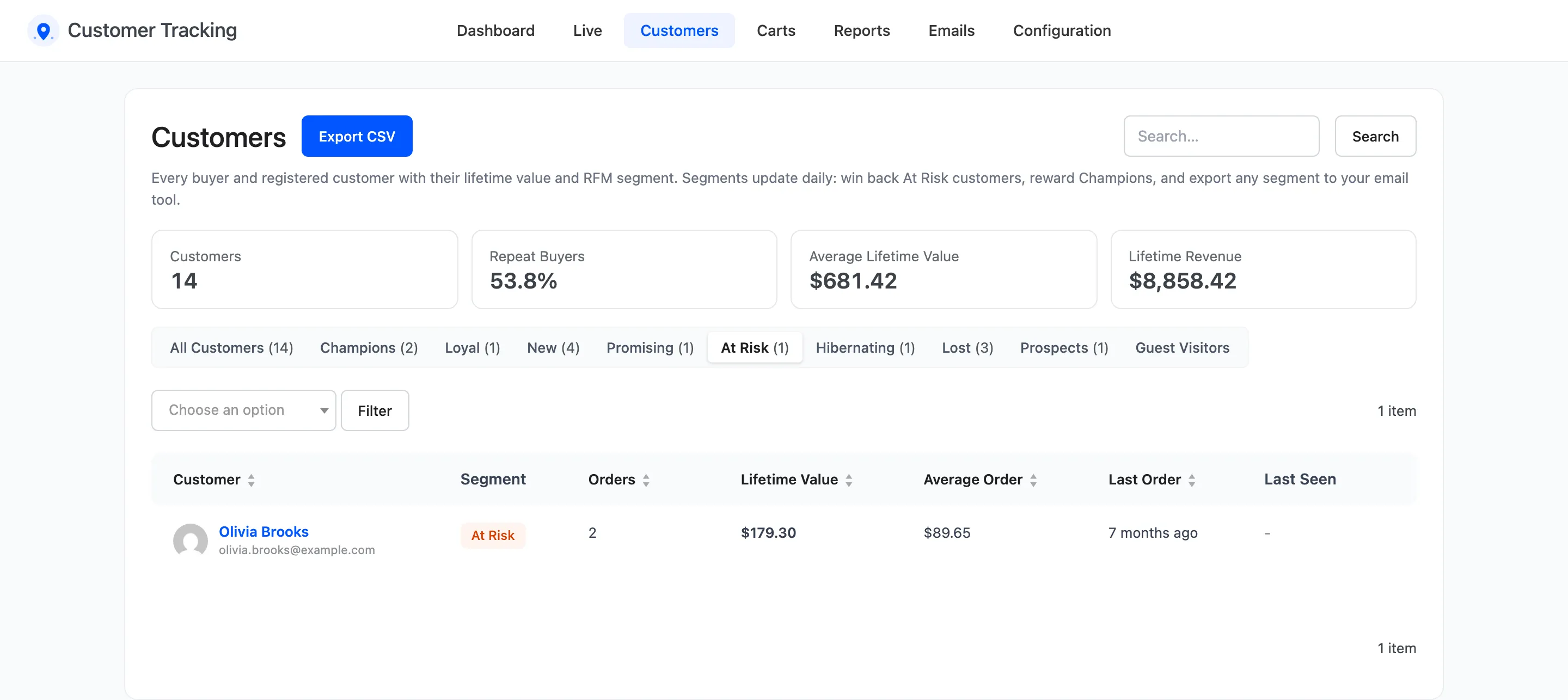
Section titled “Step 1: Open a segment”On Customers, click At Risk above the list.
Step 2: Check who is in it
Section titled “Step 2: Check who is in it”Lifetime value and the last order tell you who is worth the effort. Open a profile to see what they looked at last and how they found you.
Step 3: Export the segment
Section titled “Step 3: Export the segment”Click Export CSV. The file holds the segment only, with email, name, orders, lifetime value, average order, first and last order and tags. Import it into your email tool as a list.
Step 4: Or email one customer
Section titled “Step 4: Or email one customer”For a handful of high-value customers, a personal email works better. See How to Email a Customer from Their Profile.
Step 5: Follow the result
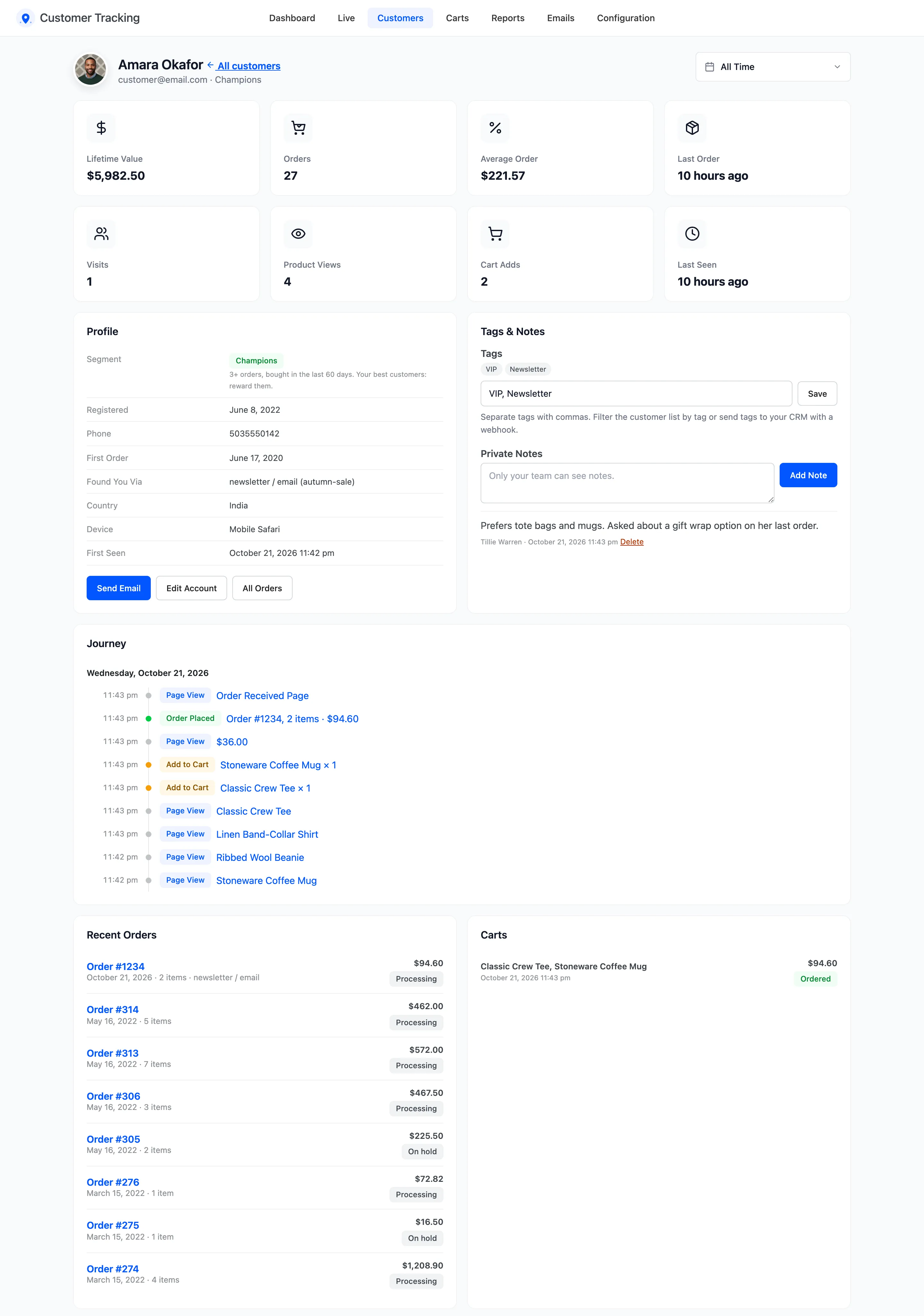
Section titled “Step 5: Follow the result”Segments update every day and the moment an order changes status. Both send the Customer Segment Changed webhook. On the demo, Amara had 26 orders but none for four years, so the profile read Lost. Amara came back through the newsletter and ordered. The profile moved straight to Champions, and the Customer Segment Changed webhook said so.
Good to know
Section titled “Good to know”- Only paid orders count: Processing and Completed. Refunds are taken off the lifetime value.
- Guest buyers are segmented by their billing email.
- The dashboard’s Customer Segments widget shows the size of each segment. Click one to open it.