

General Settings
The General tab switches tracking on and sets up the weekly digest. Open DevDiggers Plugins → Customer Tracking → Configuration → General.
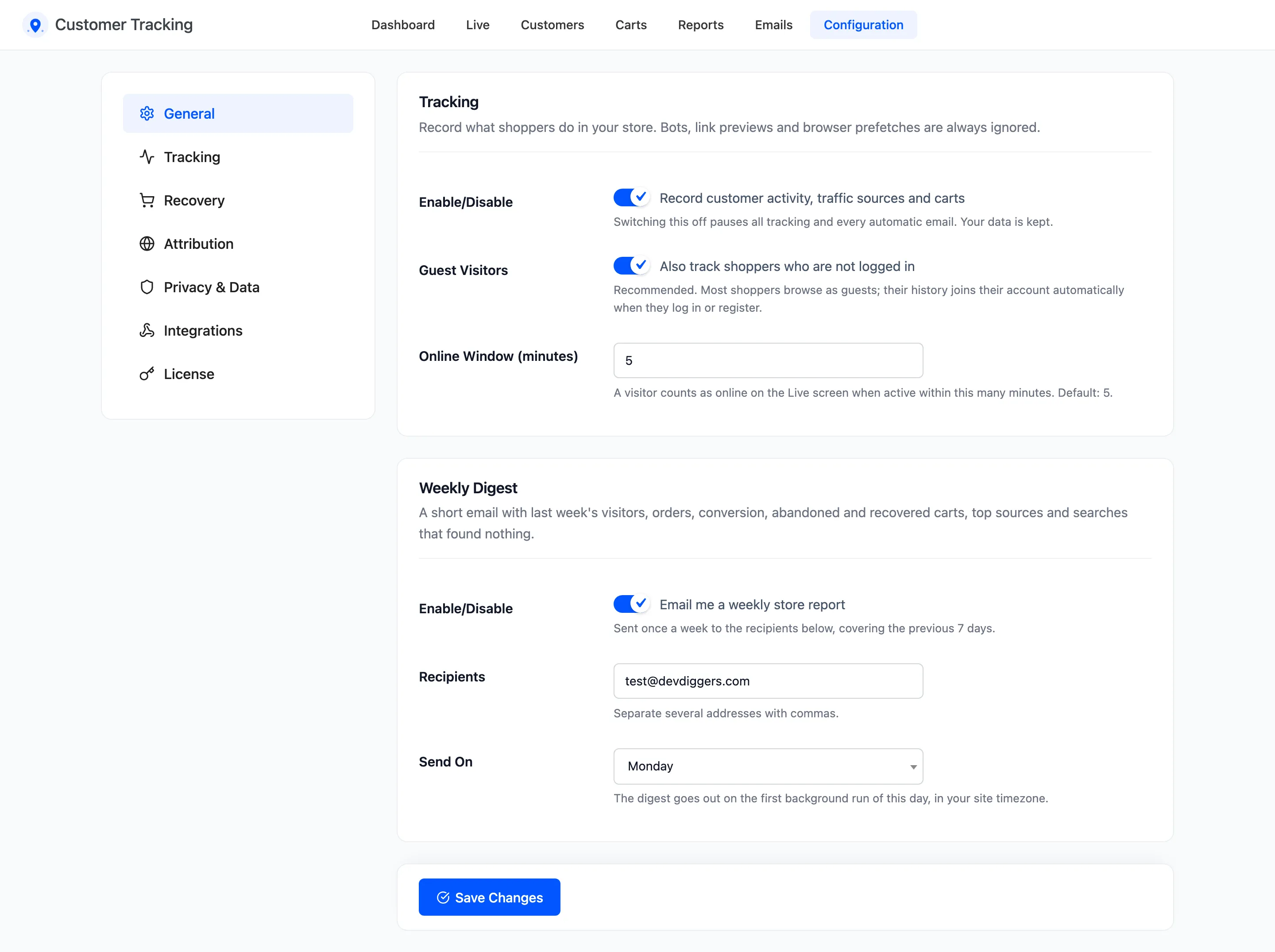
Tracking
Section titled “Tracking”- Enable/Disable: “Record customer activity, traffic sources and carts”. On by default. Off pauses all tracking and every automatic email. Everything already recorded is kept.
- Guest Visitors: “Also track shoppers who are not logged in”. On by default. A guest’s history joins their account when they log in or register on the same browser.
- Online Window (minutes): How recently a visitor must have done something to count as online on the Live screen. Default 5, from 1 to 60.
Bots, link previews and browser prefetches are never recorded, whatever these settings say.
Weekly Digest
Section titled “Weekly Digest”A short email to your team with last week’s numbers. See How to Get the Weekly Digest Email.
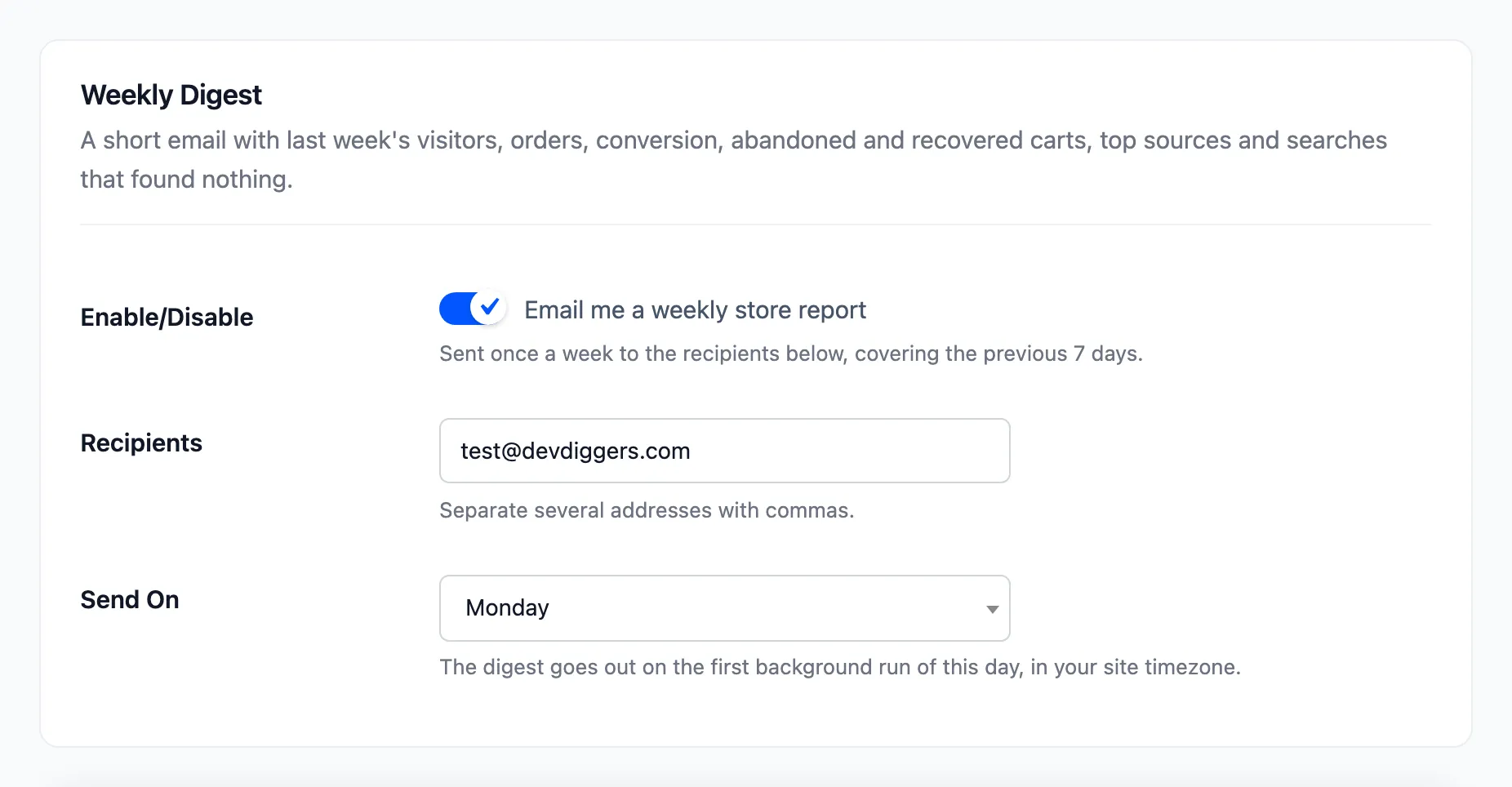
- Enable/Disable: “Email me a weekly store report”. On by default.
- Recipients: The addresses that get it, separated by commas. Default: your site’s admin email.
- Send On: The day it goes out, from Monday to Sunday. Default Monday.
It goes out with the first background run of that day, in your site’s time zone, and covers the previous seven days.
What switching off does not stop
Section titled “What switching off does not stop”Enable/Disable off is a pause:
- No page views, searches, carts or orders are recorded, and no cart is saved.
- No cart reminder or browse abandonment email is sent.
- The admin screens keep everything recorded so far. The Dashboard, Live and Carts screens show a notice that tracking is off.
- Customer profiles still follow orders, so lifetime value and segments stay correct.
The license works the same way: until it is active, nothing is recorded. See License Activation.
Click Save Changes at the bottom of the tab.