

The Carts Screen
The Carts screen lists every cart the plugin saved, and how each one ended. Open DevDiggers Plugins → Customer Tracking → Carts.
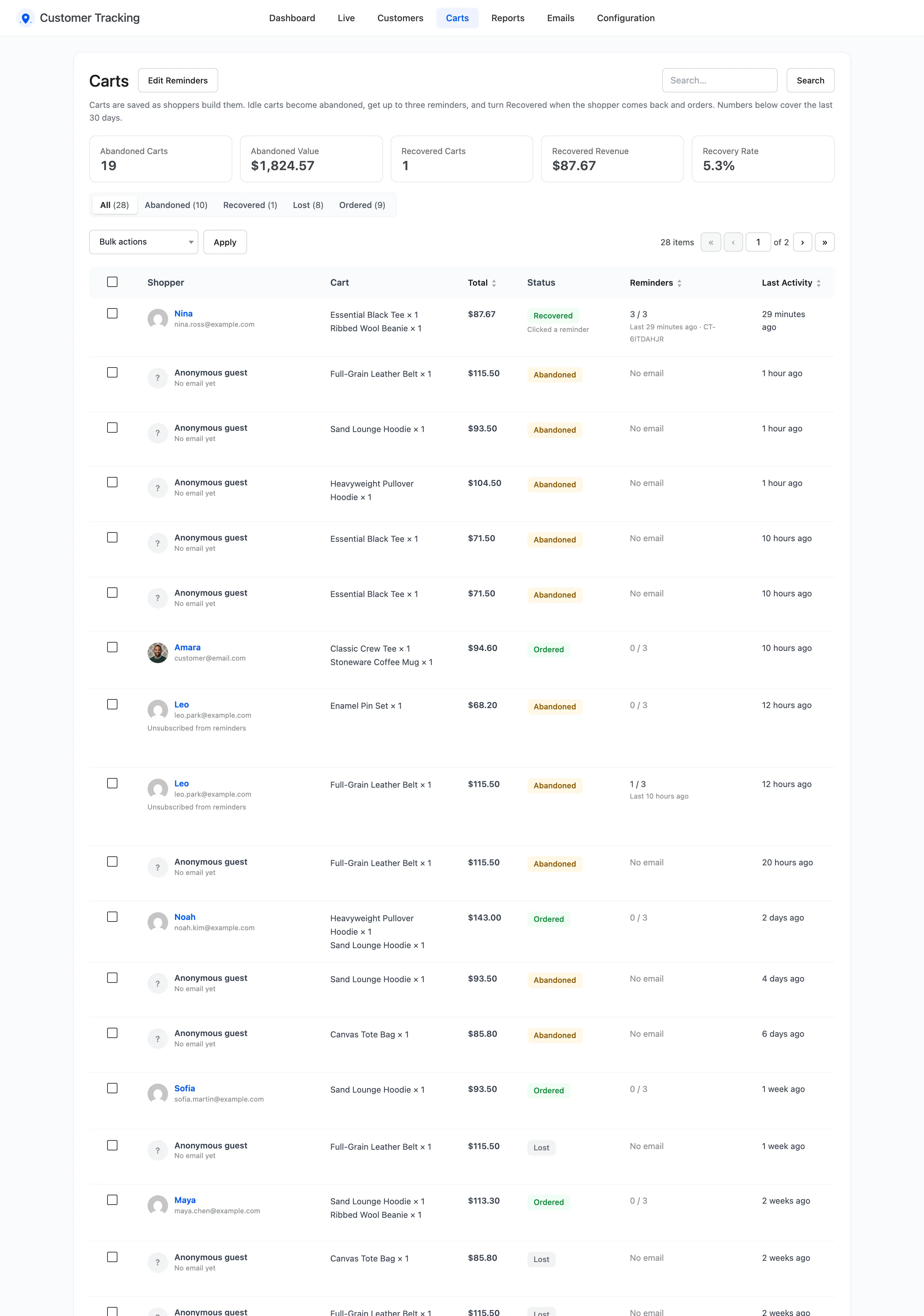
The five tiles
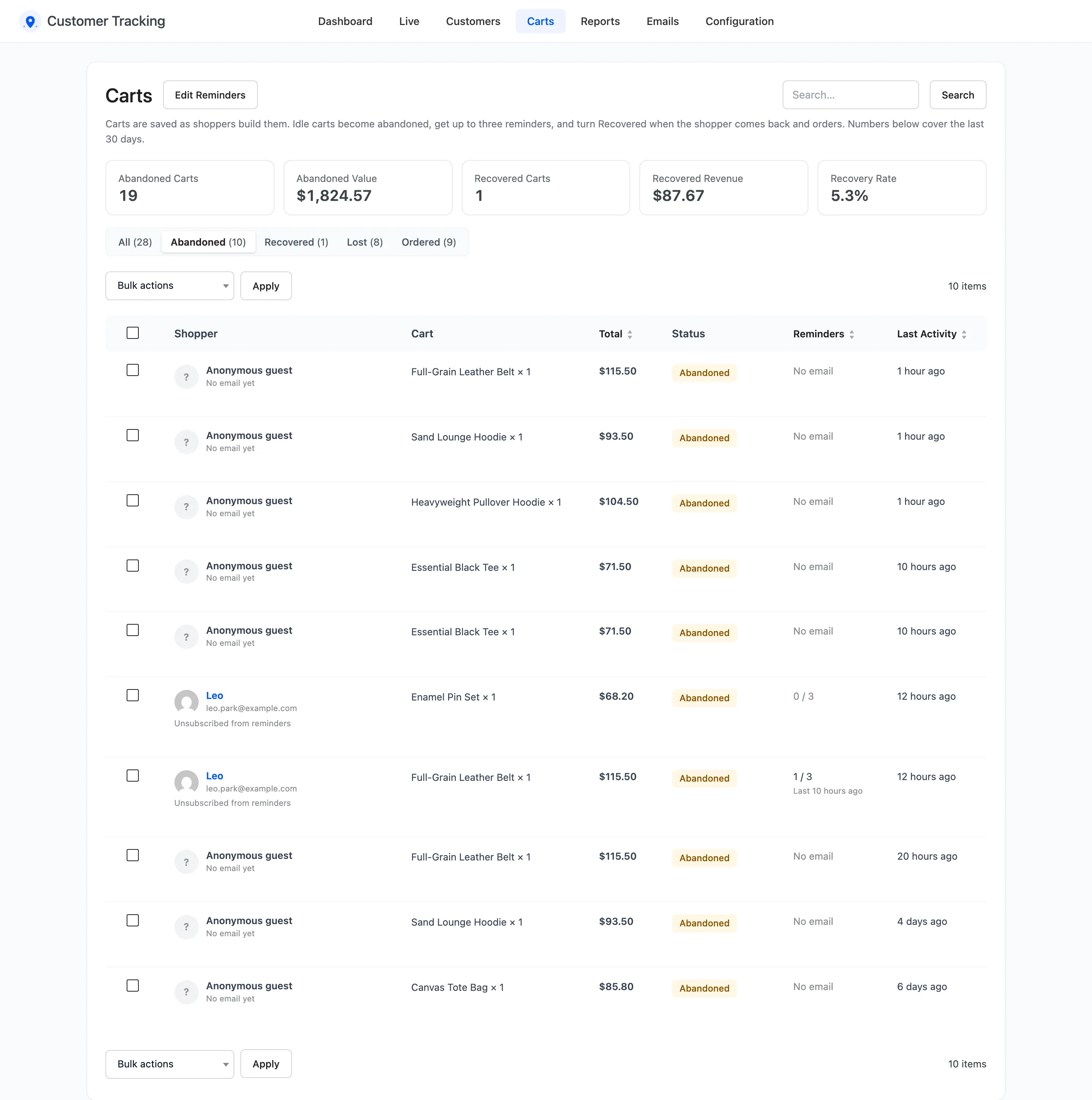
Section titled “The five tiles”For carts abandoned in the last 30 days: Abandoned Carts, Abandoned Value, Recovered Carts, Recovered Revenue and Recovery Rate. Recovered Revenue here is the total of the recovered carts’ orders.
The statuses
Section titled “The statuses”- Active: Being built, or changed within the last 30 minutes.
- Abandoned: No change for 30 minutes. Reminders go out from here.
- Recovered: Abandoned, then ordered.
- Lost: Abandoned for 7 days without an order. No more reminders.
- Ordered: Ordered before it was ever abandoned.
The views above the list filter by status, with a count each.
The columns
Section titled “The columns”- Shopper: Name and email, or Anonymous guest with “No email yet”. Below it: Profile, Journey, the order once there is one, Copy restore link on open carts, and Delete.
- Cart: The first products, and “+N more”.
- Total: The cart total.
- Status: One of the five above.
- Reminders: How many of the three were sent, the coupon if any, and Clicked a reminder once the shopper came back through one.
- Last Activity: When the cart last changed.
A shopper who stopped the reminders shows Unsubscribed from reminders under their email.
Copy restore link
Section titled “Copy restore link”Hover an open cart and click Copy restore link. The link refills that cart on any device and opens checkout, the same as the reminder button. Paste it into a chat or a support reply.

Delete carts
Section titled “Delete carts”Delete under a row, or tick rows and choose Delete in Bulk actions. A deleted cart gets no more reminders, and its restore link says “This link has expired.” Closed carts are also removed by age, under Keep Carts For (days).
Edit Reminders at the top opens the reminder emails.