

The Activity Log
The Activity Log is every activity the plugin recorded, newest first. Open DevDiggers Plugins → Customer Tracking → Reports → Activity Log.
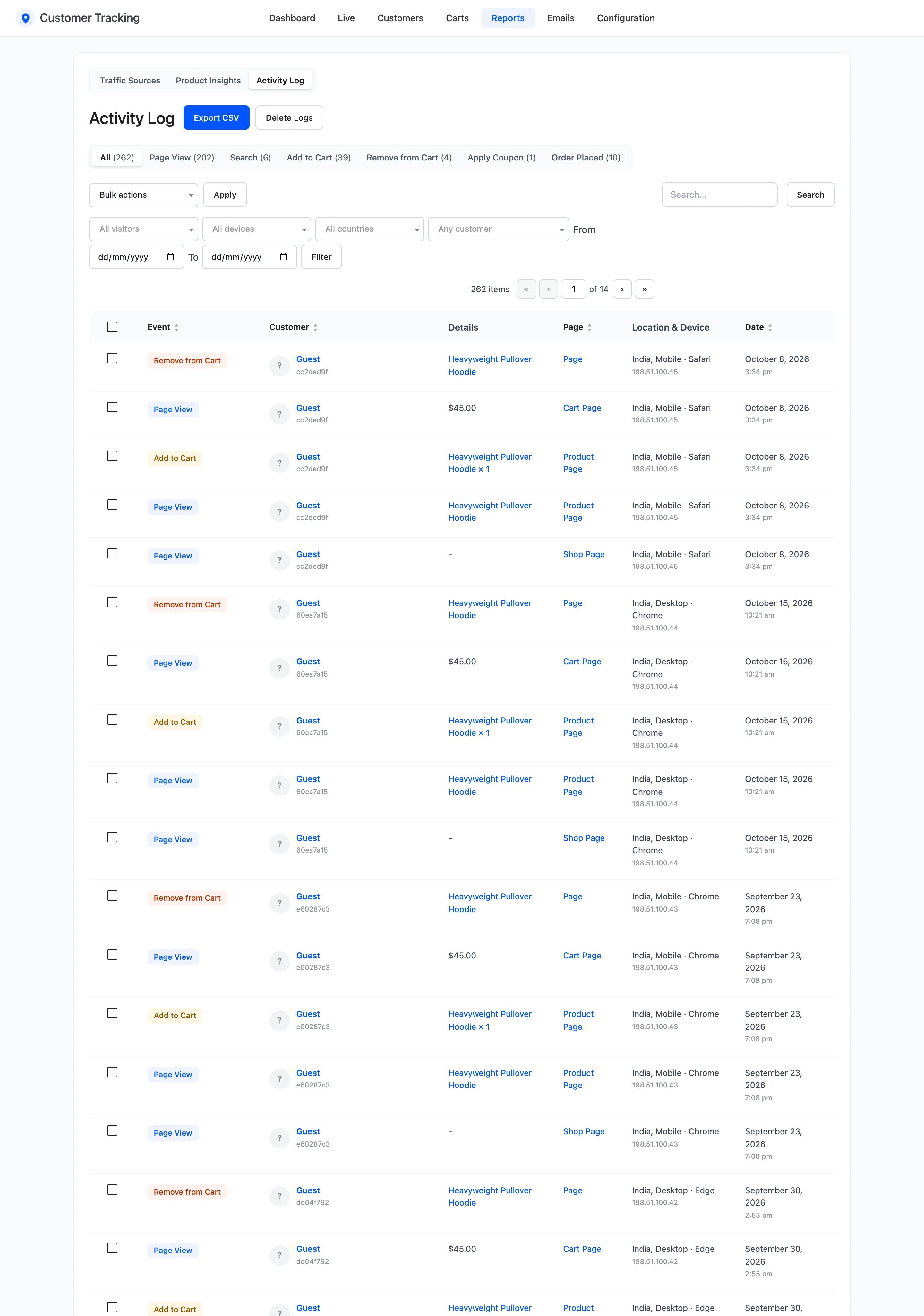
The columns
Section titled “The columns”- Event: Page View, Search, Add to Cart, Remove from Cart, Apply Coupon, Remove Coupon, Order Placed, Product Review, Registration, Login or Logout.
- Customer: The customer with an account, or Guest for an anonymous visit.
- Details: The product, search, coupon or order.
- Page: The kind of page it happened on.
- Location & Device: Country, device and browser.
- Date.
Find activities
Section titled “Find activities”- The views above the list filter by event, with a count each. The counts are kept for 10 minutes, so the newest activity can take that long to show in them.
- Visitor type, Device, Country, Customer, From and To narrow it further. Click Filter, or Reset to clear them.
- Search matches details, page addresses and IP addresses.
Export CSV
Section titled “Export CSV”Export CSV downloads the activities as filtered, with the date, event, page, details, address, customer and email, visit ID, IP address, country, device, browser, object ID and value.
Delete
Section titled “Delete”- Delete under a row, or several rows through Bulk actions.
- Delete Logs removes every activity between two dates.

See How to Clean Up Old Tracking Data. Screen Options at the top sets how many activities a page shows.