

Tracking Exclusions
The Tracking tab keeps your own visits out of the numbers. Open DevDiggers Plugins → Customer Tracking → Configuration → Tracking.
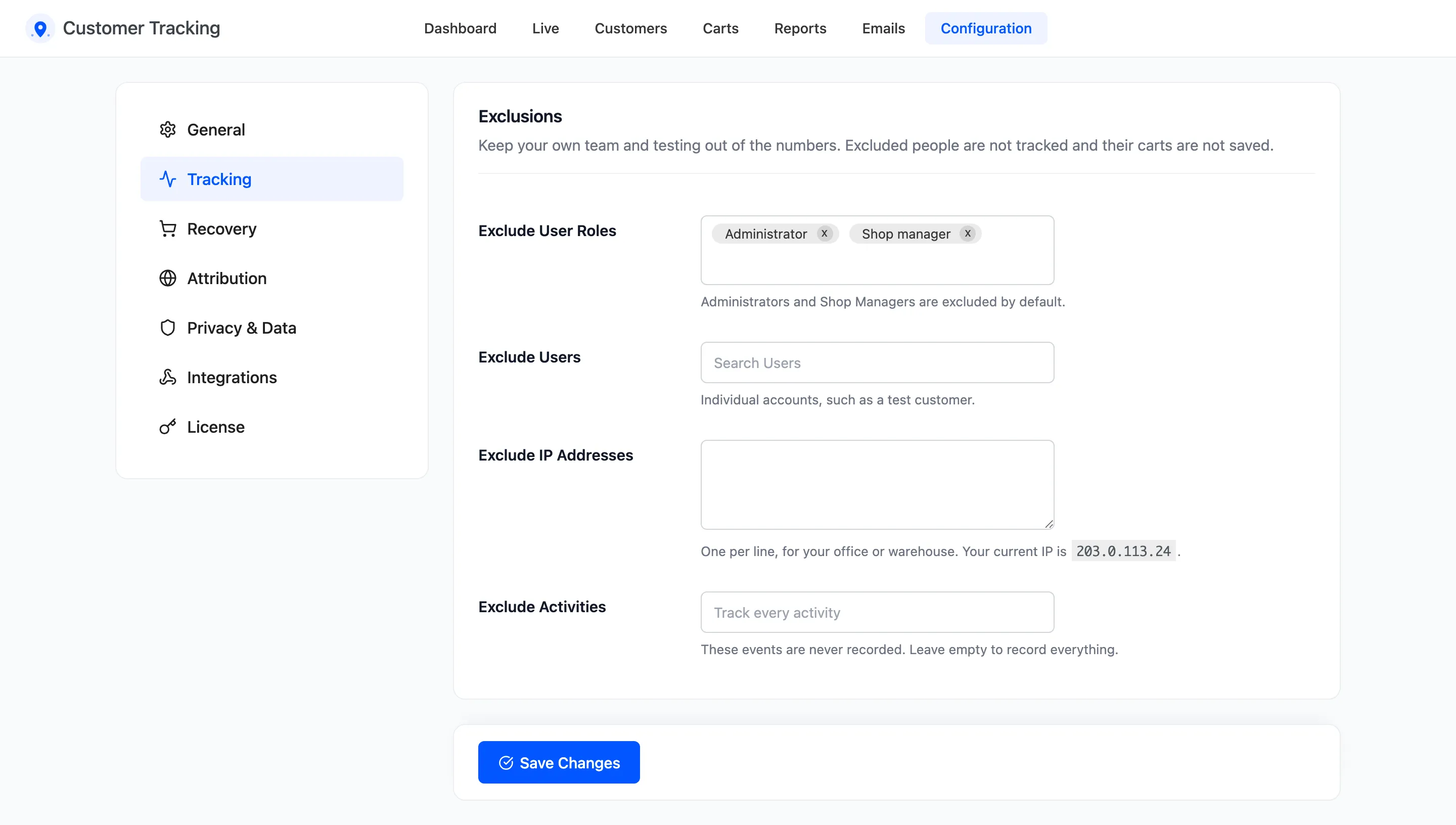
The fields
Section titled “The fields”- Exclude User Roles: Roles that are never tracked. Default Administrator and Shop Manager. Remove both, and the placeholder reads “Track every role”.
- Exclude Users: Single accounts, such as a test customer. Search by name or email.
- Exclude IP Addresses: One address per line, for your office or warehouse. The description shows your current IP, so you can copy it in. The address comes from Cloudflare or the server connection, never from a header the visitor could fake.
- Exclude Activities: Events that are never recorded, such as Logout. Empty records all of them.
What an exclusion does
Section titled “What an exclusion does”An excluded person is invisible to the plugin:
- None of their page views, searches or cart changes are recorded.
- Their cart is not saved, so they never get a cart reminder.
- Their orders still appear in WooCommerce, but not in the plugin’s visitor and channel counts.
An excluded activity is skipped for everyone. Excluding Page View also empties the Live screen, the funnel and the traffic sources, because those all start from page views.
Exclusions are not retroactive
Section titled “Exclusions are not retroactive”Adding an exclusion stops new records. What was recorded before stays. To clear your own test visits, use Delete Logs on the Activity Log. See How to Clean Up Old Tracking Data.
Click Save Changes at the bottom of the tab.