

The Order Screen and Users Screen
Customer Tracking adds two links into WooCommerce and WordPress screens you already use.
Path to Purchase
Section titled “Path to Purchase”Each order’s edit screen has a Path to Purchase box in its side column.
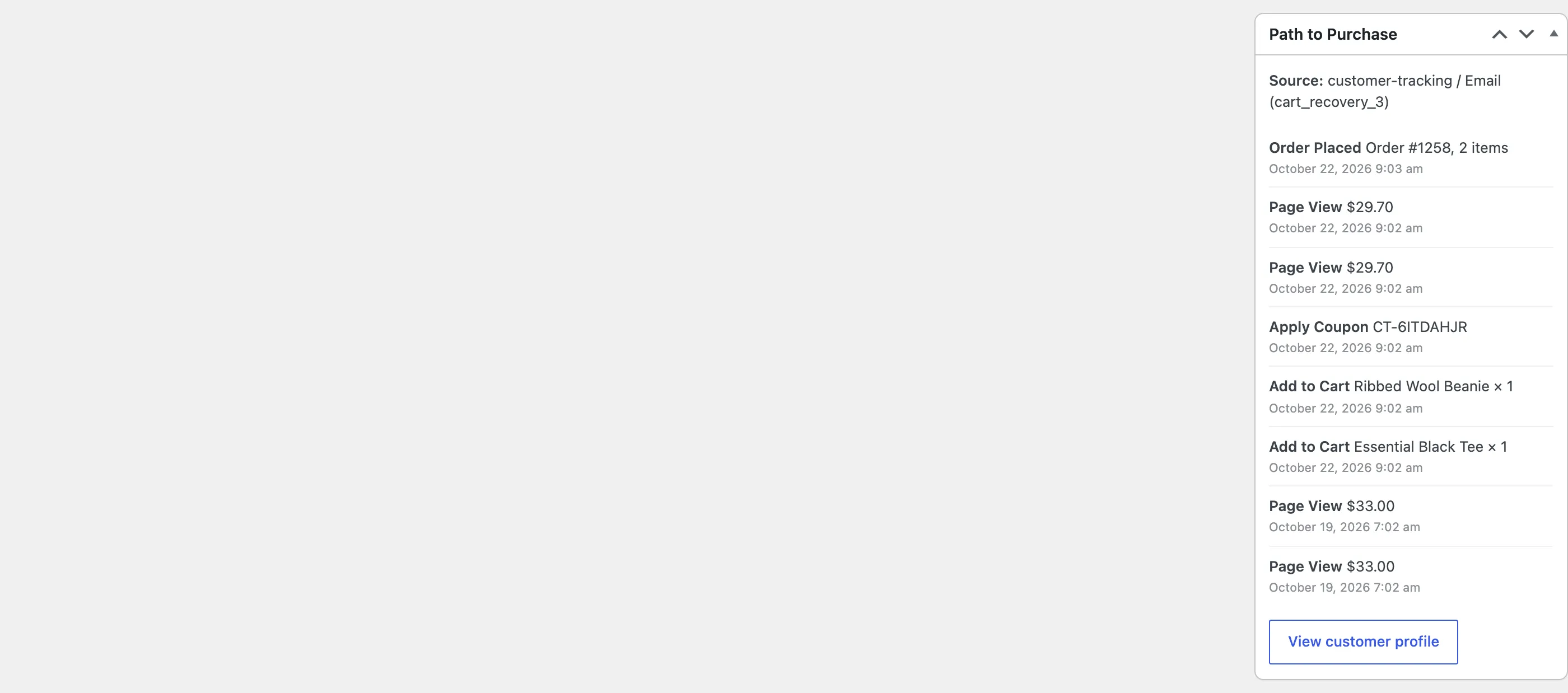
- Source: The channel the order was credited to, with its medium and campaign. On Nina’s order it is the
third cart reminder,
customer-tracking / Email (cart_recovery_3). - The steps before it: The 8 most recent activities, up to and including the order, newest first.
- View customer profile: Opens the buyer’s profile.
The box follows the buyer: their account, or for a guest the visit the order was placed in. An order with no tracked visit says “No tracked activity for this customer before the order.”
Customer Profile on the Users screen
Section titled “Customer Profile on the Users screen”Hover a user on Users and click Customer Profile.

Both appear only for staff who can manage WooCommerce, the same people who see the plugin’s screens.