

The Email Log
The Email Log lists every email the plugin sent and which ones brought an order back. Open DevDiggers Plugins → Customer Tracking → Emails → Email Log.
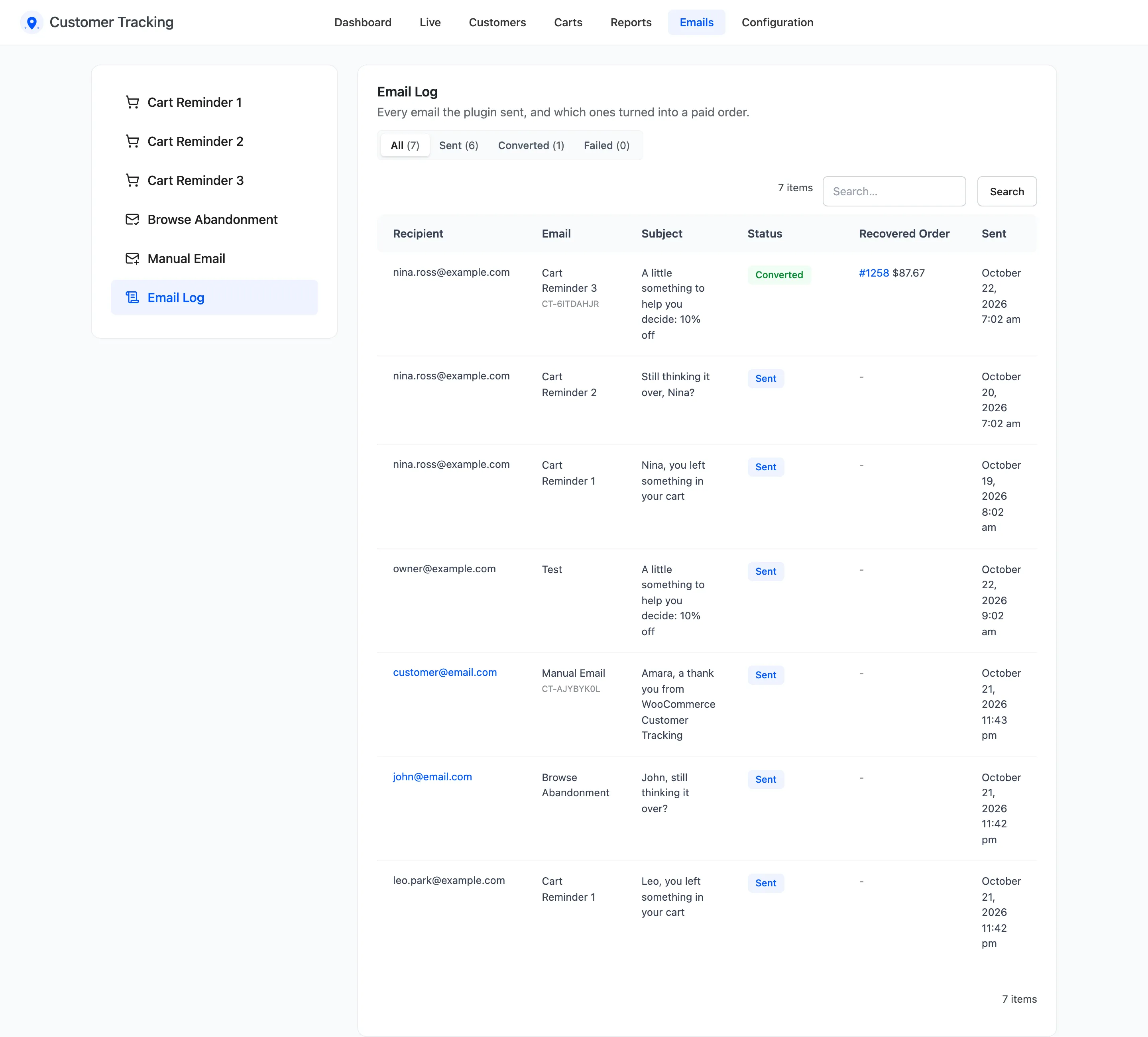
The columns
Section titled “The columns”- Recipient: Who it went to.
- Email: Cart Reminder 1, 2 or 3, Browse Abandonment, Manual Email or Test.
- Subject: As sent, placeholders filled in.
- Status: Sent, Converted or Failed.
- Recovered Order: The order and its total, for a converted email.
- Sent: When.
The views above the list filter by status. Search finds a recipient, subject or coupon code.
Converted
Section titled “Converted”When a paid order arrives, the newest email that customer got within the attribution window, 7 days by default, turns Converted, with the order and its total. That revenue is the dashboard’s Recovered Revenue.
Failed
Section titled “Failed”Failed means the mail server refused the email. Check your SMTP plugin’s own log for the reason.
Test sends from the email screens are listed as Test. They never convert and are left out of every number. Entries older than Keep Email Log For (days), 180 by default, are removed.