

The Customer Profile
A profile shows everything known about one customer. Open it from View profile on the Customers screen, Profile on a cart, View customer profile on an order, or Customer Profile on the Users screen.
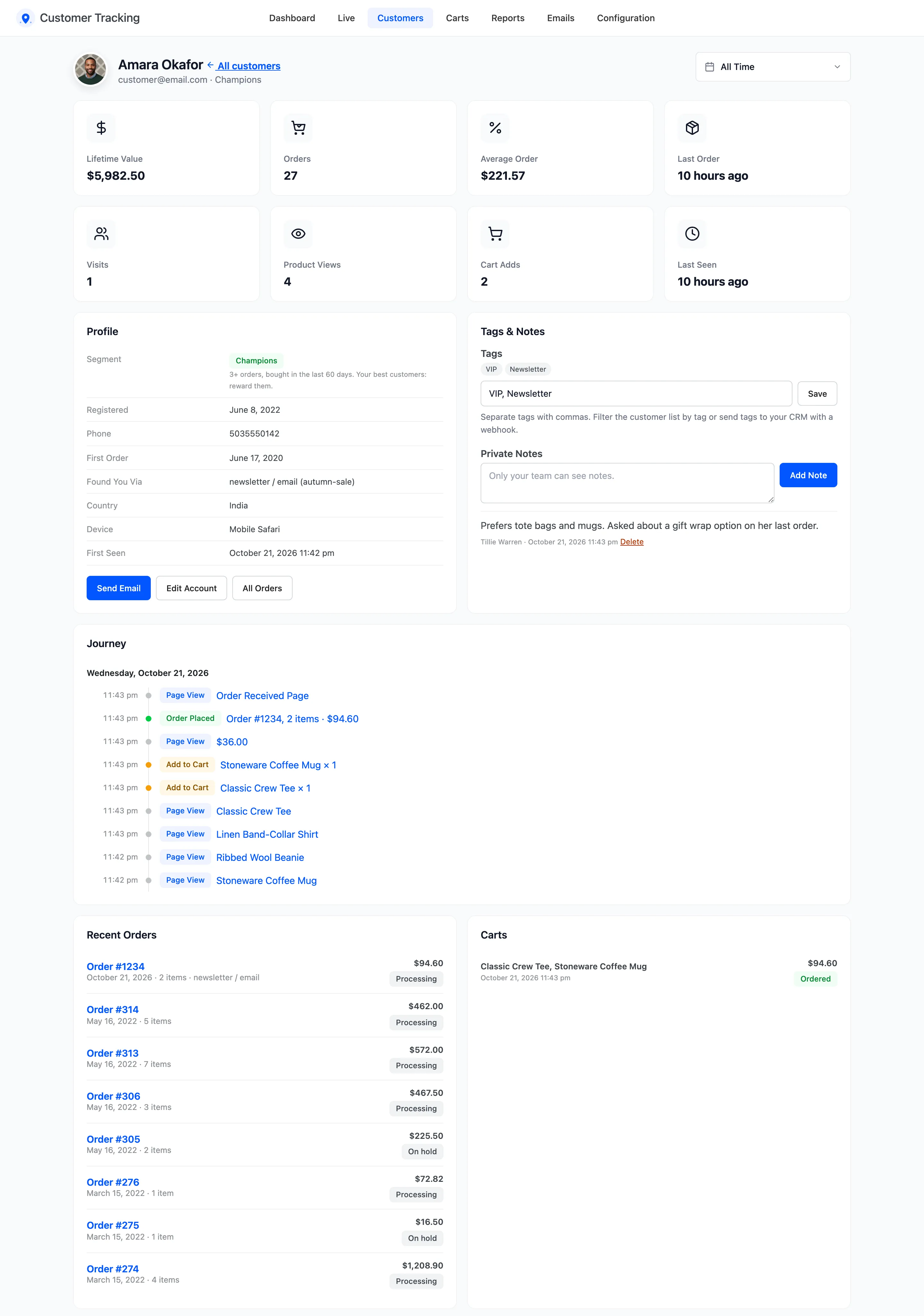
The cards
Section titled “The cards”Lifetime Value, Orders, Average Order and Last Order come from paid orders. Visits, Product Views, Cart Adds and Last Seen come from tracking, for the date range at the top, all time by default.
Profile
Section titled “Profile”Email, segment and its rule, and for an account the registration date and phone. Then the first order, and Found You Via: the channel of their first tracked visit. Last come country, device, browser and when they were first seen.
Send Email, Edit Account and All Orders sit below. Send Email is for customers with an account. See How to Email a Customer from Their Profile.
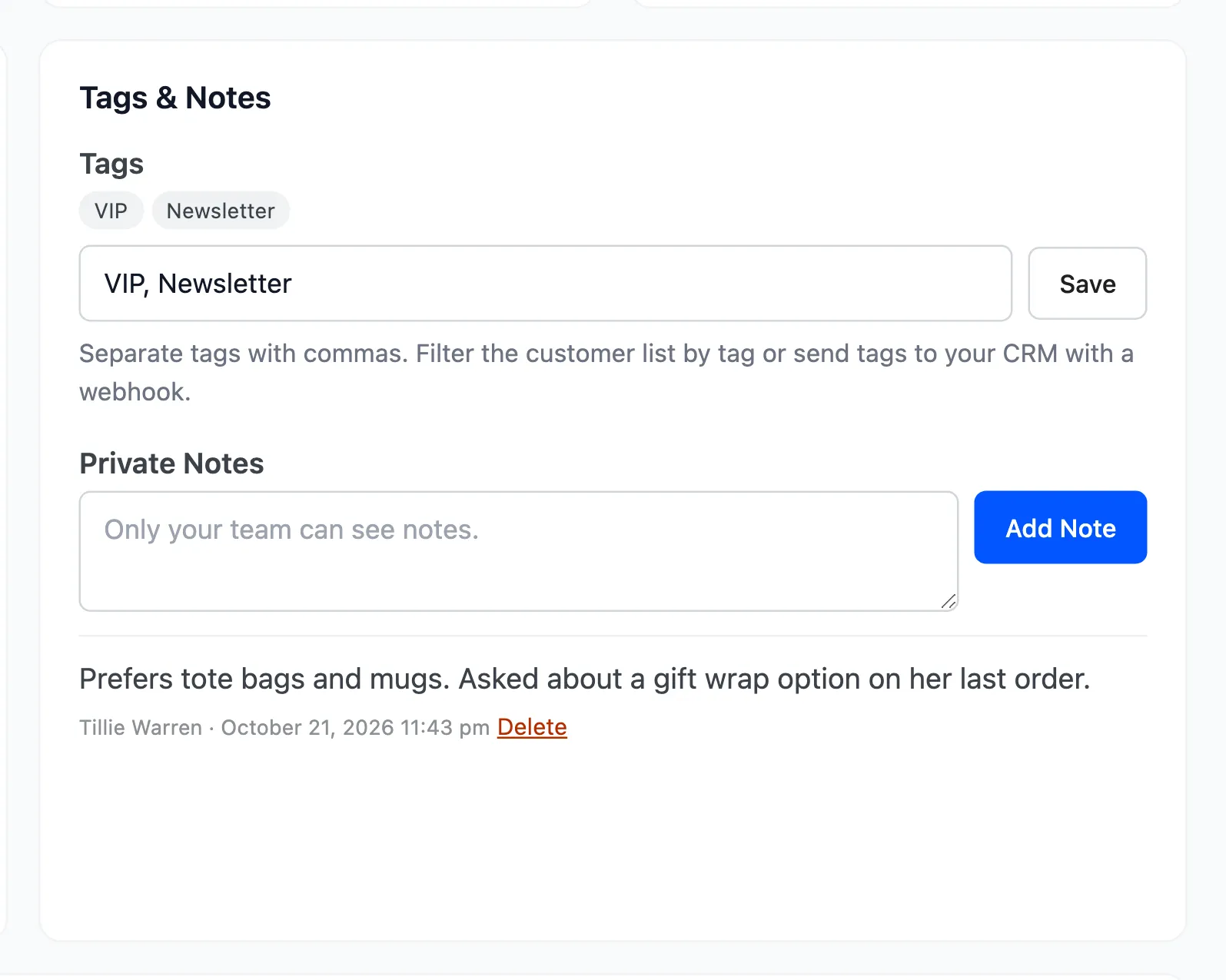
Tags & Notes
Section titled “Tags & Notes”Tags and private notes for your team. See How to Tag Customers and Add Private Notes.
Journey
Section titled “Journey”Their activity day by day, newest first: pages, searches with their result counts, cart changes, coupons, logins and orders with their totals. Each entry links to the page it happened on. The latest 150 are shown, with a link to the rest in the Activity Log.
Recent Orders, Carts and Products of Interest
Section titled “Recent Orders, Carts and Products of Interest”- Recent Orders: Their latest orders, with status and total.
- Carts: Every cart they built, with its status: Active, Abandoned, Recovered, Lost or Ordered.
- Products of Interest: What they viewed and added to the cart, with views and adds. Out of stock items are marked.
Guests
Section titled “Guests”A guest who ordered has a profile too, opened by email. Its journey is the visit of their last order, or of their cart for a guest who only left a cart. Nina’s profile on the demo shows both devices as one journey, because the reminder joined them:
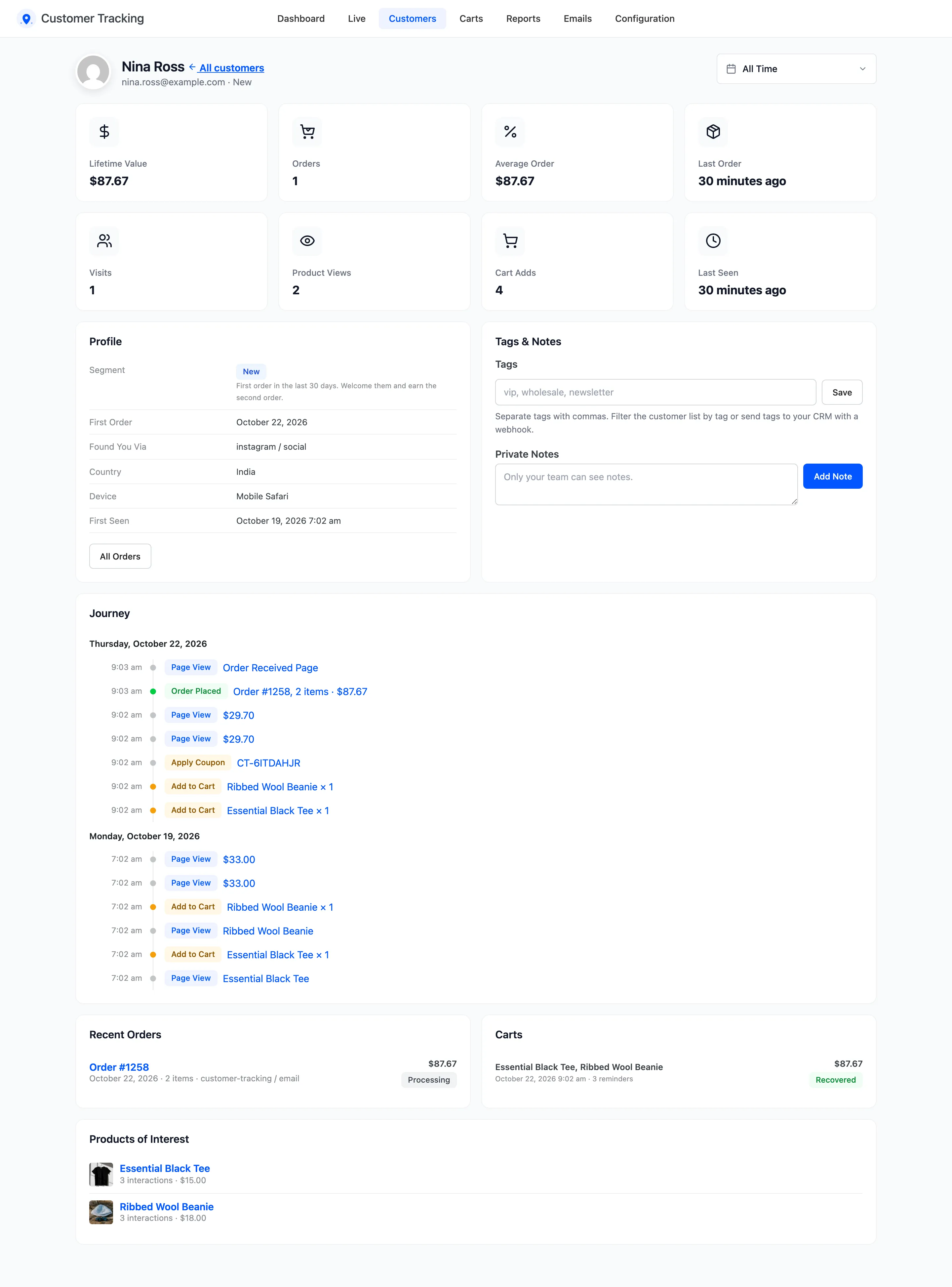
Tags and notes work for guests who ordered. Send Email needs an account.