

How to Recover Abandoned Carts
Most carts are left behind. Cart recovery saves each one, emails the shopper up to three times, and brings them back to a refilled cart. It works out of the box. This page checks the settings and follows one recovered cart on the demo.
Step 1: Check cart recovery is on
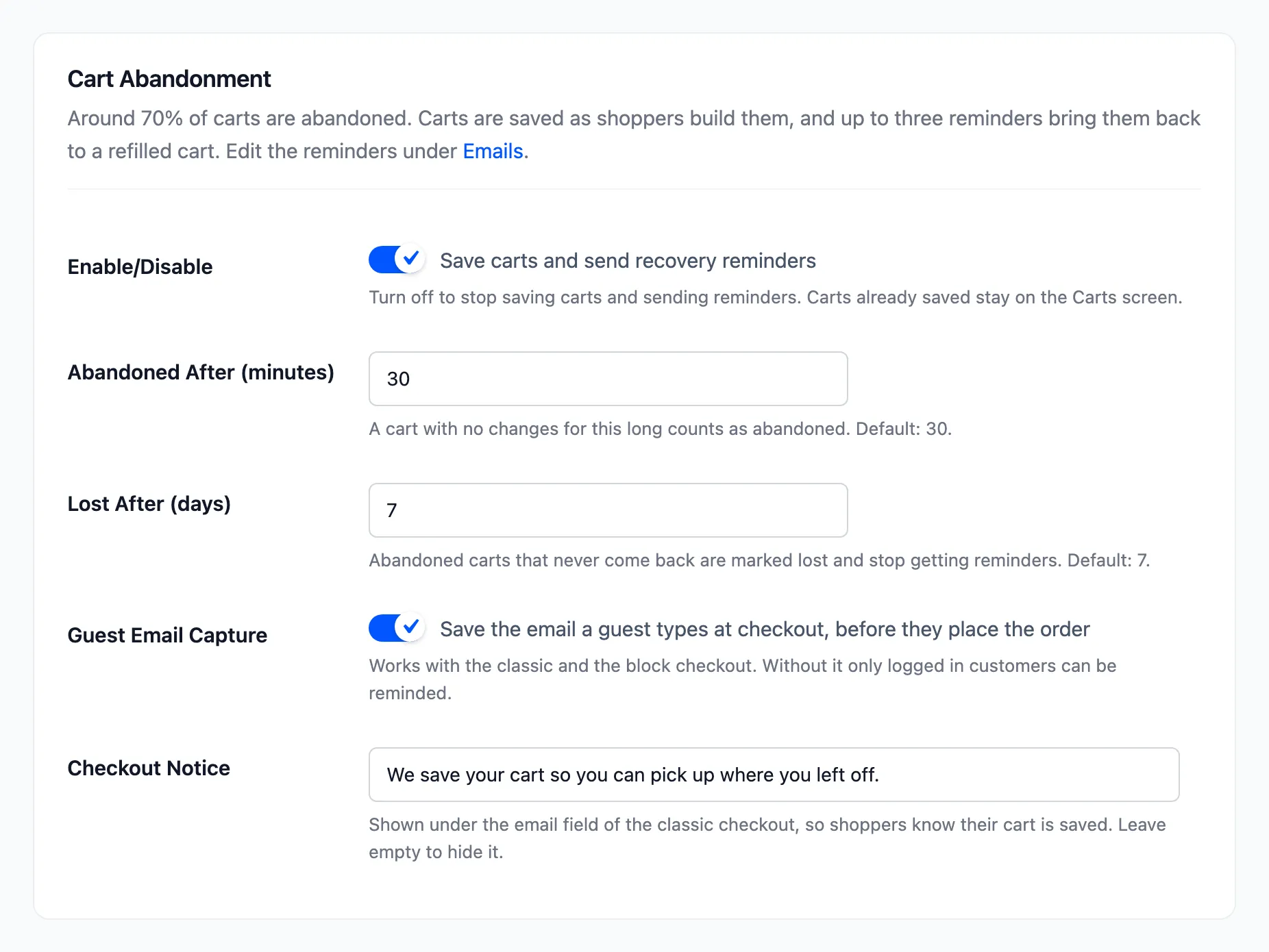
Section titled “Step 1: Check cart recovery is on”Open DevDiggers Plugins → Customer Tracking → Configuration → Recovery. Two boxes matter:
- Enable/Disable: “Save carts and send recovery reminders”.
- Guest Email Capture: saves the email a guest types at checkout. Without it, only logged in customers can be reminded, and most shoppers are guests.
Step 2: Set when a cart is abandoned
Section titled “Step 2: Set when a cart is abandoned”- Abandoned After (minutes): 30 by default. Shorter catches shoppers sooner, but may email someone who only stepped away.
- Lost After (days): 7 by default. After that, a cart gets no more reminders.
Click Save Changes.
Step 3: Review the three reminders
Section titled “Step 3: Review the three reminders”Open Emails. The reminders go out 1 hour, 24 hours and 72 hours after the cart is abandoned. Only the third has a coupon by default.
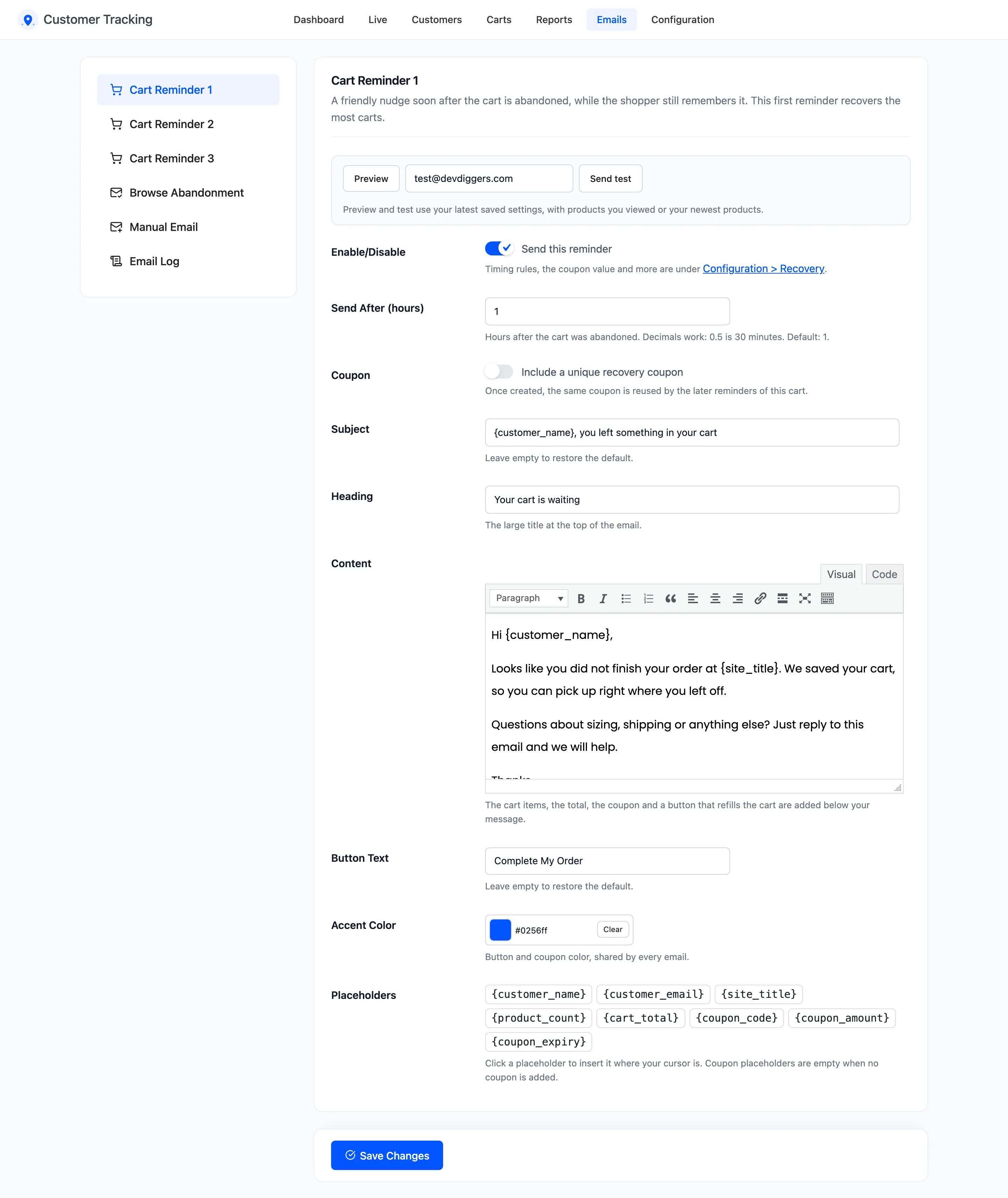
To change the wording or timing, see How to Edit the Cart Reminder Emails. For the coupon, see How to Add a Coupon to Cart Reminders.
Step 4: Watch the Carts screen
Section titled “Step 4: Watch the Carts screen”Open Carts. Every cart is listed with its shopper, products, total, status and reminders.
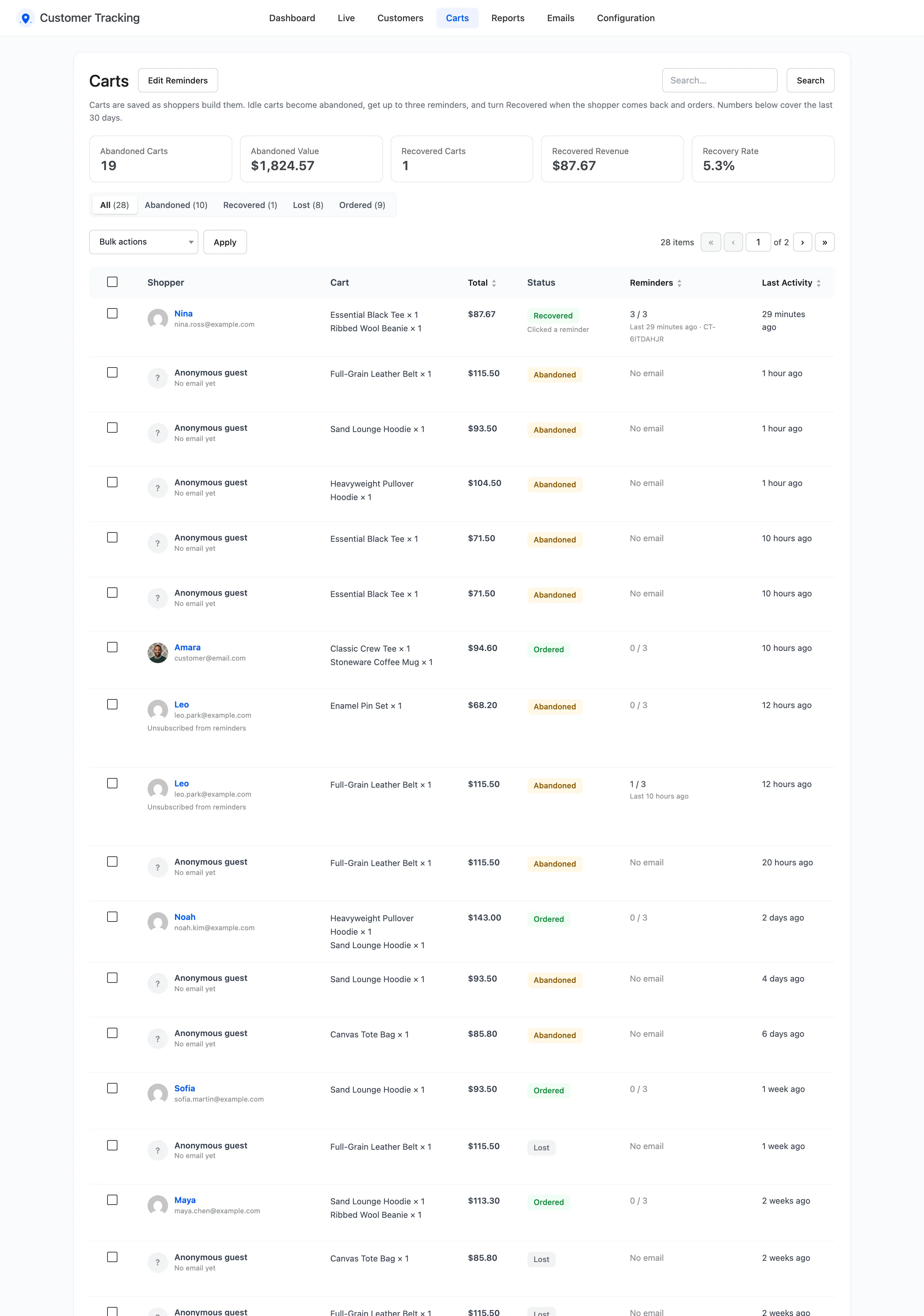
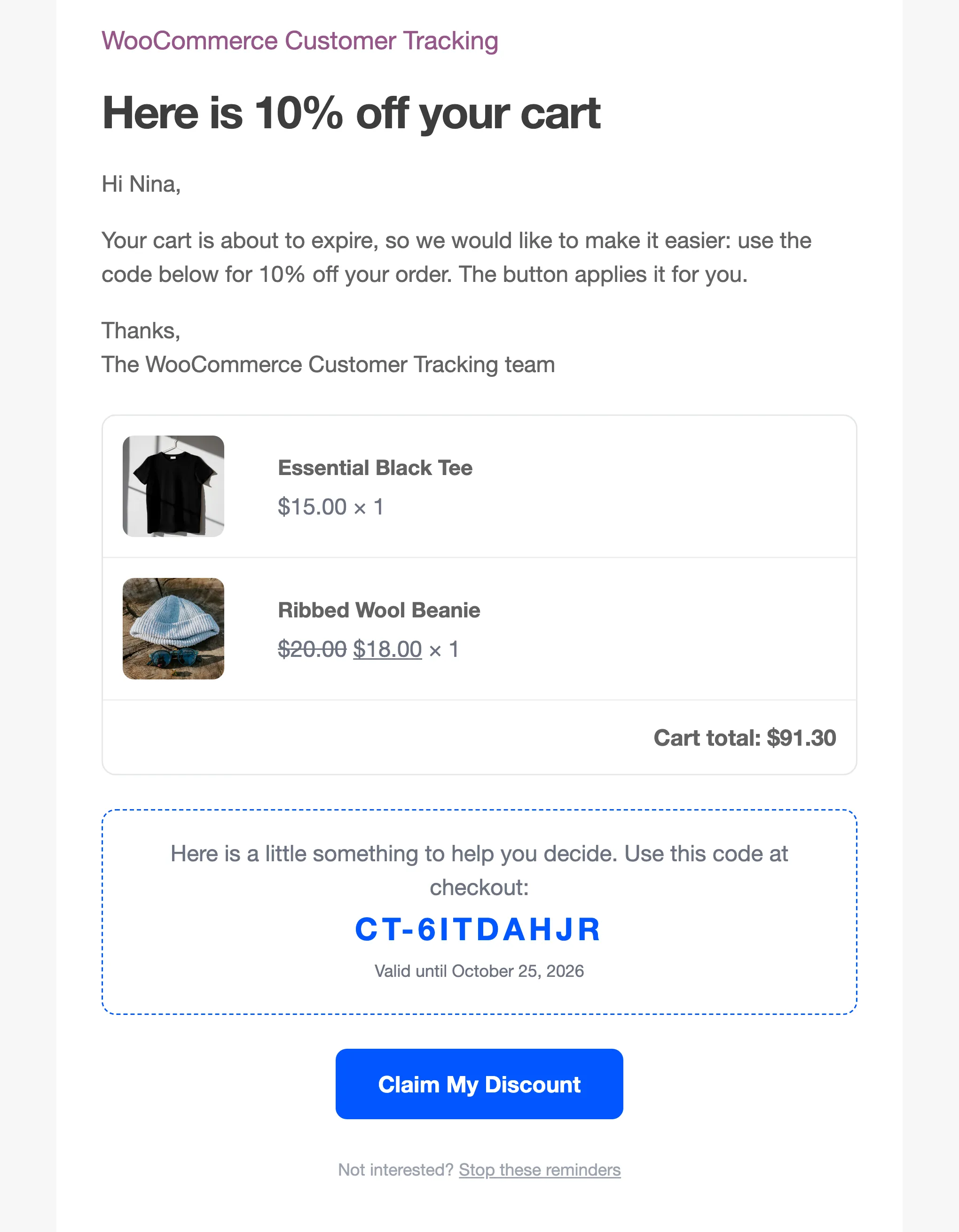
On the demo, Nina left a tee and a beanie at checkout. The cart turned Abandoned, and the reminders went out on schedule. The third brought Nina back three days later, on a phone, with the coupon already in the cart.
Step 5: Count the recovered revenue
Section titled “Step 5: Count the recovered revenue”When Nina ordered, the cart turned Recovered. Once the order was paid, the third reminder was marked Converted in the Email Log, with $87.67 against it.
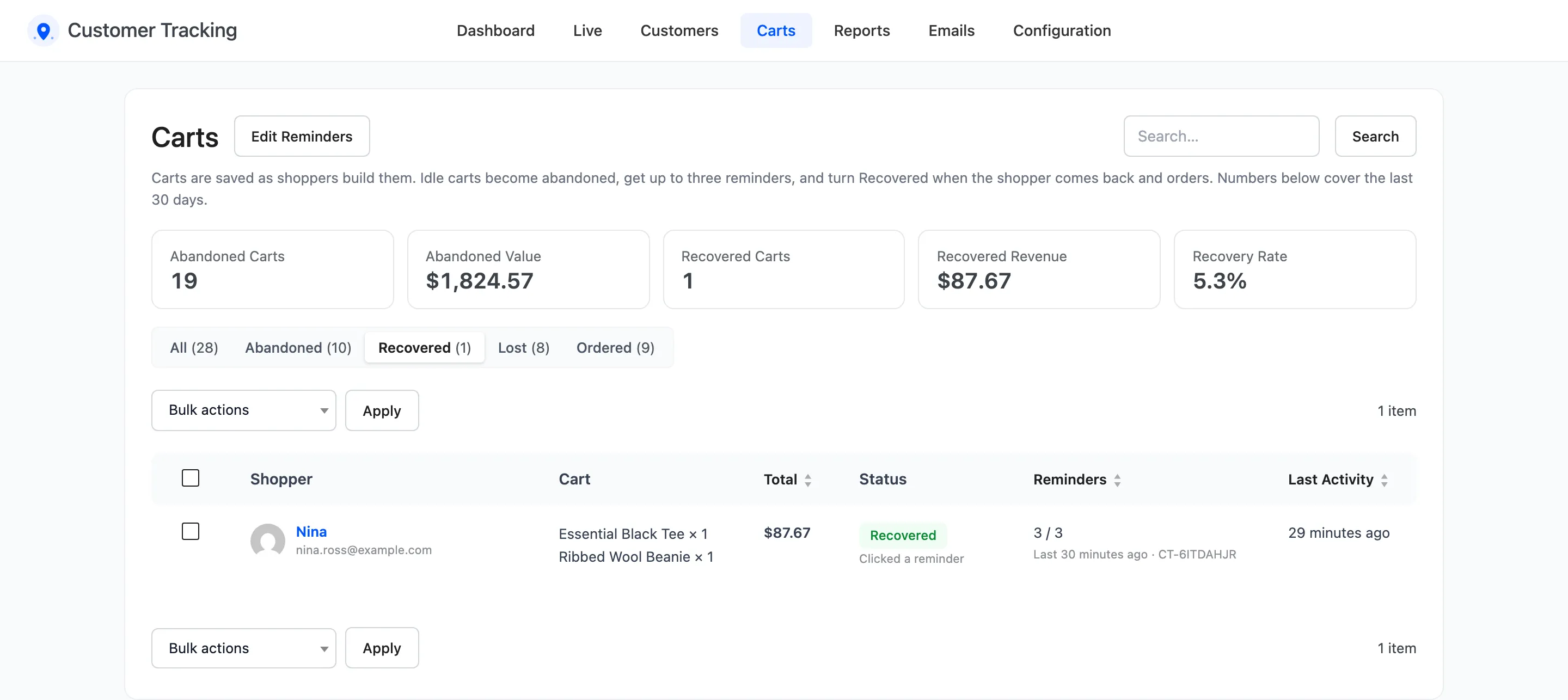
The five tiles at the top of Carts cover the last 30 days: abandoned carts and their value, recovered carts and their revenue, and the recovery rate. The dashboard shows the same numbers for any period.
Good to know
Section titled “Good to know”- A cart that is ordered before it is abandoned is Ordered, not Recovered. Only a cart that was left and came back counts as recovered.
- A cart with no email gets no reminders, but it still counts as abandoned in the numbers.
- An order placed with the same email, even from another device and without clicking a reminder, closes the abandoned cart as Recovered.
- Each reminder goes out only while the cart is still Abandoned. Ordering stops the rest.
- A cart counts as recovered once its order is paid: Processing or Completed. An unpaid or failed order does not count.
- A shopper with a paid order since the cart was saved gets no reminders for it.
- A shopper who leaves carts on two devices with the same email gets one sequence of reminders, not two.