

Traffic Sources and Campaigns
The Traffic Sources report shows where visitors come from, and which channels and campaigns sell. Open DevDiggers Plugins → Customer Tracking → Reports. It is the first report.
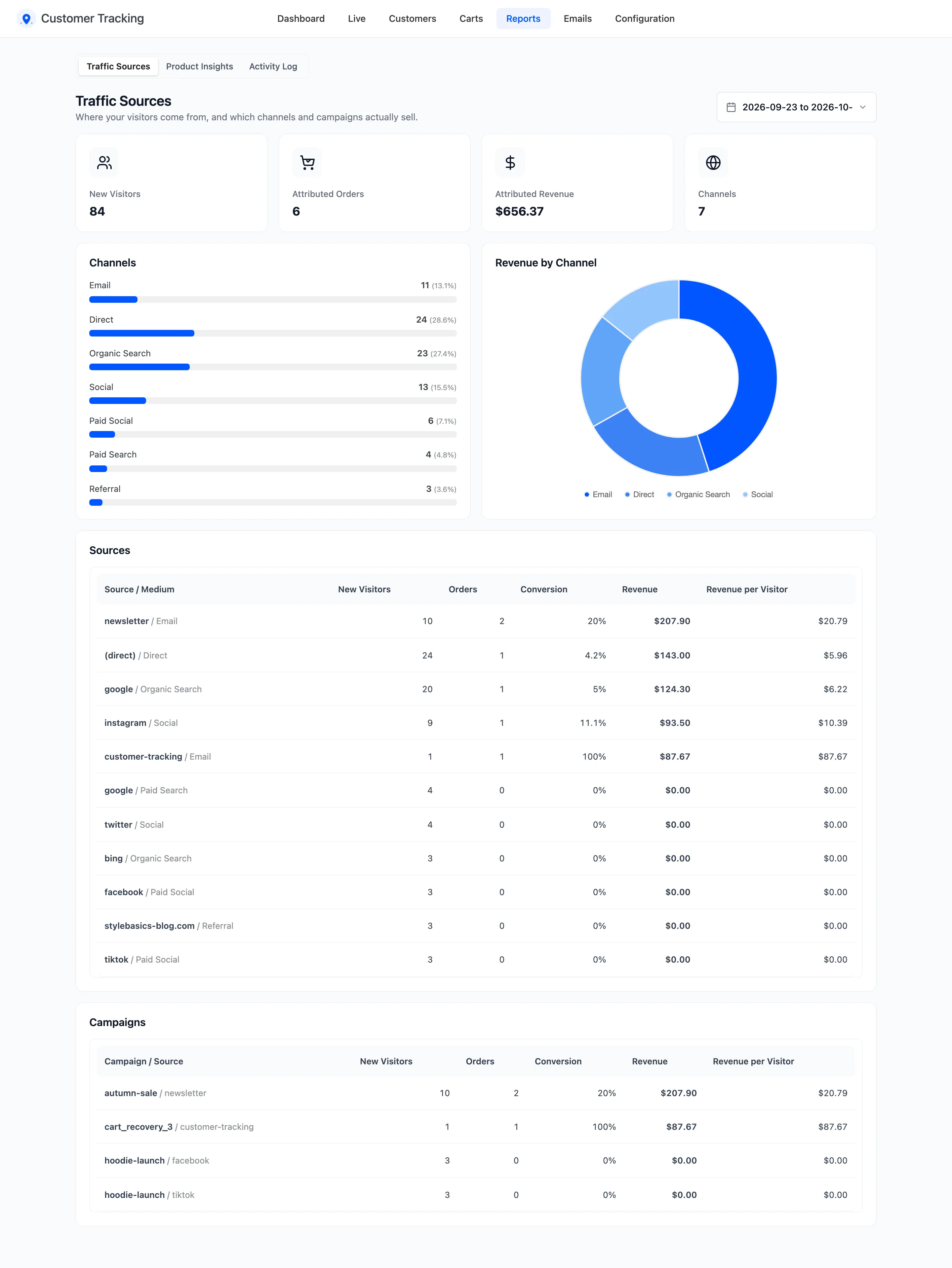
The four tiles
Section titled “The four tiles”- New Visitors: Visits that started in the period.
- Attributed Orders and Attributed Revenue: Orders from those channels and their totals.
- Channels: How many channels brought visitors.
Channels and Revenue by Channel
Section titled “Channels and Revenue by Channel”Channels groups visits by medium: Organic Search, Paid Search, Social, Paid Social, Email, Referral, Campaign and Direct. Revenue by Channel splits the attributed revenue between them.
Sources
Section titled “Sources”One row per source and medium, such as google / Organic Search or newsletter / Email:
- Visitors, Orders and Revenue.
- Conversion: Orders per visitor.
- Revenue per Visitor: What each visit from that source was worth.
A source with many visitors and little revenue per visitor brings browsers. A small one with high revenue per visitor deserves more of your budget.
Campaigns
Section titled “Campaigns”Campaigns lists only visits with a utm_campaign tag, by campaign and source.
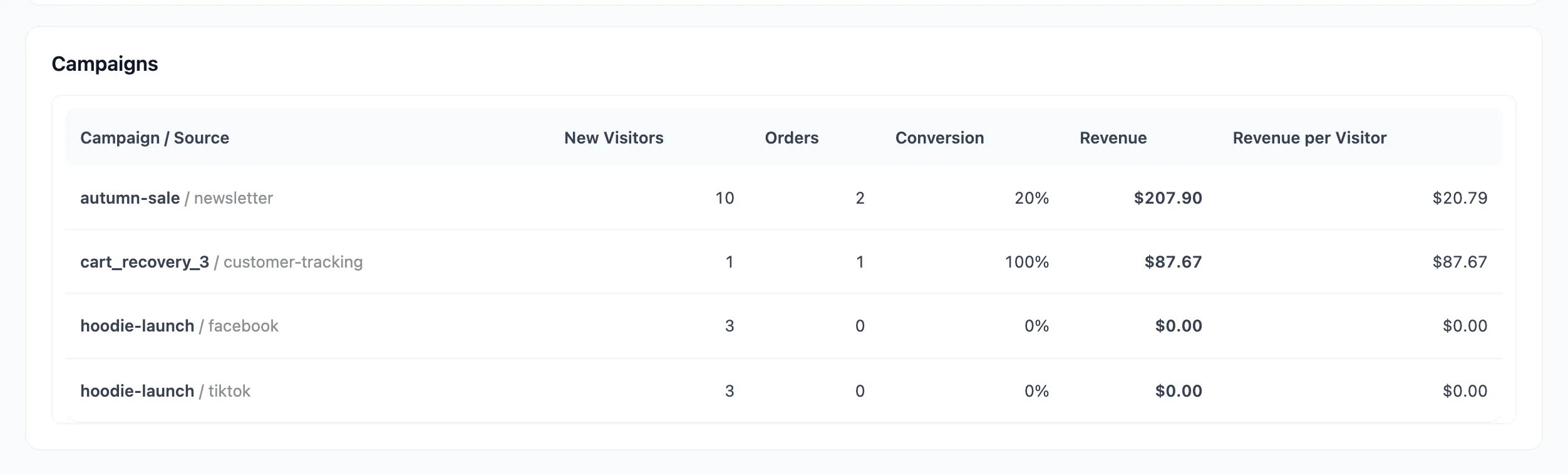
See How to Track Campaigns with UTM Links.
First touch or last touch
Section titled “First touch or last touch”The report credits each visitor’s latest channel by default. Under Configuration → Attribution, First touch credits the channel that first brought them instead. On the demo, the same month read like this under each model:
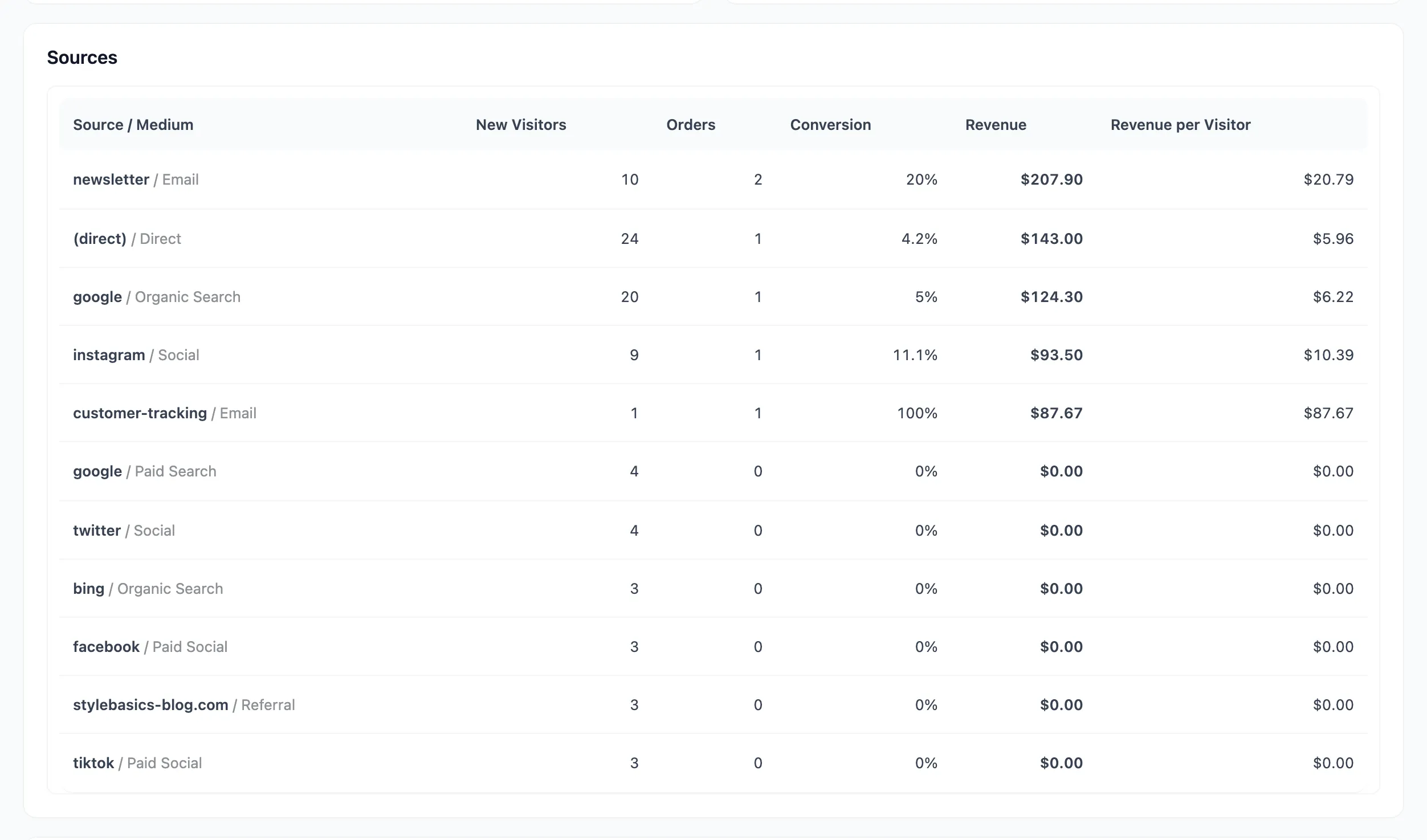
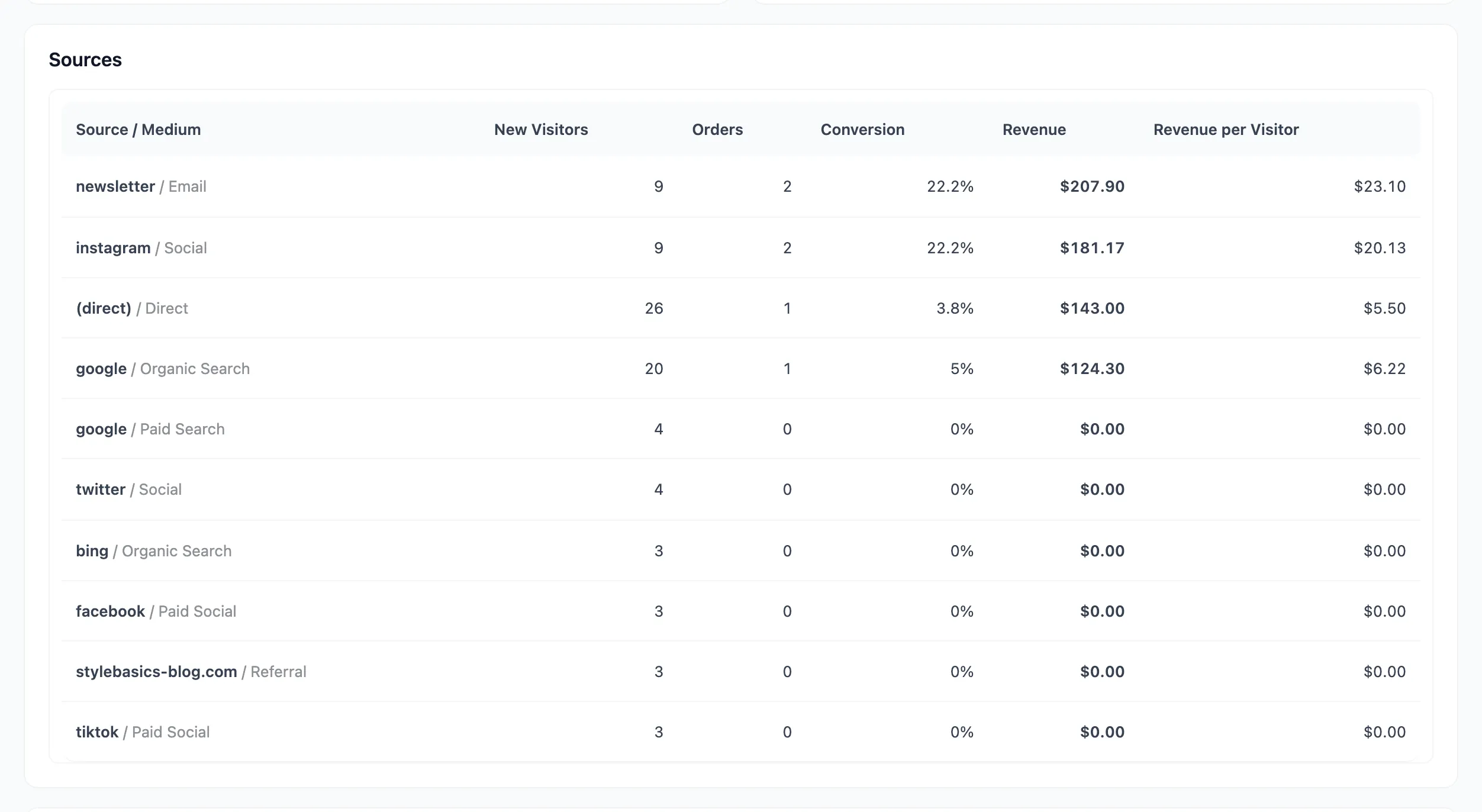
See How to Choose an Attribution Model.
Pick the period at the top right. Visitors count by the day their visit began; orders by the day they were placed.