

How Customer Tracking Works
This page follows one shopper on the demo store, Nina, from a first visit to a recovered order. Each step shows what the plugin records and where you see it.
1. Nina arrives
Section titled “1. Nina arrives”Nina finds the store through an Instagram link and opens a product page on a laptop. The plugin starts a
visit for that browser and notes where it came from: Instagram, a social network. A visit carries one
cookie, ddwcct_session, which links later pages to this one.
The channel comes from the link itself or from the referring site:
- UTM tags in the link, such as
utm_source=newsletter, name the source, medium and campaign. - Ad click IDs:
gclidis Google Ads andmsclkidBing Ads, both Paid Search.ttclidis TikTok, Paid Social.fbclidis Facebook, counted as Social because Facebook adds it to ordinary links too. - The referring site is matched against search engines, social networks and webmail. Any other site counts as a referral.
- No link and no referrer is a direct visit.
See How to Track Campaigns with UTM Links.
2. Nina browses
Section titled “2. Nina browses”Every page Nina opens is a Page View, with its type: product, shop, cart, checkout and so on. Searches are recorded with the number of results they found. The page is reported by the browser once it has loaded, so pages served from a cache are counted too, and bots that run no script are not.
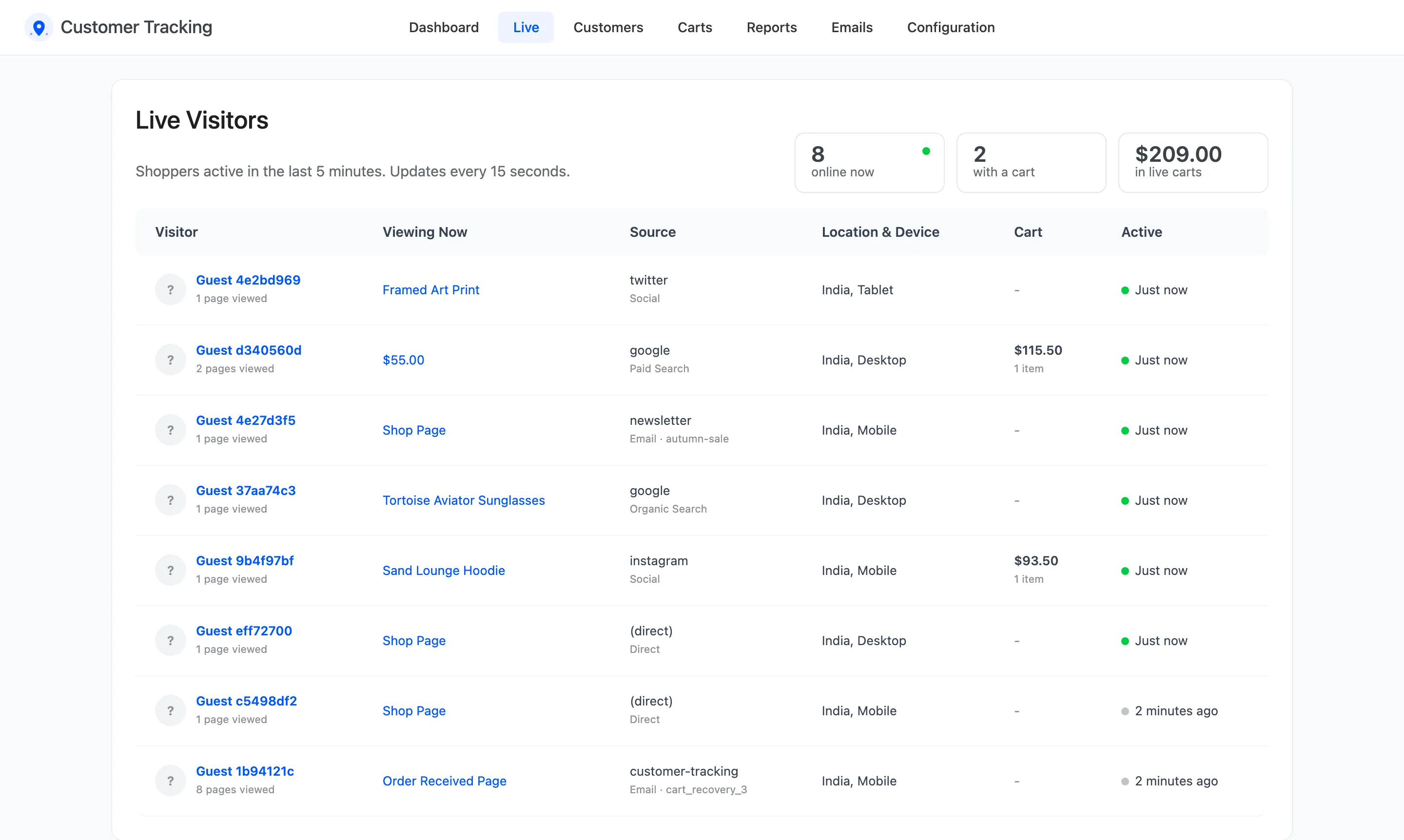
While Nina is in the store, the visit shows on the Live screen.
3. Nina builds a cart
Section titled “3. Nina builds a cart”Nina adds a tee and a beanie. Each one is an Add to Cart activity, and the cart itself is saved, with its products and total. On the Carts screen it is Active.
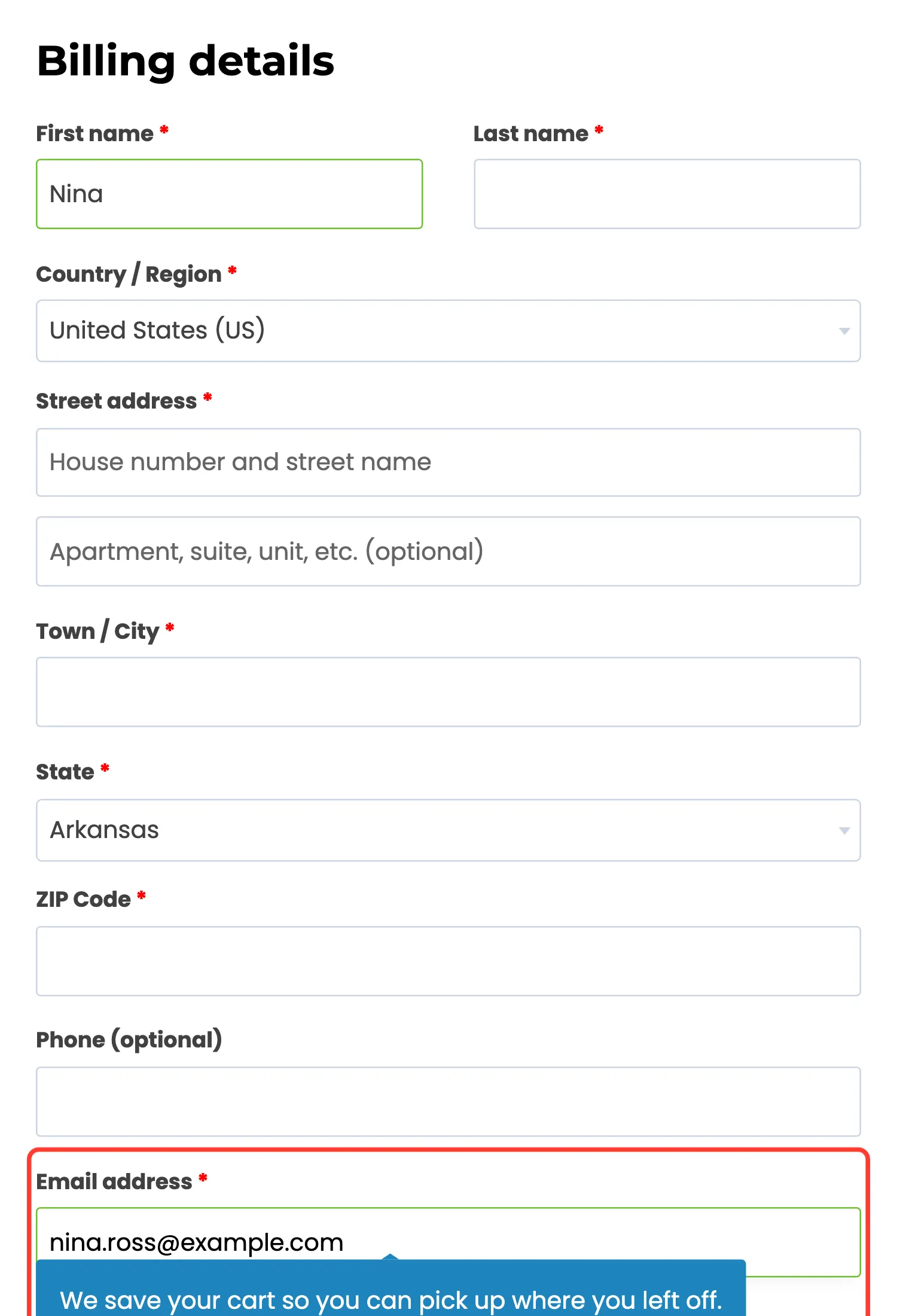
At checkout Nina types an email and first name, then closes the tab. The plugin saves the email before any order exists, because Guest Email Capture is on. A click into the email field shows a line under it saying the cart is saved.
4. The cart is abandoned
Section titled “4. The cart is abandoned”Thirty minutes without a change, and the cart turns Abandoned. The cart job checks every 10 minutes.
From then on the reminders count:
- 1 hour later: Cart Reminder 1, “Nina, you left something in your cart”.
- 1 day later: Cart Reminder 2, “Still thinking it over, Nina?”.
- 3 days later: Cart Reminder 3, with a unique 10% coupon.
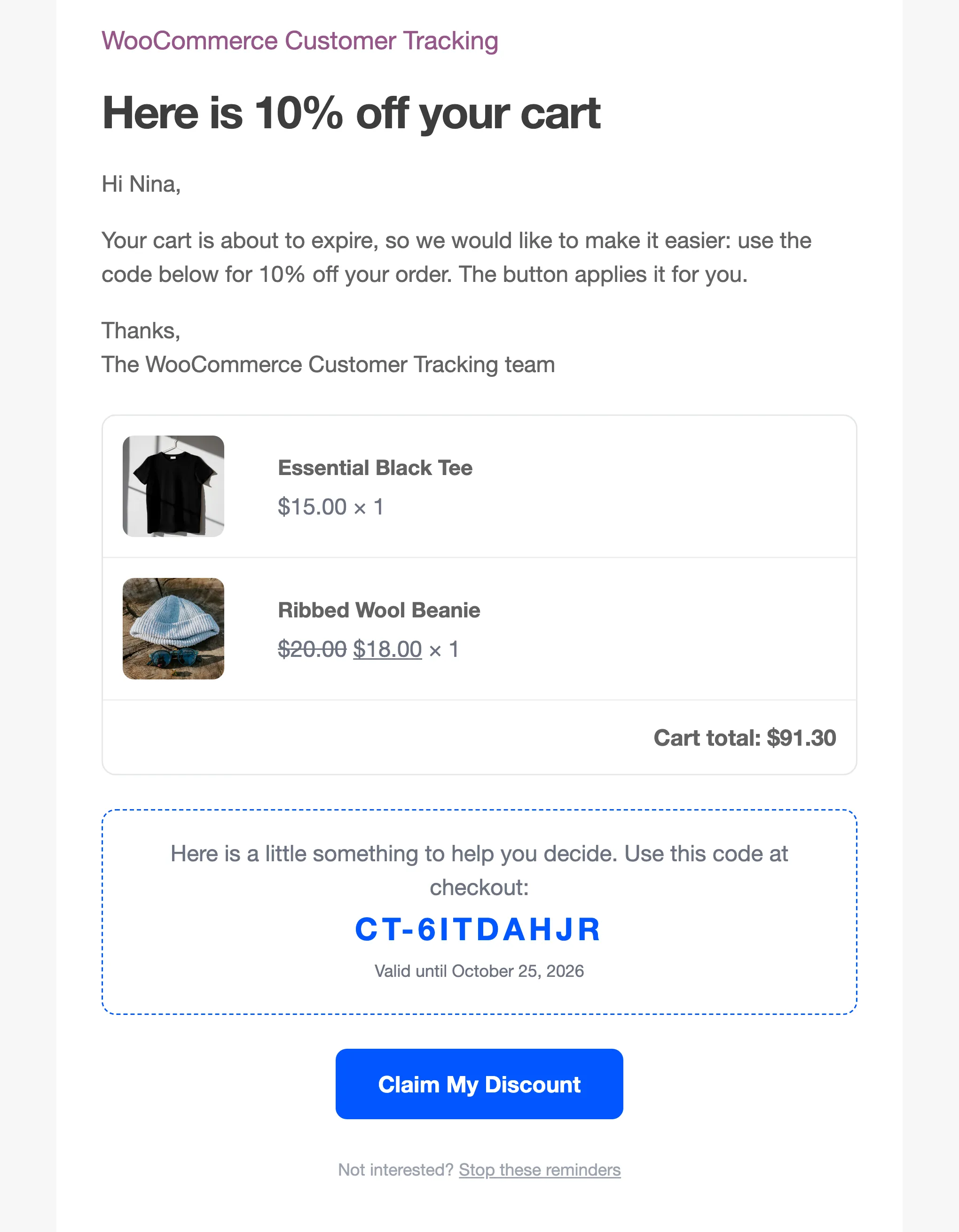
Each reminder lists the products and the cart total, and ends with a Stop these reminders link.
5. Nina comes back on a phone
Section titled “5. Nina comes back on a phone”Three days later, Nina taps Claim My Discount on a phone. The link refills the cart, applies the coupon, fills in the email and first name, and opens checkout.
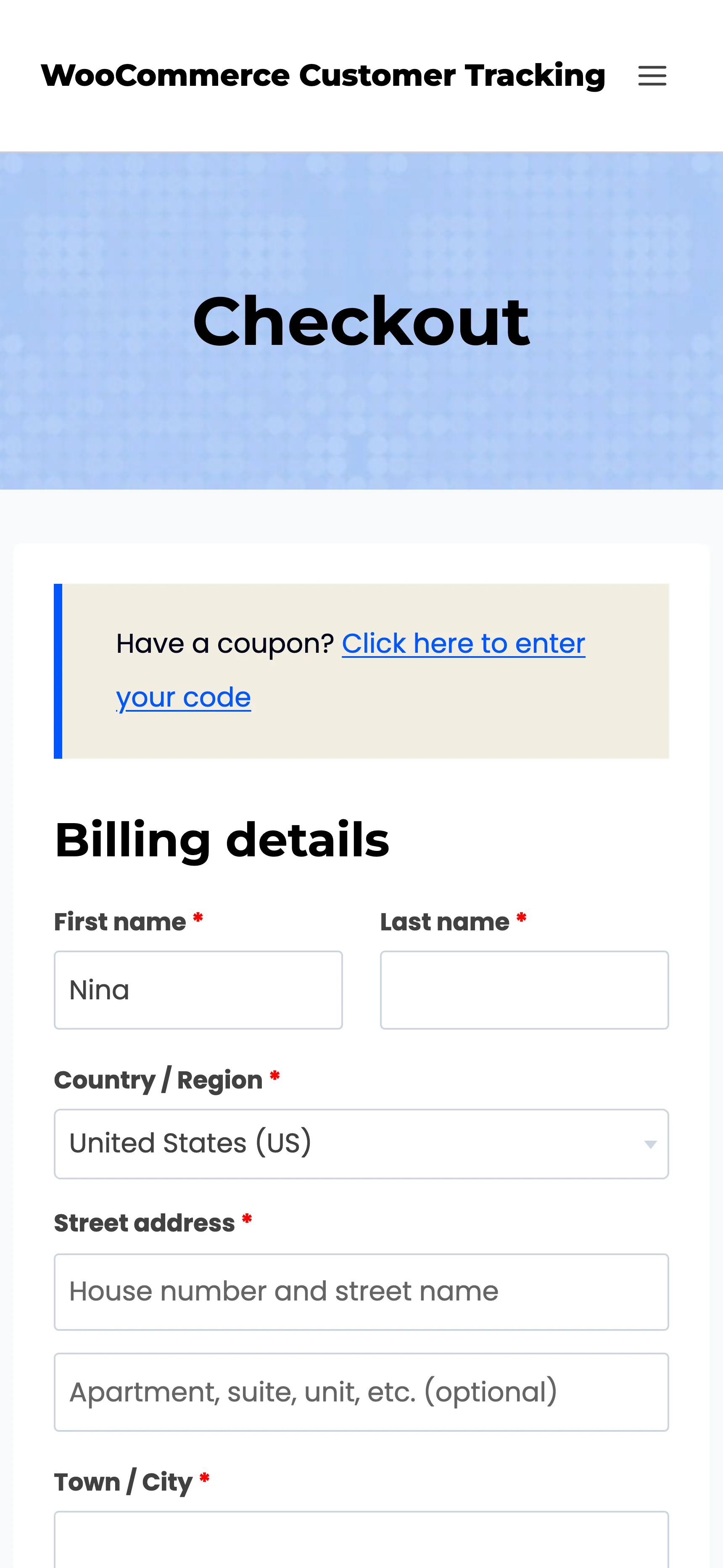
The laptop visit and the phone visit become one journey. The phone visit keeps Instagram as the channel that first found Nina, and the reminder email as the latest one.
6. Nina orders
Section titled “6. Nina orders”Nina places the order. The plugin counts it once it is paid, when it reaches Processing or Completed, so a declined card or an unpaid order never inflates the numbers. At that moment:
- The cart turns Recovered, with the order and its total.
- The order is saved with its source: the reminder email under last touch, Instagram under first touch.
- Order Placed joins the journey.
- The third reminder is marked Converted in the Email Log, with the order’s revenue, and the dashboard’s Recovered Revenue goes up by the same amount.
A bank transfer order waits On hold until you mark it Processing, and the cart stays as it was until then. Once an order is paid, no more reminders go out for that cart.
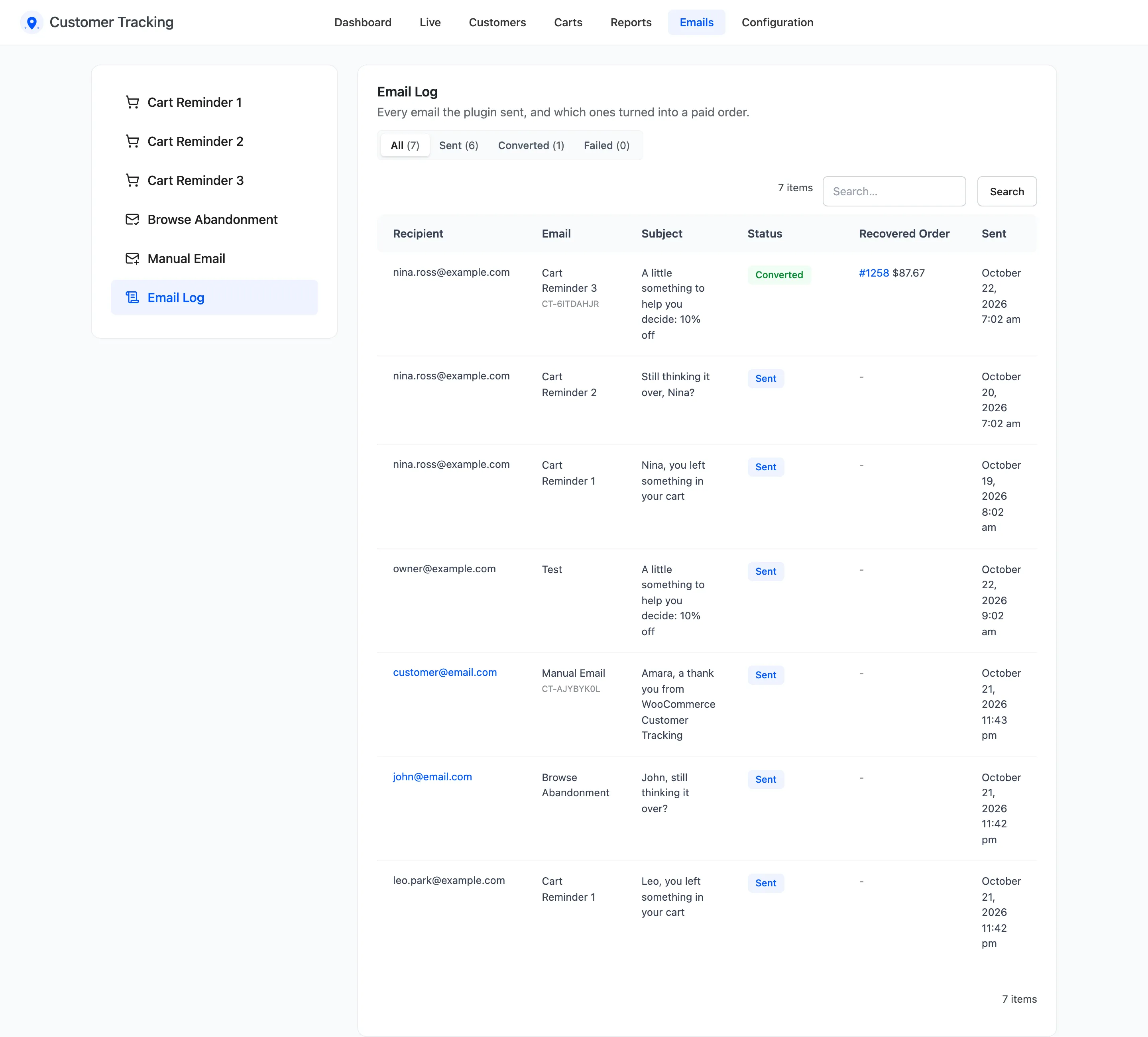
7. Nina has a profile
Section titled “7. Nina has a profile”Nina is now a customer with one order. The profile shows the lifetime value, the segment (New), the whole journey across both devices, the carts and the products Nina looked at.
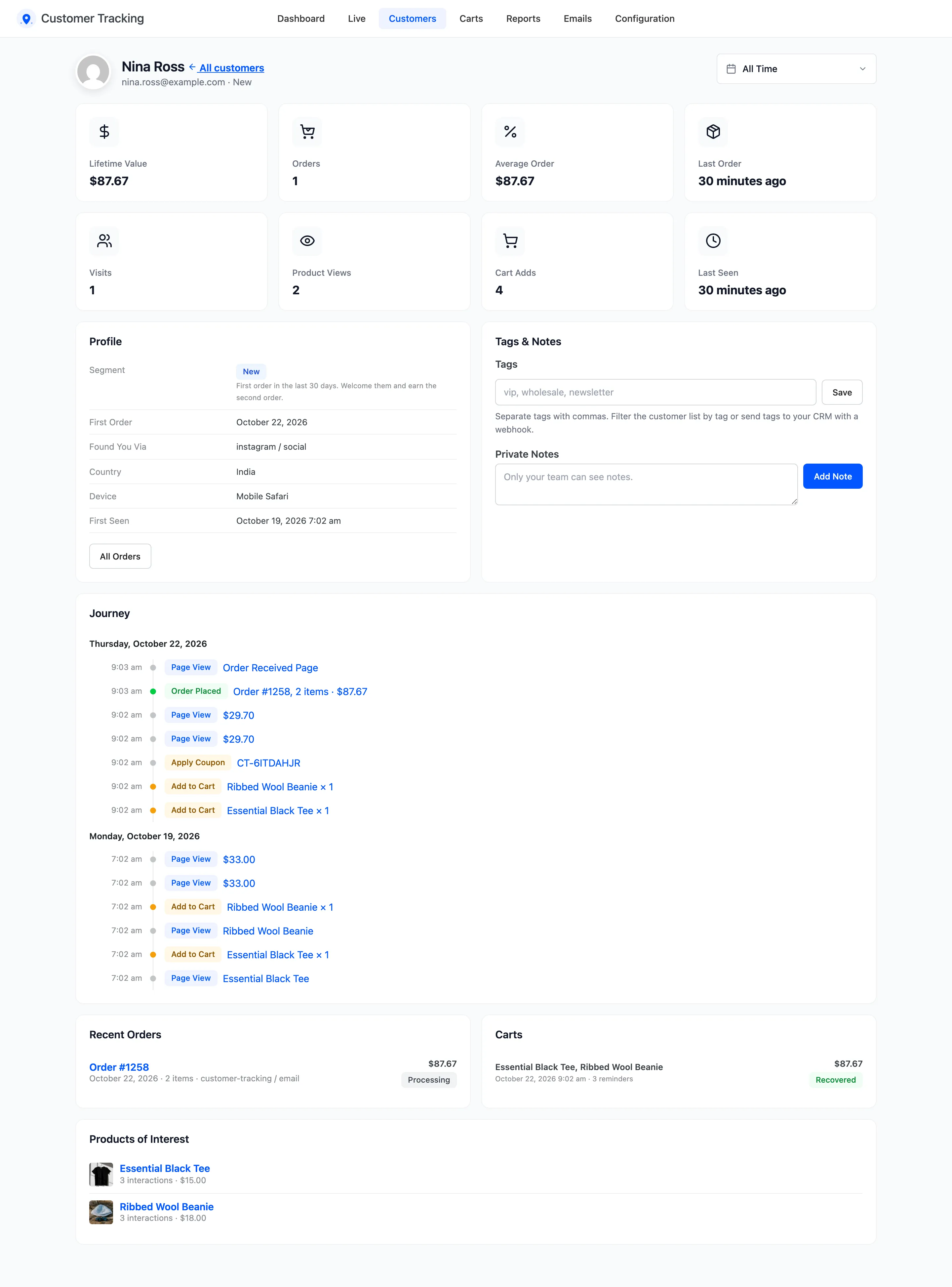
Profiles are kept for every buyer and every registered customer, guests included. Segments are worked out again every day. See How to Win Back Customers with RFM Segments.
What is never recorded
Section titled “What is never recorded”- Visits from the excluded roles, users and IP addresses, administrators and shop managers by default.
- Bots, link previews and browser prefetches.
- Visitors whose browser sends Do Not Track, when that setting is on.
- Anything at all while tracking is switched off or the license is inactive.