

Webhook Settings
The Integrations tab sends events to other systems the moment they happen. Open DevDiggers Plugins → Customer Tracking → Configuration → Integrations.
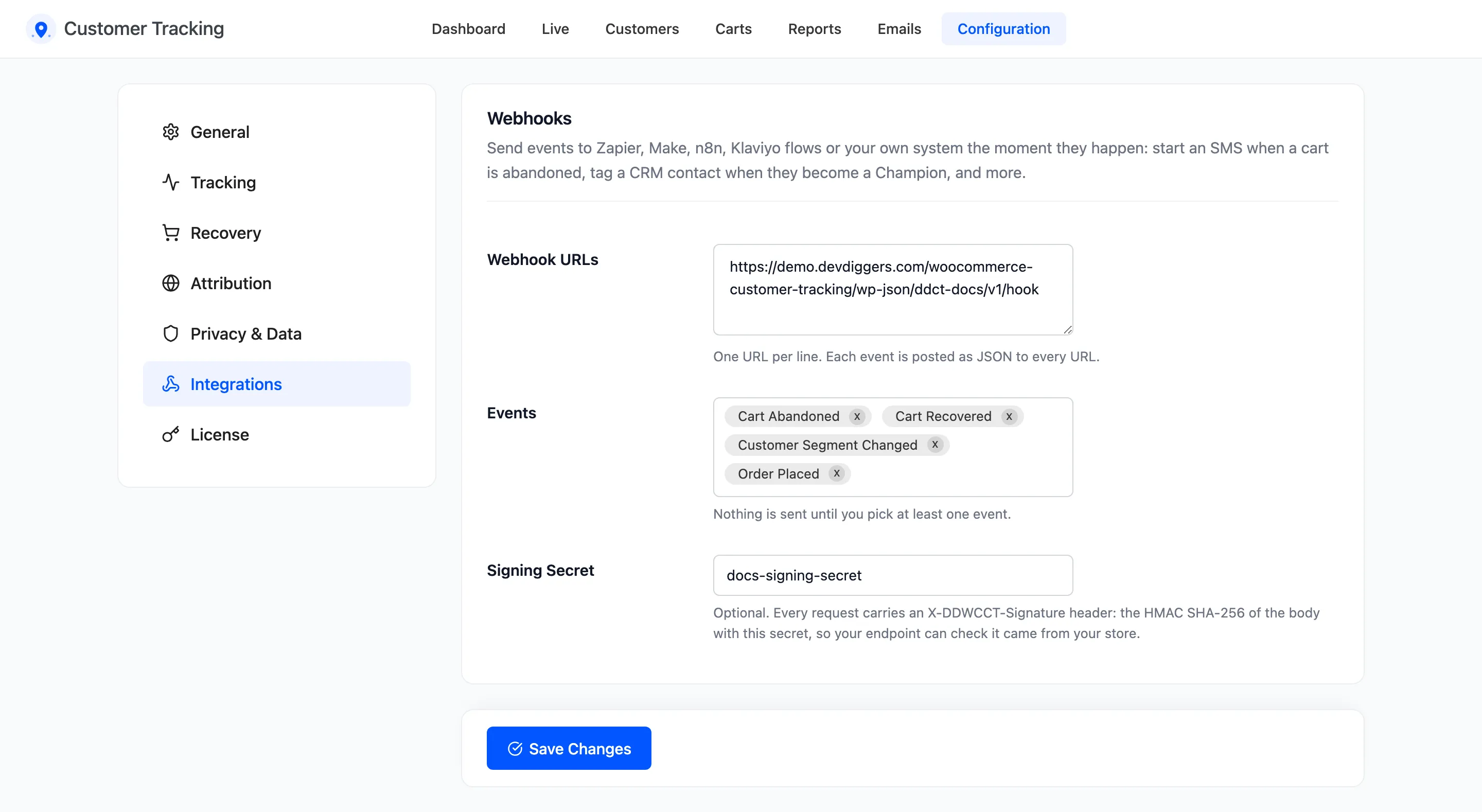
The fields
Section titled “The fields”- Webhook URLs: One URL per line. Every event is posted to every URL. Empty by default.
- Events: The events to send. Nothing is sent until you pick at least one.
- Signing Secret: Optional. With it, every request carries a signature your endpoint can check.
The events
Section titled “The events”- Cart Abandoned: A cart turned Abandoned.
- Cart Recovered: An abandoned cart turned into an order.
- Customer Segment Changed: A customer moved to another segment, such as from Lost to Champions.
- Every tracked activity: Page View, Search, Add to Cart, Remove from Cart, Apply Coupon, Remove Coupon, Order Placed, Product Review, Registration, Login and Logout.
Activity events fire on every occurrence. Page View can mean thousands of requests a day, so pick it only when your endpoint expects that.
What is sent
Section titled “What is sent”Each request is a JSON POST with four keys: event, site, timestamp and data. Two headers
come with it:
X-DDWCCT-Event: the event name, such ascart_abandoned.X-DDWCCT-Signature: the HMAC SHA-256 of the raw body, keyed with your Signing Secret.
Requests are sent once, without waiting for an answer. A URL that is down misses that event. See How to Send Events to Zapier or a CRM with Webhooks for each payload and a signature check.
Click Save Changes at the bottom of the tab.