

How to Handle Privacy Requests
A shopper can ask what you know about them, or ask you to forget them. Customer Tracking plugs into the WordPress privacy tools, so the same two screens answer both.
Step 1: Open the export tool
Section titled “Step 1: Open the export tool”Go to Tools → Export Personal Data, enter the shopper’s email and click Send Request. Untick Confirmation email if you have already checked who they are.
Step 2: Send or download the export
Section titled “Step 2: Send or download the export”Hover the request and click Download personal data. The file has a Store Activity section from Customer Tracking, with every recorded activity: date, event, details, address, IP address, country and device.
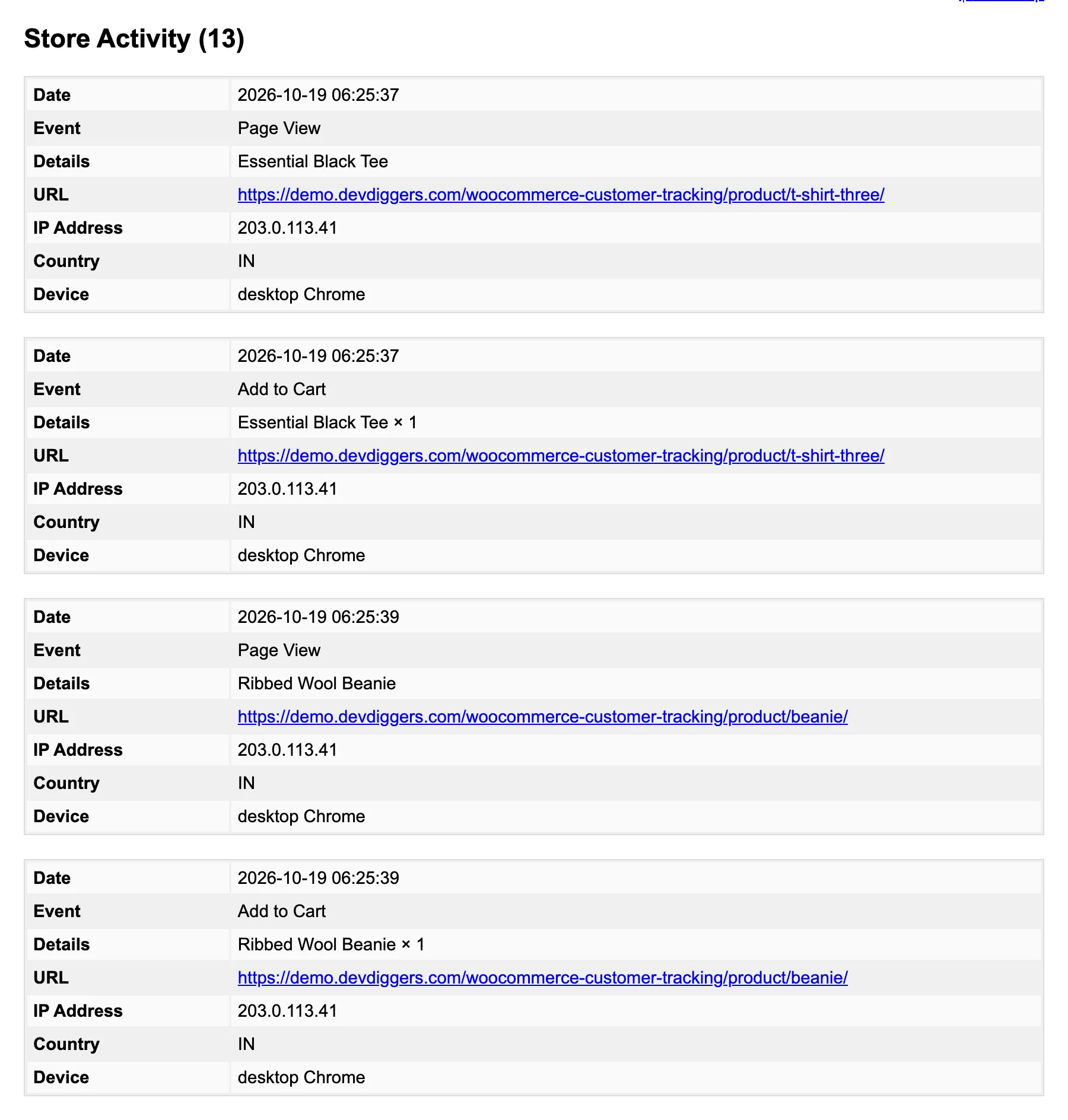
Step 3: Erase when asked
Section titled “Step 3: Erase when asked”Go to Tools → Erase Personal Data, add the email, and erase once the request is confirmed. For that email, Customer Tracking removes:
- The activities and visits of their account, and the guest visits of their carts and orders.
- Their carts, active or not.
- Their customer profile, with its tags and notes.
- Their entries in the Email Log.
Deleting a WordPress user does the same for that user.
Step 4: Reduce what you keep
Section titled “Step 4: Reduce what you keep”Under Configuration → Privacy & Data:
- Anonymize IP masks the last part of every address.
- IP Address off stores none at all.
- Do Not Track skips visitors whose browser asks not to be tracked.
- Data Retention removes old records every hour.
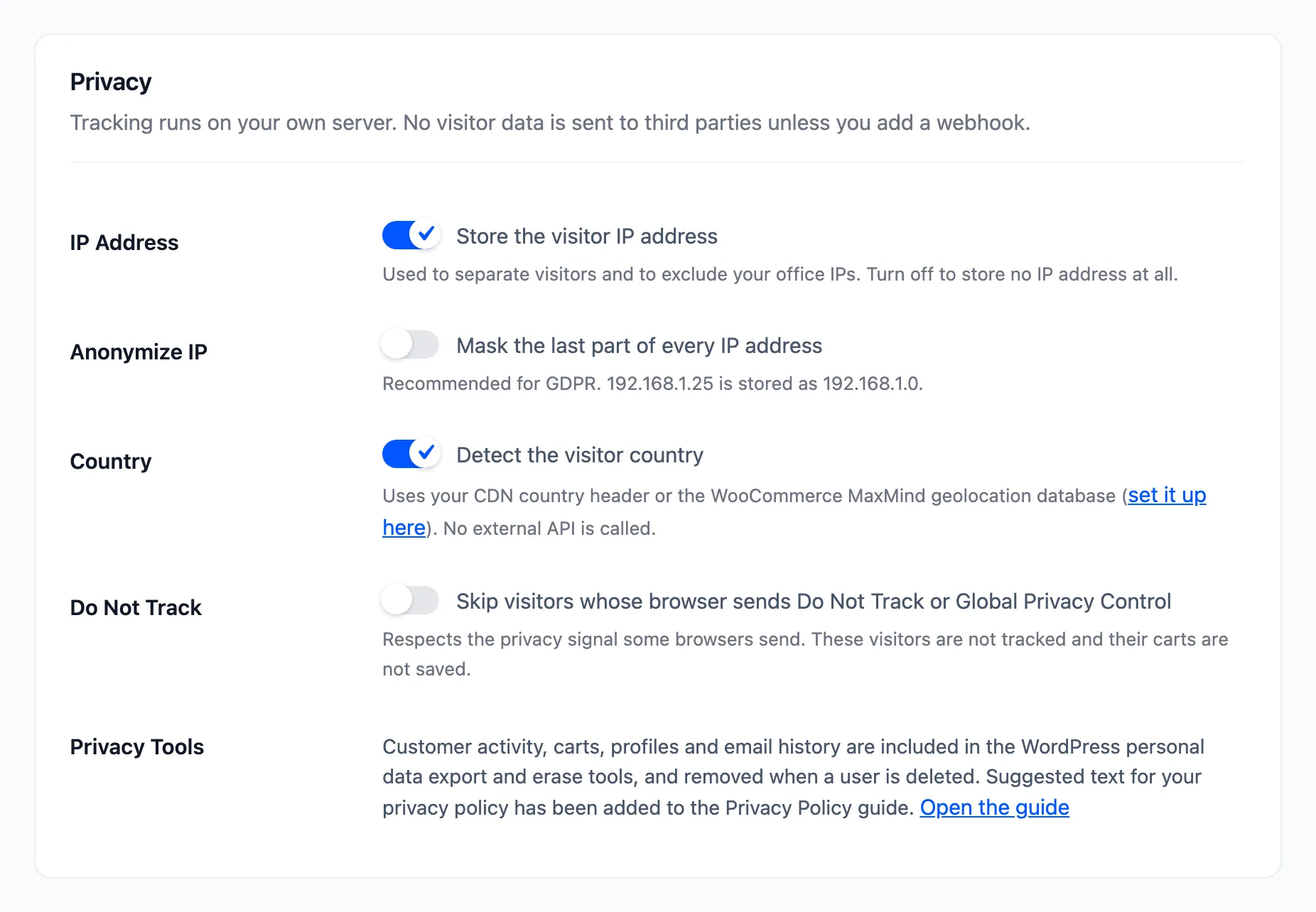
The plugin also adds a suggested paragraph to Settings → Privacy → Policy Guide. Copy it into your privacy policy and adjust it to your store.
Good to know
Section titled “Good to know”- An erased shopper who unsubscribed stays unsubscribed. Only a hash of the address is kept for that.
- Guests are covered too. A guest’s visits are found through the carts and orders of their email, so a shopper who never had an account is exported and erased like anyone else.