

The Customers Screen
The Customers screen lists everyone who has ordered or has an account, with what they are worth to you. Open DevDiggers Plugins → Customer Tracking → Customers.
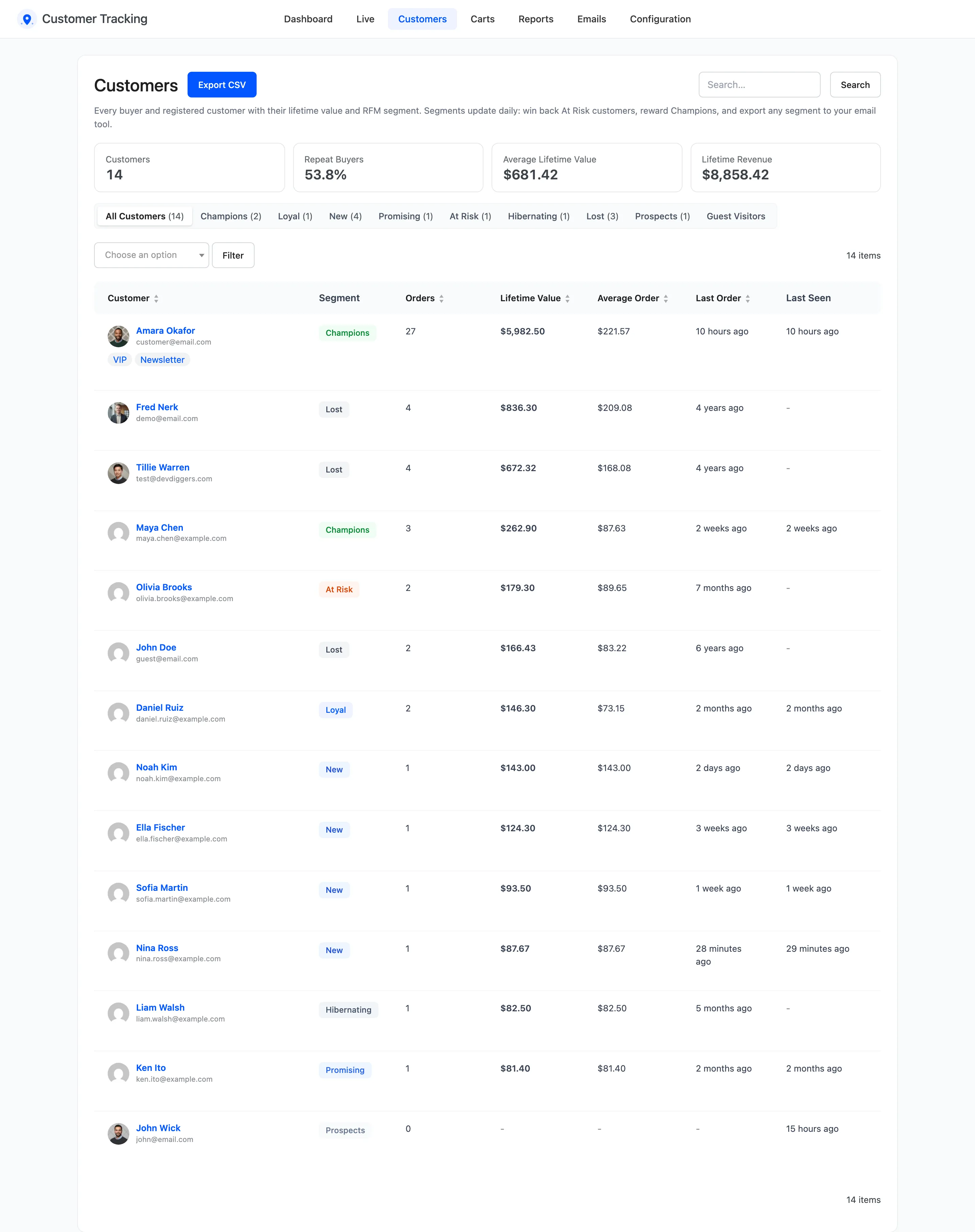
The four tiles
Section titled “The four tiles”- Customers: Everyone listed.
- Repeat Buyers: The share of buyers with more than one paid order.
- Average Lifetime Value: Revenue per buyer.
- Lifetime Revenue: Paid orders minus refunds, across all customers.
The columns
Section titled “The columns”- Customer: Name and email, with View profile, and Guest checkout for a buyer without an account.
- Segment: Their RFM segment.
- Orders, Lifetime Value and Average Order: From paid orders, refunds taken off.
- Last Order and Last Seen: When they last bought, and when they were last in the store.
Click Orders, Lifetime Value, Average Order or Last Order to sort.
Segments
Section titled “Segments”The views above the list filter by segment, with a count each. Hover a segment for its rule.
| Segment | Rule |
|---|---|
| Champions | 3 or more orders, the last within 60 days |
| Loyal | 2 or more orders, the last within 120 days |
| New | 1 order, within 30 days |
| Promising | 1 order, within 90 days |
| At Risk | 2 or more orders, the last 4 to 12 months ago |
| Hibernating | 1 order, 3 to 12 months ago |
| Lost | No order for over a year |
| Prospects | An account, but no order yet |
A customer takes the first segment they match, from the top. Segments are worked out again every day and whenever one of their orders changes status.
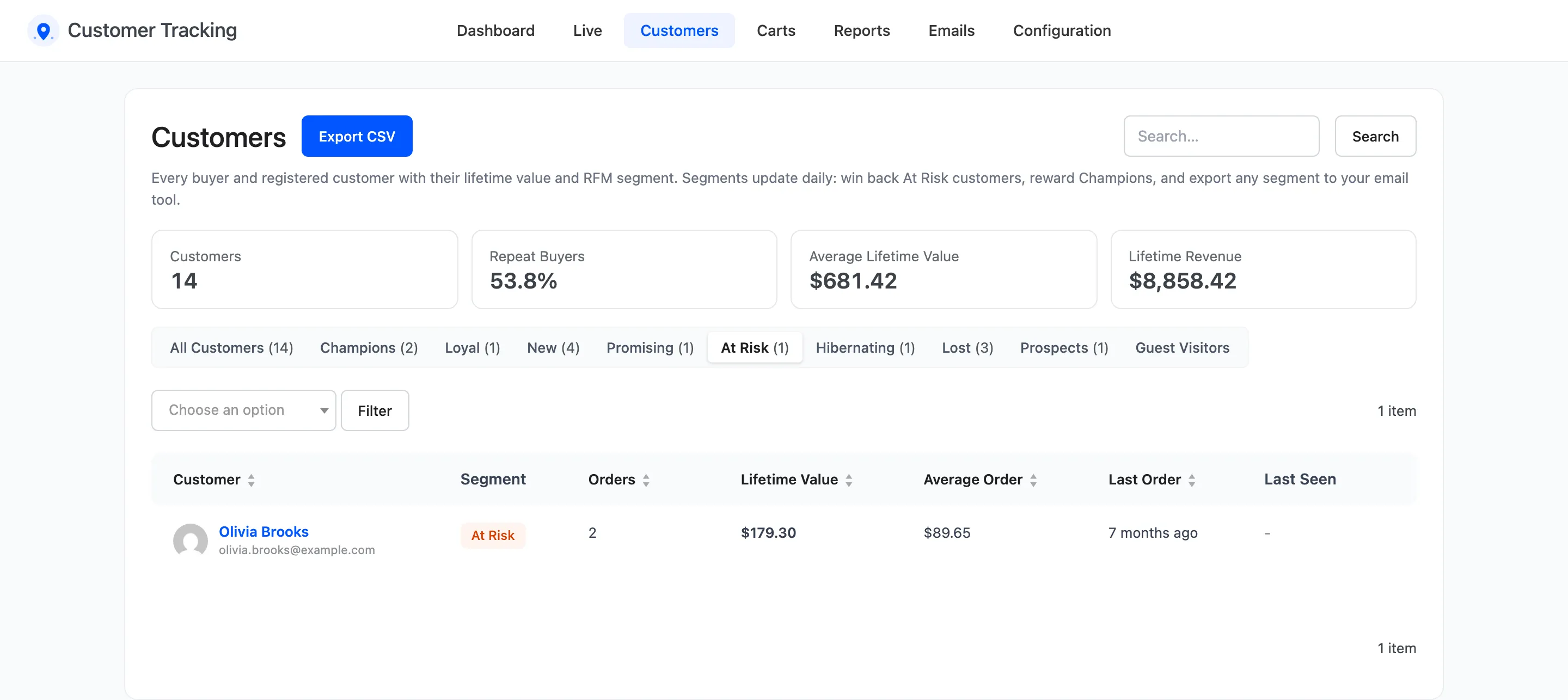
See How to Win Back Customers with RFM Segments.
Tags, search and export
Section titled “Tags, search and export”- Tags: A tag on a row filters the list to that tag. The tag menu above the list does the same.
- Search: Matches name, email and tags.
- Export CSV: Downloads the list as filtered by segment and tag, with email, name, user ID, segment, orders, lifetime value, average order, first and last order and tags.
Guest Visitors
Section titled “Guest Visitors”Guest Visitors lists anonymous browsers who never ordered or logged in, one row per visit. Each row has their activities, product views, cart adds, location, device and when they were last seen.
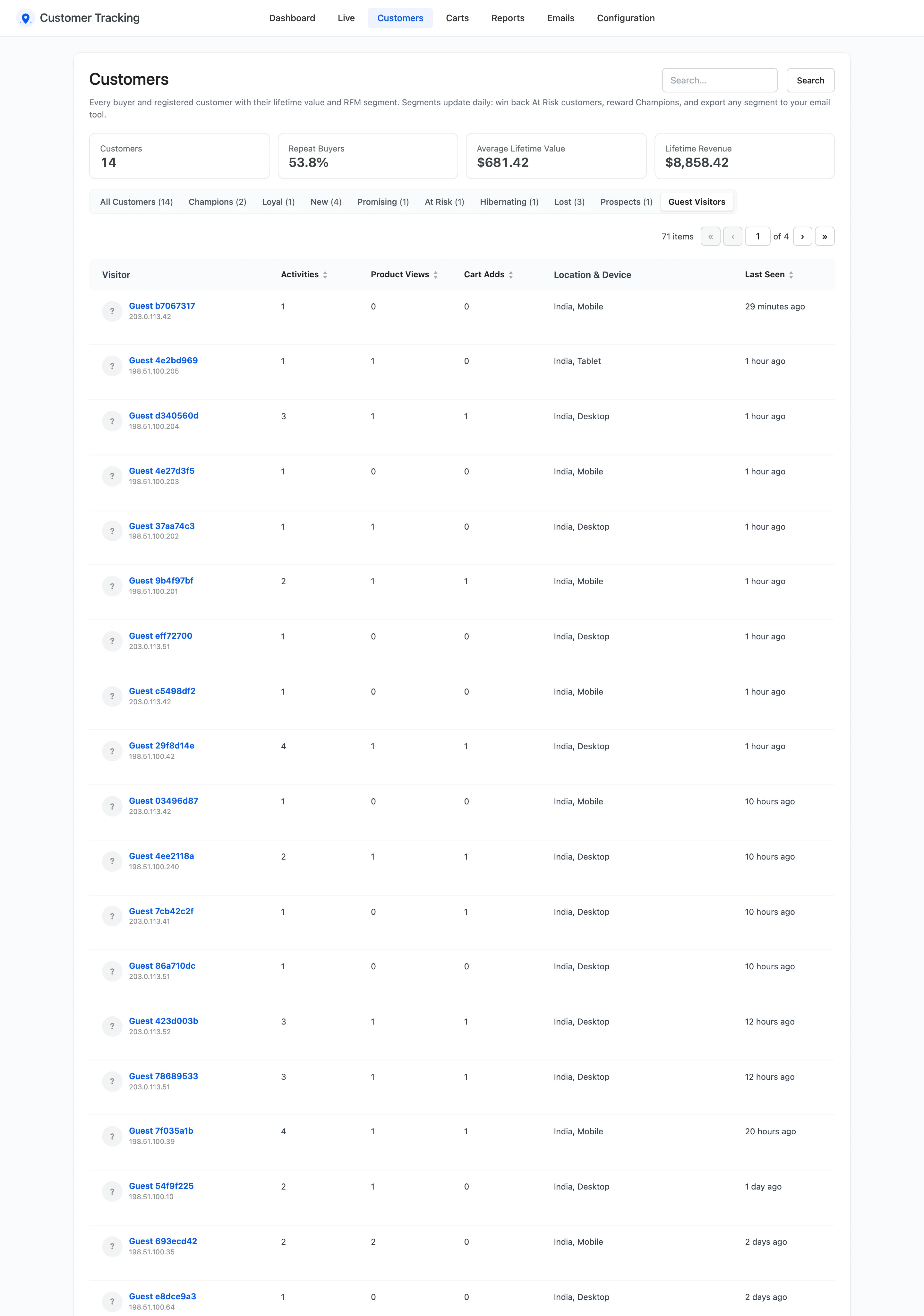
A guest who orders gets a customer row instead. A guest who logs in or registers joins their account, history included.